 venkatkrishna07/mkdev
Trusted localhost HTTPS — local CA, /etc/hosts, mDNS LAN sharing, reverse proxy. Maps https://name.local → localhost:port

Real HTTPS for local dev — with a TUI and LAN sharing.


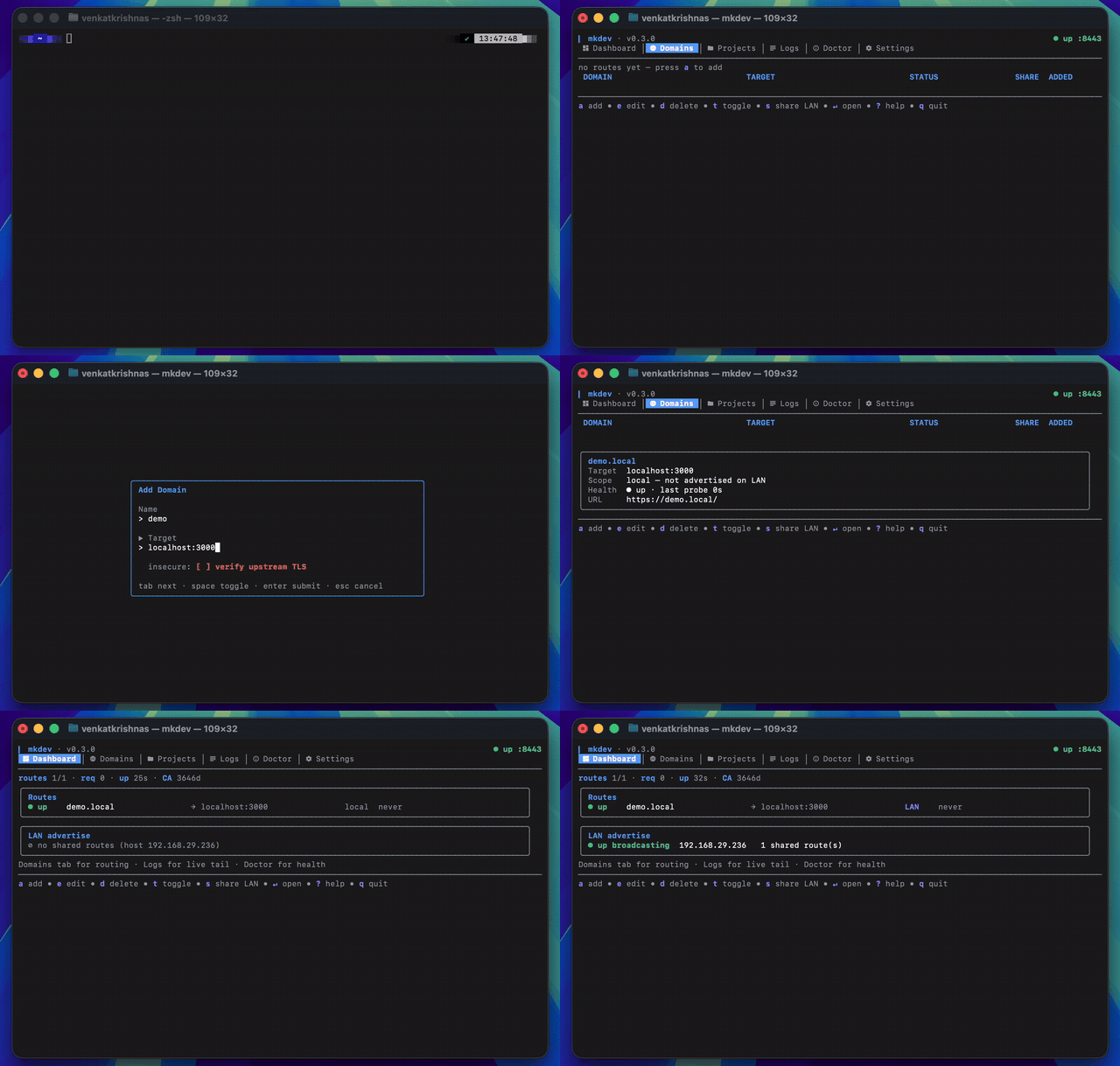
mkdev runs trusted HTTPS on *.local. A single Go binary: cert authority + reverse proxy + /etc/hosts + mDNS broadcast + a full TUI.
What makes it different:
https://app.local from your phone or any device on the same Wi-Fi.mkdev with no args drops you in.internal/safeexec). No PATH-based shadowing, no group-writable shortcuts.knownHost allow-list. Not wildcard, not pre-baked.mkdev install # CA + trust + daemon service + menu bar autostart
mkdev add myapp localhost:3000 # routes https://myapp.local → localhost:3000
curl https://myapp.local # 200 from your local app
install is one-shot: generates the CA, trusts it in the system store, installs and enables the daemon user-service (launchd / systemd), registers the menu bar to launch on login, and spawns the bar immediately when a GUI session is present. The daemon owns the proxy; the TUI (mkdev no args) and mkdev add | remove | list talk to it over ~/.mkdev/daemon.sock.
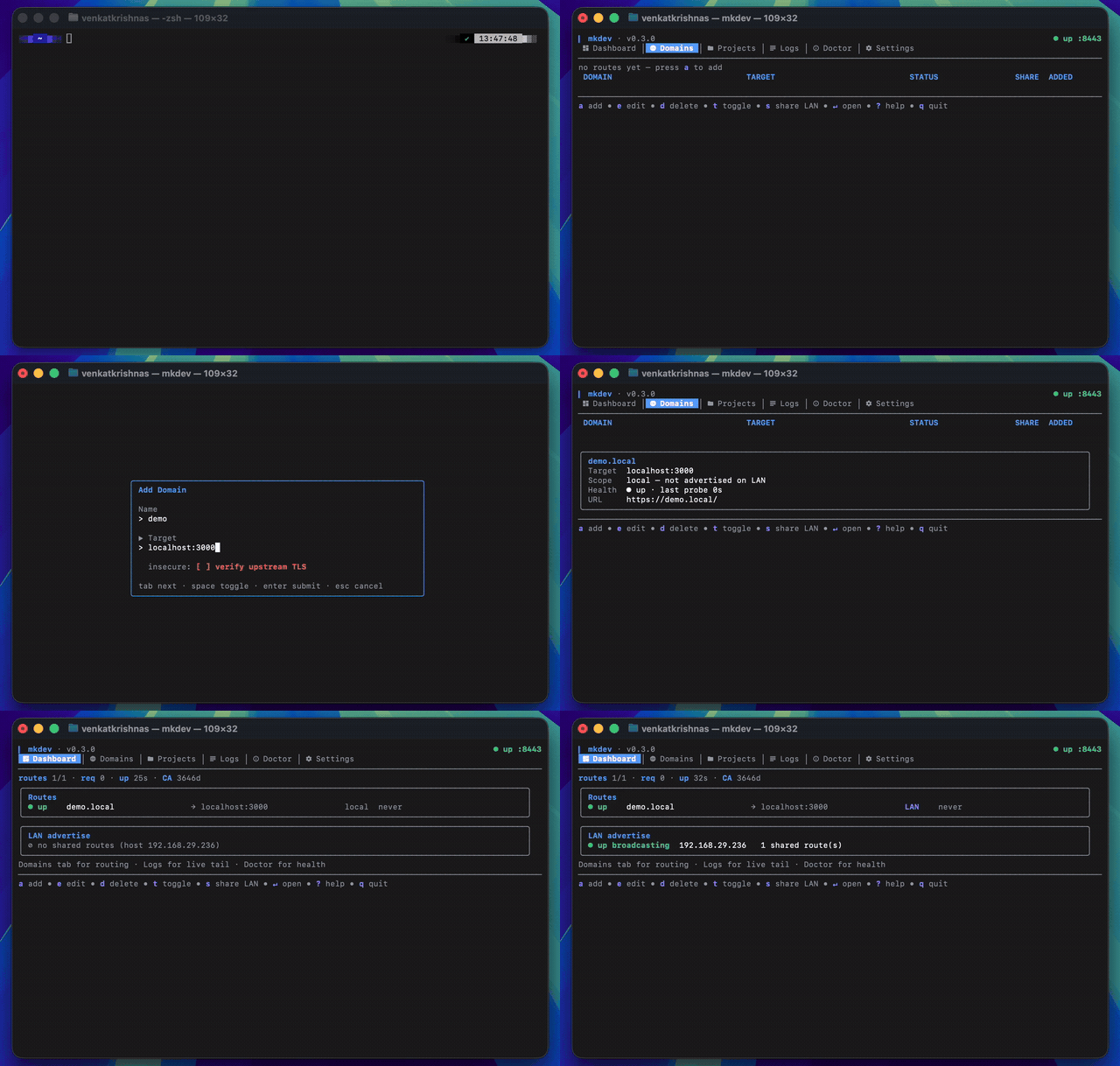
mkdev's headline feature. Share a route to any device on the same Wi-Fi with real TLS — no warnings, no tunnel service.
s to flip the SHARE column to LAN.<name>.local → this machine's LAN IP.https://<name>.local. Once the device trusts the mkdev CA (one-time), no warnings..local routes broadcast over mDNS. Other TLDs still proxy but aren't LAN-reachable by name.s is live — mDNS advertising and the LAN-side ACL update on the next request. No restart.brew install venkatkrishna07/tap/mkdev
Upgrade later:
brew update
brew upgrade mkdev
go install github.com/venkatkrishna07/mkdev/cmd/mkdev@latest
Upgrade to a specific version:
go install github.com/venkatkrishna07/mkdev/cmd/[email protected]
Pre-built binaries for macOS (Intel + Apple Silicon), Linux (amd64 + arm64), and Windows (amd64) are published on the Releases page. Each release includes checksums.txt plus a cosign keyless signature (checksums.txt.sig + .pem) — see SECURITY.md#verifying-releases for the verify command.
On macOS, if Gatekeeper blocks a direct-download binary:
xattr -d com.apple.quarantine ./mkdev
git clone https://github.com/venkatkrishna07/mkdev.git
cd mkdev
task build
cp bin/mkdev ~/bin/        # or /usr/local/bin
Requires Go 1.25+.
mkdev install   # CA, trust, daemon service, bar autostart — one command
mkdev           # launch TUI
After install, the daemon runs in the background and the menu bar appears (macOS, Linux GNOME/KDE, Windows). The bar shows daemon status, route list, and per-route enable / LAN-share toggles; Quit exits the bar without stopping the daemon.
The bar is the always-on UI. It lives in the system tray and talks to the daemon over ~/.mkdev/daemon.sock. Launches on login (autostart registered by install); also runnable foreground with mkdev bar.
What it shows:
mkdev v0.4.0 + daemon PID + uptime + listening proxy port.name.tld → target plus suffix badges ( · disabled, · LAN).What it does (click on a route):
https://name.tld with the system default handler.pbcopy / wl-copy / xclip / clip.exe).Enabled flag. Disabled routes stay in the store but stop being proxied.Bar-level actions:
DisableUnit first so launchd / systemd KeepAlive doesn't immediately respawn it, then sends shutdown over the socket.Notes:
mkdev daemon stop) cleanly stop the supervised daemon — killing the daemon process directly will get it respawned by launchd / systemd.Replace the binary (brew upgrade / go install ...@latest / new download). The next time you run any mkdev subcommand, the binary reconciles the parts that live outside it: rewrites the daemon plist / systemd unit and bar autostart entry to point at the new binary, re-asserts /etc/hosts for enabled routes, and re-trusts the CA if it was dropped. Sudo prompts run inline. If you only have the daemon running and never touch the CLI, the daemon does the safe (no-sudo) bits on its own startup and queues the rest until the next CLI command.
Re-running mkdev install does the same thing explicitly and is always safe — every step is idempotent.
| Platform | Trust store | Elevation |
|---|---|---|
| macOS | System Keychain (security add-trusted-cert) | sudo / osascript |
| Linux | update-ca-trust / update-ca-certificates / trust extract-compat | sudo / pkexec |
| Windows | ROOT system store via crypt32.dll | UAC (PowerShell RunAs) |
Linux distros detected: Debian/Ubuntu (/usr/local/share/ca-certificates), RHEL/Fedora (/etc/pki/ca-trust/source/anchors), Arch (/etc/ca-certificates/trust-source/anchors), openSUSE (/usr/share/pki/trust/anchors).
Firefox uses its own NSS store and is not yet covered — system Chrome/Safari/Edge/curl/wget all work.

