
Skip to content
KitploitKITPLOIT
ToolsBlog
Submit
ToolsBlog
Submit

Hacking, PenTest, and Cybersecurity Tools for Your Security Arsenal!

Kitploit is a directory of hacking, cybersecurity, and pentesting tools. Discover the latest project updates to find vulnerabilities, analyze systems, automate testing, and strengthen your security.

··Feeds·Contact·Privacy·© 2026 Kitploit

Tool Directory

Categories

View all categories
Loading categories
derf — Cloud-based attack emulation framework for executing offensive techniques and generating repeatable detection samples across AWS and GCP via a UI or programmatic workflows. | Kitploit
Tools/GitHubGitHub/vectra-ai-research/derf
Penetration TestingCloud SecurityRed Teaming
GitHubvectra-ai-research/derf

derf

Cloud-based attack emulation framework for executing offensive techniques and generating repeatable detection samples across AWS and GCP via a UI or programmatic workflows.


View RepositoryWebsite
101122 years agoReviewed by Kitploit

Most Popular

View all →

Discover the most used tools by our community.

Explore all tools

Browse our collection of tools

View all tools →
Share

The DeRF

Terraform Last-Commit Downloads

DeRF (Detection Replay Framework) is an "Attacks As A Service" framework, allowing the emulation of offensive techniques and generation of repeatable detection samples from a UI - without the need for End Users to install software, use the CLI or possess credentials in the target environment.

Read the release announcement

Read the Full Documentation

Deployment

DeRF is a framework for executing attacks and generating detection samples against resource an AWS account and GCP Project. This framework is deployed across a targeted AWS Account and a GCP Project with Terraform. For more detailed instructions on deployment see here.

Deployment Steps

  1. Complete Prerequisites - see Prerequisites.
  2. Complete System Requirements - see System Requirements.
  3. Clone the Github repo to your local system.
    git clone https://github.com/vectra-ai-research/derf.git
  4. Deploy The DeRF via Terraform from the ./env-prod directory.
    export AWS_PROFILE=PROFILE
    terraform init -backend-config=derf.conf
    terraform plan -var-file=derf.tfvars
    terraform apply -var-file=derf.tfvars

Attack Execution

Attack execution targeting both AWS and GCP is performed by invoking a Google Cloud Workflow. Workflows can be invoked either on the Google Cloud Console or programmatically with the gcloud cli
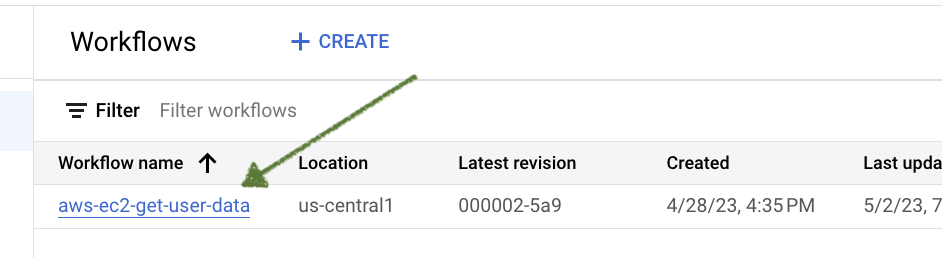
Executing Attacks on the Console

  1. Log into the Google Cloud Console and and navigate to the workflows page.
  2. Click on the name of the workflow that matches the attack you want to execute.
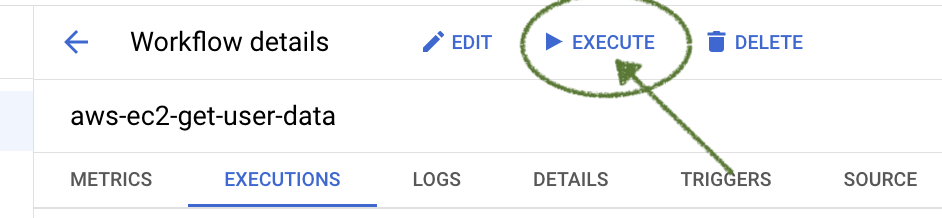
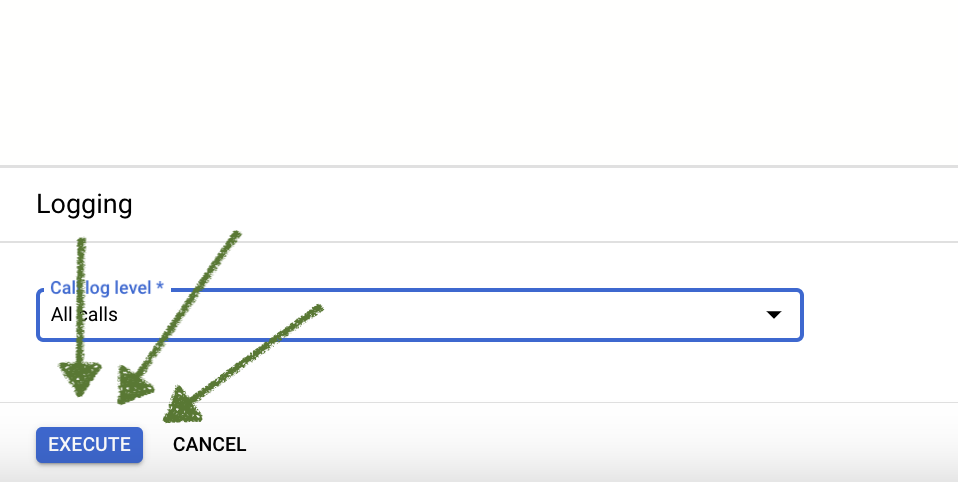
  3. Click on the EXECUTE button.
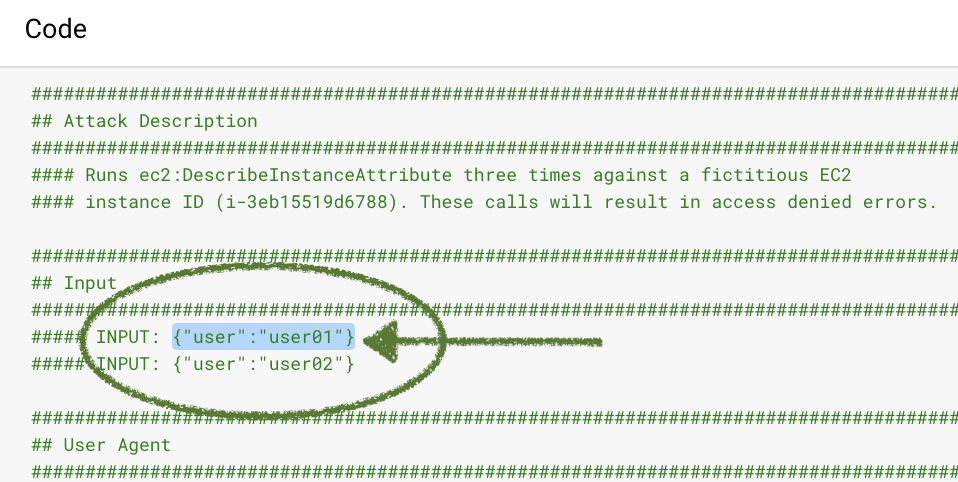
  4. Refer to the Code panel on the right-hand side and select which user to run the attack as by copying one of the possible inputs.
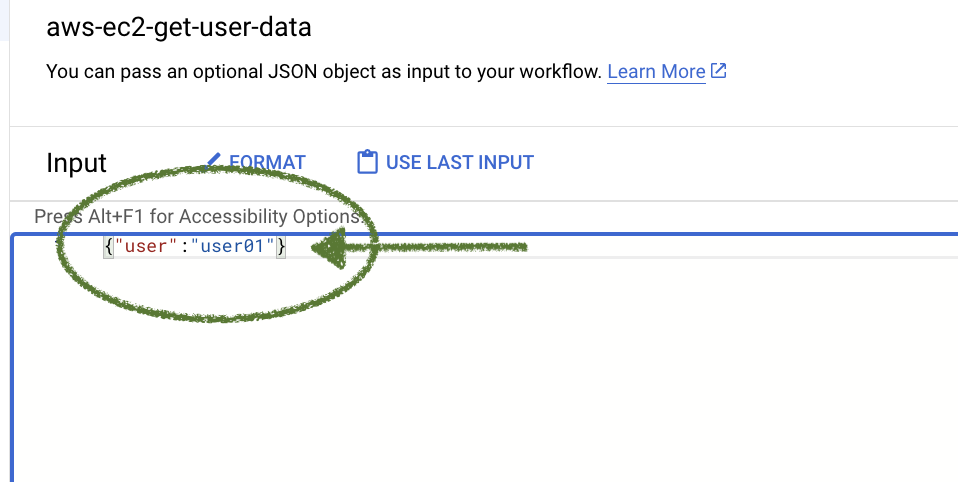
  5. Paste selected json in the Input panel on the left-hand side.
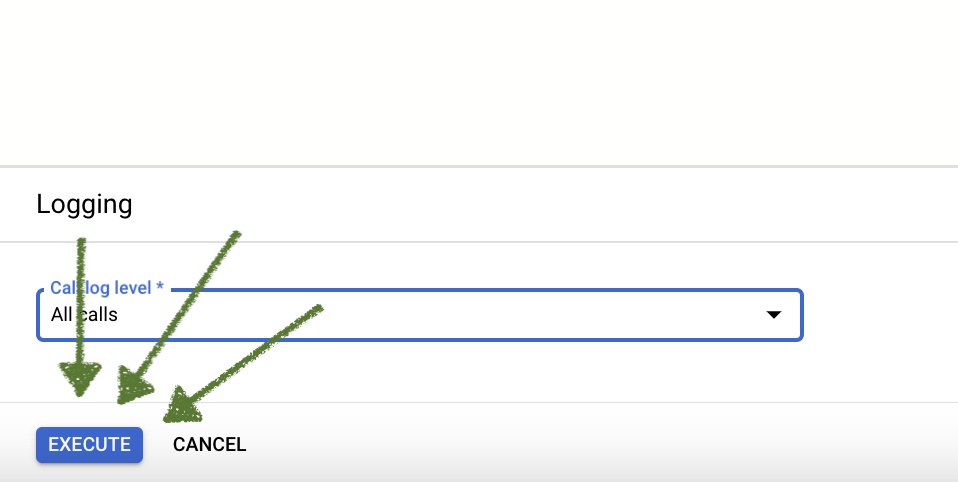
  6. Finally, select the EXECUTE button at the bottom of the screen. The results of the attack will be displayed on the right-hand side of the screen.
Executing Attacks Programmatically

  1. Ensure the Google command line tool is installed locally. Reference Google maintained documentation for instructions on installing gcloud cli
  2. Authenticate to Google Cloud Project which DeRF is deployed
root@kitploit:~
gcloud auth login --project PROJECT_ID
  1. Invoke a particular attack techniques' workflow with the gcloud cli. See Google documentation for more complete instructions on the workflows service.
root@kitploit:~
gcloud workflows run aws-ec2-get-user-data `--data={"user": "user01"}` 

Documentation

Building the Documentation Locally

This projects's documentation is build using mkdocs with material. From the root of this project you can always run mkdocs to see the rendered documentation locally or use the handle Makedocs shortcut, make docs-serve.

  1. Install Python Requirements
root@kitploit:~
pip install mkdocs-material mkdocs-awesome-pages-plugin
  1. Start mkdocs servcer
root@kitploit:~
mkdocs serve --livereload
  1. Navigate to the locally hosted documentation with your browser 127.0.0.1:8000

Acknowledgments

Maintainer: @KatTraxler

Similar projects

  • Status Red Team by DataDog
  • CNAPPGoat by Ermetic
  • Atomic Red Team by Red Canary
  • Leonidas by F-Secure
  • pacu by Rhino Security Labs
  • Amazon GuardDuty Tester
  • CloudGoat by Rhino Security Labs

Contact

If you found this tool useful, want to share an interesting use-case, bring issues to attention, whatever the reason - share them. You can email at: [email protected].

Download Tool