 vatsal200600/stegolab
All-in-one Image Steganography Toolkit for CTFs & Forensics

StegoLab is a lightweight, all-in-one image steganography analysis suite built for CTFs, cybersecurity challenges, and digital forensics.
It automates the use of popular tools like binwalk, steghide, stegseek, zsteg, exiftool, and more — all in a single interactive interface.
🔍 Metadata extraction (EXIF, XMP, IPTC, ICC)
🧩 Hidden data detection: LSB carving, strings search, zsteg
🛠 Automated tool wrapping: binwalk, steghide, stegseek, exiftool, strings
🎨 Visual analysis: RGB channels, grayscale, bit-plane splitting
🔧 Image repair: fix corrupted JPEG/PNG/GIF headers
⚡ Interactive menu:
📦 Installation
git clone https://github.com/VATSAL200600/StegoLab.git
cd StegoLab
Install Python requirements:
pip install -r requirements.txt
Install external tools (Kali usually has many pre-installed, but just in case):
sudo apt update
sudo apt install -y binwalk steghide stegseek exiftool zsteg
▶️ Usage 1.Run the tool Example:
python3 stegolab.py <image_file> -o <output_directory>

python3 stegolab.py examples/test.png -o results
Interactive Menu
When you run the tool, you’ll see:
StegoLab v3 - interactive menu
Choose an option:
1) Run everything (fast built-ins + external tools)
2) Choose tools manually
3) Attempt steghide no-password & small bruteforce
4) Repair image headers and retry
5) Exit
Option 1 → Runs all analyses automatically.
Option 2 → Lets you pick (binwalk, stegseek, strings, zsteg, etc.).
Option 3 → Tries steghide even without a password (quick bruteforce).
Option 4 → Repairs corrupted headers and retries tools.
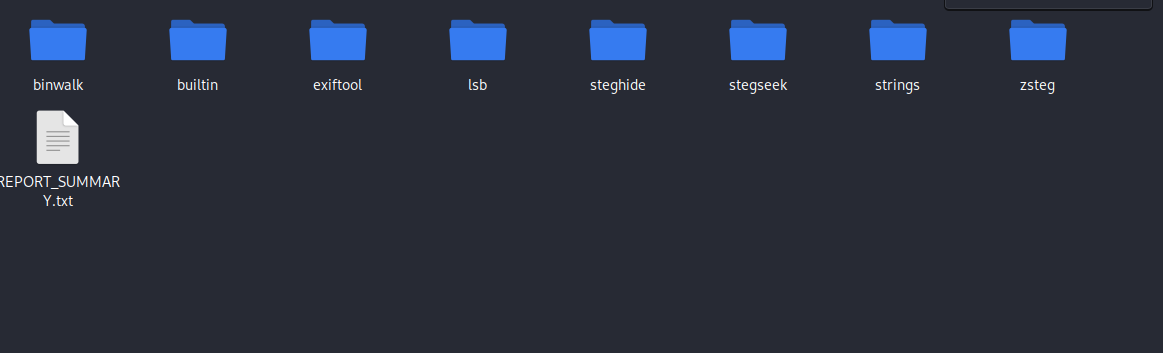
📂 Output
All results are saved in the output folder you specify (-o results).
Example outputs:
Extracted strings
Binwalk dump
LSB bit planes & grayscale channels
Metadata (EXIF)
Steghide hidden files
🎯 Features
✅ Extracts metadata (ExifTool) ✅ Runs binwalk & auto extraction ✅ Supports steghide (with/without password) ✅ Integrates stegseek for brute-forcing ✅ Strings extraction ✅ Zsteg analysis (PNG LSB checks) ✅ Image repairs (fix headers) ✅ Visual analysis (grayscale, bit-planes, color channels) ✅ User-friendly interactive menu
🖼️ Screenshots
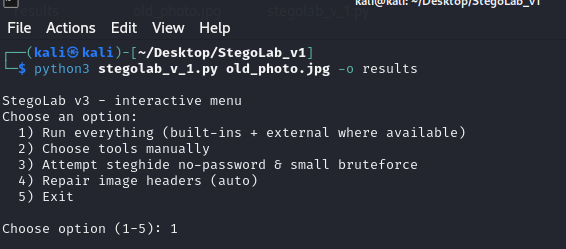
Main interactive menu of StegoLab v3. Users can choose to run all tools at once, select specific stego tools manually, attempt steghide attacks without a password, repair broken image headers, or simply exit.
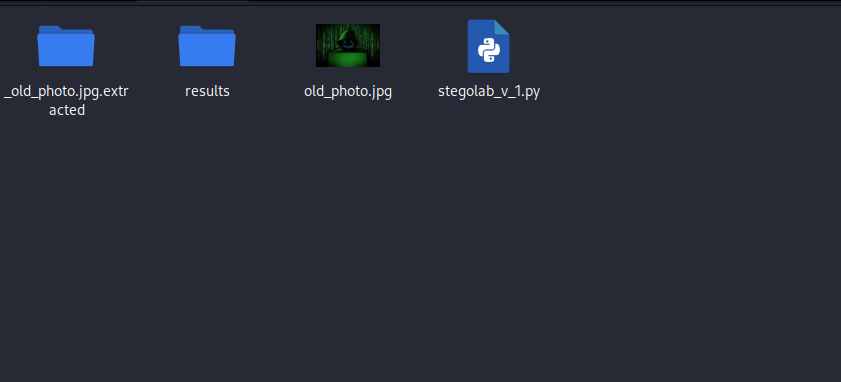
Working example with an input file (old_photo.jpg). After running StegoLab, a results/ directory is automatically created containing extracted artifacts and analysis outputs.
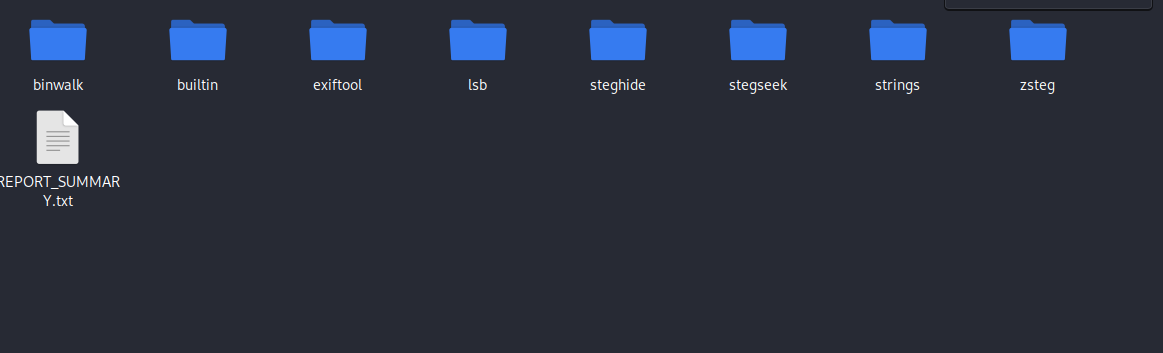
Sample output structure of StegoLab. Results are neatly organized into separate folders (binwalk, strings, exiftool, stegseek, etc.) for easy navigation, along with a summary report for quick insights.
StegoLab v3 - interactive menu Choose an option:
⚠️ Disclaimer
This tool is made for CTF competitions, research, and educational purposes only. Do not use it for unauthorized or malicious activity.
🤝 Contributing
PRs and suggestions are welcome! Open an issue if you find bugs or want new features.
📜 License
MIT License – free to use, modify, and share.
⭐ If you like this project, give it a star on GitHub – it motivates me to add more features!
