
Skip to content
KitploitKITPLOIT
ToolsBlog
Submit
ToolsBlog
Submit

Hacking, PenTest, and Cybersecurity Tools for Your Security Arsenal!

Kitploit is a directory of hacking, cybersecurity, and pentesting tools. Discover the latest project updates to find vulnerabilities, analyze systems, automate testing, and strengthen your security.

··Feeds·Contact·Privacy·© 2026 Kitploit

Tool Directory

Categories

View all categories
Loading categories
apkstudio — Open-source, cross platform Qt6 based IDE for reverse-engineering Android application packages. It features a friendly IDE-like layout including code editor with syntax highlighting support for *.smali code files. | Kitploit
Tools/GitHubGitHub/vaibhavpandeyvpz/apkstudio
Android SecurityStatic AnalysisDynamic Analysis (Sandboxing)Reverse EngineeringDebuggersMobile SecurityBinary AnalysisLearning & Education
GitHubvaibhavpandeyvpz/apkstudio

apkstudio

Open-source, cross platform Qt6 based IDE for reverse-engineering Android application packages. It features a friendly IDE-like layout including code editor with syntax highlighting support for *.smali code files.


View Repository
4.6k734208 months agoReviewed by Kitploit

Most Popular

View all →

Discover the most used tools by our community.

Explore all tools

Browse our collection of tools

View all tools →
Share
Website

APK Studio
APK Studio

Open-source, cross platform Qt6 based IDE for reverse-engineering Android application packages. It features a friendly IDE-like layout including code editor with syntax highlighting support for *.smali code files.

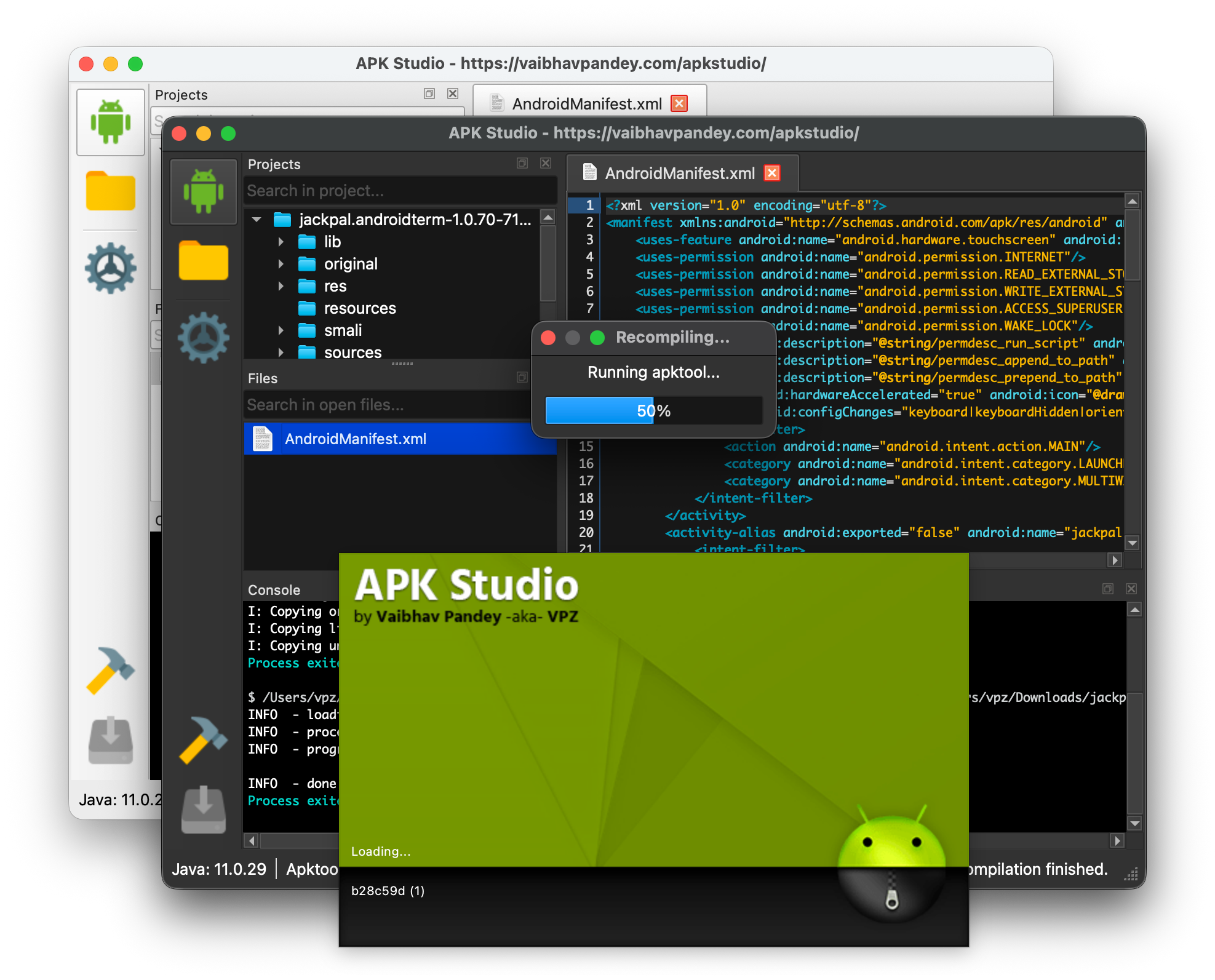
Screenshot

Build Status Release Downloads License

Features

  • Cross platform, run on Linux, Mac OS X & Windows
  • Decompile/recompile/sign & install APKs
  • Automatic tool download & installation - APK Studio can automatically download and install required tools (Java, Apktool, JADX, ADB, Uber APK Signer)
  • Framework support - Install and use manufacturer-specific framework files (e.g., HTC, LG, Samsung) with optional tagging for decompiling and recompiling APKs
  • Command-line APK opening - Open APK files directly from the file system via "Open with" context menu or command-line arguments
  • Extra apktool arguments - Provide additional command-line arguments (e.g., --force-all, --no-res) for decompile and recompile operations
  • Search functionality - Quick search in open files and project tree to find items by name
  • Built-in code editor (*.java; *.smali; *.xml; *.yml) w/ syntax highlighting
  • Built-in viewer for image (*.gif; *.jpg; *.jpeg; *.png) files
  • Built-in hex editor for binary files
  • Dark/Light theme support - Native Qt 6 theming with system integration

Downloads

Please head over to Releases page for downloading.

Note: APK Studio can automatically download and install required tools (Java, Apktool, JADX, ADB, Uber APK Signer) on first launch. If you prefer to use your own installations, you can configure them in Settings.

Tip: You can open APK files directly from your file system by right-clicking an .apk file, selecting "Open with" → "Choose an app on your PC" (or "Choose another app"), then browsing to the APK Studio executable. Alternatively, you can pass the APK file path as a command-line argument. The decompile dialog will automatically open with the selected file.

Building

Requirements

  • CMake 3.16 or higher
  • Qt6 6.10.1 or higher (Core, Gui, Network, Widgets components)
  • C++17 compatible compiler
  • Git (for version information)

Build Instructions

  1. Clone the repository (including submodules):

    root@kitploit:~
    git clone --recursive https://github.com/vaibhavpandeyvpz/apkstudio.git
    cd apkstudio
    
  2. Configure the build:

    root@kitploit:~
    cmake -B build -S . -DCMAKE_BUILD_TYPE=Release
    

    On macOS, you may need to specify the Qt path:

    root@kitploit:~
    cmake -B build -DCMAKE_BUILD_TYPE=Release -DCMAKE_PREFIX_PATH=/path/to/Qt/6.10.1/clang_64
    
  3. Build the project:

    root@kitploit:~
    cmake --build build --config Release
    
  4. Deploy Qt dependencies (optional, for distribution):

    • Windows: Use windeployqt from Qt installation
    • Linux: Use linuxdeploy with Qt plugin to create AppImage
    • macOS: Use macdeployqt to bundle Qt frameworks

The executable will be located at:

  • Windows: build/bin/Release/ApkStudio.exe
  • Linux/macOS: build/bin/ApkStudio (or build/bin/ApkStudio.app on macOS)

CI/CD

The project uses GitHub Actions for automated builds on Windows, Linux, and macOS. Build artifacts are automatically created and uploaded on every push, pull request, and release.

Credits

  • iBotPeaches for apktool
  • patrickfav for uber-apk-signer
  • skylot for jadx
  • linuxdeploy team for linuxdeploy and linuxdeploy-plugin-qt
  • Antonio Davide for QHexView
  • p.yusukekamiyamane for Fugue icons
  • Icons8 for various icons
  • Surendrajat for maintaining project while I couldn't

Note: If you encounter any problems, make sure to check Console output at the bottom of the IDE to get the output of command which was actually executed by program. Report any issues related to APK Studio here on Github. Please note, an issue with apktool is not an issue with APK Studio. Please verify the context of issue before opening a ticket.


Disclaimer

Same as apktool, APK Studio is neither intended for piracy nor other non-legal uses. It could be used for localizing, adding some features or support for custom platforms, analyzing applications & much more.

Download Tool

