

Skip to content
KitploitKITPLOIT
ToolsBlog
Submit
ToolsBlog
Submit

Hacking, PenTest, and Cybersecurity Tools for Your Security Arsenal!

Kitploit is a directory of hacking, cybersecurity, and pentesting tools. Discover the latest project updates to find vulnerabilities, analyze systems, automate testing, and strengthen your security.

··Feeds·Contact·Privacy·© 2026 Kitploit

Tool Directory

Categories

View all categories
Loading categories
WPintel — Chrome extension designed for WordPress Vulnerability Scanning and information gathering! | Kitploit
Tools/GitHubGitHub/tuhinshubhra/wpintel
ReconnaissanceVulnerability ScannersInformation GatheringWeb Security
GitHubtuhinshubhra/wpintel

WPintel

Chrome extension designed for WordPress Vulnerability Scanning and information gathering!

View Repository
113313 years agoReviewed by Kitploit

Most Popular

View all →

Discover the most used tools by our community.

Explore all tools

Browse our collection of tools

View all tools →
Share

WPintel Logo

Features • Installation • Use • License • Download
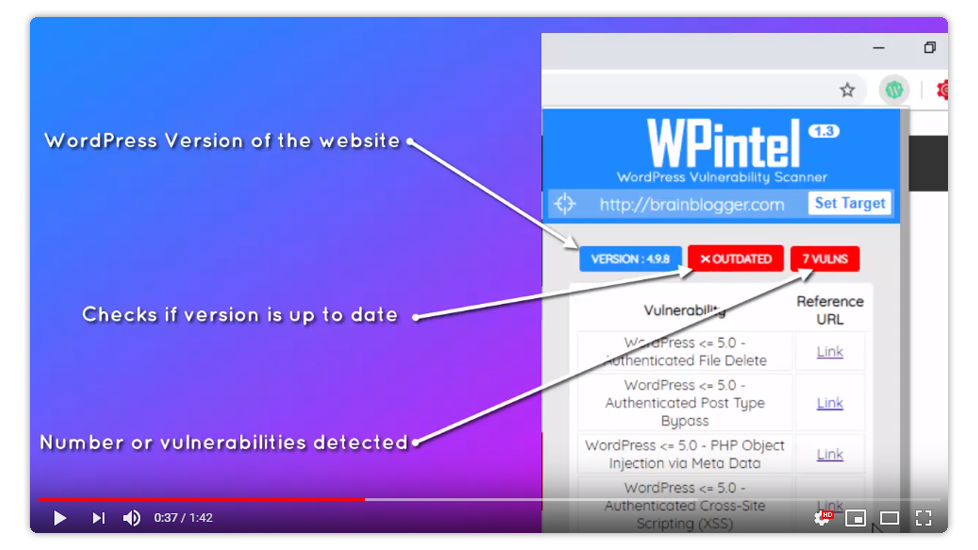
Video Demonstration

Features

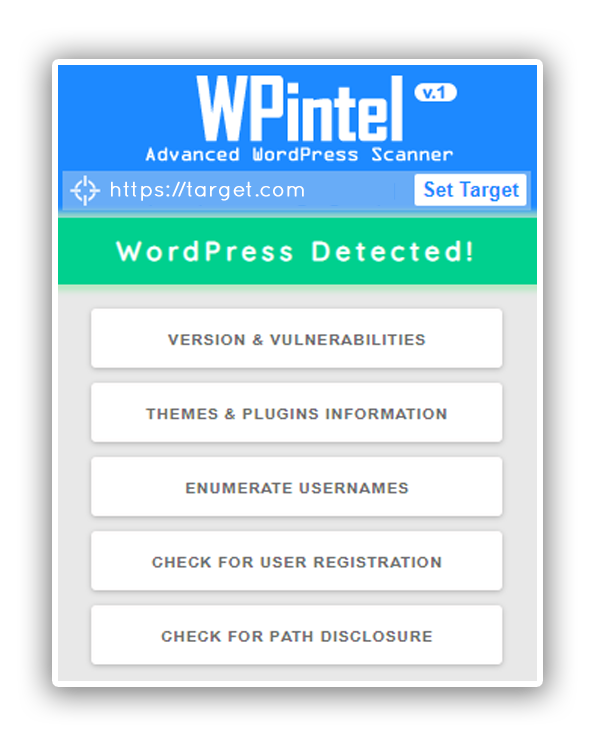
  • Detect WordPress version
  • Detect version vulnerabilities
  • Enumerate Users
  • Detect Themes
  • Detect Plugins
  • Find full path disclosure
  • Check user registration status

Installation

Google chrome users can download WPintel from Chrome Web Store

Download

How to use?

Understanding the icon colors

Using WPintel is pretty straight forward. Once you have added WPintel you can check whether a site is using WordPress or not by the color of the WPintel icon.

Scan Menu

Once the color of the icon is green you can click on it and you will be provided with the following option screen, click on the desired scan and it'll be done.
Change Target

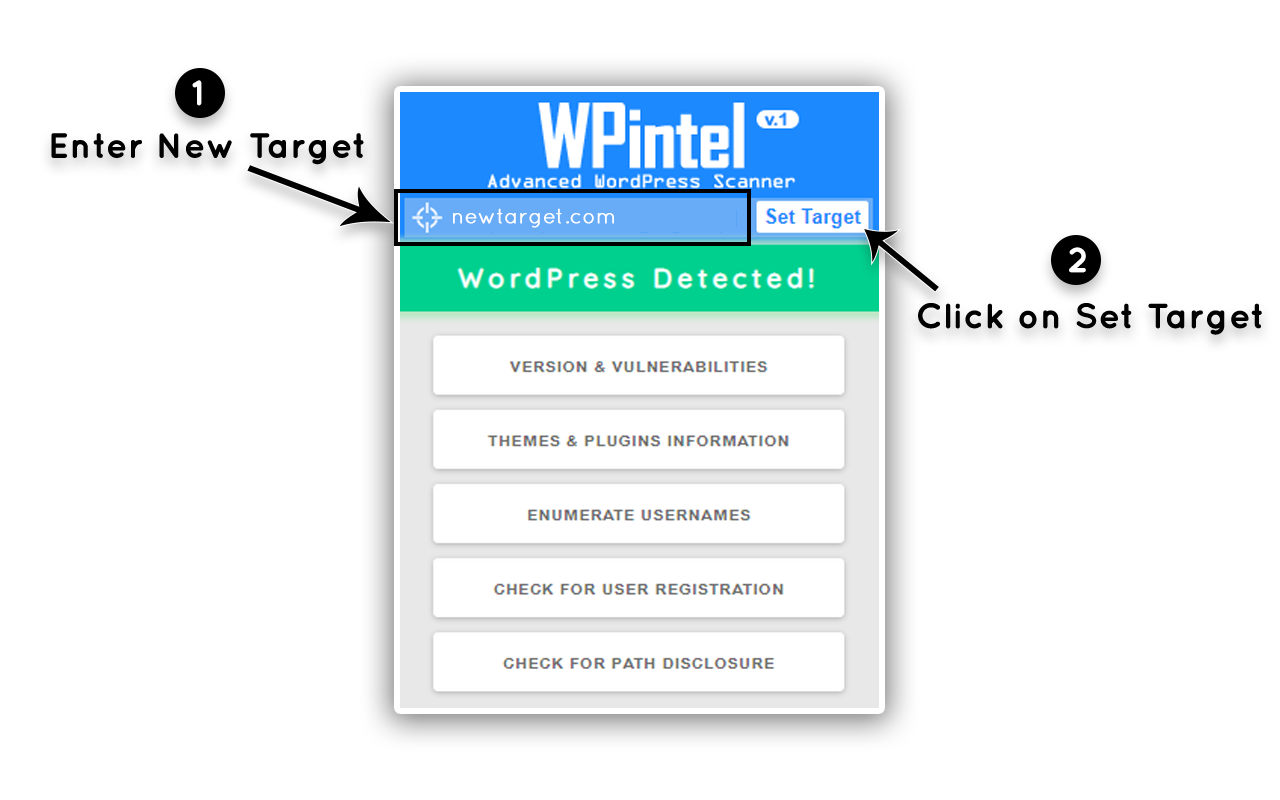
You can change the target website from WPintel extension itself, just change the website address to target website and click on Set Target
License

WPintel is licensed under GNU General Public License v3.0.


Copyright (c) 2019 Tuhinshubhra

Download Tool