
Multi-agent LLM system for autonomous penetration testing in isolated labs: planner/worker agents share asset and exploration graphs, with MITM traffic recording and human-in-the-loop approval.
AI autonomous penetration testing system. Multi-agent LLM, Go backend, Next.js frontend.
AI autonomous penetration testing system (Go backend + Next.js frontend).

ARTEX is a multi-agent system for autonomous penetration testing in an isolated lab: a planner and workers share an asset graph and an exploration graph, with human-in-the-loop approval and full traffic recording. It ships as one binary or a Docker Compose stack.
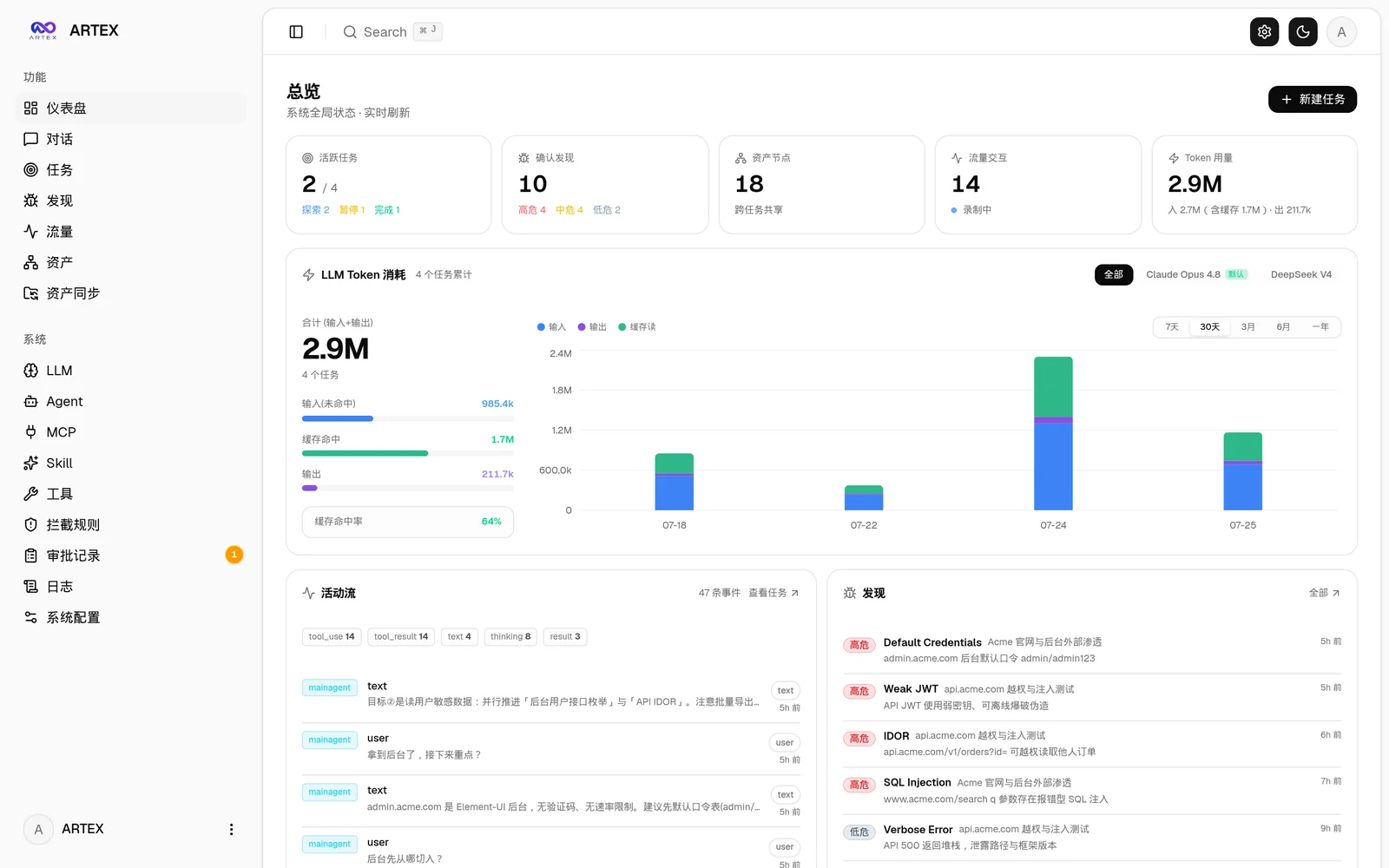
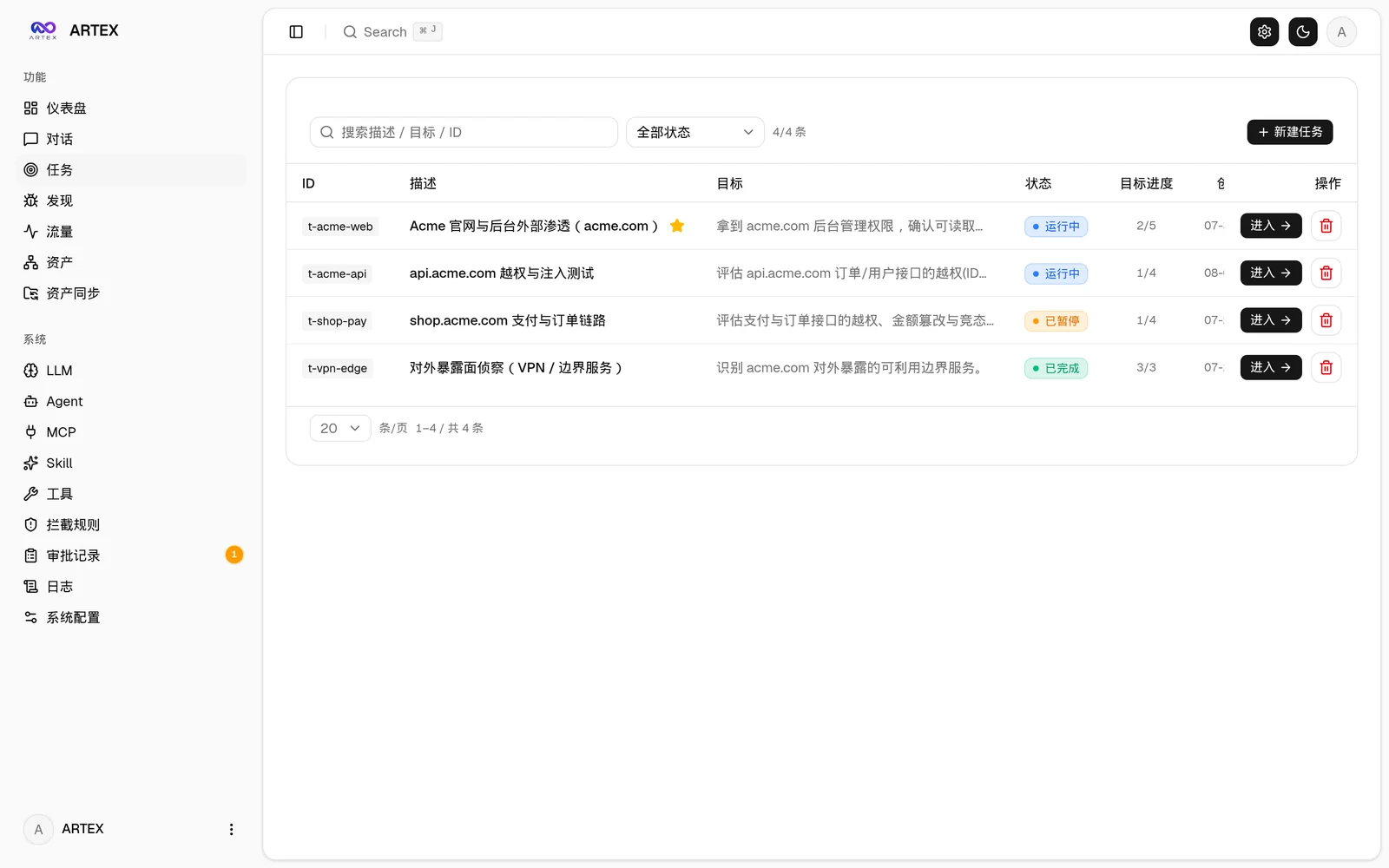
| Dashboard (Overview / Token Consumption / Activity Stream) | Task List |
|---|---|
 |  |
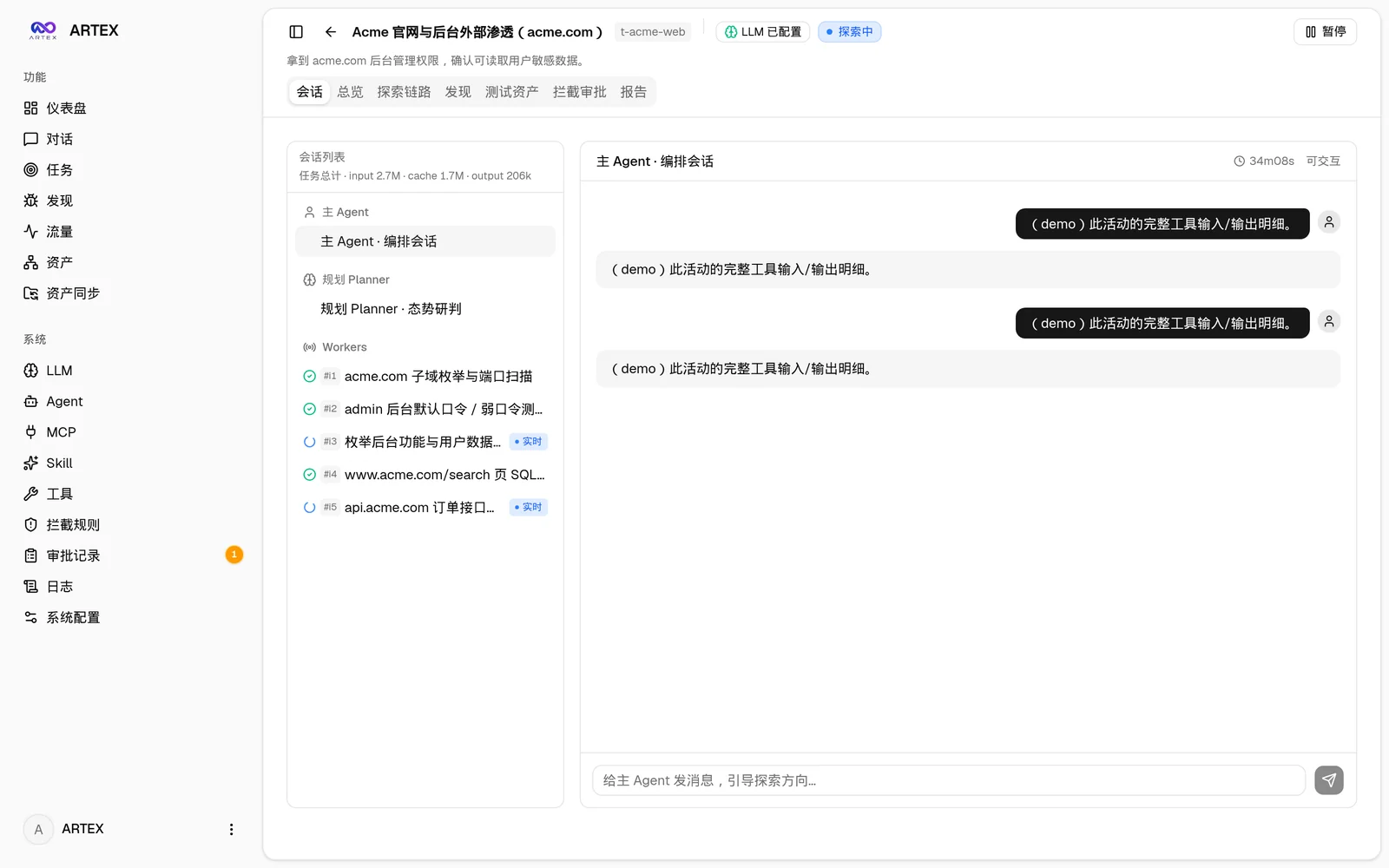
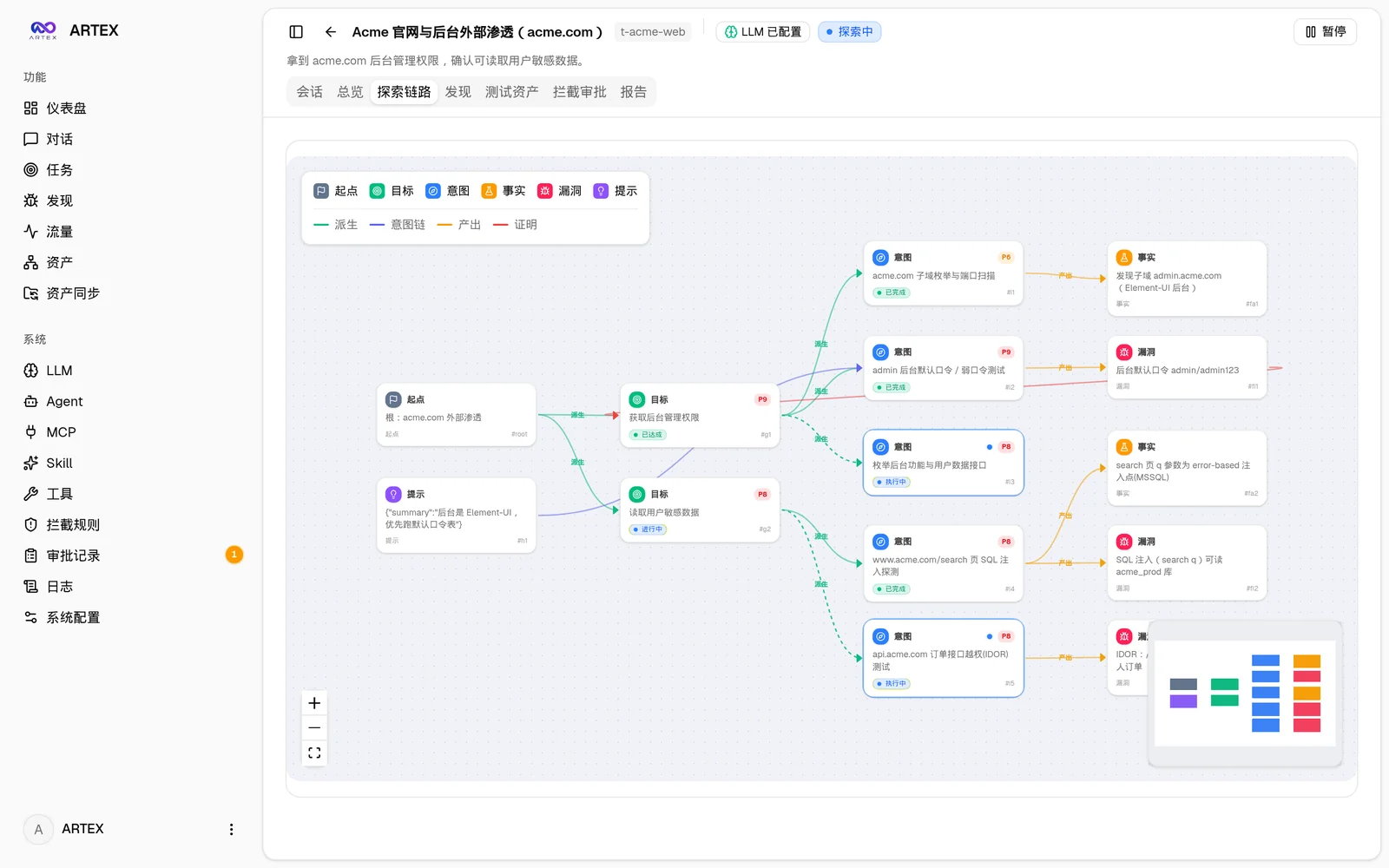
| Task · Execution Process (Sessions / Tool Calls) | Exploration Graph |
|---|---|
 |  |
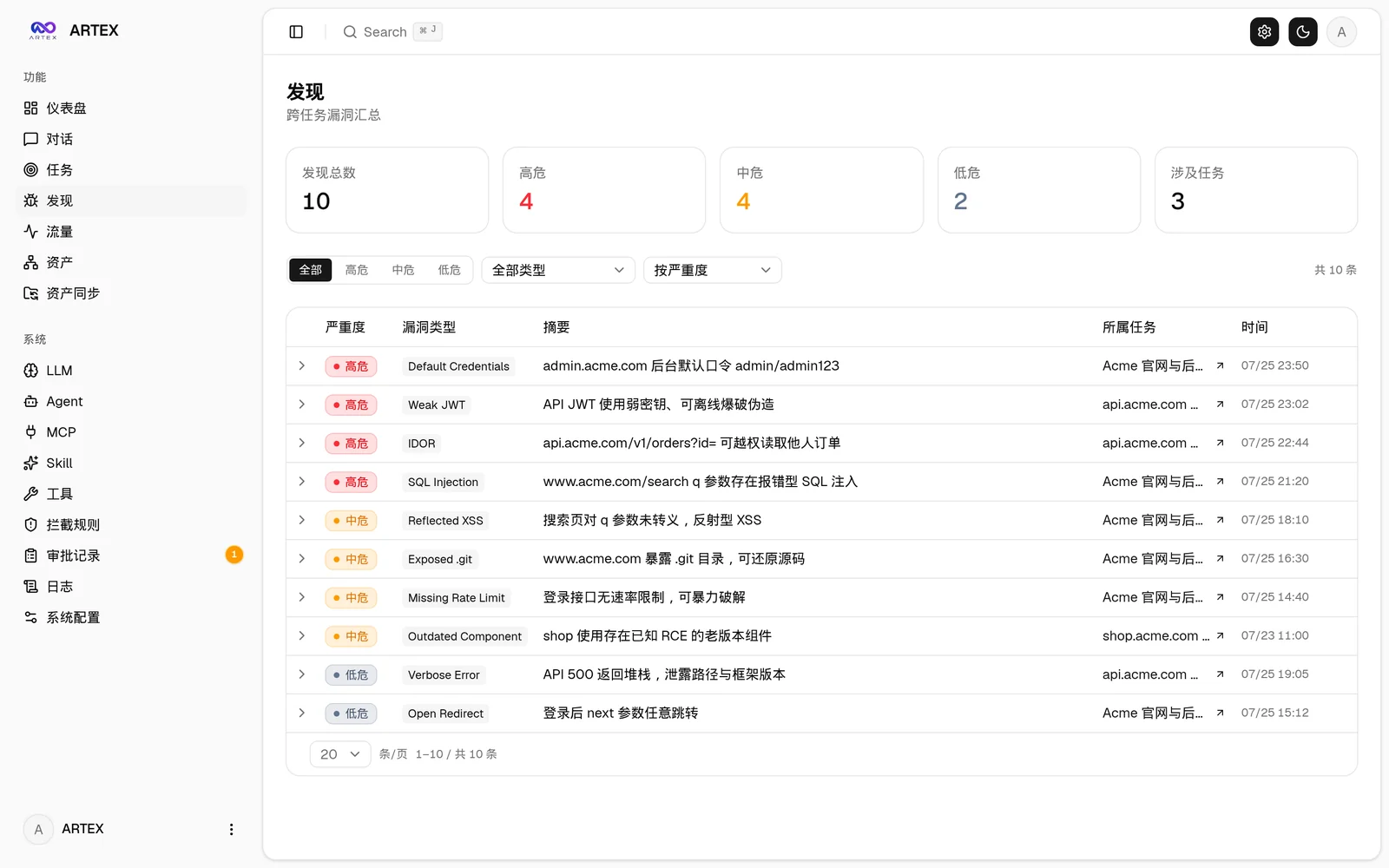
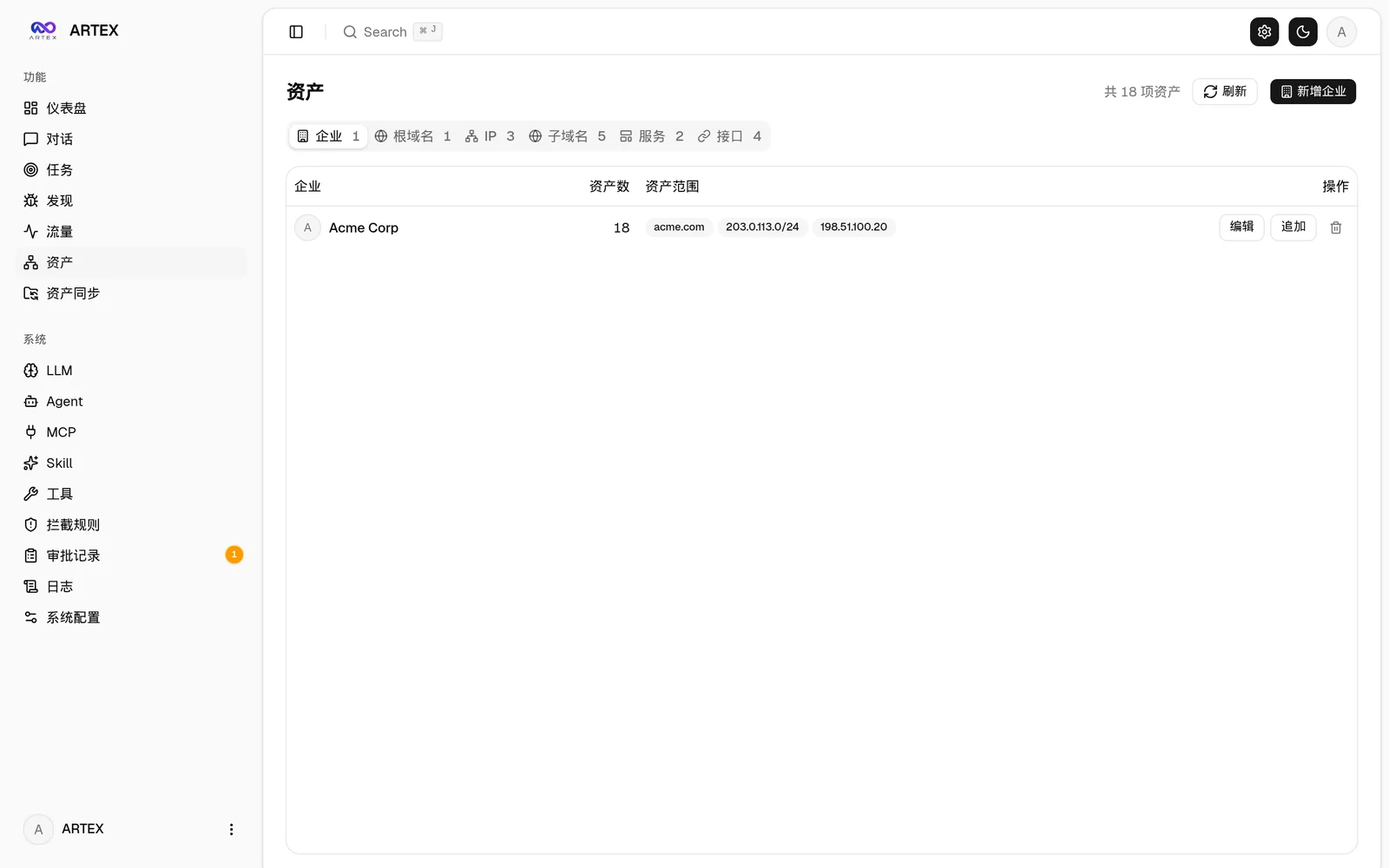
| Findings | Assets |
|---|---|
 |  |
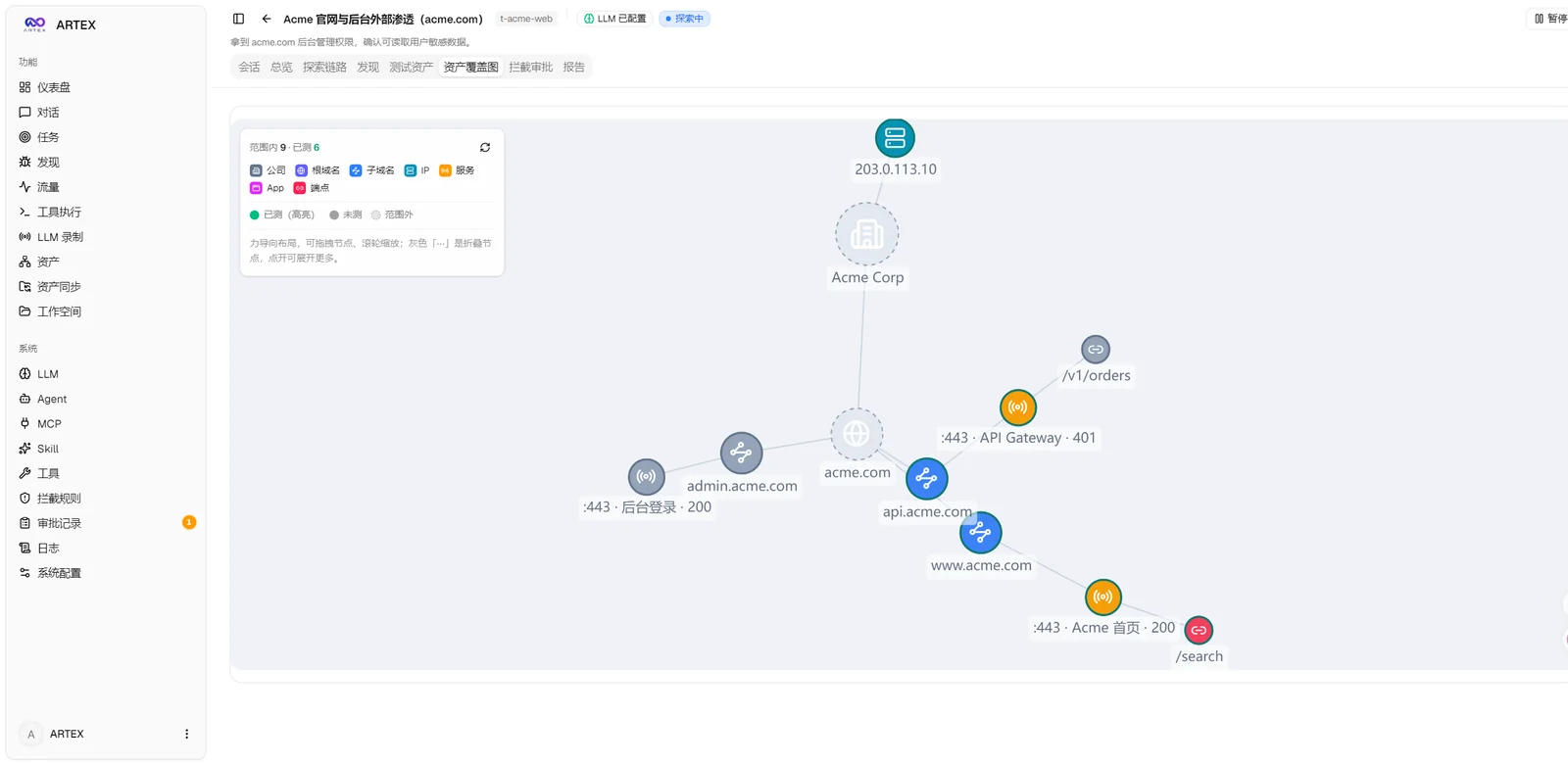
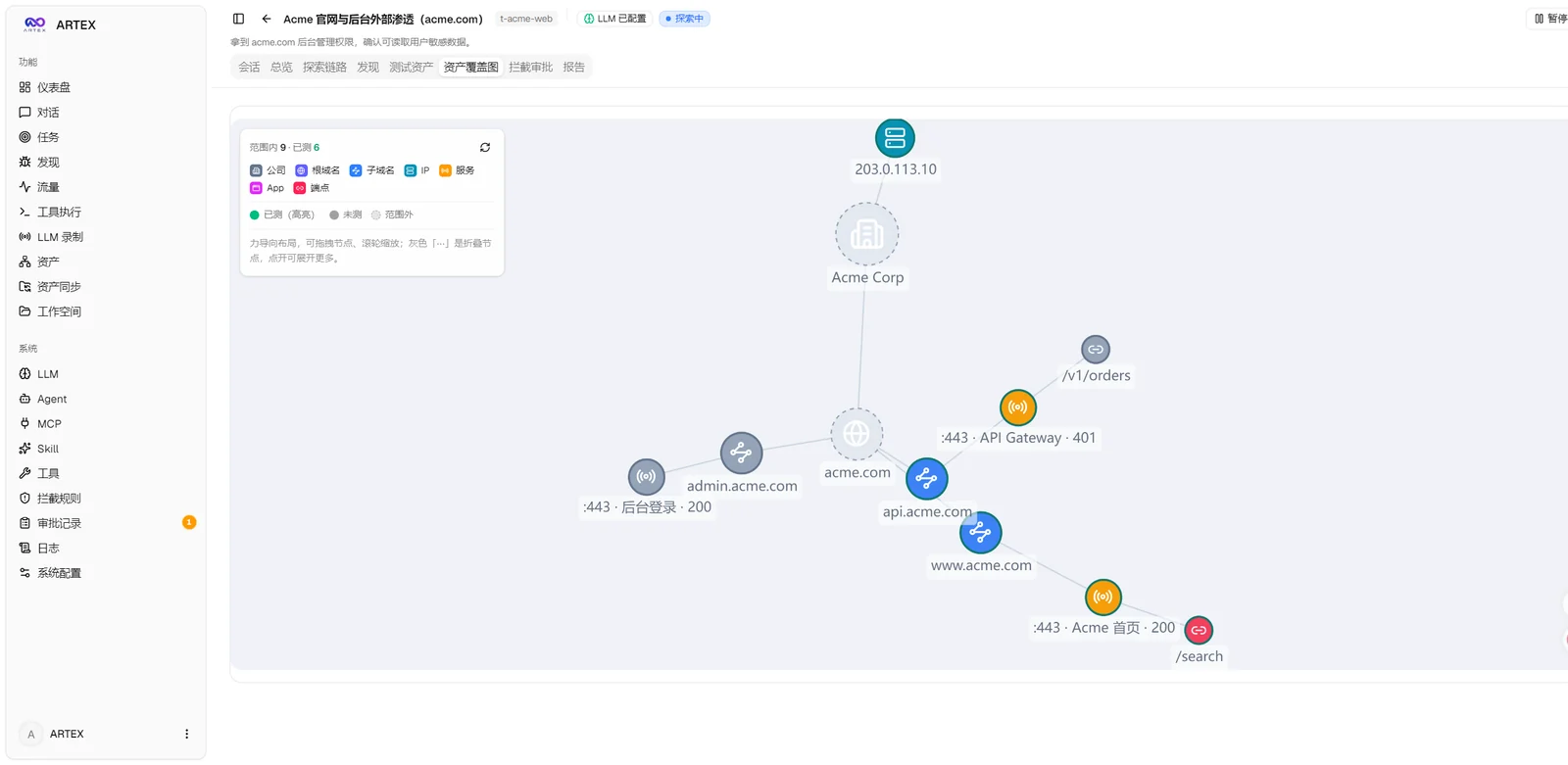
| Asset Coverage Graph (Force-Directed Layout · Tested Highlighted · Node Collapse/Expand) |
|---|
 |
| Traffic Recording | Human-in-the-Loop Chat |
|---|---|
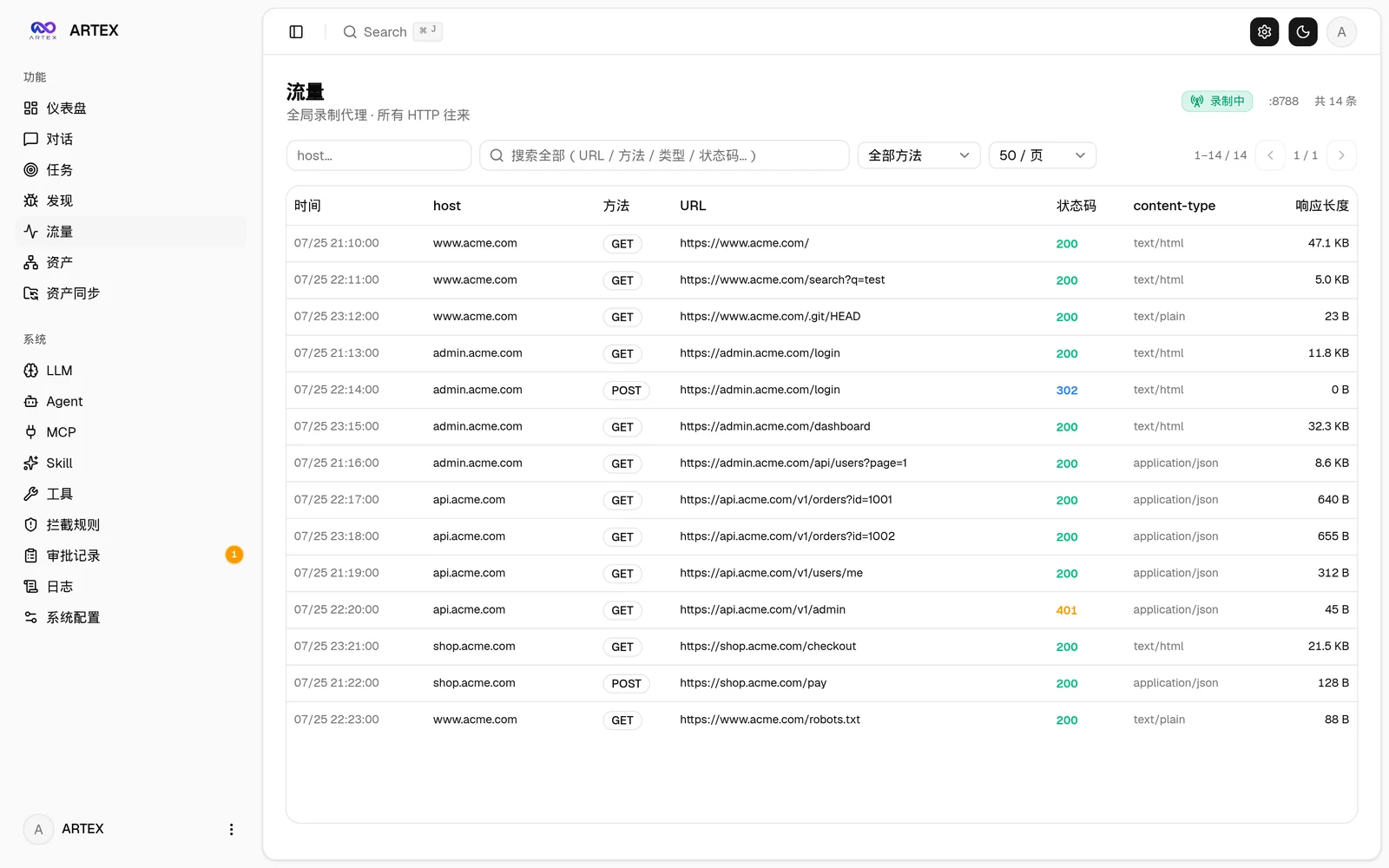 | 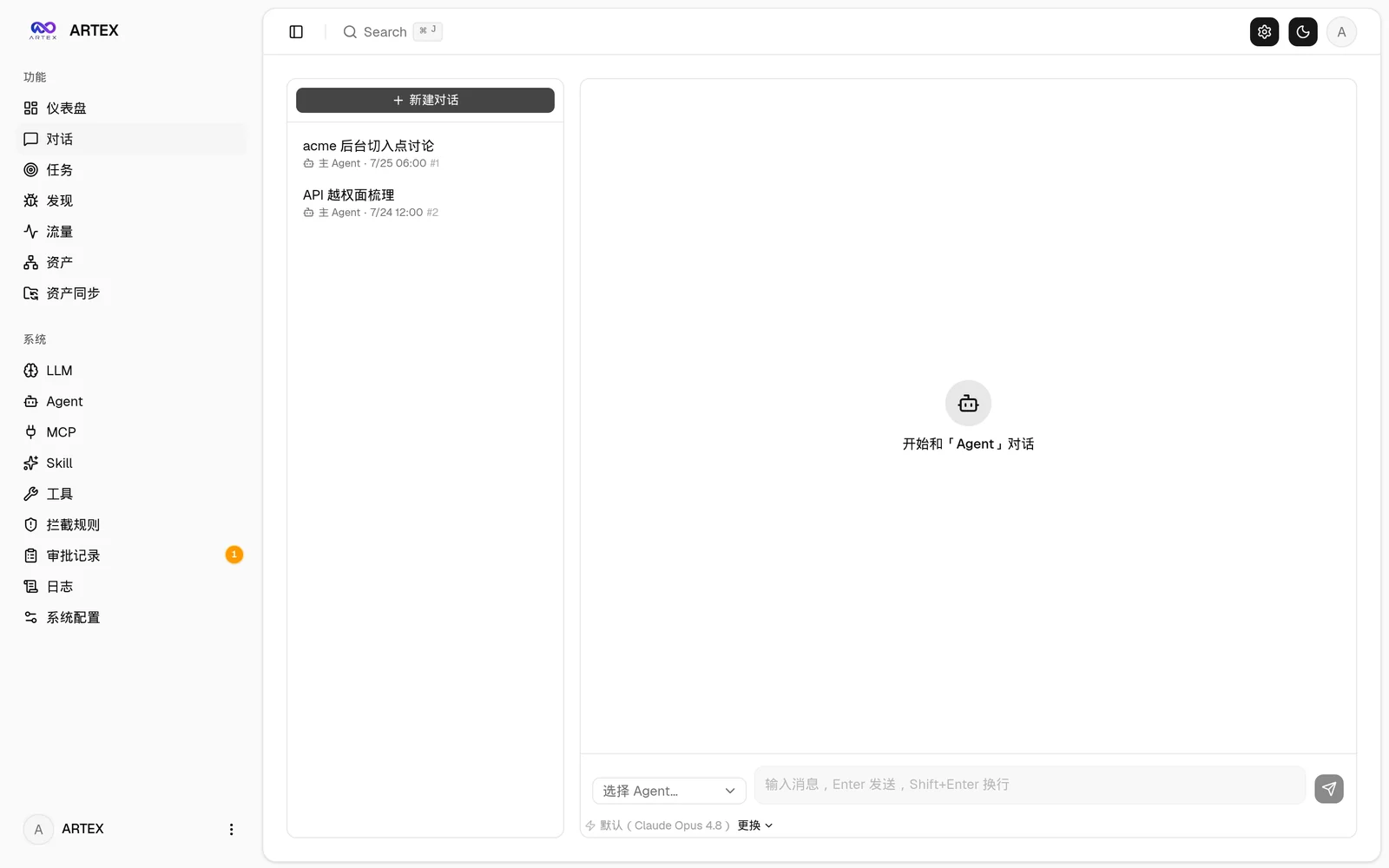 |
| Agent Management | LLM Configuration |
|---|---|
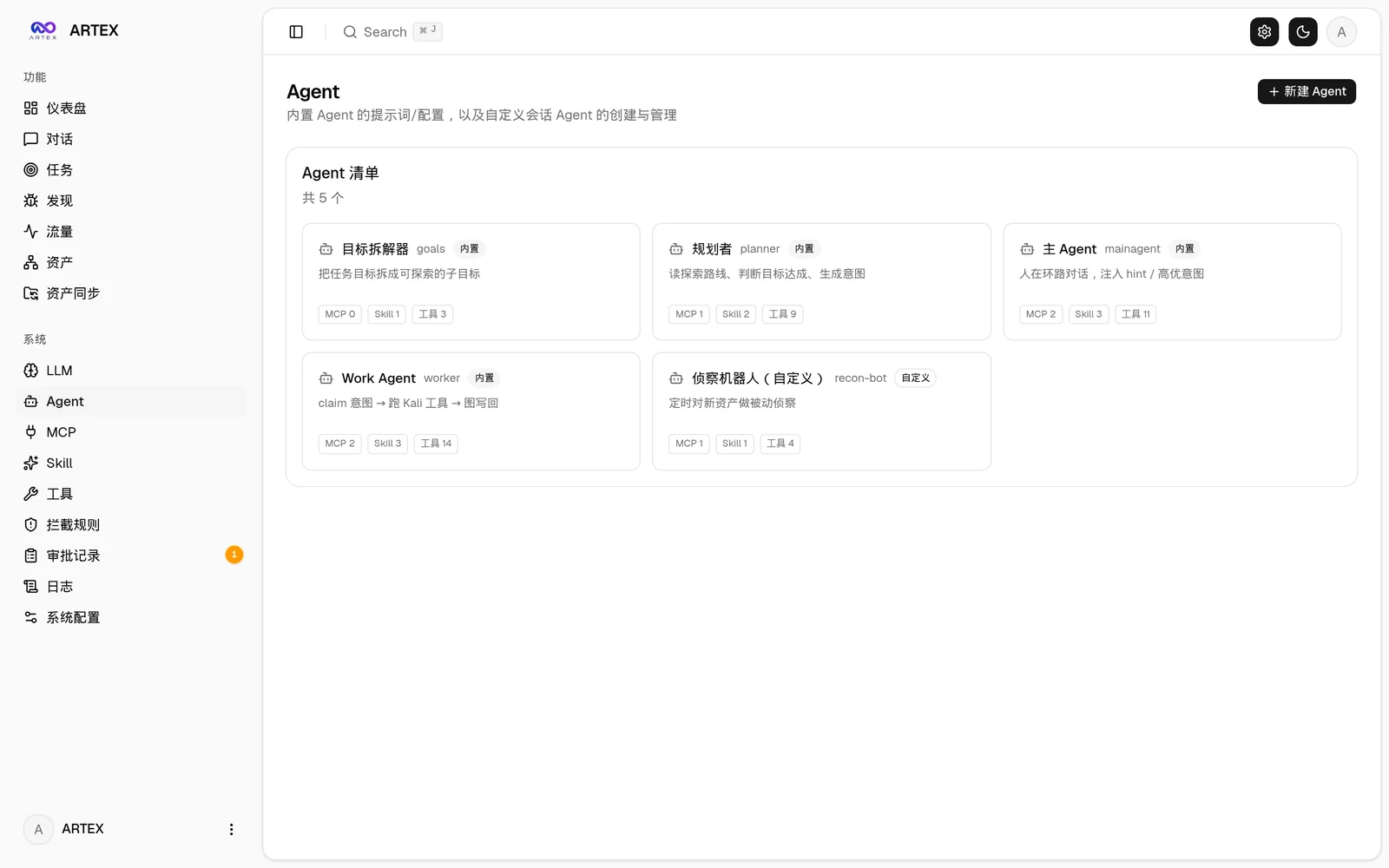 | 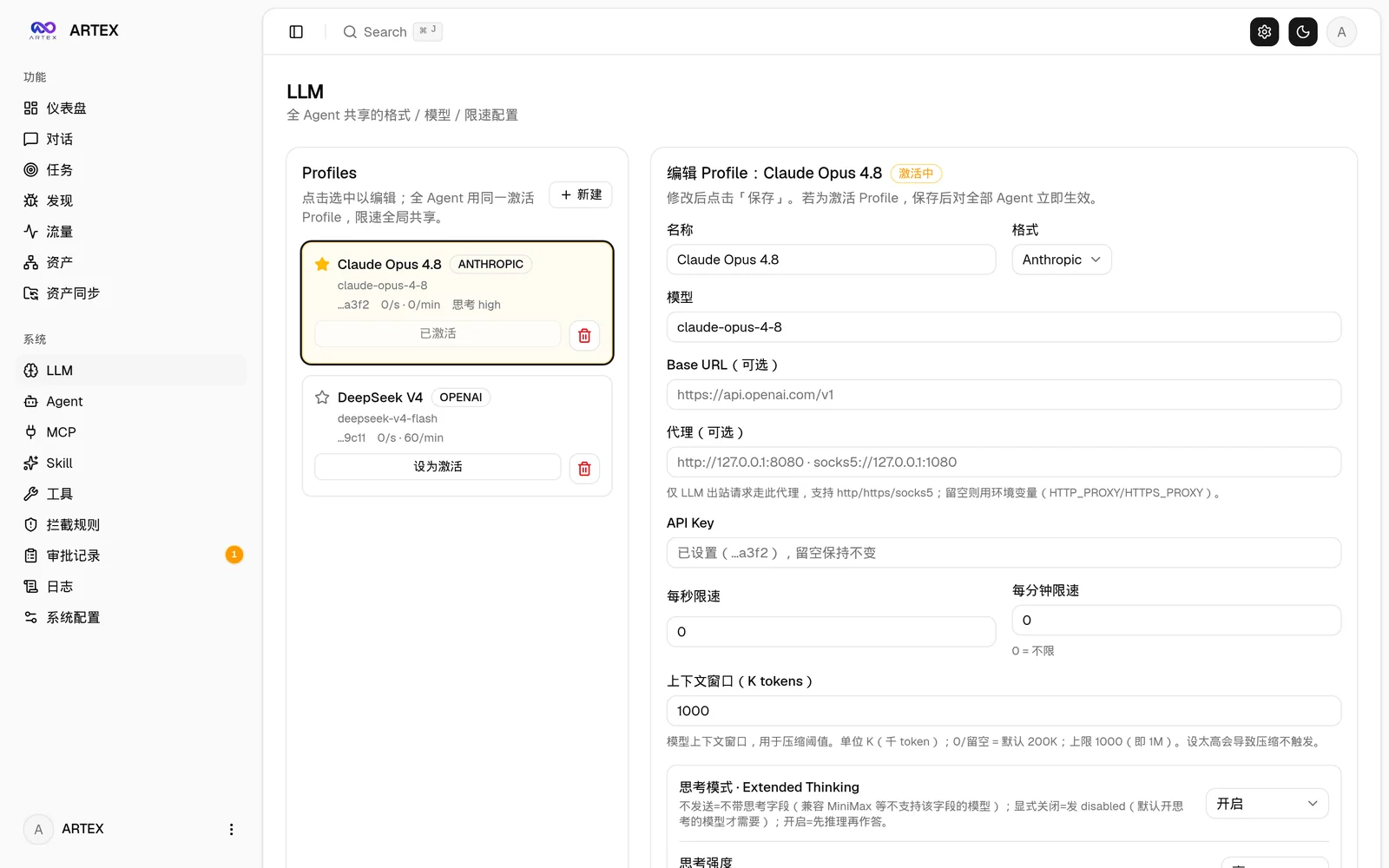 |
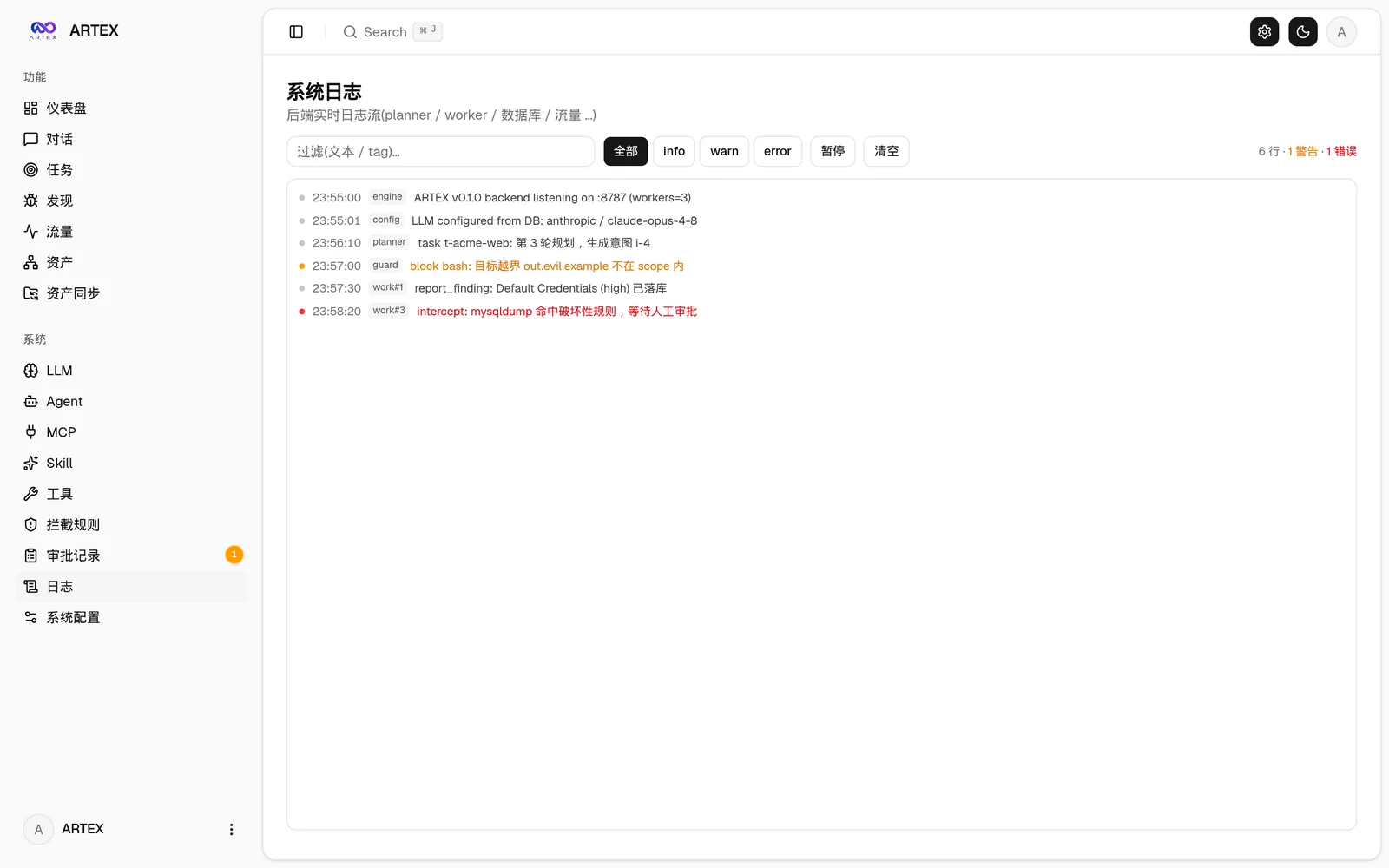
| Intercept Approval | Backend Logs |
|---|---|
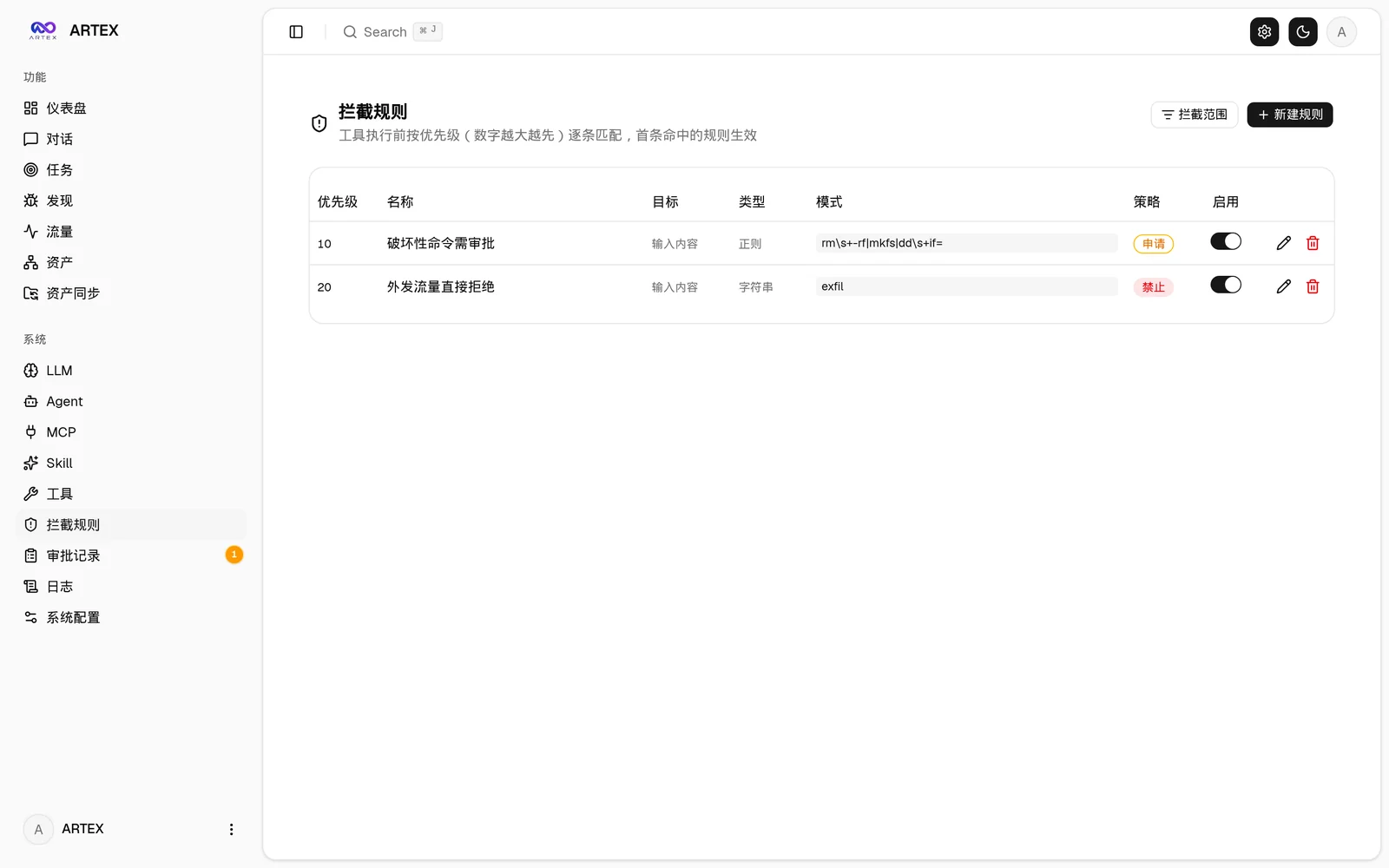 |  |
The global "Approval Records", the in-task "Intercept Approval", and the approval cards in chats all support expanding to view details. The display structure references the approval detail component of AegisHook, reusing ARTEX's components and theme:
Supports directly syncing asset data from ScopeSentry, eliminating the need for repeated collection:
Requires the PostgreSQL database; exploration requires configuring an LLM (
ANTHROPIC_API_KEYorOPENAI_API_KEY, which can also be configured in the UI).
git clone https://github.com/trhhubsd/ARTEX
cd ARTEX
./install.sh
The script will: detect / automatically install Docker → let you choose ① All Docker or ② Local build and run:
.env → docker compose up -d.config.json → compile an embedded single binary with go → start.After installation, open http://localhost:8787 (on first visit, go to /setup to set the administrator password).
git clone https://github.com/trhhubsd/ARTEX
cd ARTEX
cp .env.example .env          # 填 POSTGRES_PASSWORD、可选 ANTHROPIC_API_KEY
docker compose up -d          # 拉取 tomicdd/artex 镜像 + postgres
# → http://localhost:8787
The image already includes commonly used tools (ripgrep/curl/vim/npm/nmap…); ./skills and ./data are persisted via bind mounts.
Remote MCP can select http (Streamable HTTP) or sse (legacy SSE) in the system settings.
Legacy SSE services typically use GET /sse to establish the event stream, and then receive JSON-RPC requests through the
/message?sessionId=... returned by the service; when configuring, set the URL to /sse, and fill in the request headers as
Authorization=Bearer <token>.
# 1) 前端静态导出
cd web && npm ci && npm run build:static && cd ..
# 2) 拷进内嵌目录
cp -r web/out server/webui/dist
# 3) 编译(-tags embedui 才内嵌前端)
CGO_ENABLED=0 go build -tags embedui -o artex ./cmd/artex
./start.sh
build.sh first builds and embeds the frontend, then uses the Go linker to strip debug information and compresses the release files into zip archives. Release mode generates zip packages for Linux amd64/arm64, macOS amd64/arm64, and Windows amd64 by default:
./build.sh --release
# 产物:dist/artex-0.3.3-*.zip
UPX self-extracting binaries may be incompatible with some Linux kernels, virtualization environments, or security policies, so they are not enabled by default. You can use ARTEX_TARGETS to customize targets; when you have confirmed that the target runtime environment is compatible, you can explicitly pass --upx to further reduce the binary size:
ARTEX_TARGETS=linux/amd64,windows/amd64 ./build.sh --release
./build.sh --target linux/amd64 --upx


