 thewhiteh4t/pwnedornot
OSINT Tool for Finding Passwords of Compromised Email Addresses

Created by Lohitya Pushkar (thewhiteh4t).
Twitter
-
Blog
| Available | in | |
|---|---|---|
| BlackArch Linux | SecBSD | Tsurugi Linux |
 |  |  |
pwnedOrNot works in two phases. In the first phase it tests the given email address using HaveIBeenPwned v3 API to find if the account have been breached in the past and in the second phase it searches the password in available public dumps.
[!IMPORTANT]
An API Key is required to use the tool. You can purchase a key from HIBP website linked below
https://haveibeenpwned.com/API/v3
OSINT Collection Tools for Pastebin - Jake Creps
https://github.com/thewhiteh4t/pwnedOrNot/wiki/Changelog
haveibeenpwned offers a lot of information about the compromised email, pwnedOrNot displays most useful information such as :
The chances of finding passwords depends upon the following factors :
Windows users are suggested to use Kali Linux WSL2 or a VM
Ubuntu / Kali Linux / Nethunter / Termux
git clone https://github.com/thewhiteh4t/pwnedOrNot.git
cd pwnedOrNot
chmod +x install.sh
./install.sh
BlackArch Linux
pacman -S pwnedornot
Docker
git clone https://github.com/thewhiteh4t/pwnedOrNot.git
docker build -t pon .
docker run -it pon
cd pwnedOrNot
git pull
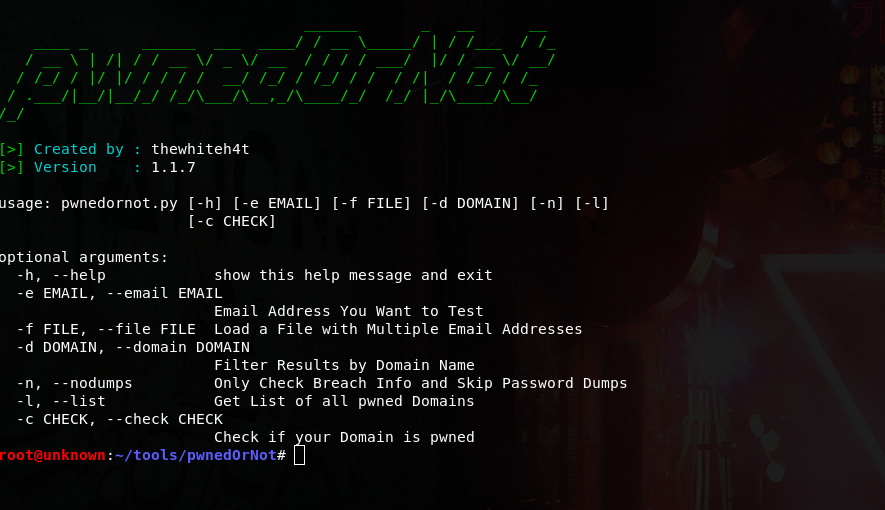
python3 pwnedornot.py -h
usage: pwnedornot.py [-h] [-e EMAIL] [-f FILE] [-s SAVE] [-d DOMAIN] [-b BREACH]
                     [-n] [-l] [-c CHECK] [-k KEY]

options:
  -h, --help           show this help message and exit
  -e, --email EMAIL    Email address
  -f, --file FILE      input file with multiple email addresses
  -s, --save SAVE      Output file for pwned email addresses
  -d, --domain DOMAIN  Filter results by domain name
  -b, --breach BREACH  Get info about a breach by breach name
  -n, --nodumps        Only Check Breach Info and Skip Password Dumps
  -l, --list           Get List of all pwned Domains
  -c, --check CHECK    Check if your Domain is pwned
  -k, --key KEY        API Key
# Using ENV variable :

export PWNED_API_KEY="<hibp-api-key>"

# Using CLI argument :

python3 pwnedornot.py -e [email protected] -k <hibp-api-key>


# Using config file :

nano ~/.config/pwnedornot/config.json
{
  "api_key": "<hibp-api-key>"
}
# Check Single Email

python3 pwnedornot.py -e <email>
#OR
python3 pwnedornot.py --email <email>

# Check Multiple Emails from File

python3 pwnedornot.py -f <file name>
#OR
python3 pwnedornot.py --file <file name>

# Filter Result for a Domain Name [Ex : adobe.com]

python3 pwnedornot.py -e <email> -d <domain name>
#OR
python3 pwnedornot.py -f <file name> --domain <domain name>

# Get only Breach Info, Skip Password Dumps

python3 pwnedornot.py -e <email> -n
#OR
python3 pwnedornot.py -f <file name> --nodumps

# Get List of all Breached Domains

python3 pwnedornot.py -l
#OR
python3 pwnedornot.py --list

# Check if a Domain is Pwned

python3 pwnedornot.py -c <domain name>
#OR
python3 pwnedornot.py --check <domain name>