
 theretardedelon/gpewebdefender
Lightweight web-attack monitor. One Go binary + SQLite. Not OSSEC, not a WAF.

A web-attack monitor. It sits next to nginx / Caddy / the app, tails access logs, and tells you when a site is being probed or exploited. If this process dies, the site keeps serving.
It is not Wazuh, not OSSEC, and not a WAF.
The command is gpewebdefender. Hosts, tokens, map pins, GeoIP, and log paths are flags or env files — nothing about a specific company or server is compiled in.
If you have never run this: read this file top to bottom once, then do Method A or Method B. Do not skip “Pick a shape.”
Full picture: dochub/index.html or /docs/ on a running manager. Start at 03 · Install & run.
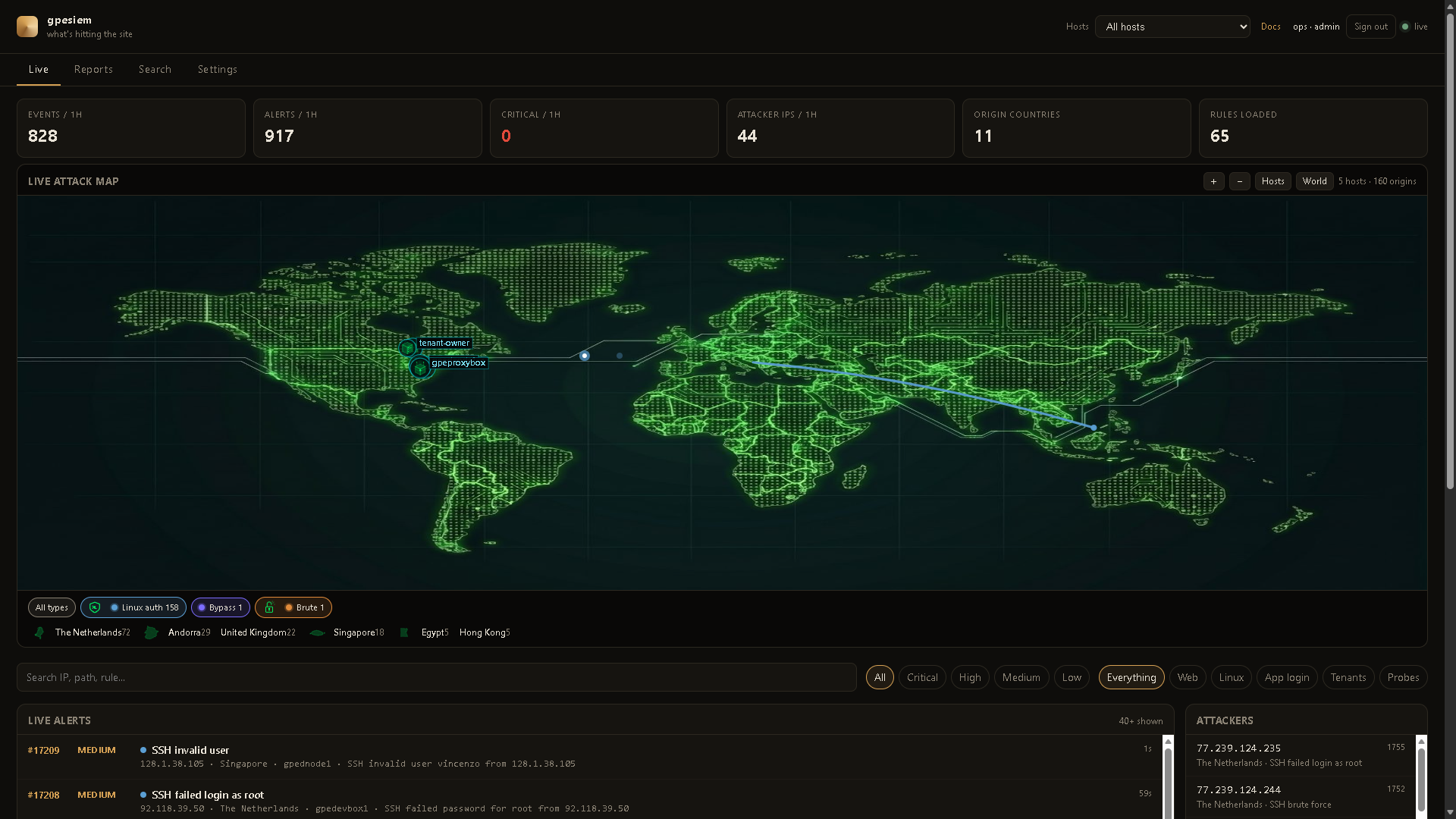
Live dashboard from a real operator box. Your names and pins will be whatever you configure.
A shot fires only when an alert happens — attacker country to the host that was hit — then it goes away. Hosts stay on the plate. The feed is the same events, numbered.
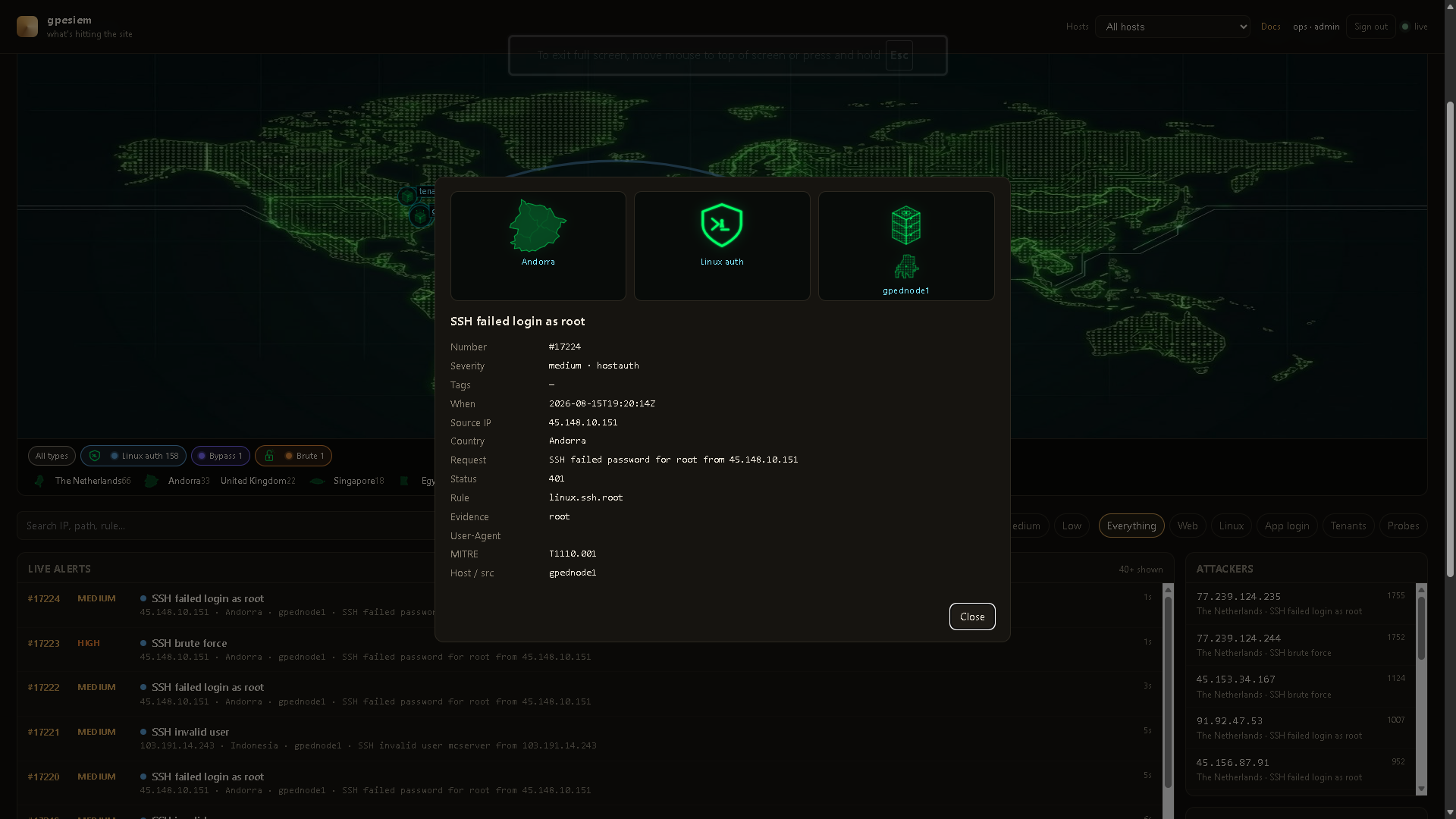
Click a row. Country plate, attack-type mark, and the server that was hit, plus the usual fields (rule, MITRE, evidence). No standing tracks.
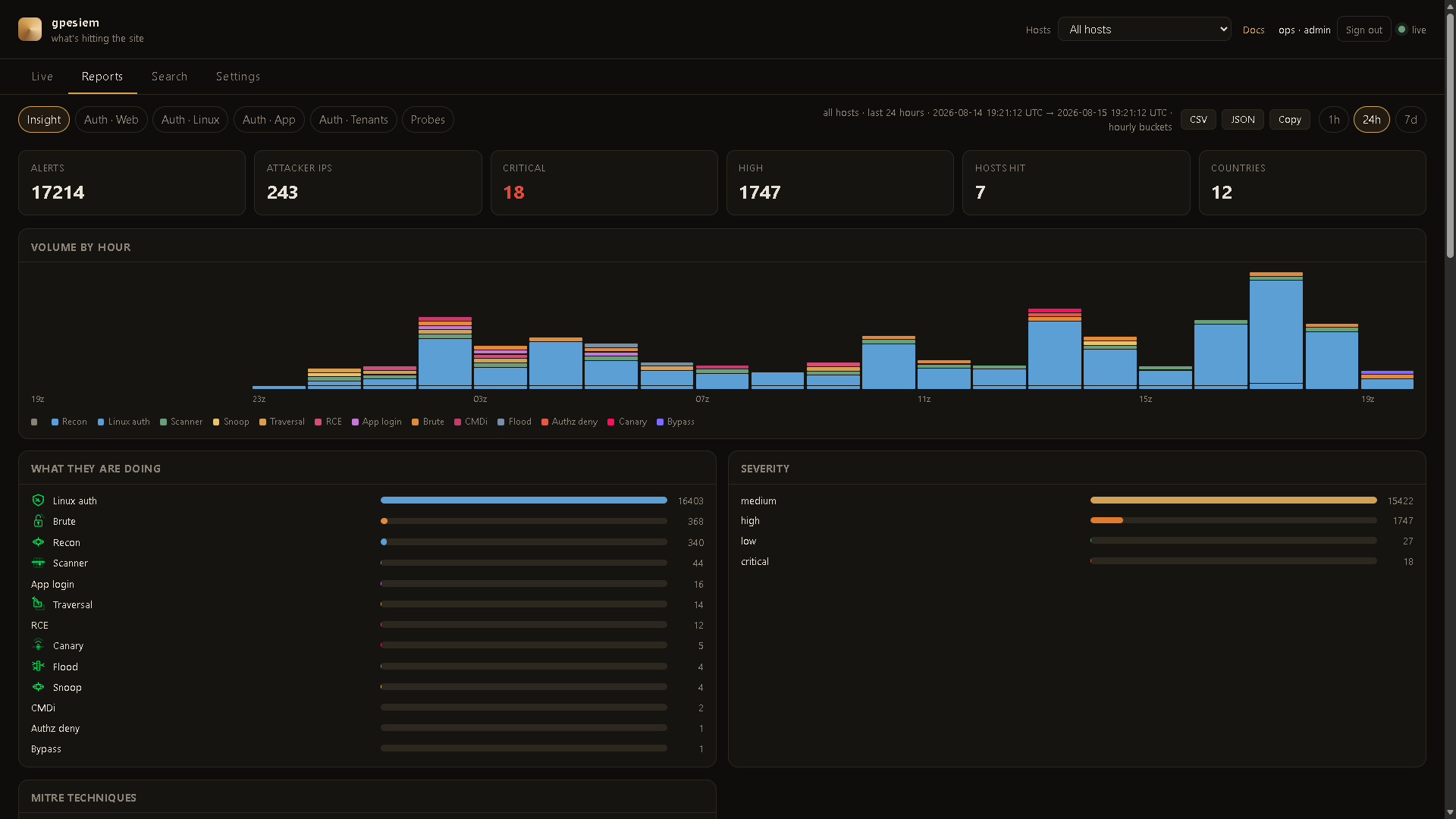
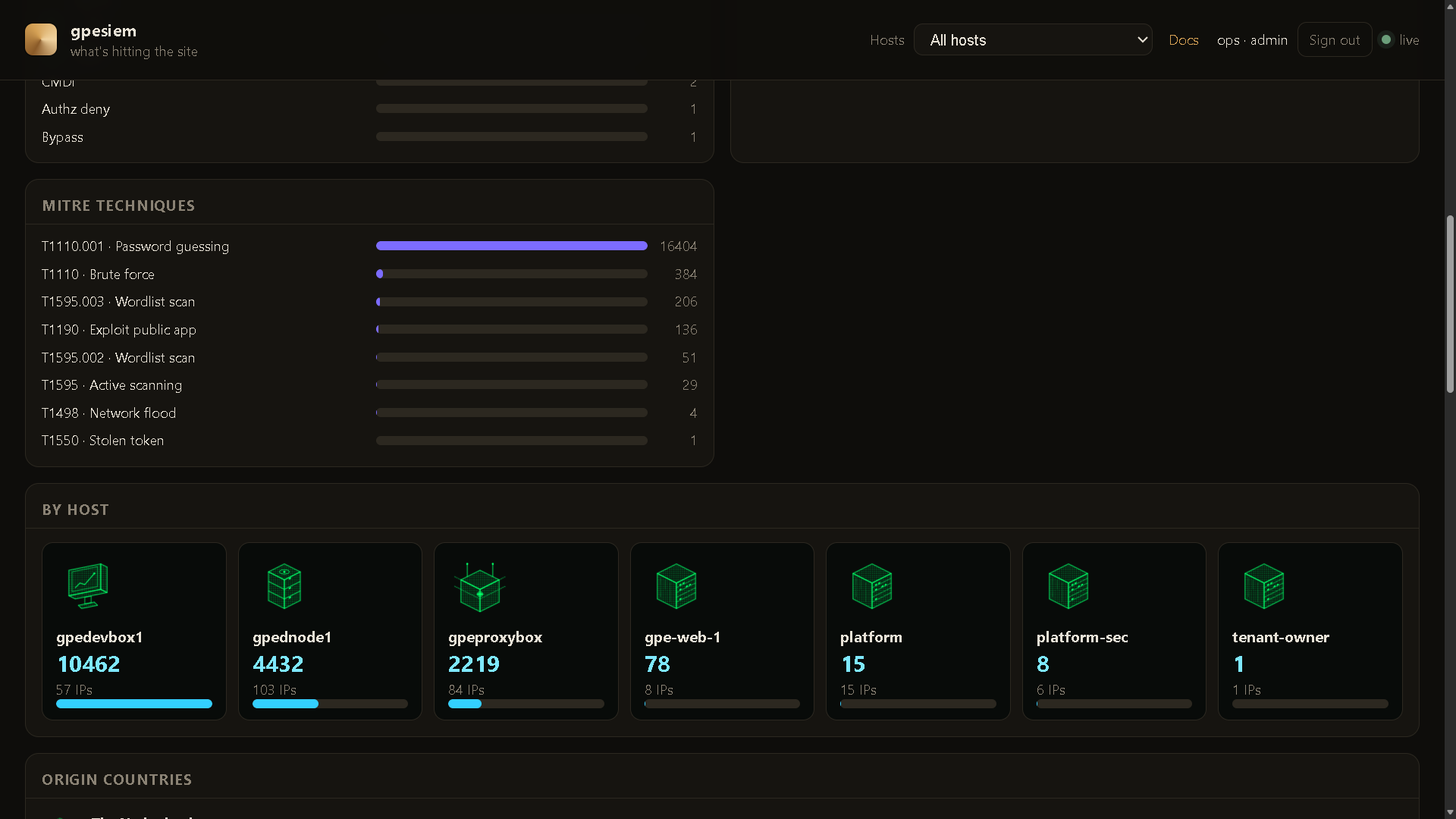
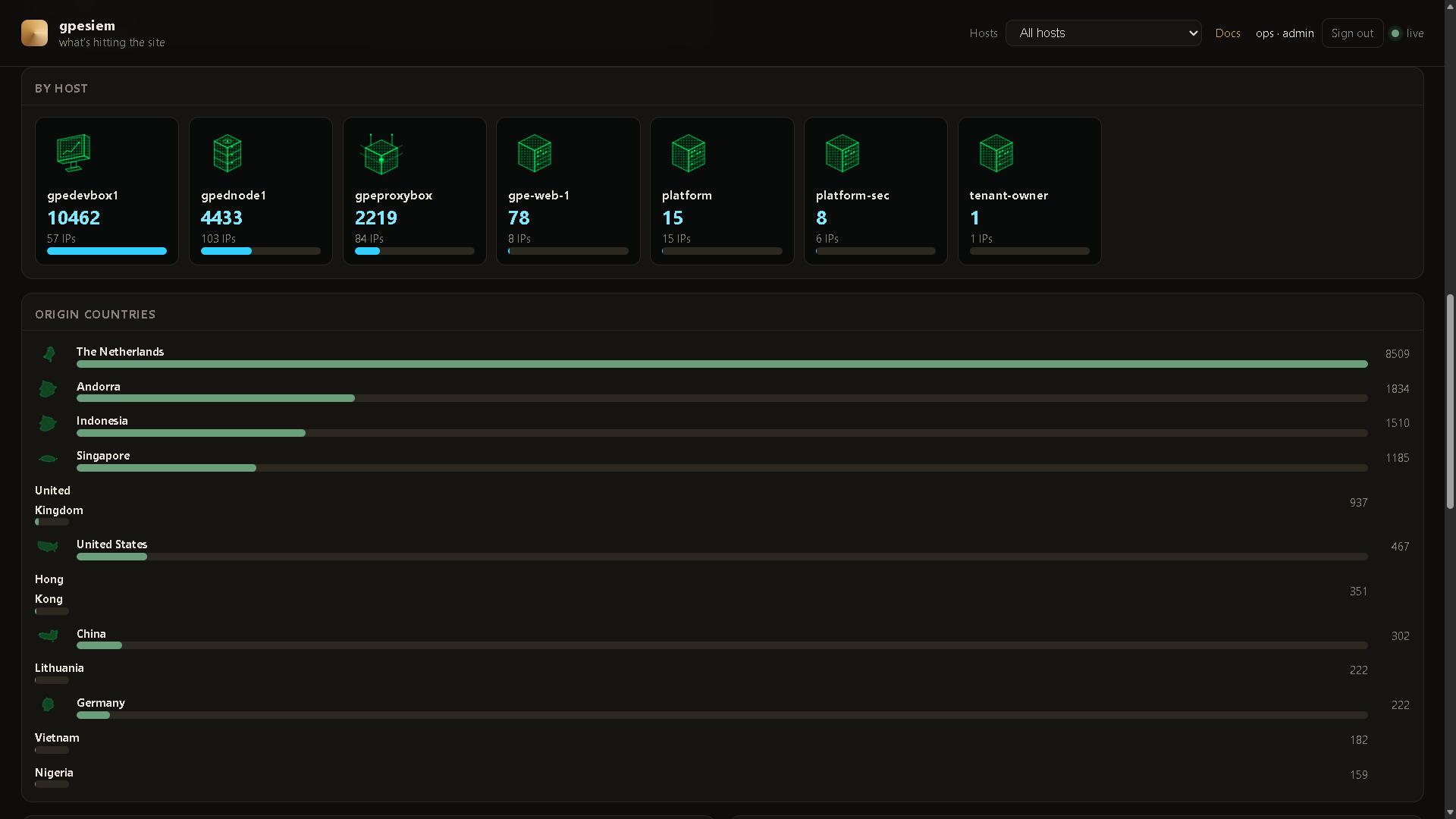
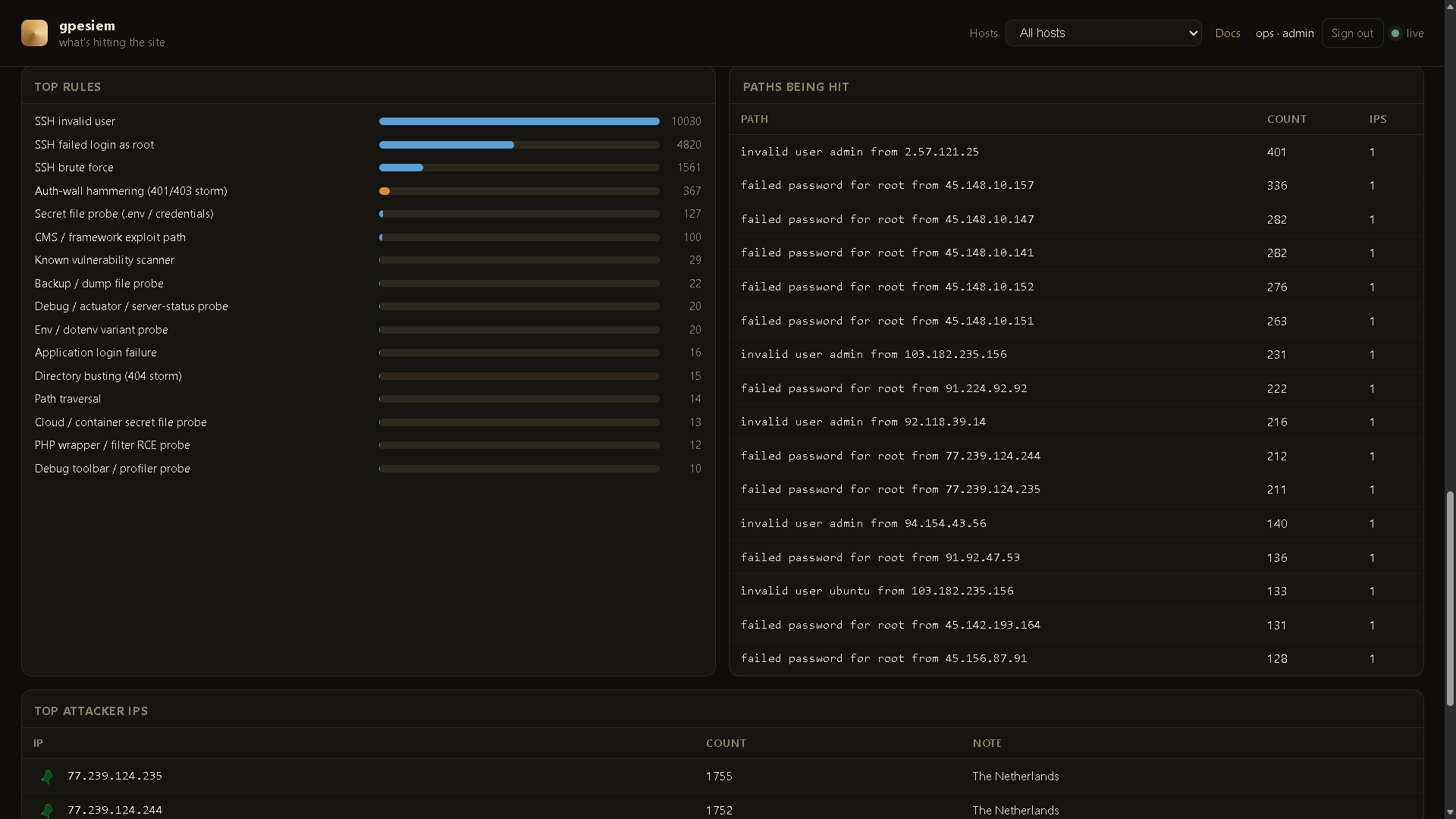
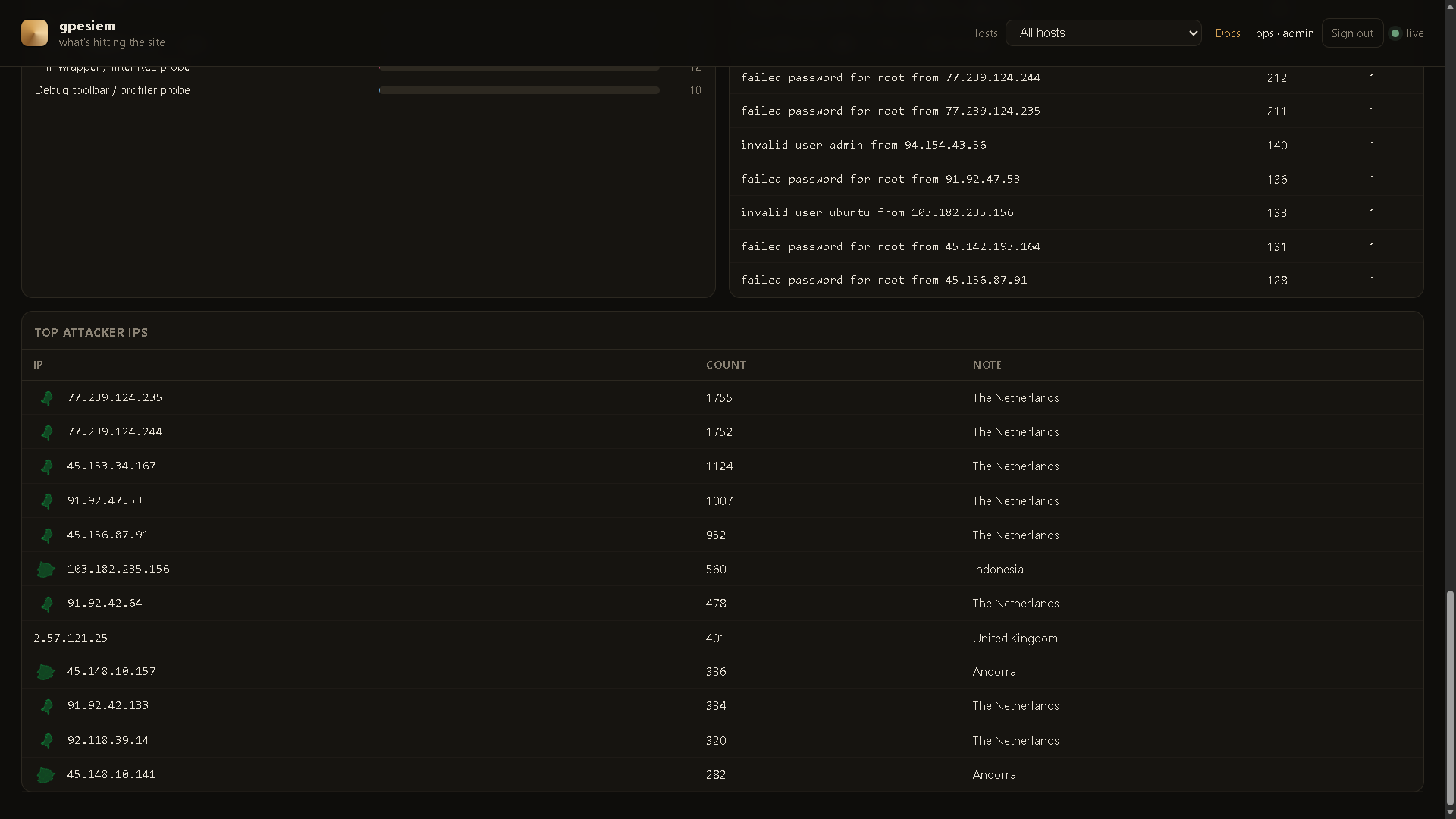
Reports → Insight. Same alerts, broken down. 1h / 24h / 7d is a real clock. Click a bar or host card to Search. CSV / JSON / Copy export that window (session cookie, no ingest token in the file).
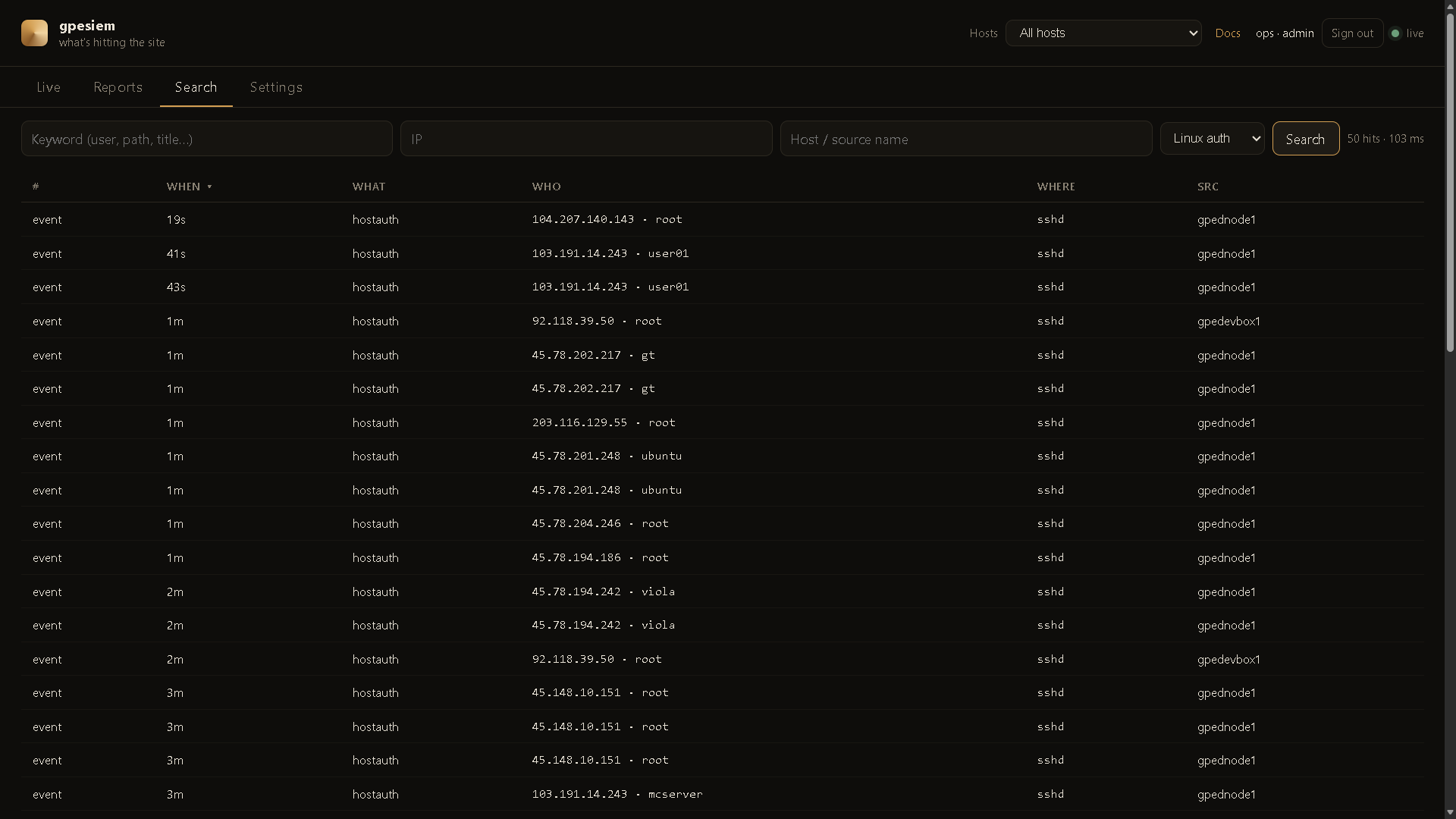
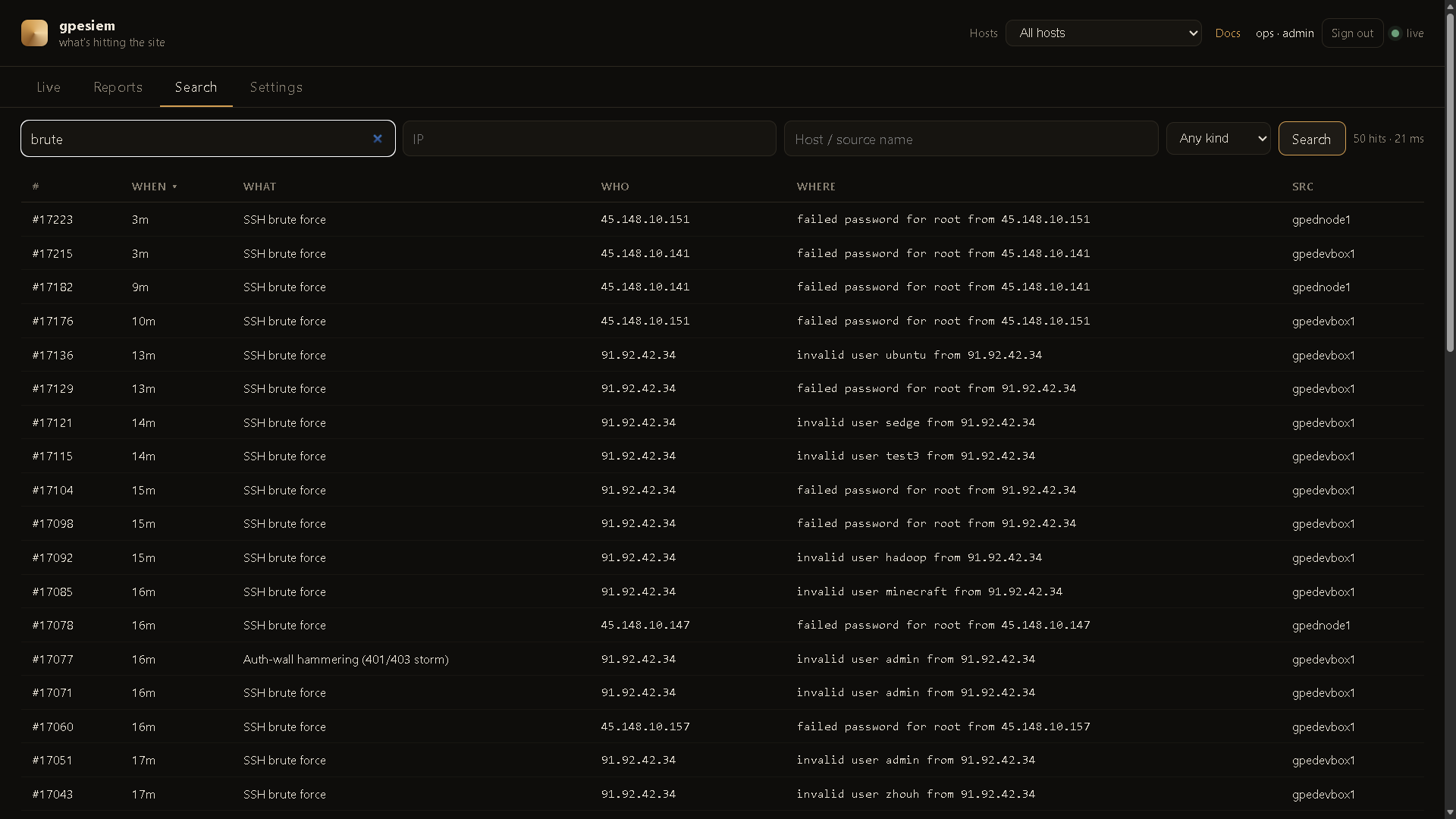
FTS5 on the manager. Keyword, IP, host, kind. Newest first (click When to flip). No Elasticsearch.
| You have | Install |
|---|---|
| A laptop and curiosity | gpewebdefender demo — fake attacks, not your site |
| One Linux box that already writes an access log | All-in-one — manager tails that log. No agent. |
| A small extra box + one or more web servers | — manager on the extra box, one agent per web (or SSH) host |
Do not open port 8787 to the internet. Default listen is 127.0.0.1:8787. Use an SSH tunnel until you put HTTPS + a login in front.
go build -o gpewebdefender.exe .\cmd\gpewebdefender
gpewebdefender.exe demo
Linux:
go build -o gpewebdefender ./cmd/gpewebdefender
./gpewebdefender demo
Open http://127.0.0.1:8787
Those map shots are invented. See DocHub 04 before you treat a dashboard as reality.
From this repo, as root. Build a Linux binary first if you are on Windows:
$env:GOOS="linux"; $env:GOARCH="amd64"; $env:CGO_ENABLED="0"
go build -o gpewebdefender-linux-amd64 .\cmd\gpewebdefender
All-in-one (this box has the access log):
chmod +x deploy/install-manager.sh deploy/install-agent.sh
sudo ./deploy/install-manager.sh --all-in-one \
  --tail /var/log/nginx/access.log \
  --journal \
  --home 40.7,-74.0
Split (monitor first, then each web box):
# on the monitor
sudo ./deploy/install-manager.sh --home 40.7,-74.0

# on a web / SSH box
scp root@MONITOR:/usr/local/bin/gpewebdefender /usr/local/bin/gpewebdefender
scp root@MONITOR:/etc/gpewebdefender/env /etc/gpewebdefender/env
sudo ./deploy/install-agent.sh \
  --url http://MONITOR:8787 \
  --name web-1 \
  --tail /var/log/nginx/access.log \
  --journal
Replace MONITOR, web-1, and the log path with your values.
Then from your laptop:
ssh -L 8787:127.0.0.1:8787 user@THEBOX
Open http://127.0.0.1:8787/login and create the first admin (a person). That is not the ingest token.
/usr/local/bin/gpewebdefender and chmod +x.useradd --system --home /var/lib/gpewebdefender --shell /usr/sbin/nologin gpewebdefenderrules/ and dochub/ into /var/lib/gpewebdefender/.deploy/env.example to /etc/gpewebdefender/env. Put a long random GWD_TOKEN. Mode 640.deploy/gpewebdefender.service.example to systemd. Edit home / tail if needed.systemctl daemon-reload && systemctl enable --now gpewebdefenderdeploy/gpewebdefender-agent.service.example with the token, a stable , and / .Examples live in deploy/.
/login → first admin. Or set SIEM_ADMIN_USER + SIEM_ADMIN_PASSWORD once, then delete the password line.US or 40.7,-74.0), one row per agent --name..mmdb and pass --geoip.deploy/nginx-gwd.conf.example. Deny /api/ingest on the public vhost. DocHub 15 and 18./api/ingest. Never send passwords. DocHub .If the UI is empty: you are not in demo, and no --tail / agent has sent a line yet. journalctl -u gpewebdefender -n 50.
Anything that shows up in an access log:
.env, .git, phpMyAdmin, wp-login, actuators)--journal or auth.logkind=applogin / tenantlogin / secprobeIt cannot see POST bodies unless you log them (you usually should not).
nginx / Apache combined, or nginx / Caddy / Traefik JSON. JSON is worth switching to. See DocHub 05.
Built-in YAML in rules/. Extra files: --rules path/to/more.yaml. Optional CMS honey: --rules packs (loads packs/cms.yaml). Not a plugin scanner.
One static Go binary + SQLite. A dedicated 2 CPU / 2 GB box is plenty. No JVM, no OpenSearch, no Elasticsearch.
This tree is the public product. It has no inventory, tokens, or hostnames.
go test ./...
set GOOS=linux
set GOARCH=amd64
set CGO_ENABLED=0
go build -o gpewebdefender-linux-amd64 .\cmd\gpewebdefender
Keep live fleet config out of this repository.
--name--tail--journal