 themiddleblue/vibegate
Host-agnostic pre-write security hook for coding agent: detects user-input patterns via Semgrep and emits deterministic, no-LLM security guidance.



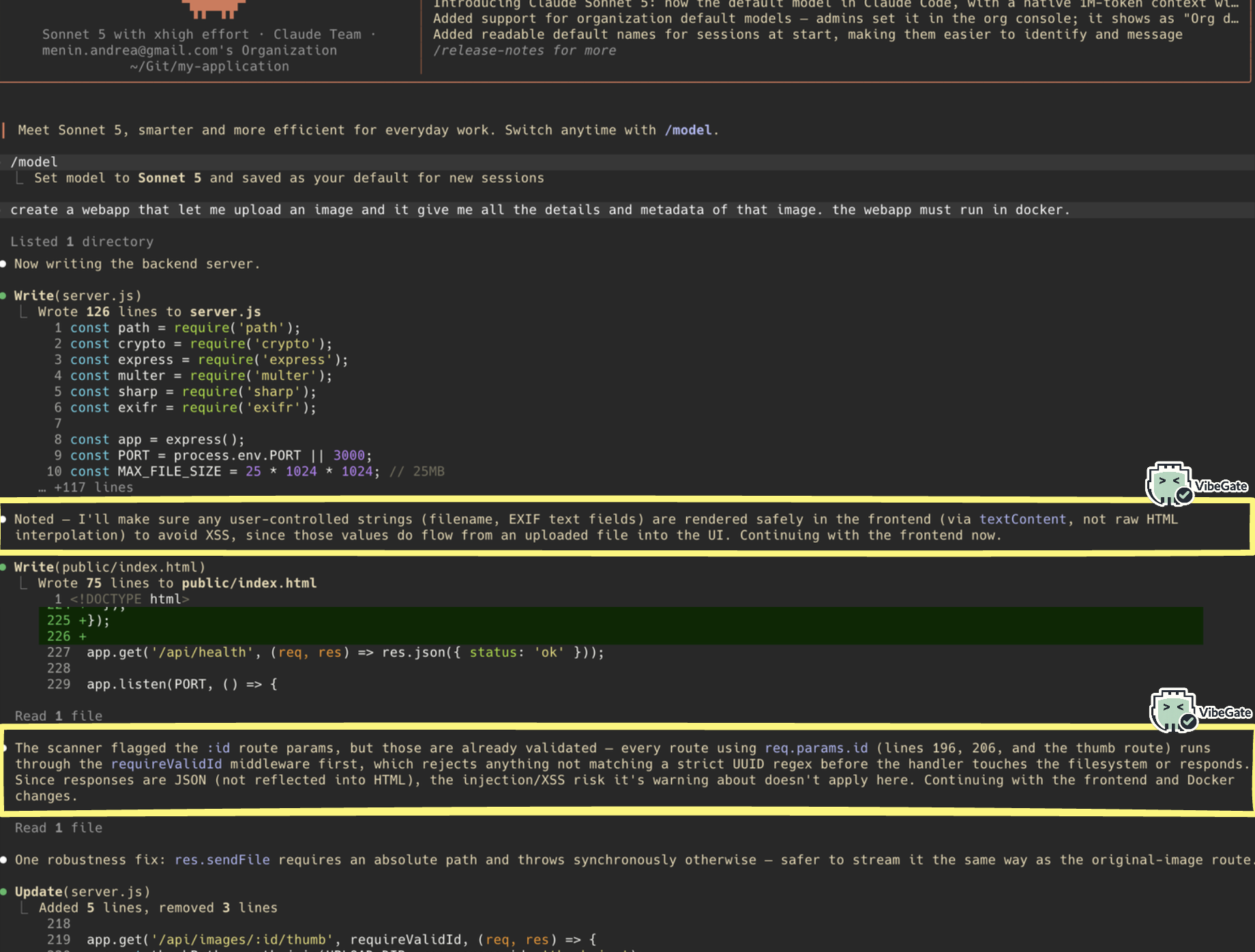
A security checkpoint for AI coding tools. It looks at every file an AI assistant writes, and stops the dangerous ones before they hit disk.
AI coding assistants (Claude Code, Codex, …) write code fast — including code that handles things like passwords, emails, API keys, or raw user input. It's easy for an assistant to wire that data straight into a database query, a shell command, or an HTTP response without thinking about security.
VibeGate sits between the assistant and your filesystem. Every time the assistant tries to write or edit a file, VibeGate scans the new code first:
No LLM is involved in the analysis itself — it's fast, deterministic static analysis, so it never makes things up and never costs you tokens.
Here is everything VibeGate currently checks for:
| Check | What it catches | Result |
|---|---|---|
| Command injection | Unsanitized input reaches a shell command | Blocks |
| SQL injection | Unsanitized input reaches a database query | Blocks |
| NoSQL injection | The request body is used directly as a database filter | Blocks |
| Template injection (SSTI) | The template source itself, not just its data, comes from user input | Blocks |
| Insecure deserialization | Untrusted data reaches an unsafe deserializer (pickle, unsafe YAML, ...) | Blocks |
| Path traversal | Unsanitized input reaches a file read, write, or delete | Blocks |
| XXE | Untrusted XML is parsed with external entities enabled | Blocks |
| XSS | Unsanitized input is rendered as raw HTML | Blocks |
| Unrestricted file upload | The uploaded file's own name is used to build the save path | Blocks |
| SSRF | The server fetches a URL that isn't hardcoded | Warns |
| Open redirect | A redirect target that isn't hardcoded | Warns |
| Mass assignment | The whole request body is passed into a model constructor or update | Warns |
| Sensitive data in a request body | Emails, passwords, tokens, etc. read from the request body | Warns |
| Sensitive data in a URL/query | Emails, passwords, tokens, etc. read from the query string | Warns |
| Sensitive data in headers | Emails, passwords, tokens, etc. read from request headers | Warns |
| File path from user input | A variable, not a hardcoded string, is used as a file path | Warns |
| CLI arguments | Data comes from command-line arguments | Warns |
| Standard input | Data comes from stdin | Warns |
| Environment variables | Data comes from an environment variable | Warns |
| Unpinned GitHub Action | A workflow uses a mutable tag (@v4) instead of a commit SHA | Warns |
Unsafe pull_request_target | A workflow uses the pull_request_target trigger | Warns |
| Credential logging | A password, API key, or token is passed to print/console.log/a logger | Warns |
| Hardcoded secret | A variable named like a secret is assigned a real-looking literal value | Warns |
The full, current list lives in guidance.TECHNICAL_RISKS and
formatter.BLOCKING_CATEGORIES, in case this table ever drifts.
                    ┌───────────────────────────────┐
                    │   You ask Claude Code to      │
                    │   write or edit a file        │
                    └───────────────┬───────────────┘
                                    │
                                    ▼
                    ┌───────────────────────────────┐
                    │   Claude Code tries to save   │
                    │   the file (Write/Edit tool)  │
                    └───────────────┬───────────────┘
                                    │
                                    ▼
                    ┌───────────────────────────────┐
                    │        VibeGate hook          │
                    │   (runs automatically,        │
                    │    before the file is saved)  │
                    └───────────────┬───────────────┘
                                    │
                     scans the new code with Semgrep
                                    │
              ┌─────────────────────┼─────────────────────┐
              │                     │                     │
              ▼                     ▼                     ▼
    ┌────────────────────┐ ┌────────────────────┐ ┌──────────────────────┐
    │  No risky input    │ │   Risky input,     │ │  Risky input reaches │
    │  found             │ │   but lower risk   │ │  a critical sink     │
    │                    │ │   (e.g. shown in   │ │  (SQL/command/RCE,   │
    │                    │ │   an HTTP reply)   │ │  template injection) │
    └─────────┬──────────┘ └─────────┬──────────┘ └───────────┬──────────┘
              │                      │                        │
              ▼                      ▼                        ▼
      File is saved,         File is saved,            File is NOT saved.
      nothing shown.         plus a warning in           Claude Code sees
                              the terminal with           the block reason
                              risk + how to fix it.        and is told what
                                                            to fix.
In short: safe code passes through untouched, risky-but-survivable code gets saved with a warning attached, and code that's one step away from things like SQL injection, command injection, or remote code execution gets stopped before it ever reaches disk.
If VibeGate itself hits an unexpected error, it always lets the write through — a bug in the hook should never be the reason your work gets blocked.
Every warning and block also carries an explicit instruction telling Claude Code to mention the finding to you in its reply, not just fix it silently. That's what makes VibeGate's activity visible in the conversation, not only in a terminal log you'd have to go looking for.
| What VibeGate sees | What happens |
|---|---|
| No user input, or a language it doesn't support yet | File saves normally, nothing shown |
| User input found, but the risk is moderate (e.g. open redirect, mass assignment) | File saves, terminal shows a warning + guidance |
| User input flows unsanitized into a critical sink (SQL/NoSQL query, shell command, template engine, deserializer, XML parser, file path, uploaded filename, or raw HTML output) | File is not saved — Claude Code is told why |
See the table in "What problem does this solve?" above for the full, per-check breakdown of what blocks vs. what only warns.
Today VibeGate understands Python, JavaScript/TypeScript, Go, Java, PHP, and Ruby, and plugs into Claude Code and Codex. More languages and tools can be added without touching the core logic.
It also checks GitHub Actions workflow files for two common CI/CD
supply-chain mistakes: actions pinned to a mutable tag (@v4) instead of a
commit SHA, and the unsafe pull_request_target trigger. Both warn rather
than block, since they're hardening checks rather than proof of an active
exploit.
