 thelicato/friman
Frida version management tool




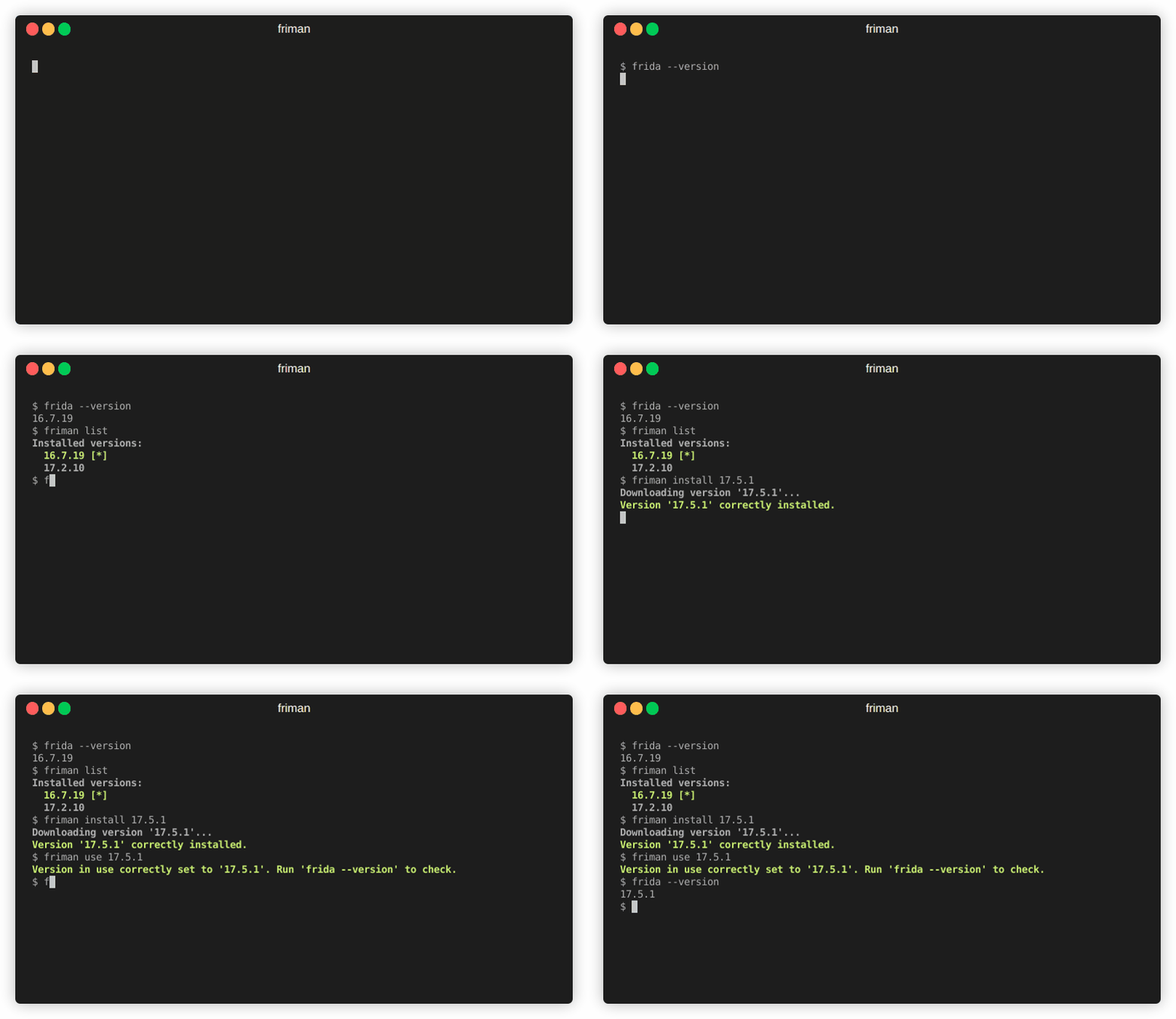
Do you ever feel that finding the right Frida version for the job is like threading a needle? With different projects, devices, and debugging scenarios all requiring specific builds, keeping track of Frida versions can quickly become a tedious balancing act. friman (pronounced "free man") is designed to solve exactly this problem.
It’s common to switch between Frida versions because different environments don’t always behave the same with the latest release. Depending on what you’re targeting, a specific version may be the only one that works reliably. Common reasons include:
v16 and v17).Frida evolves rapidly, and different projects or devices often require different versions. Switching manually can be error-prone, especially when juggling multiple environments, server binaries, and gadgets.
friman provides:
$HOME/.friman)frida-gadget and frida-server assets)Its goal is to make Frida version management as frictionless as possible.
The recommended installation method is directly from GitHub:
# With pipx (recommended)
pipx install git+https://github.com/thelicato/friman

# Or with pip
pip install git+https://github.com/thelicato/friman
After installing run the following:
friman ensurepath # Setup PATH for the currently selected Frida environment
friman update # Update the local list of available Frida versions and compatibility matrix
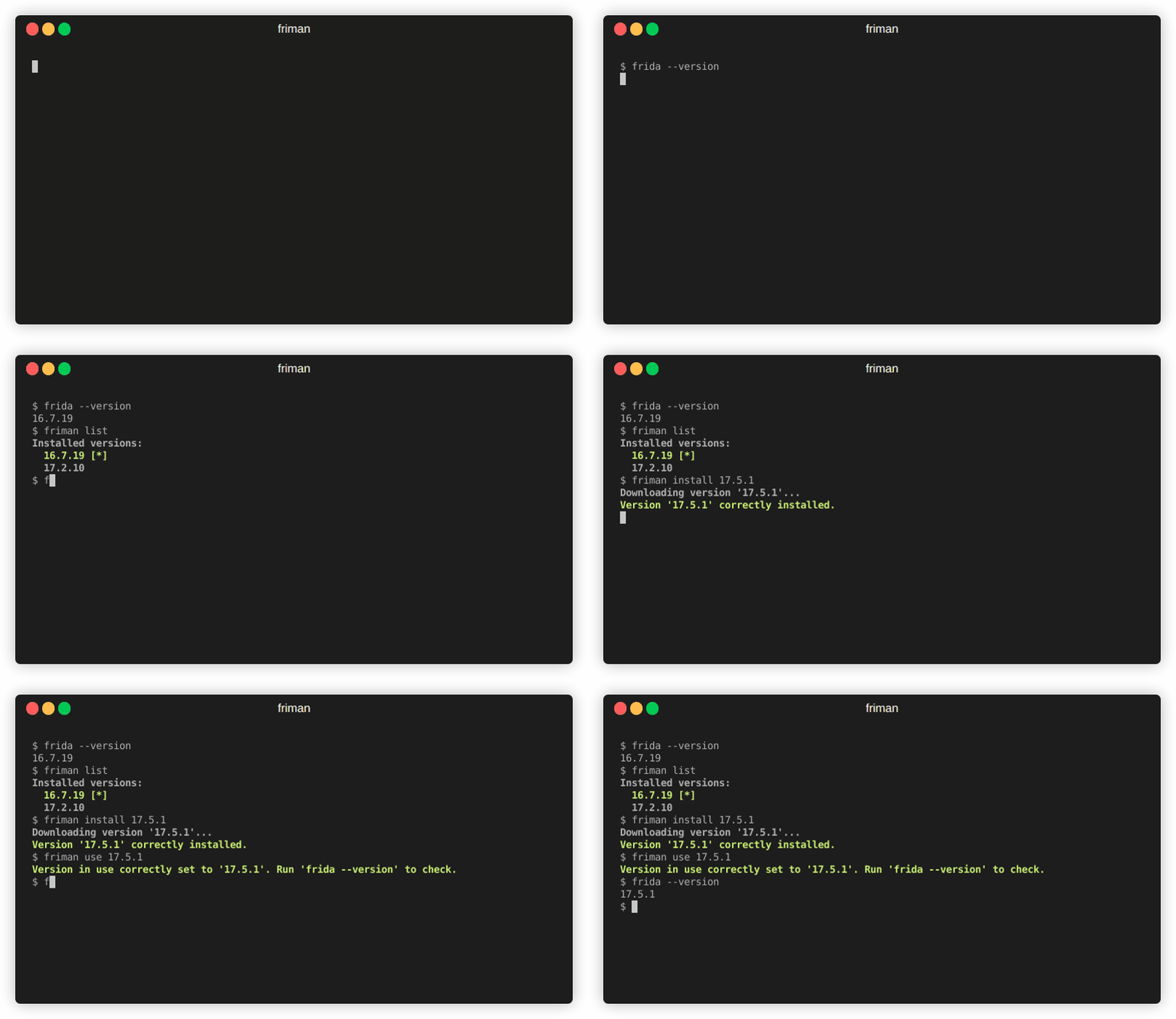
friman provides a command-line interface for installing, switching, and managing multiple versions of Frida. The following is the main help output:
Usage: friman [OPTIONS] COMMAND [ARGS]...

Options:
  -v, --version  Show the application's version and exit.
  -d, --debug    Show debug output.
  -h, --help     Show this message and exit.

Commands:
  update       Update the local list of available Frida versions.
  install      Install a <version> of Frida.
  uninstall    Uninstall a <version> of Frida.
  use          Use <version>.
  disable      Disable friman.
  current      Display the currently activated version of Frida.
  list         List all the installed versions.
  ensurepath   Ensure friman directories are correctly set.
  download     Download a specific release file (only server and gadget)...
  push-server  Pushes a the Frida server into the selected ANDROID device.
Specific help commands are available in the below sections.
update command
update commandUsage: friman update [OPTIONS]
Update the local list of available Frida versions.
Options:
-h, --help Show this message and exit.
install command
install commandUsage: friman install [OPTIONS] version
Install a <version> of Frida.
Arguments:
version The version of Frida to install \[required]
Options:
-f, --force Force install.
--list Show all the installable versions and exit.
-h, --help Show this message and exit.
uninstall command
uninstall commandUsage: friman uninstall [OPTIONS] version
Uninstall a <version> of Frida.
Arguments:
version The version of Frida to uninstall \[required]
Options:
-h, --help Show this message and exit.
use command
use commandUsage: friman use [OPTIONS] version
Use <version>.
Arguments:
version The version of Frida to use \[required]
Options:
-h, --help Show this message and exit.
disable command
disable commandUsage: friman disable [OPTIONS]
Disable friman.
Options:
-h, --help Show this message and exit.
current command
current commandUsage: friman current [OPTIONS]
Display the currently activated version of Frida.
Options:
-h, --help Show this message and exit.
list command
list commandUsage: friman list [OPTIONS]
List all the installed versions.
Options:
-h, --help Show this message and exit.
ensurepath command
ensurepath commandUsage: friman ensurepath [OPTIONS]
Ensure friman directories are correctly set.
Options:
-h, --help Show this message and exit.
download command
download commandUsage: friman download [OPTIONS] type platform
Download a specific release file (only server and gadget) for the current
version.
Arguments:
type The selected asset type \[required]
platform The platform to use \[required]
Options:
-o, --output TEXT Select the folder where to download the file.
-h, --help Show this message and exit.
push-server command
push-server commandUsage: friman push-server [OPTIONS] device_id platform
Pushes a the Frida server into the selected ANDROID device.
Arguments:
device_id The selected ANDROID device \[required]
platform The platform of the device \[required]
Options:
--list Show all the USB devices and exit.
-h, --help Show this message and exit.
Pull requests are welcome! Please open an issue first to discuss major changes.
friman is released under the MIT LICENSE
