Support Development
If this project helps your work, support ongoing maintenance and new features.
ETH Donation Wallet
0x11282eE5726B3370c8B480e321b3B2aA13686582

Scan the QR code or copy the wallet address above.
BurpWpsScan





A Burp Suite extension that detects WordPress sites during web application testing (passive detection + active verification), performs comprehensive security assessments including WordPress core, plugin, and theme vulnerability scanning via WPScan API, tests for XML-RPC/REST API exposure, enumerates users, checks plugin versions, and generates AI-ready penetration testing reports.
Compatible with both Burp Suite Community and Professional editions.
Screenshots
Main Interface
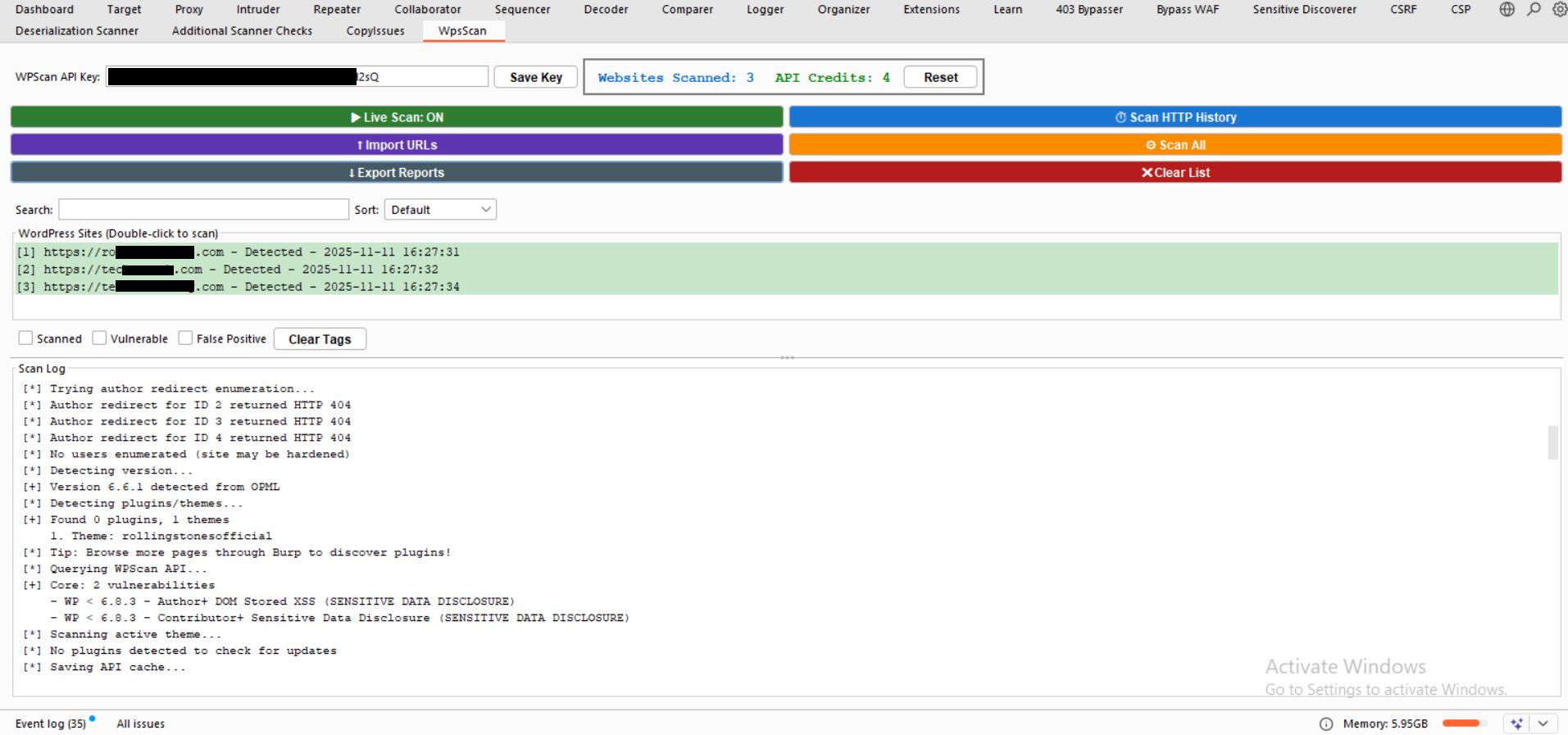
The main WpsScan interface showing detected WordPress sites with status indicators and scan controls
Exported Reports
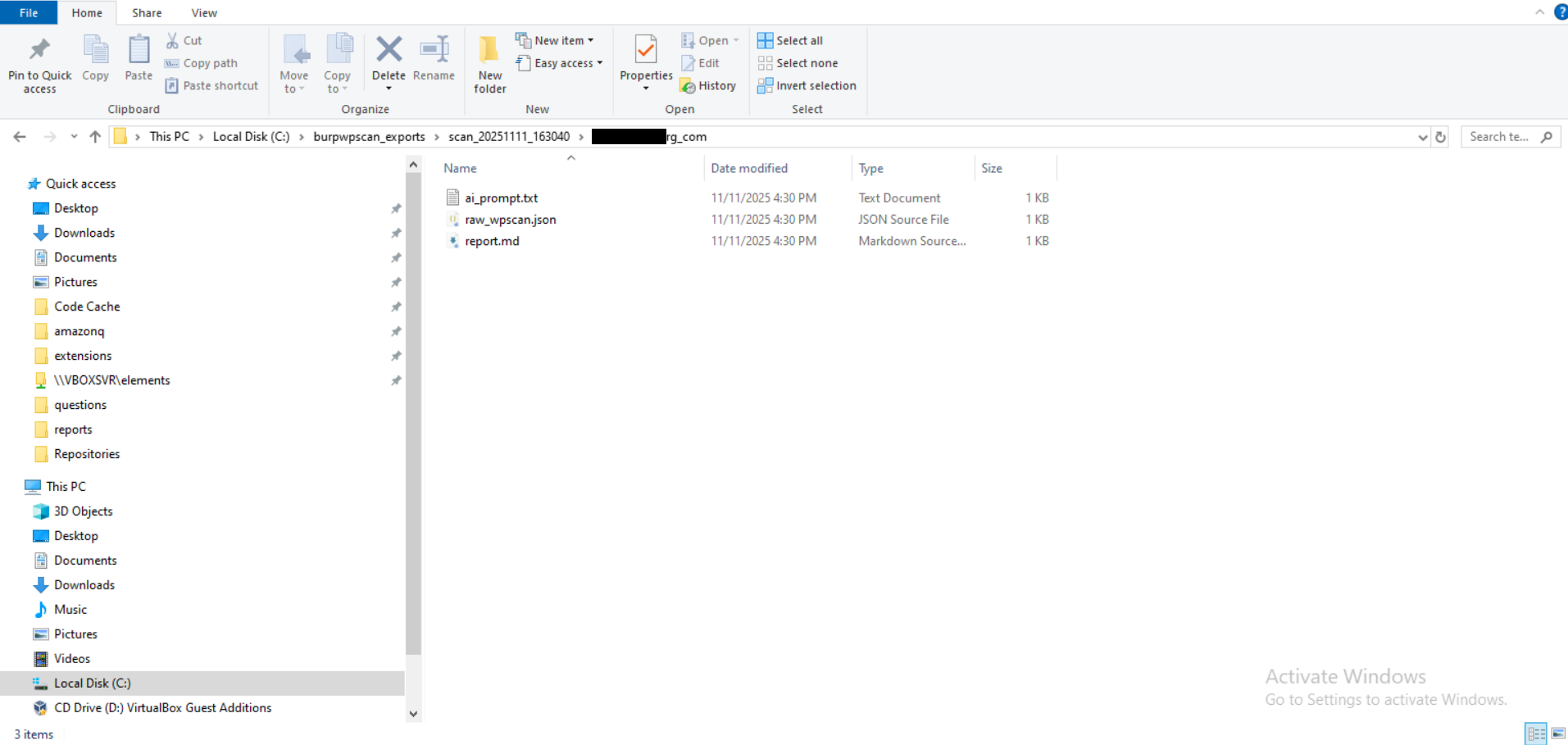
Organized export structure with JSON, Markdown, and AI-ready reports for each scanned site
Raw WPScan JSON
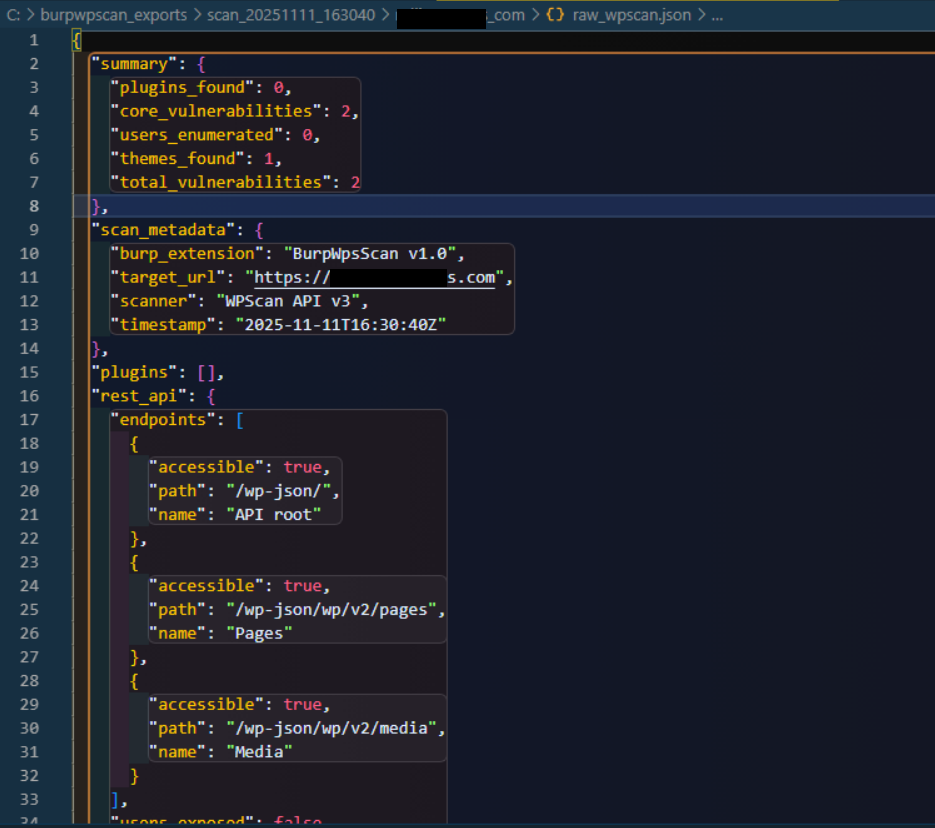
Detailed JSON output containing complete vulnerability data and scan metadata
Features
Detection & Discovery
- Live WordPress Detection: Passively identifies WordPress sites from real-time HTTP traffic
- HTTP History Scanning: Scan Burp's HTTP history to find WordPress sites from past traffic (marked with [HTTP HISTORY] label)
- Bulk URL Import: Actively verifies and imports multiple URLs for batch WordPress detection
- Plugin/Theme Discovery: Extracts plugins and themes from HTTP responses and history
- Version Detection: Identifies WordPress core version from multiple sources (meta tags, feeds, API)
Vulnerability Scanning
- WPScan API Integration: Queries the WPScan vulnerability database for:
- WordPress Core vulnerabilities
- Plugin vulnerabilities (80+ high-risk plugins + up to 3 others)
- Theme vulnerabilities
- Real-Time Vulnerability Details: Shows vulnerability title and type immediately as each component is scanned
- Smart Plugin Scanning: Scans ALL 80+ high-risk plugins + up to 3 others (saves 60-80% API credits)
- 24-Hour API Cache: Never re-scan the same plugin/theme twice in 24 hours (persistent across Burp restarts)
Security Assessments
- XML-RPC Security Testing:
- Detects if XML-RPC endpoint is enabled
- Tests for pingback.ping method (DDoS amplification risk)
- Tests for system.multicall method (brute force amplification risk)
- REST API Discovery:
- Enumerates accessible WordPress REST API endpoints (/wp-json/wp/v2/)
- Tests users, posts, pages, and media endpoints
- Flags user enumeration vulnerabilities
- User Enumeration:
- Attempts user enumeration via REST API (/wp-json/wp/v2/users)
- Falls back to author redirect method (?author=N)
- Extracts usernames and IDs for reconnaissance
- Plugin Update Monitoring: Checks plugins against WordPress.org for latest versions (no API credits used)
- Security Hardening Detection: Identifies security plugins and hardening measures
Workflow & Management
- Dual Detection Modes: Live scanning + HTTP history scanning work independently
- API Credit Counter: Real-time tracking of daily API usage (resets at midnight)
- Status Tracking: Tag sites as Scanned, Vulnerable, or False Positive with persistent storage
- Export Reports: Generate structured JSON, formatted Markdown, and AI-ready prompts
- URL Normalization: Automatically normalizes subdomains to root domains (cd.krytter.com → krytter.com)
- Protocol Support: Handles both HTTP and HTTPS versions of the same site
- Visual Indicators: Color-coded status with [HTTP HISTORY] and [IMPORTED] labels
Installation
Prerequisites
- Burp Suite Community or Professional (tested on v2023.x+)
- WPScan API key (free tier available at https://wpscan.com/api)
Steps
-
Clone or download this repository:
git clone https://github.com/Teycir/BurpWpsScan.git
cd BurpWpsScan
-
Load extension in Burp Suite:
- Go to
Extensions → Installed
- Click
Add
- Extension type:
Python
- Select file:
WpsScan.py
- Click
Next
-
Configure API key:
- Go to the "WpsScan" tab in Burp Suite
- Enter your WPScan API key in the text field at the top
- Click "Save Key" button
- Key is saved to
C:\burpwpscan_exports\wpsscan_config.txt (Windows tries drives C-Z) or /tmp/burpwpscan_exports/wpsscan_config.txt (Linux/Mac)
-
Verify installation:
- Check for "WpsScan" tab in Burp Suite
- Look for success message in
Extensions → Output
Usage
Live Detection
- Ensure "Live Scan: ON" button is active (green)
- Browse target websites through Burp (Proxy, Repeater, Scanner, etc.)
- Extension automatically monitors HTTP traffic and detects WordPress sites in real-time
- Detected sites appear in the WpsScan tab list
HTTP History Scanning
- Click "Scan HTTP History" button
- Extension scans all past HTTP traffic in Burp's history
- Found WordPress sites are added with [HTTP HISTORY] label in blue
- Can add sites even if they already exist from live scanning
- Useful for finding WordPress sites from previous sessions
Why HTTP History Scan is Powerful:
- Discovers More Plugins: Homepage often loads only 2-3 plugins, but browsing multiple pages (shop, blog, contact) loads different plugins
- Example: Homepage might show
contact-form-7, but the shop page loads woocommerce, checkout loads stripe, blog loads yoast-seo
- Better Coverage: Scanning HTTP history after browsing 5-10 pages can discover 10-20+ plugins vs 2-3 from homepage alone
- Saves API Credits: More plugins found = more accurate vulnerability assessment without re-scanning
- Best Practice: Browse the target site thoroughly through Burp Proxy, then click "Scan HTTP History" before running WPScan
Bulk URL Import
- Click "Import URLs" button
- Paste URLs into the text area (one per line)
- Click "Import" to add them to the scan list
- Extension automatically verifies each URL is a valid WordPress site before importing
- Only confirmed WordPress sites are added to the scanner
- Supports both HTTP and HTTPS URLs
- Perfect for importing targets from reconnaissance tools (subfinder, amass, etc.)
Note: The extension sends HTTP requests to verify WordPress signatures (wp-content, wp-includes, etc.) before adding URLs. Non-WordPress sites are automatically filtered out.
Manual Scanning
Option 1 - Double-click:
- Double-click on a detected WordPress site in the list
- Confirm scan in the dialog
- Wait for scan to complete
 teycir/burpwpsscan
