Hacking, PenTest, and Cybersecurity Tools for Your Security Arsenal!
BurpAPISecuritySuite — Burp Suite extension for API security testing with 15 attack types, 108+ payloads, intelligent fuzzing, BOLA/IDOR detection, AI integration, and automated reconnaissance. Supports REST/GraphQL/SOAP APIs with Nuclei, Turbo Intruder, and external tool integration. OWASP API Top 10 coverage. | Kitploit
Burp Suite extension for API security testing with 15 attack types, 108+ payloads, intelligent fuzzing, BOLA/IDOR detection, AI integration, and automated reconnaissance. Supports REST/GraphQL/SOAP APIs with Nuclei, Turbo Intruder, and external tool integration. OWASP API Top 10 coverage.
Share
Support Development
If this project helps your work, support ongoing maintenance and new features.
ETH Donation Wallet 0x11282eE5726B3370c8B480e321b3B2aA13686582
Scan the QR code or copy the wallet address above.
BurpAPISecuritySuite
Professional-grade Burp Suite extension for comprehensive API reconnaissance, intelligent fuzzing, and AI-powered security testing.
Why One Extension with Multiple Tabs?
BurpAPISecuritySuite consolidates functionality that would typically require 10+ separate extensions into a single, optimized extension. This architectural decision provides significant performance benefits:
Memory Efficiency: Running multiple Burp extensions simultaneously creates substantial memory pressure. Each extension maintains its own state, UI components, and event listeners. A single extension with multiple tabs shares resources efficiently and reduces overall memory footprint.
Reduced API Overhead: Burp's extension API processes callbacks from every loaded extension. With 10+ extensions, each HTTP request triggers callbacks across all extensions, creating multiplicative overhead. One extension means one callback chain, dramatically reducing CPU cycles and improving responsiveness.
Shared Context: Integrated tabs share captured traffic data, eliminating redundant processing. The Recon tab captures once, and all other tabs (Fuzzer, Auth Replay, Passive Discovery, etc.) operate on the same dataset without re-parsing requests.
Faster Startup: Loading one extension is significantly faster than loading 10+ extensions. Burp initializes UI components, registers callbacks, and allocates resources once instead of repeatedly.
Better Stability: Fewer extensions mean fewer potential conflicts, version mismatches, and compatibility issues. A single codebase is easier to test, debug, and maintain.
This design philosophy prioritizes performance and user experience while delivering comprehensive API security testing capabilities that would otherwise require a complex multi-extension setup.
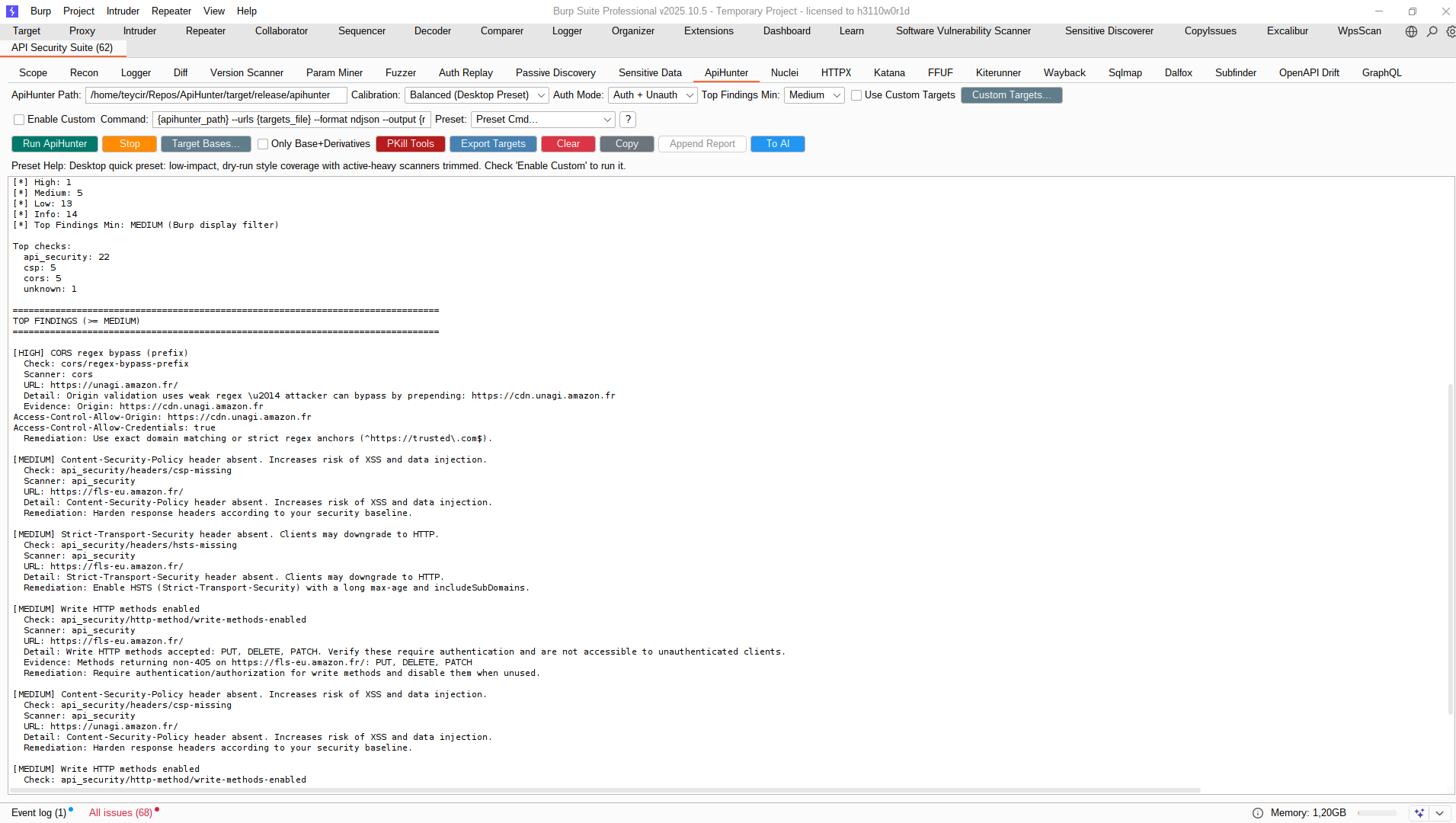
Integrated gap-fill + deep-search runner calibrated to complement Nuclei/HTTPX/Katana coverage.
Note: ApiHunter is an MIT-licensed open-source tool and an important complement to BurpAPISecuritySuite. It provides advanced API reconnaissance capabilities that fill gaps left by other scanners. See https://github.com/Teycir/ApiHunter for installation and usage.
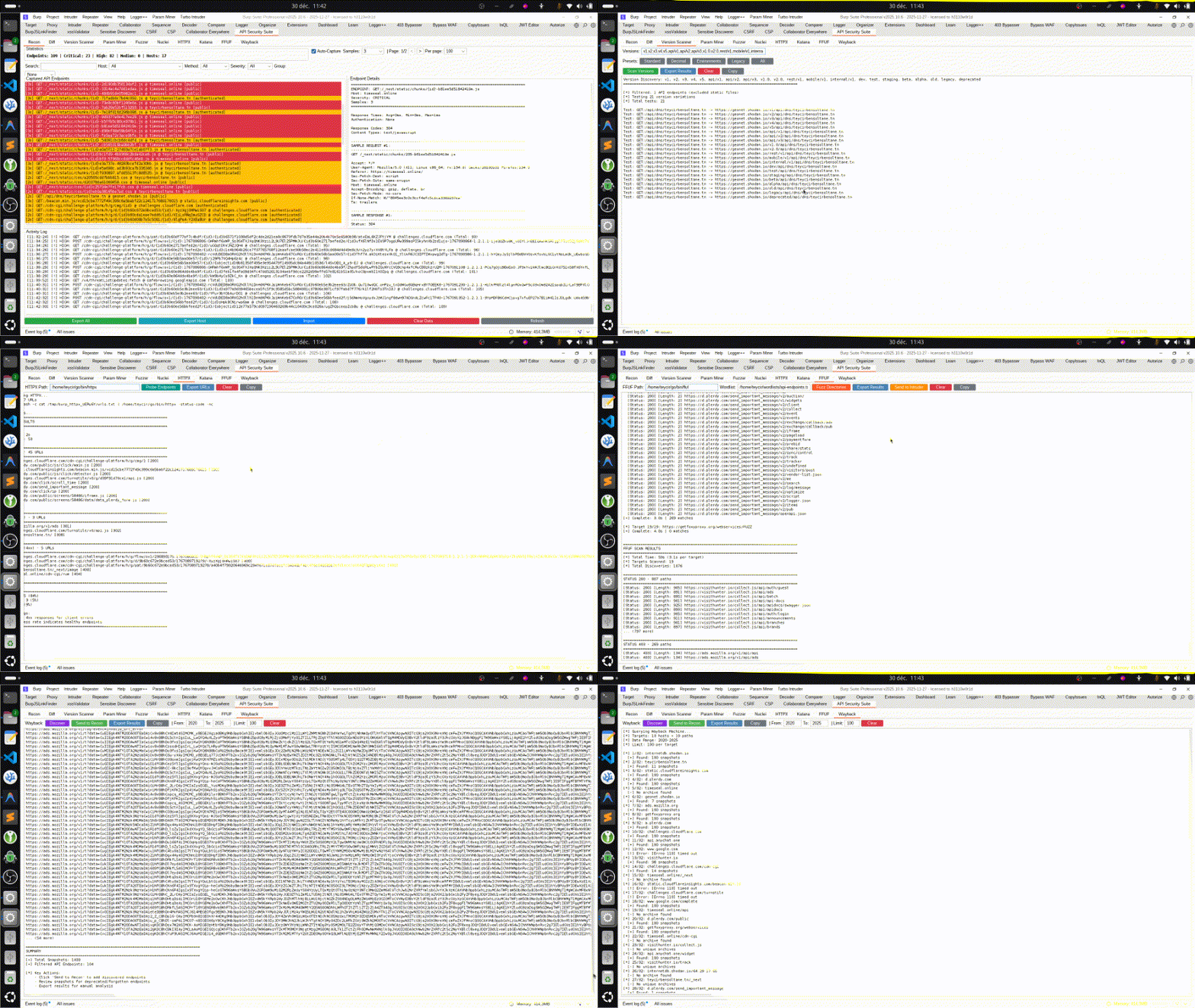
Nuclei Tab
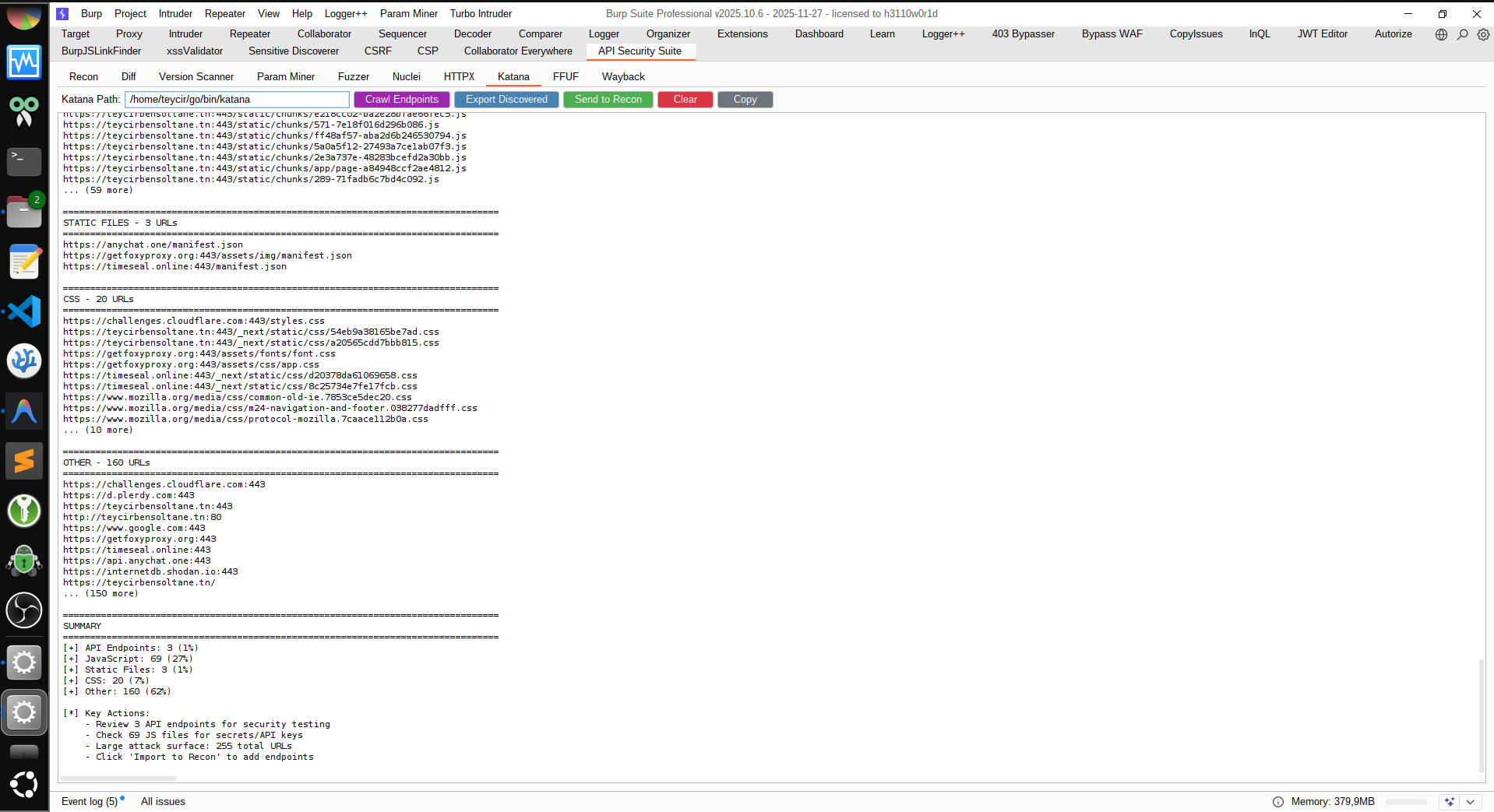
Katana Tab
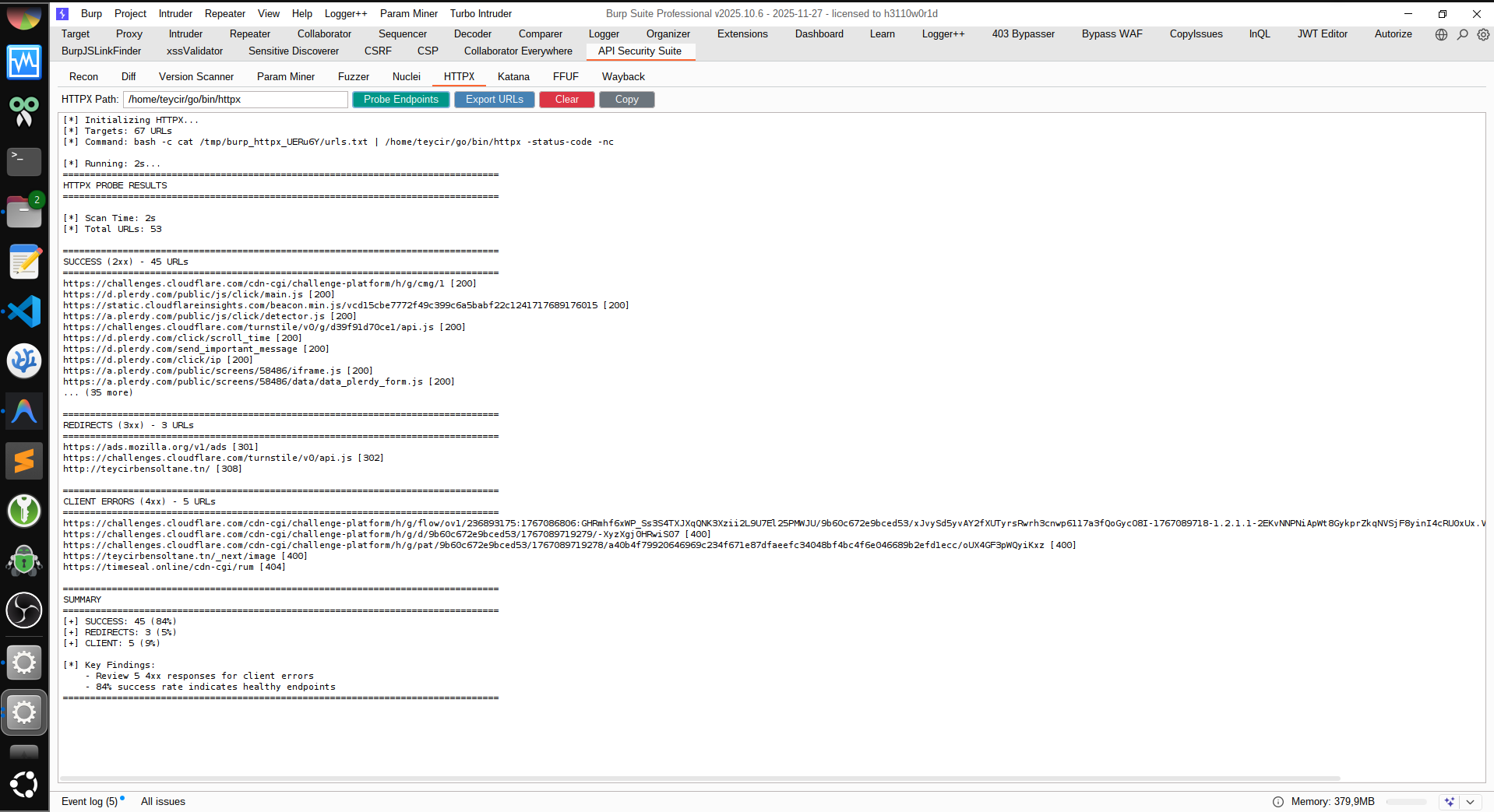
HTTPX Tab
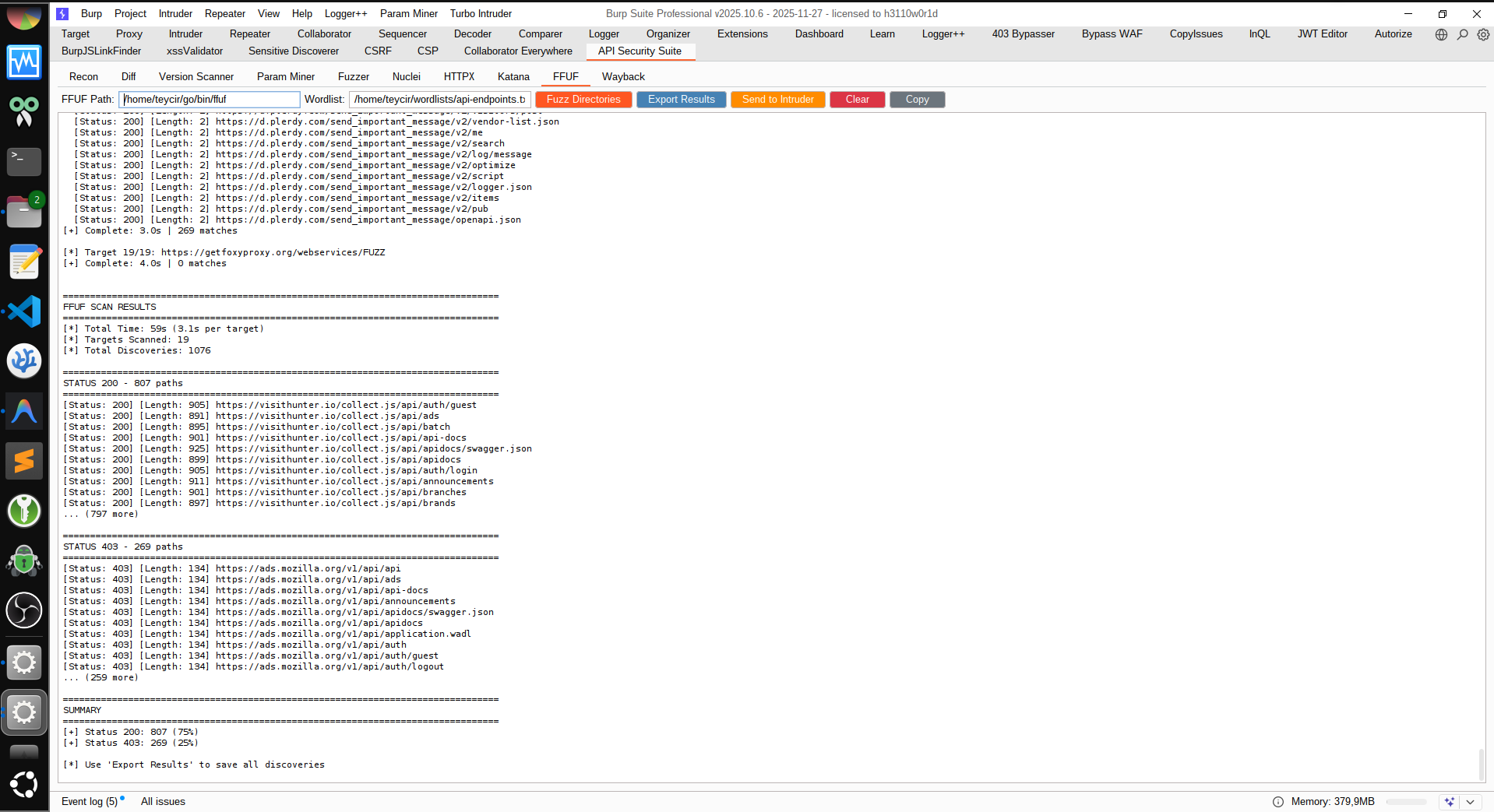
FFUF Tab
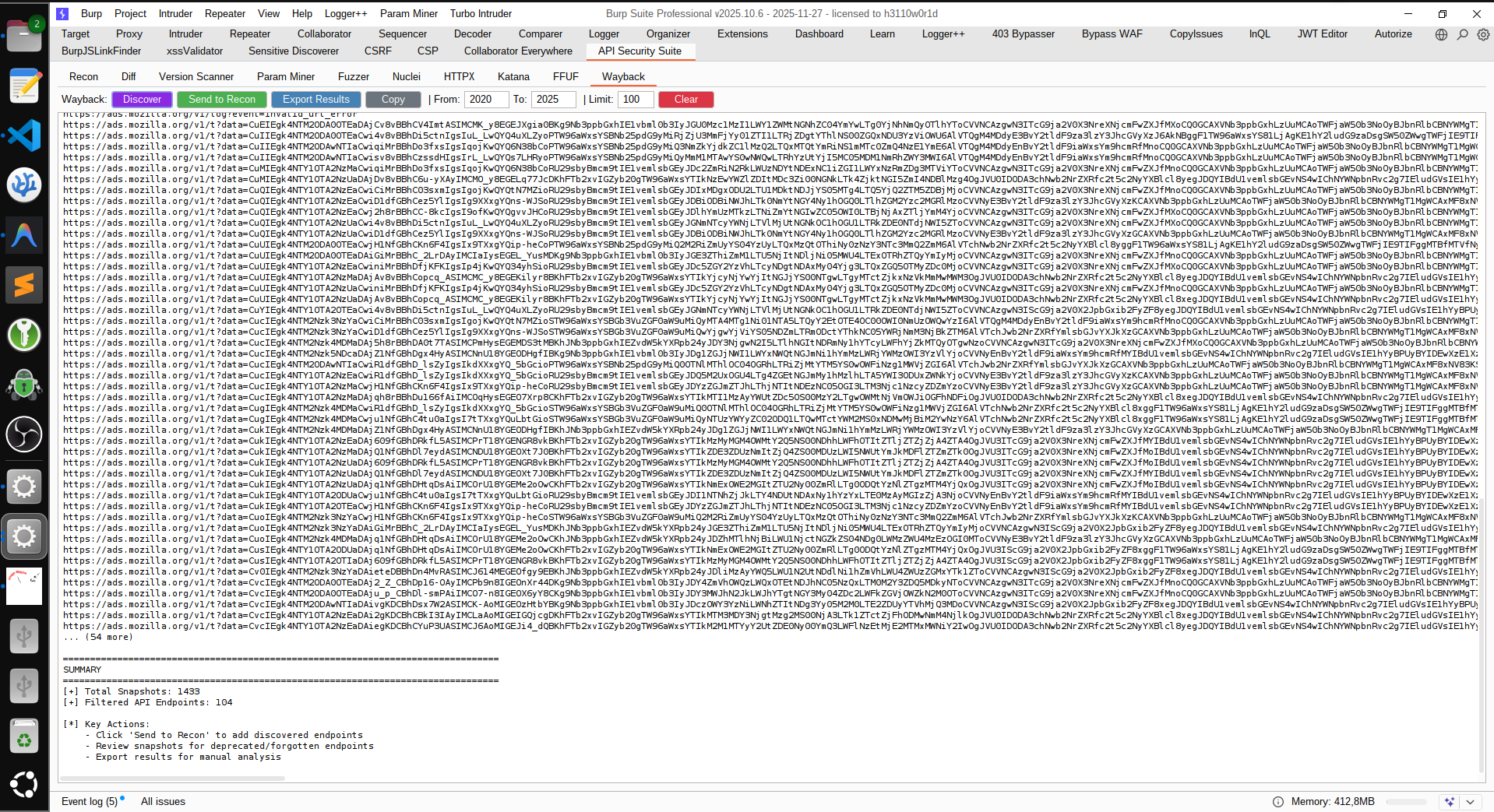
Wayback Tab
Export Options
Turbo Intruder Export
Version Info
Purpose
BurpAPISecuritySuite is a complete API security testing toolkit that:
Captures & analyzes API traffic with smart normalization
Generates intelligent fuzzing campaigns with 100+ attack vectors
Exports to multiple formats for AI, Turbo Intruder, and Nuclei
Auto-configures Burp Intruder with attack positions
Detects vulnerabilities across OWASP API Top 10
Key Features
🎯 Reconnaissance
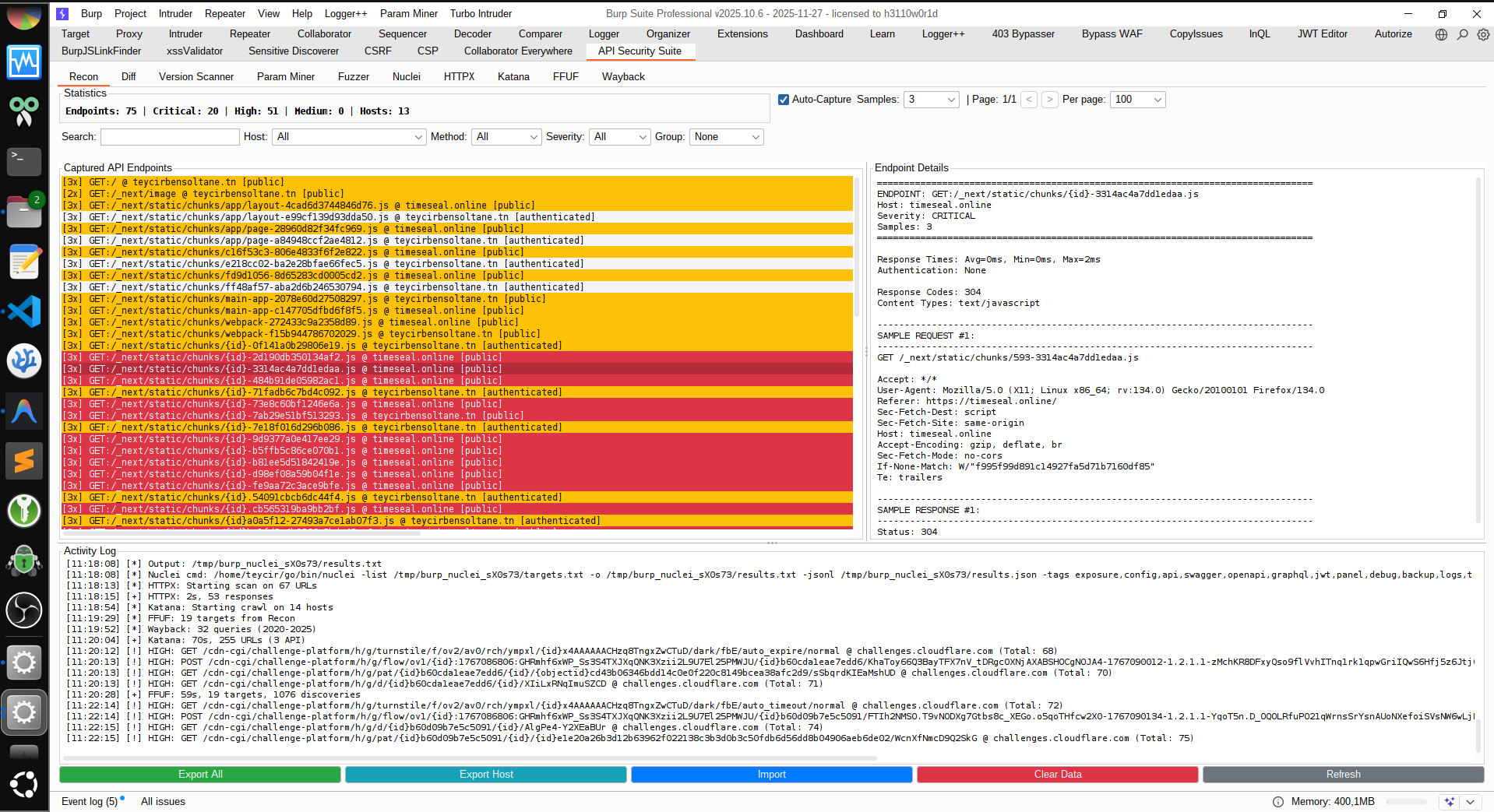
Auto-Capture: Monitors all HTTP/Proxy traffic automatically
Smart Normalization: Groups similar endpoints (/users/123 → /users/{id})
Capture: Browse/scan target API with auto-capture enabled
Review: Check the Recon tab to inspect captured endpoints and findings
Deep Logic (Optional): In Passive Discovery, click Run Differential for scoreless counterfactual checks, or Run Invariants for the full deep-logic stack
Refresh Cache (Optional): In Recon, click Refresh Invariants to refresh Differential + Sequence + Golden + State Matrix + Token Lineage + Parity Drift results before export
Export: In Recon, click Export AI Bundle to generate all-tab AI context
Generate: Feed exported JSON to an LLM (ChatGPT, Claude, etc.) for triage/payload planning
Tab Overview
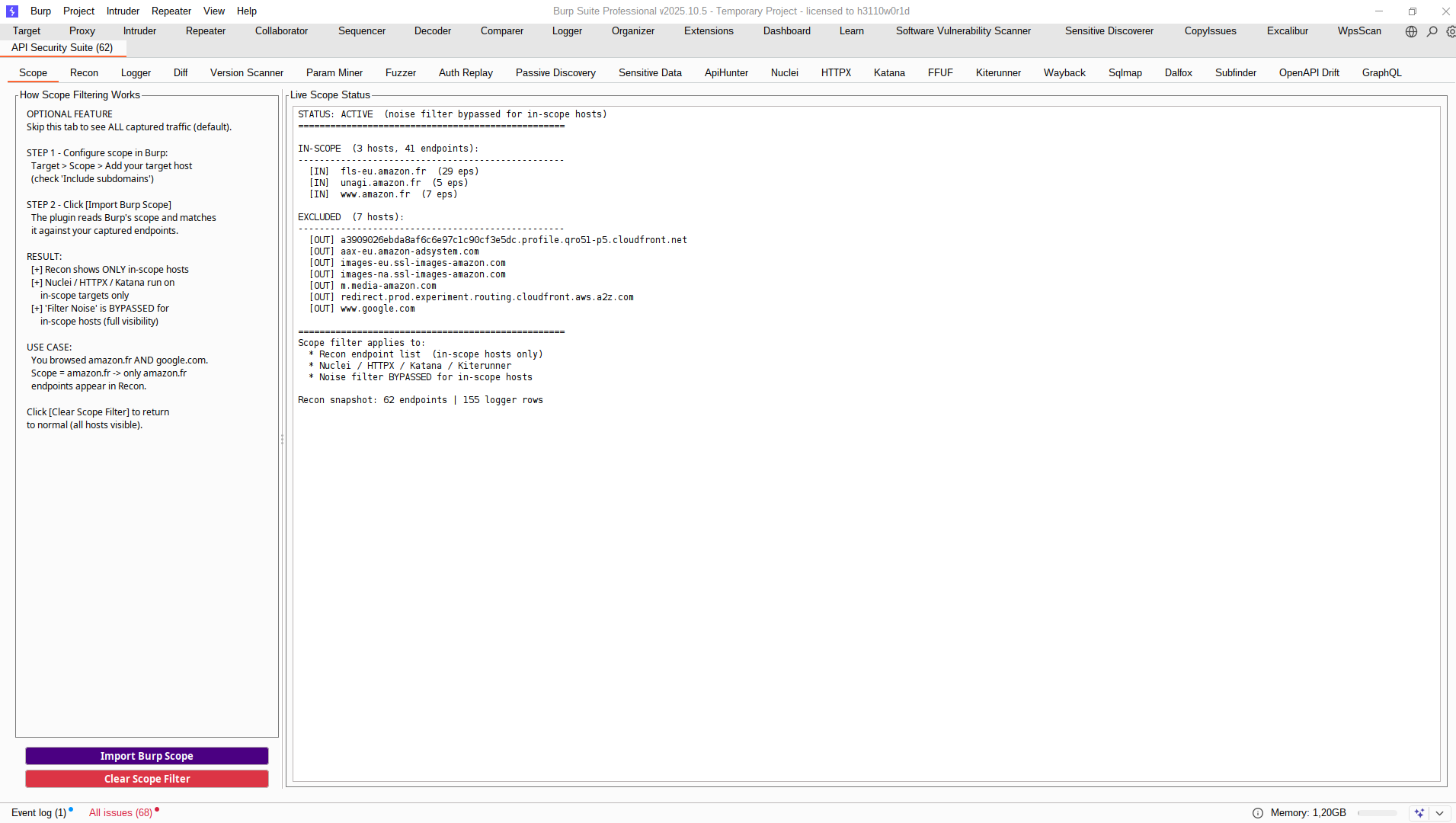
1. Scope Tab
OPTIONAL Configuration: Does not impact normal workflow
Import: Load Suite exports, Excalibur HAR/session sidecars, or excalibur-burp-bridge/v1 bundles (Excalibur is a proprietary tool: https://github.com/Teycir/Excalibur)
Postman: Export scoped endpoints to Postman Collection v2.1
Insomnia: Export scoped endpoints to Insomnia import JSON
Tool Health: One-click diagnostics for ApiHunter/Nuclei/HTTPX/Katana/FFUF/Wayback/SQLMap/Dalfox/Subfinder/DNSX binary compatibility
Button Help: Quick guide for Recon buttons and expected outputs
Refresh Invariants: Refresh Differential + Sequence + Golden + State Matrix + Token Lineage + Parity Drift analysis from captured endpoints before AI export
Invariant Status Line: Shows Differential, Sequence, Golden, State Matrix, Token Lineage, and Parity Drift cache counts with source/update time
Clear Data: Reset captured Recon endpoints and Logger events together
Two-Line Toolbar: Controls are split across two rows to avoid hidden/clipped actions.
Noise Filter: Shared noise suppression aligned with Recon filtering heuristics.
Auto Prune: Trims oldest Logger rows when Max Memory is exceeded (default 20,000 rows).
Logging Off: Single capture toggle for Logger ingestion (on/off model).
Clear Data: Shared clear action that resets both Logger events and Recon captured data.
ReqM / RespM: Useful marker counts by default, and regex hit counts when regex is active.
Grep + Rules: Grep Values..., Tag Rules..., and saved regex workflow (Save Regex + saved filters).
Header Sorting: Click a header to sort, Shift+click to add a second sort key.
Right-Click Ops: Show Endpoint Detail, Send Selected To Repeater, Copy Selected Rows, and bulk selection.
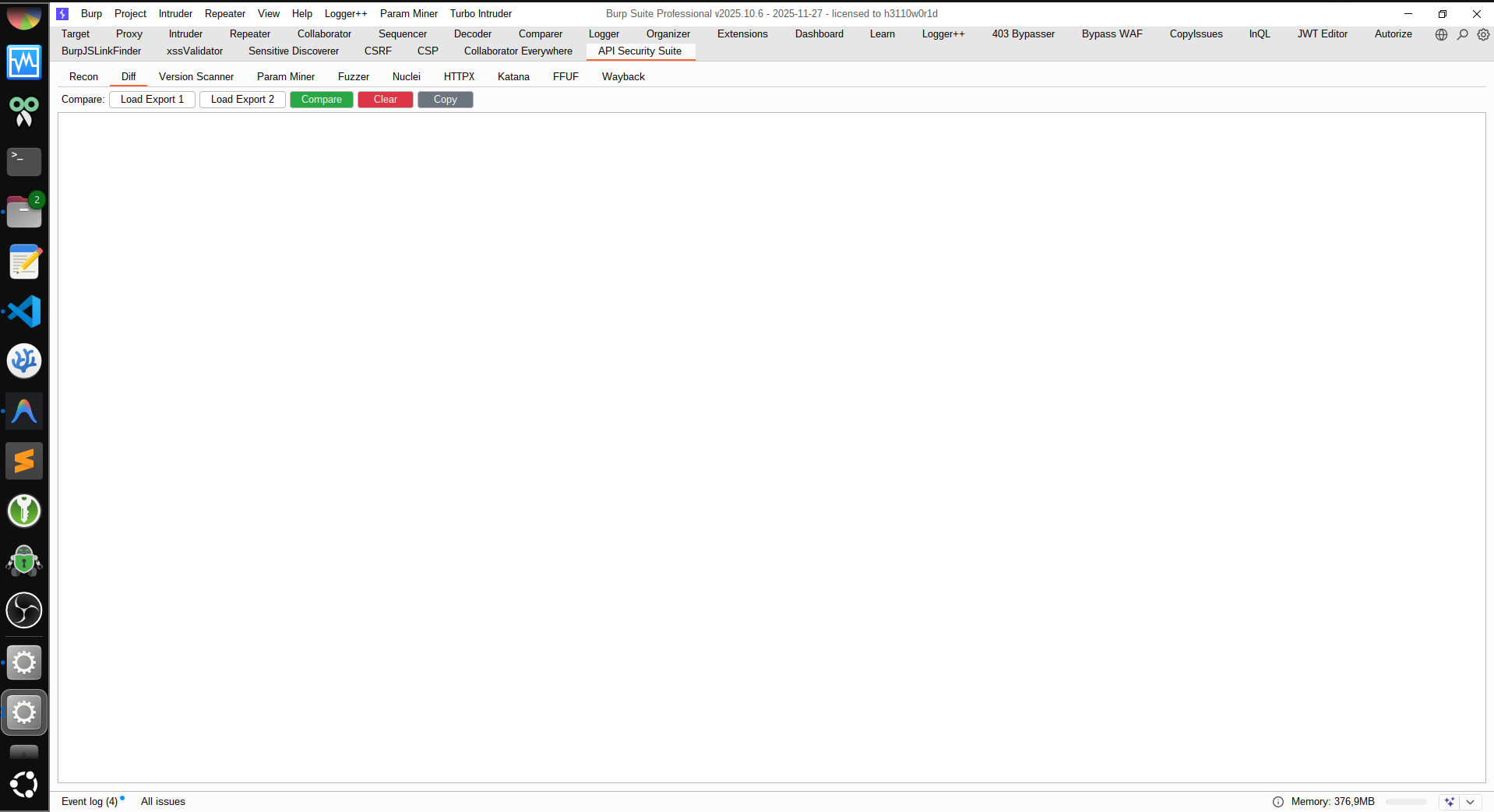
3. Diff Tab
Load Export 1/2: Load two API exports for comparison
Compare: Identify added, removed, and unchanged endpoints
Copy: Copy diff results to clipboard
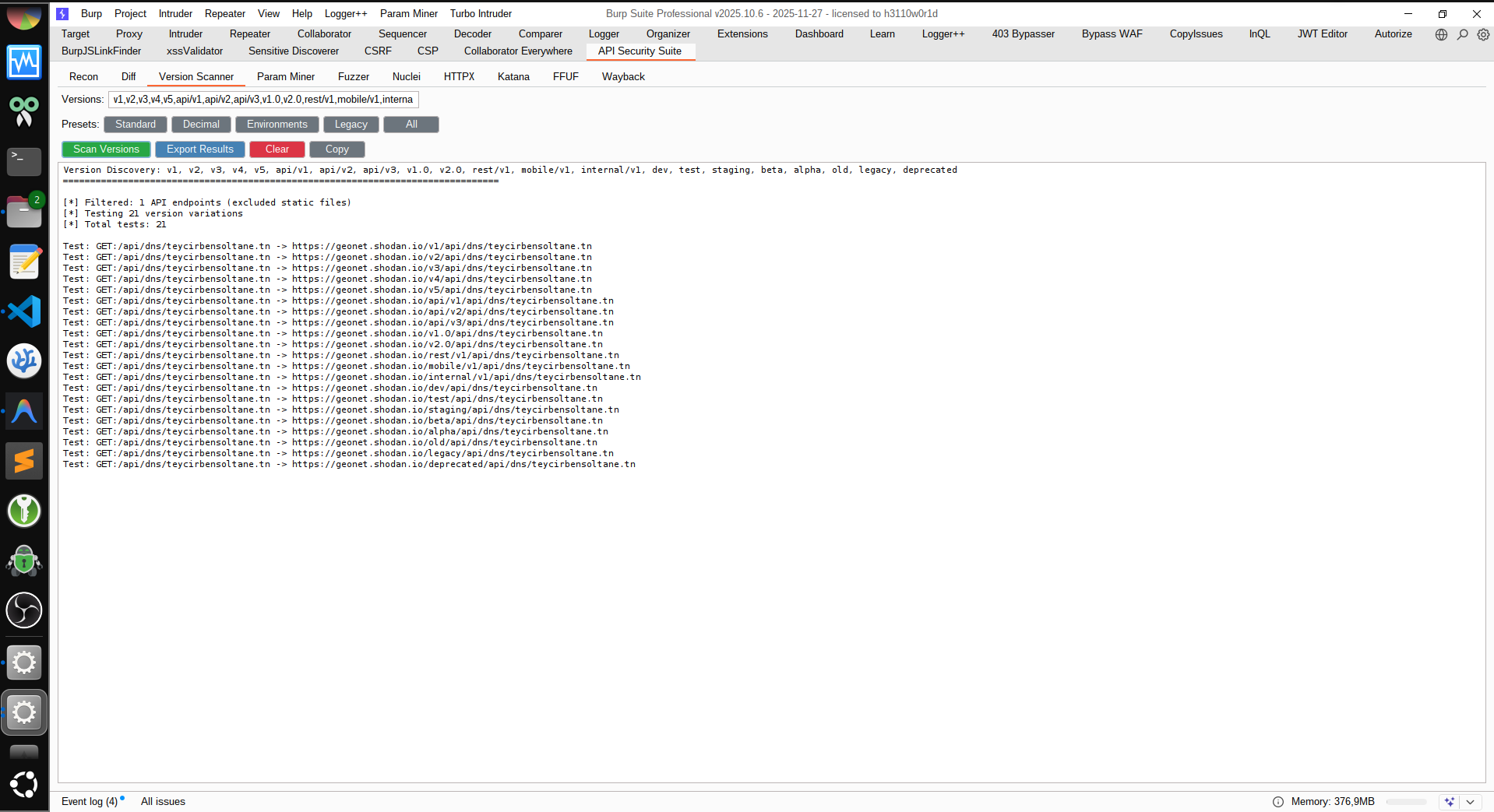
4. Version Scanner Tab
Version Input: Comma-separated version strings to test
Presets: Standard, Decimal, Environments, Legacy, All
Scan Versions: Test all API endpoints with version variations
Export Results: Save discovered versions to file
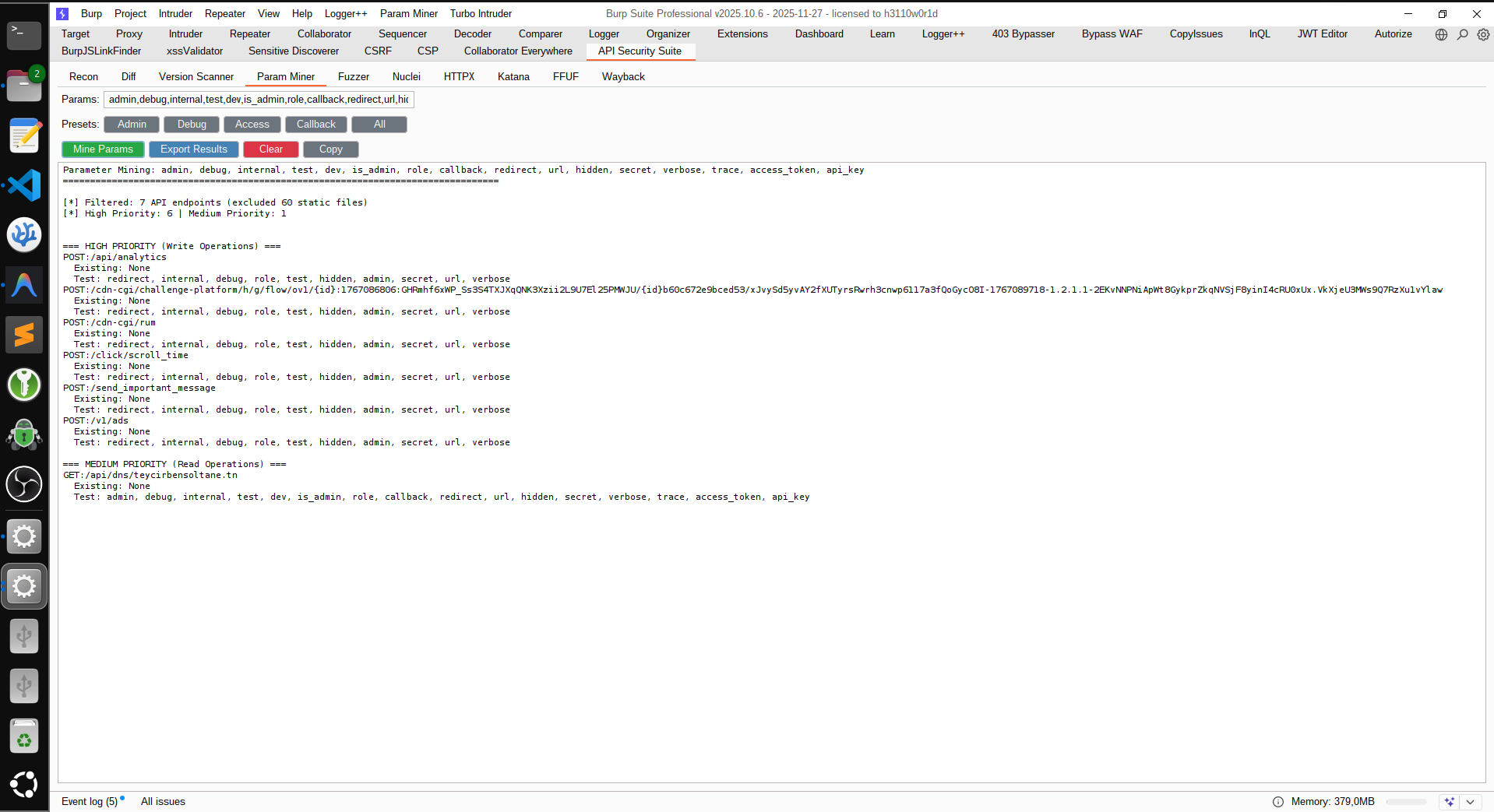
5. Param Miner Tab
Param Input: Comma-separated parameter names to test
Presets: Admin, Debug, Access, Callback, All
Mine Params: Discover hidden parameters in API endpoints
Export Results: Save parameter mining results
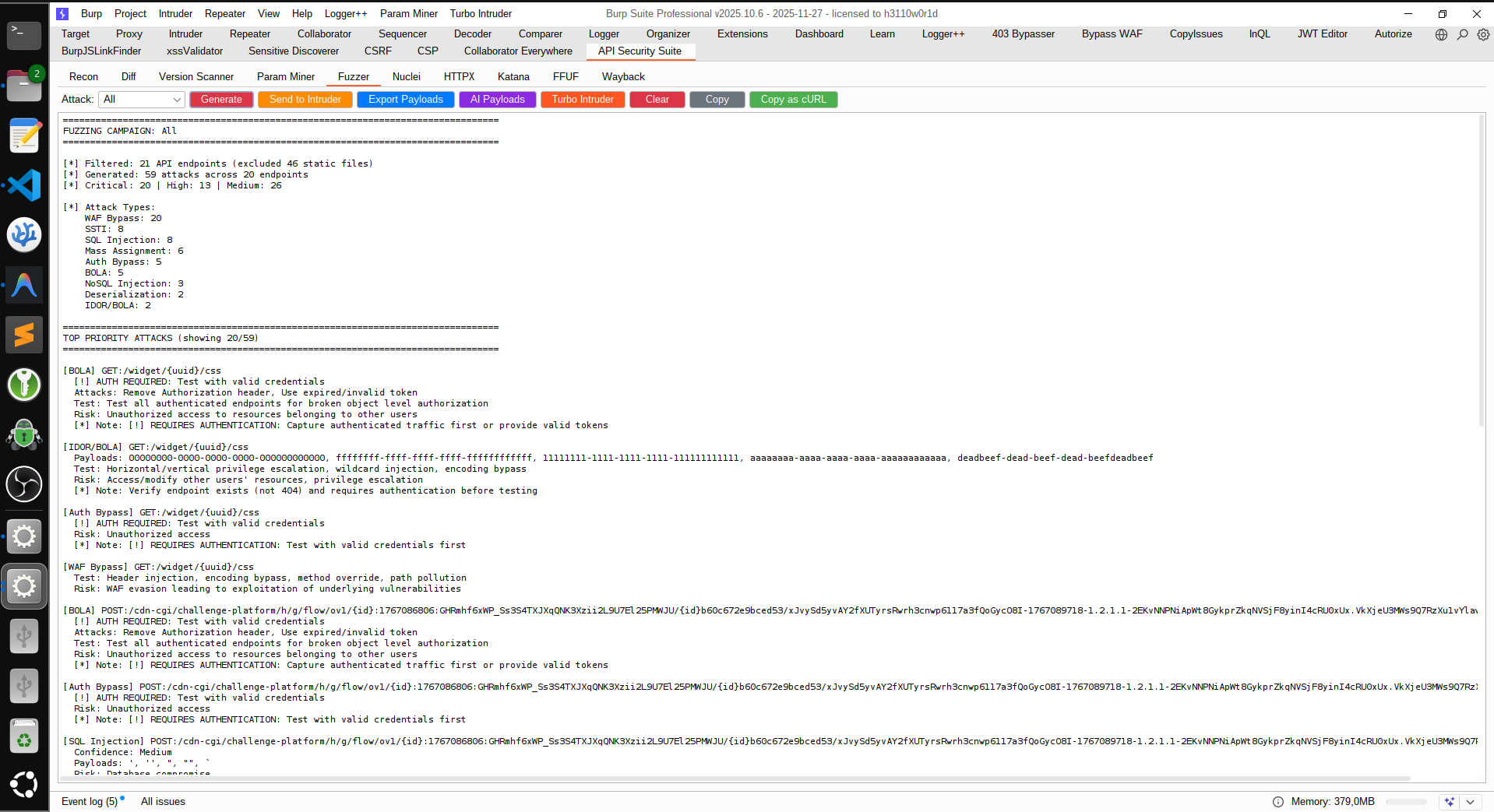
6. Fuzzer Tab
Attack Type Dropdown: All, BOLA, IDOR, Auth Bypass, SQLi, XSS, SSRF, XXE, WAF Bypass
Generate: Create fuzzing campaign with intelligent attack detection
Send to Intruder: Export to Burp Intruder with pre-configured positions
Export Payloads: Save all payloads to JSON
Turbo Intruder: Generate Python scripts for high-speed attacks
Copy as cURL: Export attack as cURL command
7. Auth Replay Tab
Scope: Replay Selected Endpoint, Filtered View, or All Endpoints
Max: Limit endpoints per run for faster triage
Guest/User/Admin Headers: Set profile headers in Name: value format
Distinct Context Guard: If two role headers are identical, replay collapses duplicates and asks for at least two distinct contexts
Extract: Open searchable popup to pick captured auth/session headers
Base URLs (Exclusive): Optional comma/newline list of first-party base URLs/hosts to replay exclusively (includes derivatives like subdomains on the same base domain)
URL Copy UX: Select one or more replay rows, then use Copy URL(s) (or right-click Copy Selected URL(s)) to copy full URLs
Severity Ranking: Click Result header to rank by severity, or use Sort Severity for quick CRITICAL -> HIGH -> MEDIUM -> OK
Run Replay: Replay requests per profile and compare response behavior
Stop: Cancel active replay safely
Findings Output: Severity-scored evidence for likely BOLA/authz drift
8. Passive Discovery Tab
Passive Only: Analyzes captured/replayed proxy traffic without active requests
Mode Selector: Run All or per-category checks (API3, API4, API5, API6, API9, API10)
Scope Selector: Analyze All Endpoints, Filtered View, or current host scope
Run Differential: Run scoreless counterfactual checks for representation/auth/identifier precedence drift (passive-only)
Run Token Lineage: Run passive token/session family checks for logout/revoke/refresh invalidation drift
Run Parity Drift: Run cross-interface parity checks plus cache/auth, time-window, content-type, and replay-after-delete drift heuristics
Run Invariants: Run full non-destructive stack (Differential + Sequence + Golden + State + Token Lineage + Parity Drift) for deep workflow/token/state analysis
Run All Advanced: One-click execution of all advanced deep-logic engines
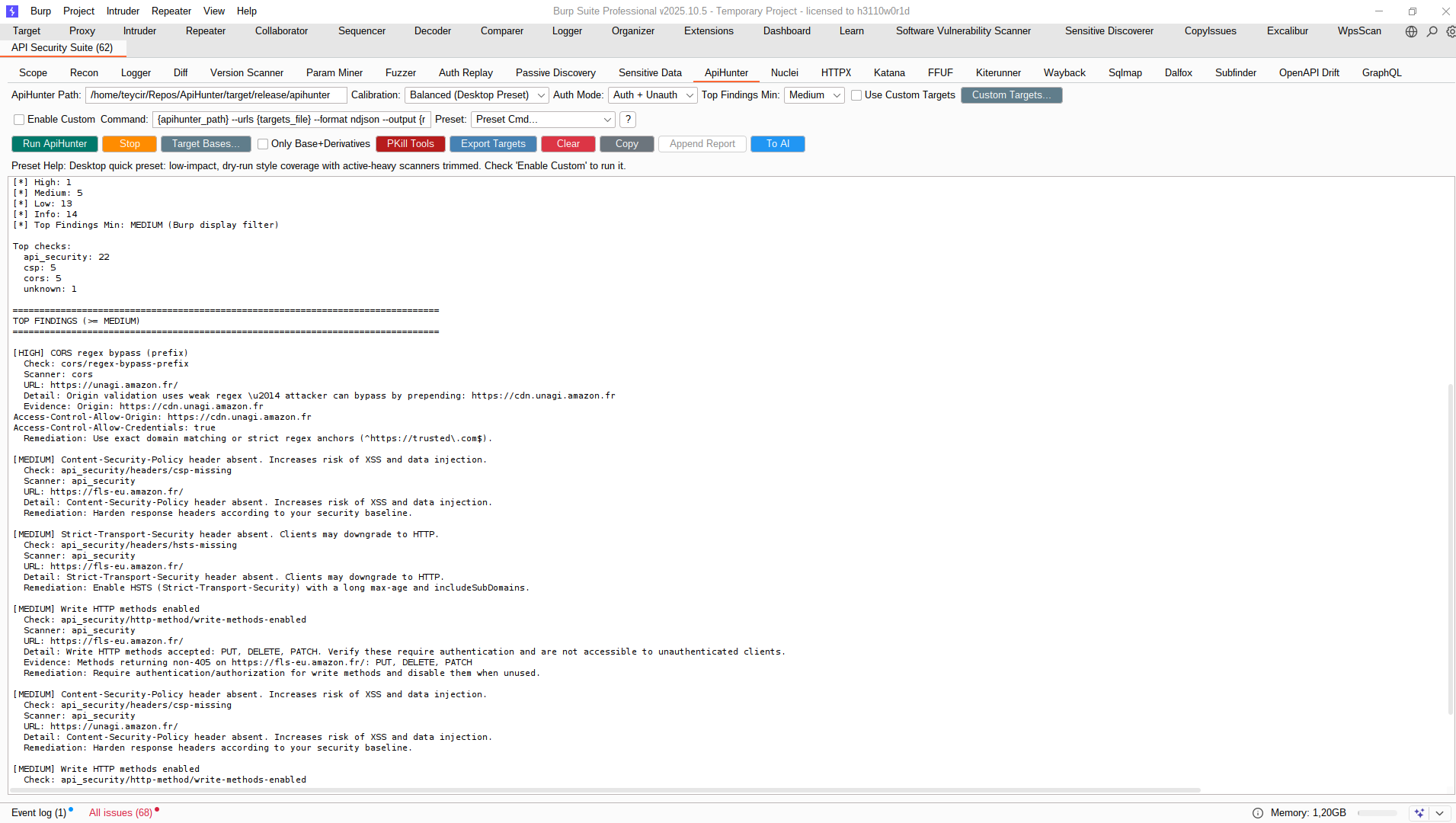
Runtime PATH Resolve: On Run ApiHunter, the suite re-resolves apihunter from PATH (process + shell probe) and auto-updates the field to the resolved absolute binary when available
Auth Mode: Unauth Only, Auth Only, Auth + Unauth (default). In dual-pass mode, deduplicated base URLs are split into auth-associated and unauth-associated target lists; each pass runs on its own list. Auth association uses both request auth headers and non-header auth signals (auth_detected, token/cookie/session markers in request metadata).
Auth Mode: Unauth Only, Auth Only, Auth + Unauth (default). In dual-pass mode, deduplicated base URLs are split into auth-associated and unauth-associated target lists; each pass runs on its own list. Auth association uses both request auth headers and non-header auth signals (auth_detected, token/cookie/session markers in request metadata).
Top Findings Min: Operator-configurable Critical / High / Medium threshold for summary triage noise control
Use Custom Targets: Checkbox to force ApiHunter input from the Custom Targets... popup instead of Recon-filtered scope
Custom Targets Popup: Multiline editor (max 20 entries, one per line) with strict sanitization and canonical base URL normalization (scheme://host[:port]/), including de-duplication and invalid-line rejection
Validation Enforcement: When Use Custom Targets is enabled, runs fail fast if popup content is empty, exceeds limit, or contains invalid URL lines
Always Filtered Source: Consumes current Recon filtered view and emits de-duplicated host-base targets (scheme://host[:port]/) for ApiHunter
Run ApiHunter: Executes ApiHunter using ApiHunter-native command behavior (Burp acts as a thin launcher + result renderer)
Default Command Model: Burp does not apply extra runtime heuristics (no Burp-side watchdog caps or endpoint-expansion overrides); default flags mirror ApiHunter Desktop presets
Enable Custom: Opt in to full command override with placeholders ({apihunter_path}, {targets_file}, {results_file})
Custom + Auth Note: In custom mode, Auth + Unauth dual-pass is blocked; use Auth Only or Unauth Only, or disable custom mode for automatic dual-pass execution.
Preset Visibility: Preset dropdown is always visible and seeded with Desktop-equivalent templates
Stop / PKill Tools: Cancel active runs safely or emergency-stop external scanner processes
Export Targets: Save filtered/deduped host-base target list for offline ApiHunter usage
Output: Parsed NDJSON findings summary with severity/scanner/runtime breakdown plus surfaced launcher/parse/runtime errors
Top Findings Signal Mode: Shows findings returned by ApiHunter command output (sorted by severity with evidence/remediation context)
Top Findings Display Filtering: Selected minimum severity is applied to Burp Top Findings rendering (Critical / High / Medium), while scanner output statistics remain complete.
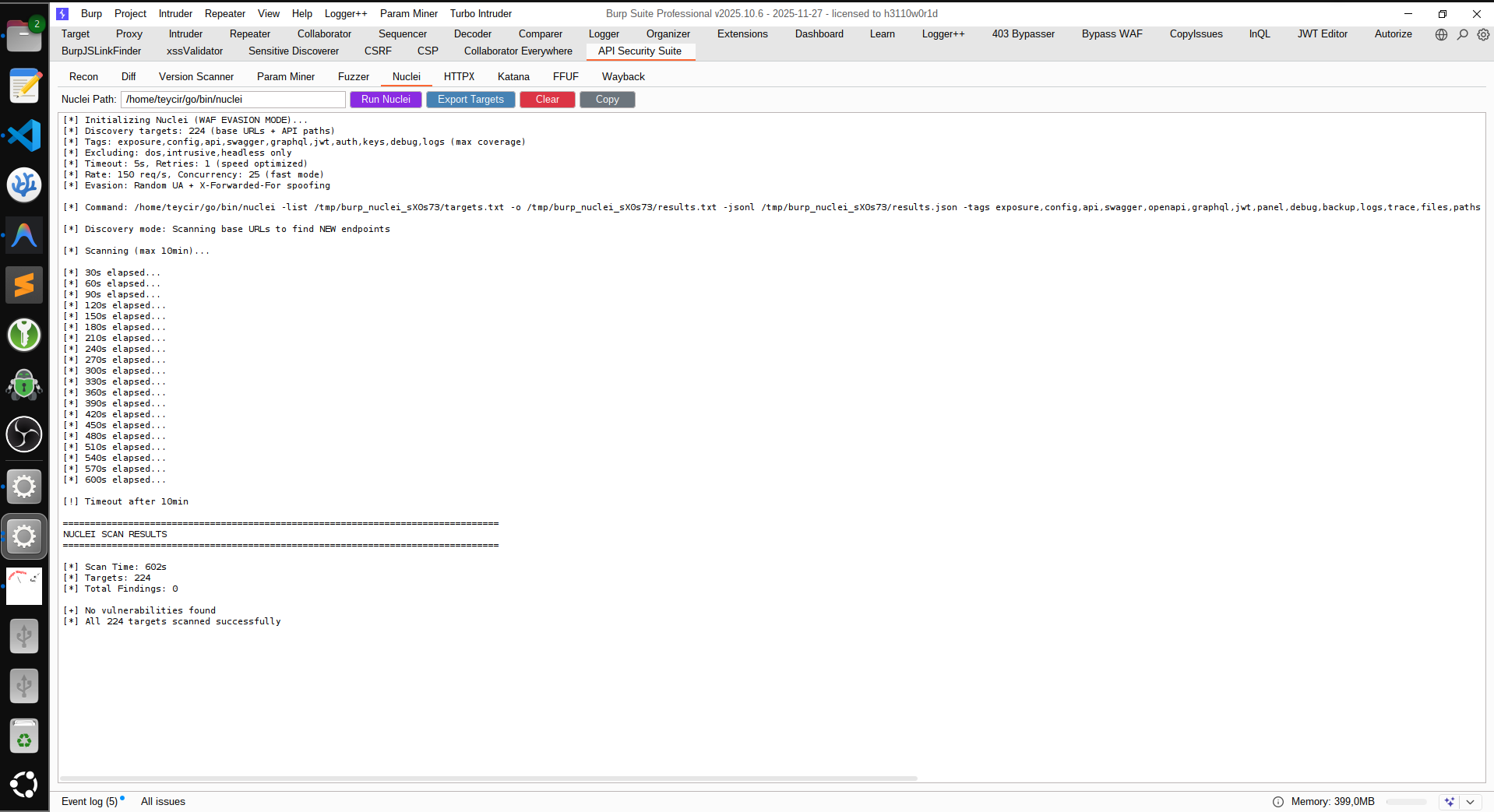
10. Nuclei Tab
Nuclei Path: Configure path to nuclei binary
Auth Mode: Unauth Only, Auth Only, Auth + Unauth (default). In dual-pass mode, deduplicated base URLs are split into auth-associated and unauth-associated target lists; each pass runs on its own list. Auth association uses both request auth headers and non-header auth signals (auth_detected, token/cookie/session markers in request metadata). Auth-context derivation captures best available Authorization header, top auth-like headers (X-API-Key, Api-Key, ApiKey, X-Auth-Token, X-Access-Token), and derives cookie pairs from request Cookie headers.
Profile: Fast, Balanced, Deep API-discovery scan presets
Run Nuclei: Execute Nuclei scanner with WAF evasion
GraphQL Templates: 29+ GraphQL-specific templates for detection and exploitation
Target Bases...: Open multiline popup to define explicit base URLs/hosts
Only Base+Derivatives: Restrict scans to popup scope and same base-domain derivatives
Enable Custom: Opt in to override default command with your own template
Custom + Auth Note: In custom mode, Auth + Unauth dual-pass is blocked; use Auth Only or Unauth Only, or disable custom mode for automatic dual-pass execution.
Preset Cmd + ? Help: Auto-fill common commands and show usage guidance
Stop: Cancel active scans safely
PKill Tools: Emergency kill for nuclei/httpx/katana/ffuf/kiterunner/waybackurls/gau/sqlmap/dalfox/subfinder/dnsx
Cross-Platform Kill: Uses taskkill on Windows and pkill (with killall fallback) on Linux/macOS
Export Targets: Save target list for external scanning
Send to Recon: Import discovered endpoints to Recon tab
13. FFUF Tab
FFUF Path: Configure path to ffuf binary
Wordlist: Select wordlist for fuzzing
Target Bases...: Open multiline popup to define explicit base URLs/hosts
Only Base+Derivatives: Restrict fuzzing to popup scope and same base-domain derivatives
Fuzz Directories: Directory and file fuzzing
Auto Scope: Prioritizes first-party hosts and filters noisy third-party/CDN targets
PKill Tools: Emergency kill for scanner processes
Export Results: Save fuzzing results
Send to Intruder: Export results to Burp Intruder
14. Kiterunner Tab
Kiterunner Path: Configure path to local kr binary
Wordlist/Alias: Use a local .kite file or an Assetnote alias such as apiroutes-260227:20000
Profile: Fast, Balanced, Deep route-scan tuning, with Balanced selected by default for wider first-pass coverage; Fast keeps a tighter 10-minute cap for quicker triage and Deep spends a 15-minute ceiling on fewer hosts with fuller scans
Use Custom Targets: Checkbox to force Kiterunner input from the Custom Targets... popup instead of Recon-filtered scope
Custom Targets Popup: Multiline editor (max 20 entries, one per line) with strict sanitization and canonical base URL normalization (scheme://host[:port]/)
Target Bases...: Open multiline popup to define explicit base URLs/hosts
Only Base+Derivatives: Restrict scans to popup scope and same base-domain derivatives
Run Kiterunner: Scoped API route discovery against either popup-defined base URLs or the current Recon filtered view
Startup Summary: Prints selected mode, target source, and the target URL list before the scan begins
Always Filtered Source: When custom targets are off, Kiterunner consumes the current Recon filtered view, so the Recon Filter Noise control starting selected on launch compresses its default target set
Runtime Boundaries: Kiterunner scans ranked host/base targets instead of every Recon URL and enforces profile-specific host, route-budget, and elapsed-time caps so runs do not sprawl indefinitely
APIPentesting: external scanning orchestration, ranking, and AI-assisted exploit triage.
Workflow Examples
1. AI-Powered Payload Generation
root@kitploit:~
# 1. Capture API traffic in Burp
# 2. (Optional) Run Passive Discovery → "Run Invariants"
# 3. (Optional) In Recon, click "Refresh Invariants"
# 4. In Recon, click "Export AI Bundle"
# 5. Run APIPentesting scan from the exported bundle:
#    ./scripts/scan-nuclei-prioritize.sh /path/to/ai_bundle.json burp-ai-scan
# 6. Feed Reports/.../priority.json + results.jsonl to AI with
#    scripts/AI_TRIAGE_PROMPT.md for sensitive-data-first exploit triage.
Capture Authenticated Traffic: Login first to capture protected endpoints
Exercise All Features: Click through entire application for complete coverage
Use Multiple Roles: Capture traffic as admin, user, guest for BOLA detection
Review Statistics: Check Critical/High/Medium counts in stats panel
Fuzzing Phase
Start with "All": Generate comprehensive attack campaign first
Focus on High-Risk: Filter by severity for critical endpoints
Verify Detections: Review generated attacks before sending to Intruder
Batch Testing: Use Turbo Intruder for race conditions and high-speed enumeration
AI Integration
Export Context Early: Generate AI context after initial capture
Run + Refresh Invariants Before Export: Add fresh deep-logic evidence (Differential + Sequence + Golden + State Matrix + Token Lineage + Parity Drift) before sending data to AI
Iterate Payloads: Use AI-generated payloads, test, refine prompt
Combine Techniques: Merge AI payloads with built-in payload library
Automation
Nuclei Integration: Run Nuclei for quick vulnerability validation
Export Targets: Use target lists with ffuf, wfuzz, or custom scripts
CI/CD Integration: Automate exports for regression testing
Technical Information
Technical Details
Normalization: Replaces numeric IDs, UUIDs, ObjectIDs with placeholders
Deduplication: Tracks unique endpoints by method + normalized path
Truncation: Bodies limited to 20KB, samples limited to 3 per endpoint
Auth Detection: Identifies Bearer, Basic, API Key, Session Cookie
Pattern Matching: Regex-based detection for REST, GraphQL, SOAP
Limitations
Does not capture WebSocket traffic
Binary responses not fully analyzed
Large responses truncated (20KB limit)
Requires Jython (Python 2.7 syntax)
Use Cases
API Penetration Testing: Comprehensive fuzzing with 108+ attack vectors
Bug Bounty Hunting: Automated BOLA/IDOR detection and exploitation
Q: Does this work with Burp Suite Community Edition?
A: Yes! All core features work with both Community and Professional editions. However, some advanced Burp features like Scanner integration require Pro.
Q: Why is the extension not capturing traffic?
A: Check that:
Auto-Capture toggle is enabled in the Recon tab
You're browsing through Burp's proxy
The target is sending HTTP/HTTPS traffic (WebSockets not supported)
Check the Activity Log for any error messages
Q: How do I install Jython?
A: Download Jython Standalone JAR from https://www.jython.org/download, then in Burp: Extender → Options → Python Environment → Select File → Choose the jython-standalone-*.jar file.
Performance & Limits
Q: How many endpoints can it handle?
A: The extension efficiently handles 500+ endpoints with automatic rotation when the limit (800) is reached. Older endpoints are automatically removed.
Q: Why are responses truncated to 20KB?
A: To prevent memory issues with large responses while preserving useful analysis context. The current default body capture cap is 20KB.
Q: Can I increase the sample limit per endpoint?
A: Yes, use the "Samples" dropdown in the Recon tab (1, 3, 5, or 10 samples per endpoint).
Fuzzing & Attacks
Q: Why am I not seeing any BOLA/Auth Bypass attacks?
A: These attacks require authenticated endpoints. Make sure to:
Login to the application first
Capture traffic while authenticated
Look for endpoints with Bearer tokens, API keys, or session cookies
Q: How do I use the generated attacks?
A: Three ways:
Burp Intruder: Click "Send to Intruder" for automated testing
Turbo Intruder: Export scripts for high-speed attacks
Manual: Use "Copy as cURL" for command-line testing
Q: What's the difference between "All" and specific attack types?
A: "All" generates comprehensive attacks across all vulnerability types. Specific types (e.g., "SQLi") focus only on that vulnerability class for targeted testing.
Q: How do I test GraphQL endpoints effectively?
A: Three-pronged approach:
Fuzzer Tab: Select "GraphQL" attack type for 40+ GraphQL-specific payloads (introspection, batching, directive overloading, field suggestion)
Nuclei Tab: Run with -tags graphql for 29+ templates covering misconfigurations and detection
Manual Testing: Use "Copy as cURL" to test introspection, batching, and depth attacks manually
The Fuzzer detects GraphQL endpoints automatically and generates attacks for:
Schema extraction via introspection
DoS via batching (array/alias) and depth attacks
Field suggestion for schema discovery when introspection is disabled
Directive overloading (@skip, @include abuse)
Circular fragment DoS
Unauthorized mutations
External Tools
Q: Do I need to install ApiHunter/Nuclei/HTTPX/Katana/FFUF/Kiterunner?
A: Only if you want to use those specific tabs. The core extension works without them. Install from:
ApiHunter: https://github.com/Teycir/ApiHunter (proprietary tool - requires separate installation or local build at ~/Repos/ApiHunter, then build target/release/apihunter)
On Windows, common defaults are under C:\\Users\\<you>\\go\\bin\\*.exe
Or configure custom paths in each tab.
Tabs now auto-detect both Unix-style and Windows *.exe Go-bin locations when present.
Q: How do custom command overrides work?
A:
Leave Enable Custom unchecked to use safe built-in defaults.
Check Enable Custom to run exactly what you type in the command box.
Use Preset Cmd... to auto-fill common commands quickly (still opt-in until Enable Custom is checked).
Click ? to see placeholders and examples for each tab.
Custom commands run with cmd /c on Windows and bash/sh -lc on Linux/macOS.
Built-in HTTPX and Katana defaults use native list-file flags (-l / -list) for cross-platform execution.
Security Notes
Custom command mode is intentionally strict and opt-in (Enable Custom must be checked).
Rendered custom commands are validated for forbidden shell fragments (for example command chaining/redirection/subshell syntax).
Executables are restricted by per-tool allow-lists in custom mode (for example nuclei, httpx, katana, waybackurls/gau, apihunter, subfinder).
Placeholder context values are sanitized before template rendering, and quoted variants are available ({targets_file_q}, {urls_file_q}, etc.) for safer path interpolation.
If your workflow needs complex shell logic outside this policy, run that command manually outside the extension.
Q: Why does HTTPX show invalid option errors?
A:
Make sure you are using ProjectDiscovery httpx, not the Python httpx CLI tool.
Recommended path: ~/go/bin/httpx.
The extension now validates local tool signatures and shows a fix hint when mismatched.
Q: How do I fill Guest/User/Admin headers for Auth Replay quickly?
A:
In Auth Replay, click Extract next to Guest/User/Admin.
A searchable popup opens with captured header candidates.
Filter by endpoint text, header name, or token fragment.
Select one item and click OK; the field is filled in Name: value format.
Export & Integration
Q: Where are exported files saved?
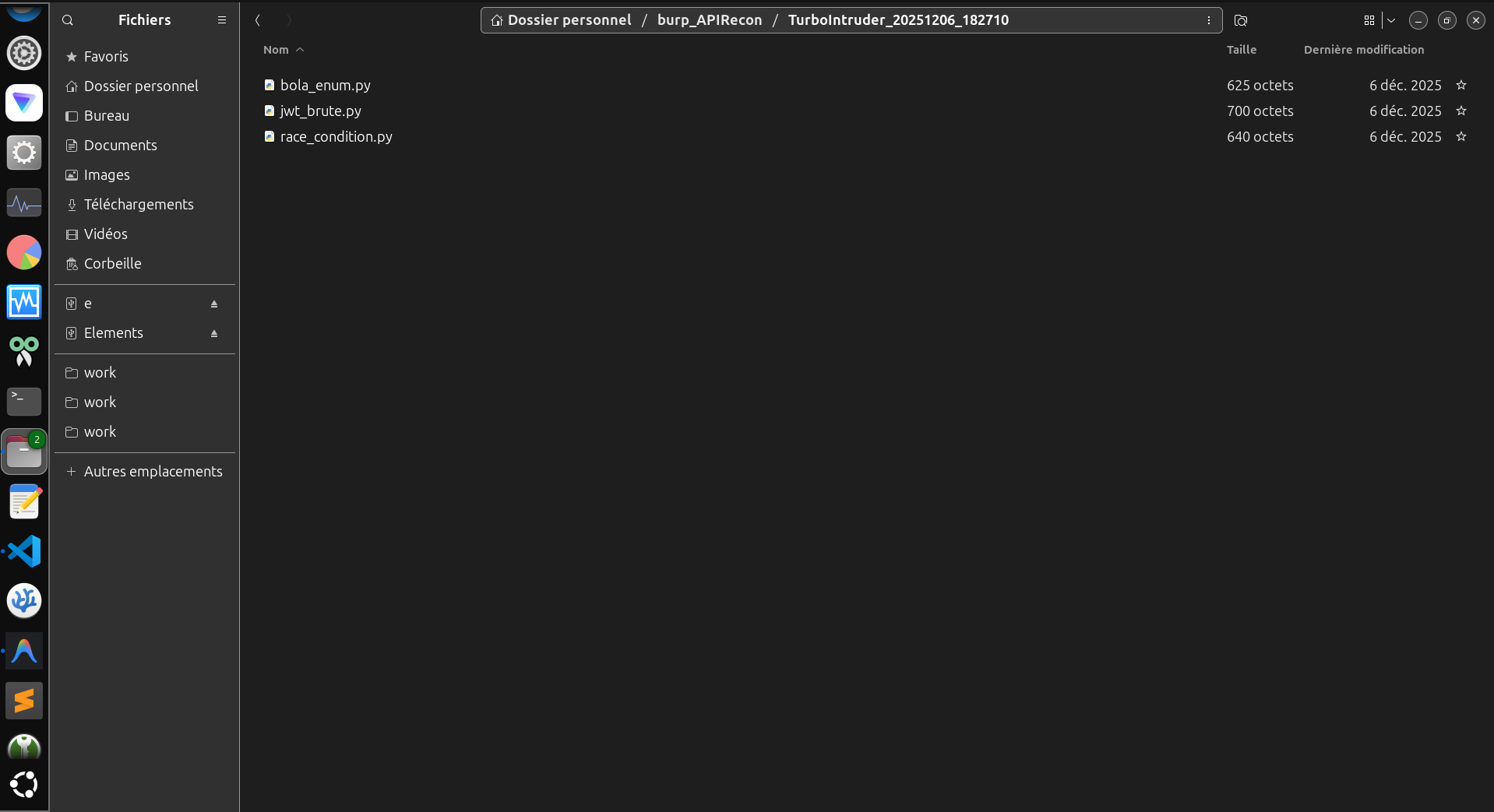
A: All exports go to ~/burp_APIRecon/ with timestamped subdirectories. Check the Activity Log for exact paths.
Q: How do I use the AI Context export?
A:
(Optional) Run Passive Discovery → Run Invariants
(Optional) In the Recon tab, click Refresh Invariants
If Excalibur artifacts are detected, the tool auto-runs Refresh Invariants after import so Differential + Sequence + Golden + State + Token Lineage + Parity Drift caches are immediately ready.
Q: Can I send captured requests to Postman or Insomnia?
A: Yes. In the Recon tab, use:
Postman to export postman_collection.json (Collection v2.1)
Insomnia to export insomnia_collection.json (Insomnia import format)
Both support scope selection: All Endpoints, Filtered View, or Current Host.
Troubleshooting
Q: Extension loaded but not showing in tabs?
A: Check Burp's Extender → Extensions tab for errors. Common issues: