
Skip to content
KitploitKITPLOIT
ToolsExploitsBlog
Log in
Submit
ToolsExploitsBlog
Submit

Hacking, PenTest, and Cybersecurity Tools for Your Security Arsenal!

Kitploit is a directory of hacking, cybersecurity, and pentesting tools. Discover the latest project updates to find vulnerabilities, analyze systems, automate testing, and strengthen your security.

··Feeds·Contact·Privacy·© 2026 Kitploit

Tool Directory

Categories

View all categories
Loading categories
tpotce — 🍯 T-Pot - The All In One Multi Honeypot Platform 🐝 | Kitploit
Tools/GitHubGitHub/telekom-security/tpotce
Defensive ToolsOSINT (Open Source Intelligence)Packet Sniffing & AnalysisVulnerability AnalysisInformation GatheringNetwork SecurityThreat IntelligenceIntrusion DetectionLearning & EducationLog AnalysisTop in Intrusion Detection #16
9.4k1.4k865 days agoReviewed by Kitploit

Most Popular

View all →

Discover the most used tools by our community.

Explore all tools

Browse our collection of tools

View all tools →
GitHubtelekom-security/tpotce

tpotce

🍯 T-Pot - The All In One Multi Honeypot Platform 🐝

View Repository
Share

T-Pot - The All In One Multi Honeypot Platform

T-Pot

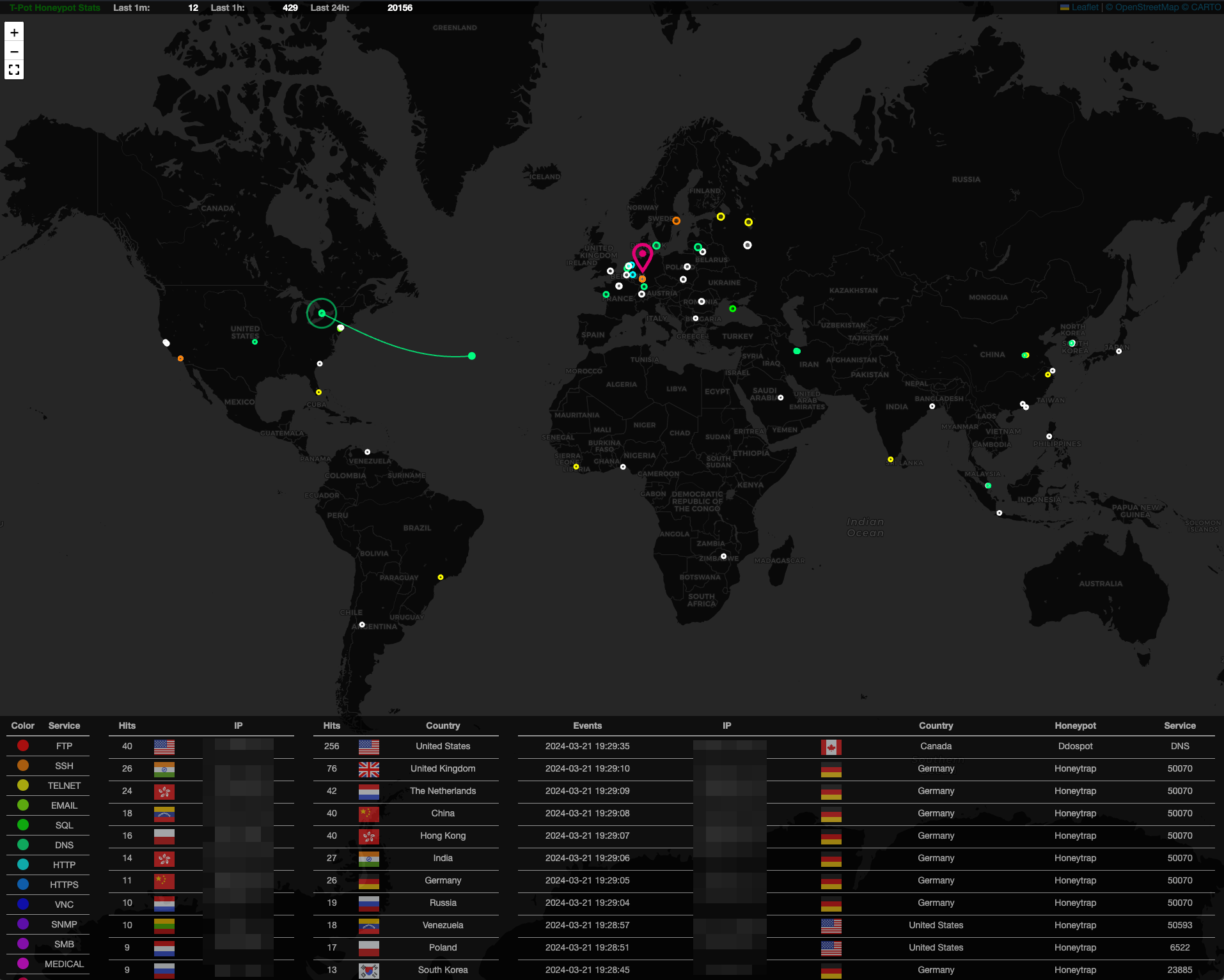
T-Pot is the all in one, optionally distributed, multiarch (amd64, arm64) honeypot plattform, supporting 20+ honeypots and countless visualization options using the Elastic Stack, animated live attack maps and lots of security tools to further improve the deception experience.

TL;DR

  1. Meet the system requirements. The T-Pot installation needs at least 8-16 GB RAM, 128 GB free disk space as well as a working (outgoing non-filtered) internet connection.
  2. Download or use a running, supported distribution.
  3. Install the ISO with as minimal packages / services as possible (ssh required)
  4. Install curl: $ sudo [apt, dnf, zypper] install curl if not installed already
  5. Run installer as non-root from $HOME:
env bash -c "$(curl -sL https://github.com/telekom-security/tpotce/raw/master/install.sh)"
  • Follow instructions, read messages, check for possible port conflicts and reboot
  • T-Pot - The All In One Multi Honeypot Platform
  • TL;DR
  • Disclaimer
  • Technical Concept
    • Honeypots and Tools
    • Technical Architecture
    • Services
    • User Types
  • System Requirements
    • Running in a VM
    • Running on Hardware
    • Running in a Cloud
    • Required Ports
    • LLM-Based Honeypots
      • Ollama
      • ChatGPT
  • System Placement
  • Installation
    • Choose your distro
    • Raspberry Pi 4 (8GB) Support
    • Get and install T-Pot
    • macOS & Windows
    • Red Hat Enterprise Linux
    • Installation Types
      • Standard / Hive
      • Distributed
    • Uninstall T-Pot
  • First Start
    • Standalone First Start
    • Distributed Deployment
      • Planning and Certificates
      • Deploying Sensors
      • Removing Sensors
    • Community Data Submission
    • Opt-In HPFEEDS Data Submission
  • Remote Access and Tools
    • SSH
    • T-Pot Landing Page
    • Kibana Dashboard
    • Attack Map
    • Cyberchef
    • Elasticvue
    • Spiderfoot
  • Configuration
    • T-Pot Config File
    • Customize T-Pot Honeypots and Services
  • Maintenance
    • General Updates
    • Update Script
    • Daily Reboot
    • Known Issues
      • Docker Images Fail to Download
      • T-Pot Networking Fails
    • Start T-Pot
    • Stop T-Pot
    • T-Pot Data Folder
    • Log Persistence
    • Factory Reset
    • Show Containers and Images
    • Blackhole
    • Add Users to Nginx (T-Pot WebUI)
    • Import and Export Kibana Objects
      • Export
      • Import
  • Troubleshooting
    • Logs
    • RAM and Storage
  • Contact
    • Issues
    • Discussions
  • Licenses
  • Credits
    • The developers and development communities of
    • The following companies and organizations
    • And of course YOU for joining the community!
  • Testimonials
  • Thank you 💖


Disclaimer

  • You install and run T-Pot within your responsibility. Choose your deployment wisely as a system compromise can never be ruled out.
  • For fast help research the Issues and Discussions.
  • The software is designed and offered with best effort in mind. As a community and open source project it uses lots of other open source software and may contain bugs and issues. Report responsibly.
  • Honeypots - by design - should not host any sensitive data. Make sure you don't add any.
  • By default, your data is submitted to Sicherheitstacho. You can disable this in the config (~/tpotce/docker-compose.yml) by removing the ewsposter section. But in this case sharing really is caring!

Technical Concept

T-Pot's main components have been moved into the tpotinit Docker image allowing T-Pot to now support multiple Linux distributions, even macOS and Windows (although both limited to the feature set of Docker Desktop). T-Pot uses docker and docker compose to reach its goal of running as many honeypots and tools as possible simultaneously and thus utilizing the host's hardware to its maximum.

Honeypots and Tools

  • T-Pot offers docker images for the following honeypots:
    adbhoney, beelzebub, ciscoasa, citrixhoneypot, conpot, cowrie, ddospot, dicompot, dionaea, elasticpot, endlessh, galah, go-pot, glutton, h0neytr4p, hellpot, heralding, honeyaml, honeypots, honeytrap, ipphoney, log4pot, mailoney, medpot, miniprint, redishoneypot, rdphoneypot, sentrypeer, snare, tanner, wordpot
Download Tool
