 syss-research/wcfproxy
A proxy for net.tcp-based WCF traffic.

You can either compile the tool once and then use the resulting binary or you can run it "like a script" (the Go toolchain will compile it on the fly).
For development, the latter option is convenient.
For productive use, it is recommended to compile it once (from the cli directory) and use the resulting executable.
Thanks to the Go compiler, you can build from and for Linux or Windows.
At least version 1.18 of Go is required for building (tested with Go 1.23).
To build from Linux for Windows or Linux, simply set GOOS appropriately (execute from the cli directory):
GOOS=windows GOARCH=amd64 go build -o wcfproxy.exe
GOOS=linux GOARCH=amd64 go build -o wcfproxy
To build from Windows, execute the equivalent commands, e.g. from PowerShell:
$env:GOOS='windows'; $env:GOARCH='amd64'; go build -o wcfproxy.exe
$env:GOOS='linux'; $env:GOARCH='amd64'; go build -o wcfproxy
The configuration for wcfproxy is provided via a JSON file.
By default, the configuration file config.json is used, but the path to a configuration file can be specified with the -config parameter.
The config file is intended to contain arbitrarily many named configs, like so:
{
	"my-config": {
        " ... ": " ... "
    }
}
The value of the named config objects should match the Config struct (see Config structure).
This source file with the included comments also functions as the most accurate documentation for the configuration options of wcfproxy.
Of all the provided configuration, the one to use is identified by name via the -enable command line option:
wcfproxy.exe -config config.json -enable my-config
The top-level structure of each config object is the following:
{
	"listen": "[::1]:8000",
	"connect": "[::1]:9000",
	"retarget": "net.tcp://127.0.0.1:8000/WCFLab/WCFDemoService/nettcp",
    "retarget-map": {
        "nettcps": "net.tcp://localhost:8210/WCFLab/WCFDemoService/nettcps",
        "winauth": "net.tcp://localhost:8220/WCFLab/WCFDemoService/nettcp-winauth"
    },
	"log-level": "debug|info|warn|error",
	"log-file": "path/to/log/file",
	"tls-server": {
        " ... ": " ... "
    },
	"tls-client": {
         " ... ": " ... "
    },
	"ntlm": {
         " ... ": " ... "
    },
	"interceptor": {
         " ... ": " ... "
    },
	"ctrl": {
         " ... ": " ... "
    }
}
Note that TLS configuration (tls-server and/or tls-client) cannot be provided if an NTLM configuration is present.
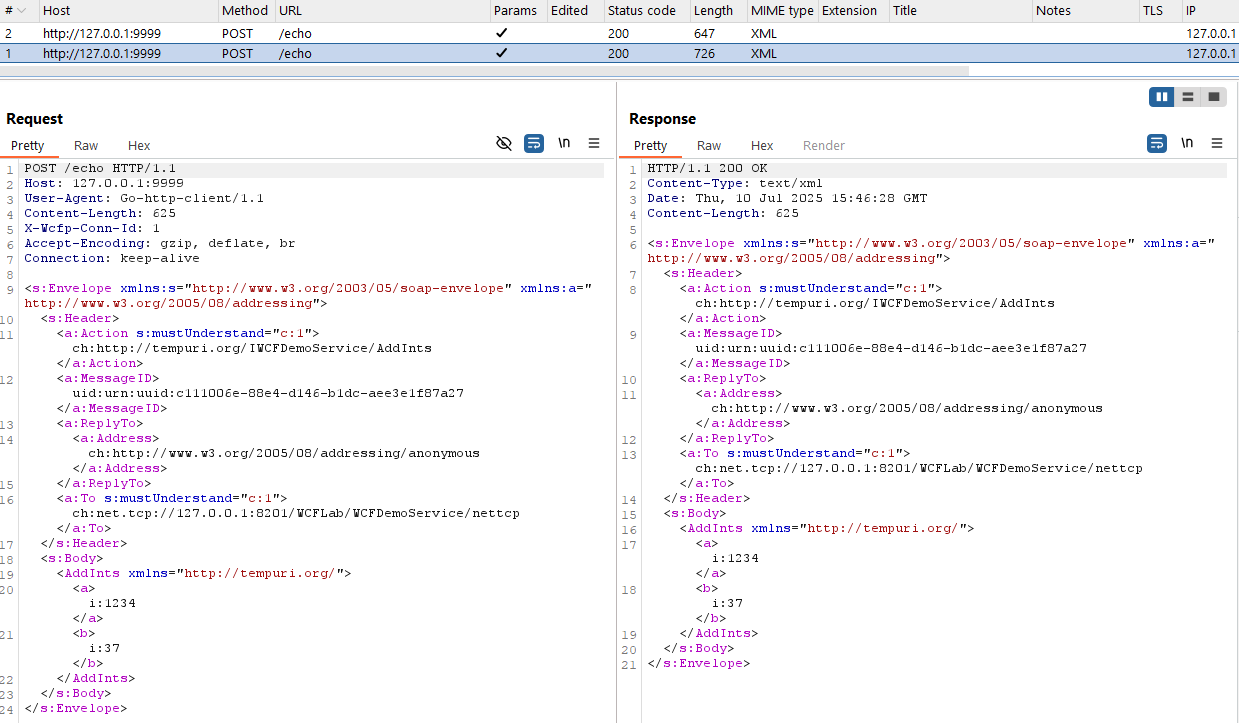
listen - the TCP-endpoint wcfproxy should listen on, e.g. 127.0.0.1:8000 or [::1]:8000connect - the TCP-endpoint of the upstream WCF server, e.g. 127.0.0.1:9000 or [::1]:9000retarget - original target specification (and fallback for retarget-map); for an explanation see Target rewritingretarget-map - generalization of retarget; allows to perform target rewriting for multiple endpoints (only useful if working with multiple WCF services on the same port)
retarget-map matches the current target, the target URI will be replaced with the given value for upstream communicationretarget-map matches the current target, retarget will be used insteadlog-level - log level; available values: debug, info (default), warn, errorlog-file - path to log file; if no path provided, log is written to stdouttls-server - instance of TlsServerConfig (see TLS server configuration); only required if TLS upgrade should be supportedtls-client - instance of TlsClientConfig (see TLS client configuration); only relevant if TLS upgrade should be supportedntlm - instance of NtlmConfig (see NTLM configuration); only required if NTLM upgrade (directly or via SPNEGO) should be supportedinterceptor - instance of InterceptorConfig (see Interceptor Configuration); requiredctrl - instance of ControlServerConfig (see Control Server Configuration) which can provide a default HTTP echo server (useful together with HTTP interceptor) as well as a small API for controlling message flow (still in development)The TLS server side configuration gives control over most typically relevant TLS server settings. It has the following structure:
{
	"cert-pem": "path/to/certificate",
	"cert-key": "path/to/certificate-key",
	"max-version": "1.0|1.1|1.2|1.3",
	"min-version": "1.0|1.1|1.2|1.3",
	"client-roots": "path/to/client-ca1,path/to/client-ca2",
	"client-auth": "none|request|require-any|verify-if-given|require-and-verify",
	"keylog": "path/to/keylog-file"
}
cert-pem - path to X.509 certificate (in PEM format)cert-key - path to the corresponding key for the certificatemax-version - maximum acceptable TLS version; one of 1.0, 1.1, 1.2, 1.3 (default)min-version - minimum acceptable TLS version; one of 1.0 (default), 1.1, 1.2, 1.3client-roots - comma-separated list to paths to acceptable root certificates (PEM) for client authentication; optionalclient-auth - client authentication policy; most useful values: none (default), require-and-verifykeylog - file to write TLS secrets in NNS formatThe TLS client side configuration gives control over most typically relevant TLS client settings. It has the following structure:
{
	"cert-pem": "path/to/certificate",
	"cert-key": "path/to/certificate-key",
	"max-version": "1.0|1.1|1.2|1.3",
	"min-version": "1.0|1.1|1.2|1.3",
	"roots": "path/to/root-ca1,path/to/root-ca2",
	"server-name": "therealone.local",
	"skip-verify": false
}
roots - path to comma-separated list of paths to root-CAs (PEM); optional with skip-verifyserver-name - server name (SNI); optionalskip-verify - bool; whether the client should forego verification of the server certificate (default: false)The NTLM configuration specifies the domain and server name as well as the user credentials. For each user that should be able to authenticate against the proxy, valid credentials must be provided.
{
	"domain": "test.local",
	"server": "server.local",
	"credentials": [
		{
            " ... ": " ... "
        }
	]
}
domain - domain to authenticate against, e.g. test.local; if left blank, the server name will be usedserver - name of the server to authenticate against; if left blank, the host name of the current system will be usedcredentials - array of NtlmCredentials (see below)NTLM credentials are passed as an array of NtlmCredential objects, which have the following structure:
{
	"name": "wcflab",
	"password": "Sup3rS3cr3t",
	"nt-hash": "a8fc07dede90b0ec10bc1ef355f99292",
	"lm-hash": "3e9cb63e11a812cbc467021088dc706f"
}
name - user namepassword - password of the user; hashes will be derived from it; overrides given hashes for a usernt-hash - NT hash (hex) of the user password; alternative to passwordlm-hash - LM hash (hex) of the user password; alternative to password; should not be required in most casesIf a password is provided, the LM hash (not possible for all passwords) and NT hash are computed form it. Any given hash values for this user will be overwritten by the computed hashes. It is also possible to provide only the user hash(es). The LM hash should not be required in most scenarios.
