 synacktiv/action-octoscan
📦 :octocat: A GitHub Action that performs a security scan of your GitHub Actions.

A GitHub Action that performs a security scan of your GitHub actions.
This action is based on octoscan

Here is a basic example of how to use this action. This will work for both push and pull_request events.
---
name: Octoscan

on:
  workflow_dispatch:
  pull_request:
    paths:
      - '.github/workflows/*'
  push:
    paths:
      - '.github/workflows/*'

permissions:
  security-events: write
  actions: read
  contents: read

jobs:
  octoscan:
    runs-on: ubuntu-latest
    steps:
      - name: Checkout code
        uses: actions/checkout@v4

      - id: octoscan
        name: Run octoscan
        uses: synacktiv/action-octoscan@v1

      - name: Upload SARIF file to GitHub
        uses: github/codeql-action/upload-sarif@v3
        with:
          sarif_file: "${{steps.octoscan.outputs.sarif_output}}"
          category: octoscan
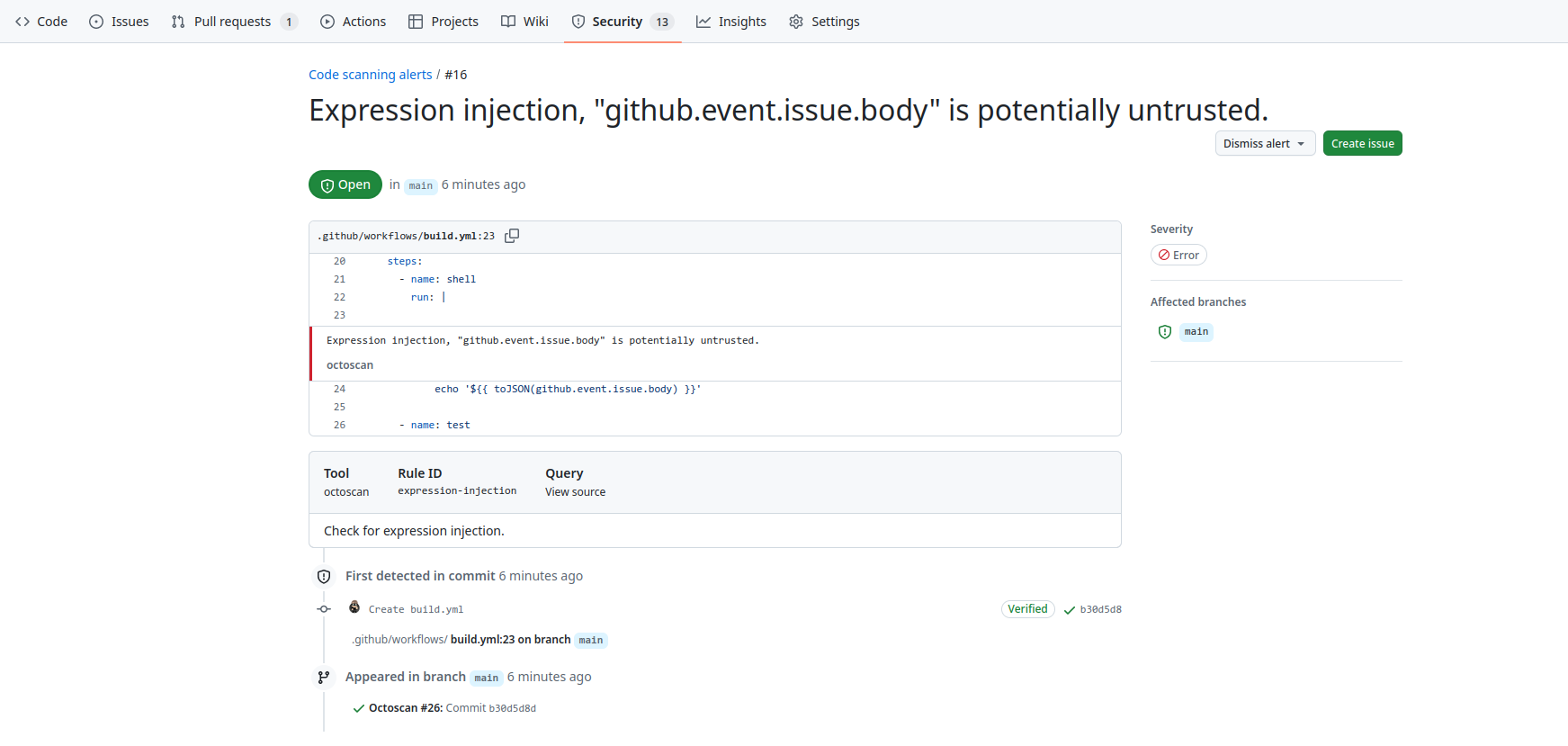
Security results can the be reviewed in the code security tab if you have write access on the target repository:
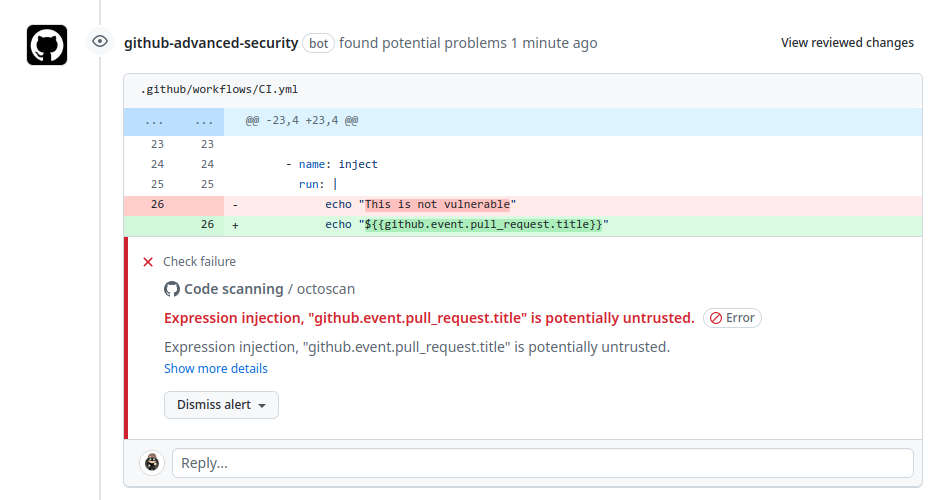
Or directly in the pull request:
Inputs are based on the options of octoscan, you can find them here.
The following are optional as step.with keys:
| Name | Type | Description |
|---|---|---|
workdir | String | Working directory relative to the root directory. |
filter_triggers | String | Scan workflows with specific triggers (comma separated list: "push,pull_request_target" or pre-configured: external/allnopr). Default is external. |
filter_run | Boolean | Search for expression injection only in run shell scripts. Default is true |
ignore | String | Regular expression matching to error messages you want to ignore. |
disable_rules | String | Disable specific rules. Split on ",". Can't be used with enable_rules. |
enable_rules | String | Enable specific rules, this will disable all other rules. Split on ",". Can't be used with disable_rules. |
💡 It's not possible to use enable_rules and disable_rules at the same time.
The following outputs can be accessed via ${{ steps.<step-id>.outputs }} from this action
| Name | Type | Description |
|---|---|---|
sarif_output | String | The name of the file containing the sarif output. |
This Action requires the following permissions on the GitHub integration token:
permissions:
  security-events: write
  actions: read
  contents: read
security-events is used to push the output of octoscan to GitHub code scanning.
