 swisskyrepo/wordpresscan
WPScan rewritten in Python + some WPSeku ideas

A simple Wordpress scanner written in python based on the work of WPScan (Ruby version), some features are inspired by WPSeku.
The authors of this github are not responsible for misuse or for any damage that you may cause!
You agree that you use this software at your own risk.
Install
git clone https://github.com/swisskyrepo/Wordpresscan.git
cd Wordpresscan
Virtualenv
virtualenv .venv -p /usr/bin/python2.7
source .venv/bin/activate
pip install -r requirements.txt
python wordpresscan.py -u "http://localhost/wordpress" --update --random-agent

-u : Url of the WordPress
--update : Update the wpscan database
--aggressive : Launch an aggressive version to scan for plugins/themes
--random-agent : Use a random user-agent for this session
python wordpresscan.py -u "http://127.0.0.1/wordpress/" --brute --usernames "admin,guest" --passwords-list fuzz/wordlist.lst
python wordpresscan.py -u "http://127.0.0.1/wordpress/" --brute --users-list fuzz/wordlist.lst --passwords-list fuzz/wordlist.lst
python wordpresscan.py -u "http://127.0.0.1/wordpress/" --brute --passwords-list fuzz/wordlist.lst
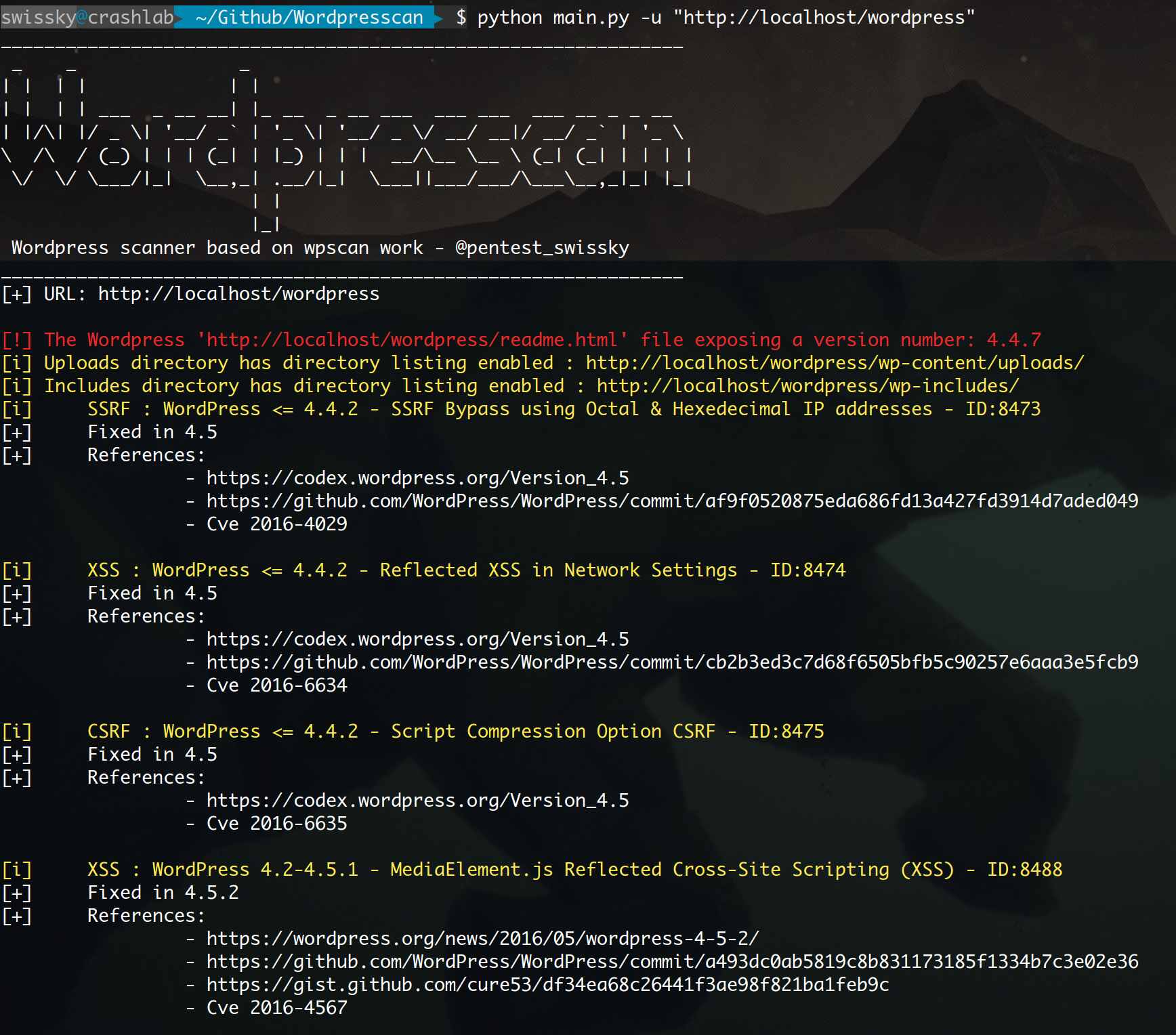
╭─ 👻 swissky@crashlab: ~/Github/Wordpresscan  ‹master*›
╰─$ python main.py -u "http://127.0.0.1/wordpress/" --brute --users-list fuzz/wordlist.lst --passwords-list fuzz/wordlist.lst --nocheck
_______________________________________________________________
 _    _               _
| |  | |             | |
| |  | | ___  _ __ __| |_ __  _ __ ___  ___ ___  ___ __ _ _ __
| |/\| |/ _ \| '__/ _` | '_ \| '__/ _ \/ __/ __|/ __/ _` | '_ \
\  /\  / (_) | | | (_| | |_) | | |  __/\__ \__ \ (_| (_| | | | |
 \/  \/ \___/|_|  \__,_| .__/|_|  \___||___/___/\___\__,_|_| |_|
                       | |
                       |_|
 WordPress scanner based on wpscan work - @pentest_swissky
_______________________________________________________________
[+] URL: http://127.0.0.1/wordpress/

[!] The Wordpress 'http://127.0.0.1/wordpress/readme.html' file exposing a version number: 4.4.7
[i] Uploads directory has directory listing enabled : http://127.0.0.1/wordpress/wp-content/uploads/
[i] Includes directory has directory listing enabled : http://127.0.0.1/wordpress/wp-includes/

[i] Bruteforcing all users
[+] User found admin
[+] Starting passwords bruteforce for admin
Bruteforcing - ▓▓▓▓▓▓▓▓▓▓▓▓▓▓▓▓▓▓▓▓▓▓▓▓▓▓▓▓▓▓▓▓▓░░░░░░░░░░░░░░░░░░░░░░░░░░░░░░░░░░░░░░░░░░░░░░░░░░░░
python wordpresscan.py -u "http://127.0.0.1/wordpress/" --fuzz

[i] Enumerating components from aggressive fuzzing ...
[i] File: http://127.0.0.1/wordpress/license.txt - found
[i] File: http://127.0.0.1/wordpress/readme.html - found
[i] File: http://127.0.0.1/wordpress/wp-admin/admin-footer.php - found
[i] File: http://127.0.0.1/wordpress/wp-admin/css/ - found
[i] File: http://127.0.0.1/wordpress/wp-admin/admin-ajax.php - found
[i] File: http://127.0.0.1/wordpress/wp-activate.php - found
--fuzz :  Will fuzz the website in order to detect as much file, themes and plugins as possible
docker-compose -f wordpress_compose.yml up -d
To enable wp-json api you need to change "Permalink" to anything but "simple" in the settings.
