 stratosphereips/manati
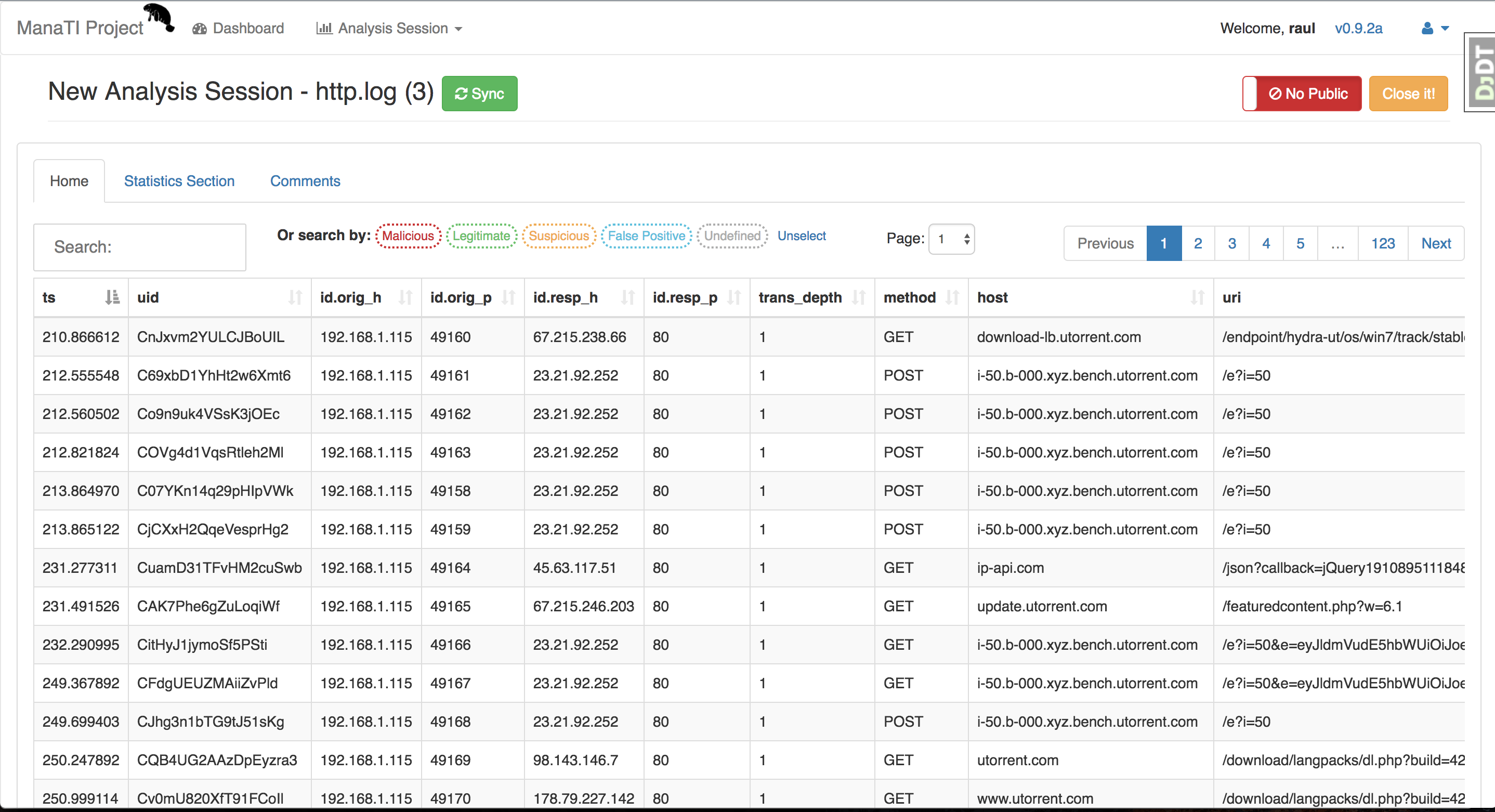
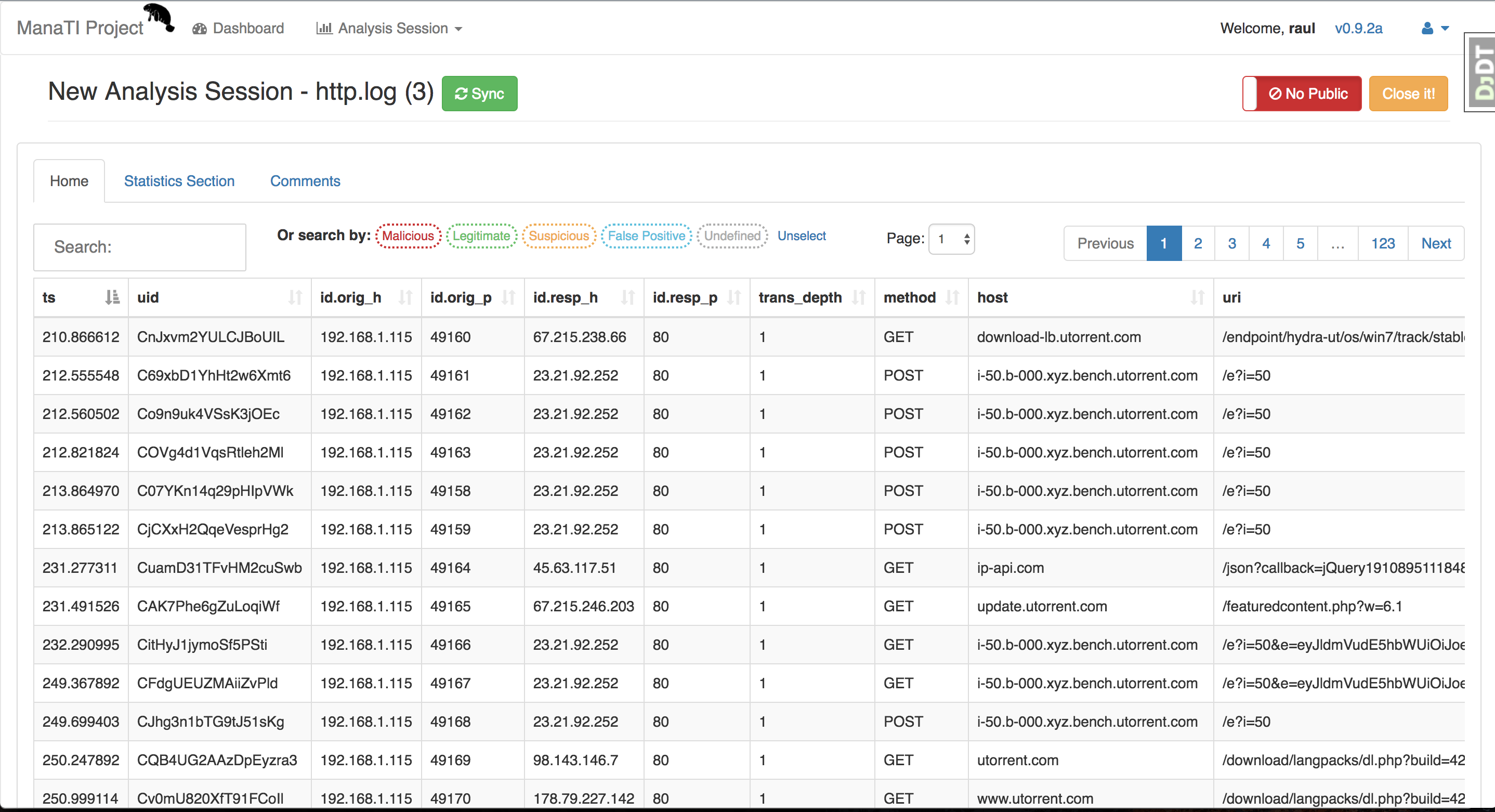
A web-based tool to assist the work of the intuitive threat analysts.




Machine Learning for Threat Intuitive Analysis
The goal of the ManaTI project is to develop machine learning techniques to assist an intuitive threat analyst to speed the discovery of new security problems. The machine learning will contribute to the analysis by finding new relationships and inferences. The project will include the development of a web interface for the analyst to interact with the data and the machine learning output.
This project is partially supported by Cisco Systems. For more information about the project please go to Stratosphere Lab page
ManaTI is a Django project with a Postgres database and it works in Linux and MacOS. We recommend using a virtualenv environment to setup it. The installation steps for linux are:
sudo apt-get update ; sudo apt-get upgrade -y
git clone [email protected]:stratosphereips/Manati.git; cd Manati
or if you don't want to use SSH, use HTTPS
git clone https://github.com/stratosphereips/Manati.git; cd Manati
sudo apt-get install virtualenv python-pip python-dev libpq-dev build-essential libssl-dev libffi-dev
virtualenv .vmanati
source .vmanati/bin/activate
sudo apt-get install postgresql-server-dev-all postgresql-9.5 postgresql-client-9.5
    cp .env.example .env
    cp .env-docker.example .env-docker
OPTIONAL
You can modify the password and name of database, if you want. Remember, reflect the changes in the Postgres database settings below.
pip install -r requirements/local.txt
Maybe you will have some issues with permission in the folder ~/.cache, just perform the next command and problem solved:
sudo chmod 777 ~/.cache
if you deploy to Amazon AWS EC2 and you have a memory error try:
pip install -r requirements/local.txt --no-cache-dir
sudo /etc/init.d/postgresql start
su - postgres
    psql

    create user manati_db_user with password 'password';

    create database manati_db;

    grant all privileges on database manati_db to manati_db_user;

    alter role manati_db_user createrole createdb;

    CTRL-D (to output the postgres db shell)
OPTIONAL
To change the password by default of the postgres user (you can put the same password if you want), specially good idea if you want to use pgAdmin3-4 as a postgres client. Remember don't exit of "sudo - postgres"
    psql

    \password;

    CTRL-D (to output the postgres db shell)
    psql -h localhost -d manati_db -U manati_db_user

    (and put the password)
After putting the password you should be logged in in the postgres.
sudo apt-get install redis-server
OPTIONAL
If you want to configure the Redis. For example, you are interested to change the password, you can:
sudo vi /etc/redis/redis.conf
and find the line requirepass and write next it the password that you want.
requirepass passwodUser
Just remember to update the variable environment REDIS_PASSWORD in the file .env in the root of the project.
    python ./manage.py makemigrations guardian
    python ./manage.py migrate
python ./manage.py check_external_modules
./utility/redis_worker.sh
python manage.py createsuperuser
It is not recommended to run the server as root, but since only root can open ports numbers less than 1024, it is up to you which user you use. By default it opens the port 8000, so you can run it as root:
python ./manage.py runserver
After this, just open your browser in http://localhost:8000/manati_project/manati_ui
If you want to open the server in the network, you can do it with:
python ./manage.py runserver <ip-address>:8000
If you want to see the jobs running or enqueued go to http://localhost:8000/manati_project/django-rq/
cd path/to/project_directory
git pull origin master
pip install -r requirements/local.txt
./utility/redis_worker.sh
python ./manage.py makemigrations guardian --noinput
python ./manage.py migrate --noinput
python ./manage.py check_external_modules
python ./manage.py runserver
