 stephanev/risk-analysis-editor
Browser-based risk analysis editor for building risk matrices, risk registers, and action plans. Supports EBIOS RM, ISO 27005, and CNIL DPIA with offline .rae.json files.

 Risk Analysis Editor (RAE)
English · Français
Standalone tool for building and visualizing risk matrices — inherent (gross) risk and residual (net) risk — with an open, documented file format, .rae.json.
No installation: the tool runs entirely in your browser. Two ready-to-open demos: 📊 an EBIOS RM–inspired risk analysis (12 risks, 11 measures) and 🛡️ an example of the risk-analysis part of a DPIA, inspired by the CNIL PIA method, focused on feared events, controls and residual risk (12 risks, 12 measures) — both showcasing descriptions, notes, colored tags, progress bars, owners and per-link rationale, plus a reusable object model (business values, supporting assets, risk sources, stakeholders, scenarios…) and a preconfigured report. The download provides the single HTML file of the latest release: double-click it to work offline.
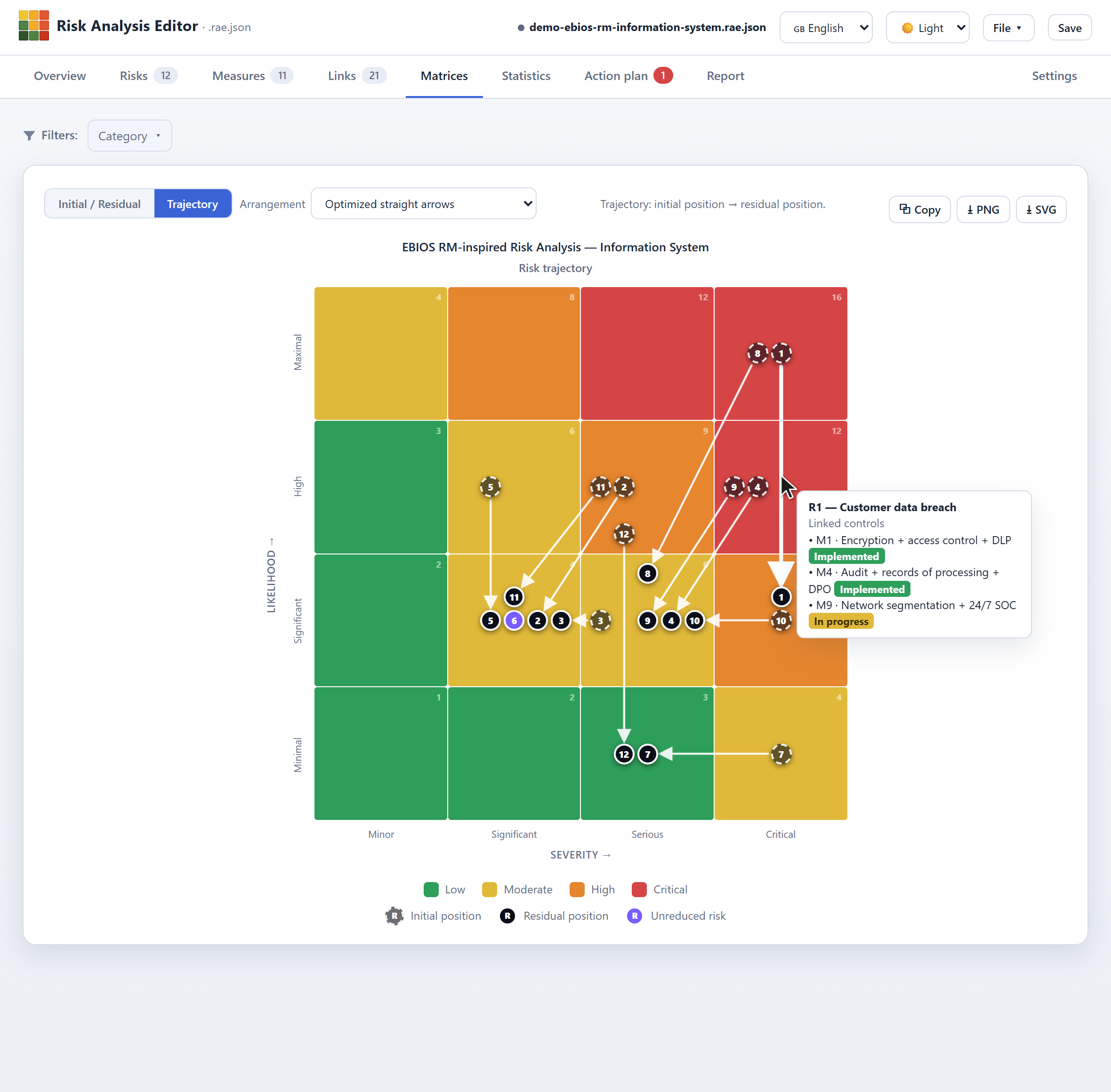
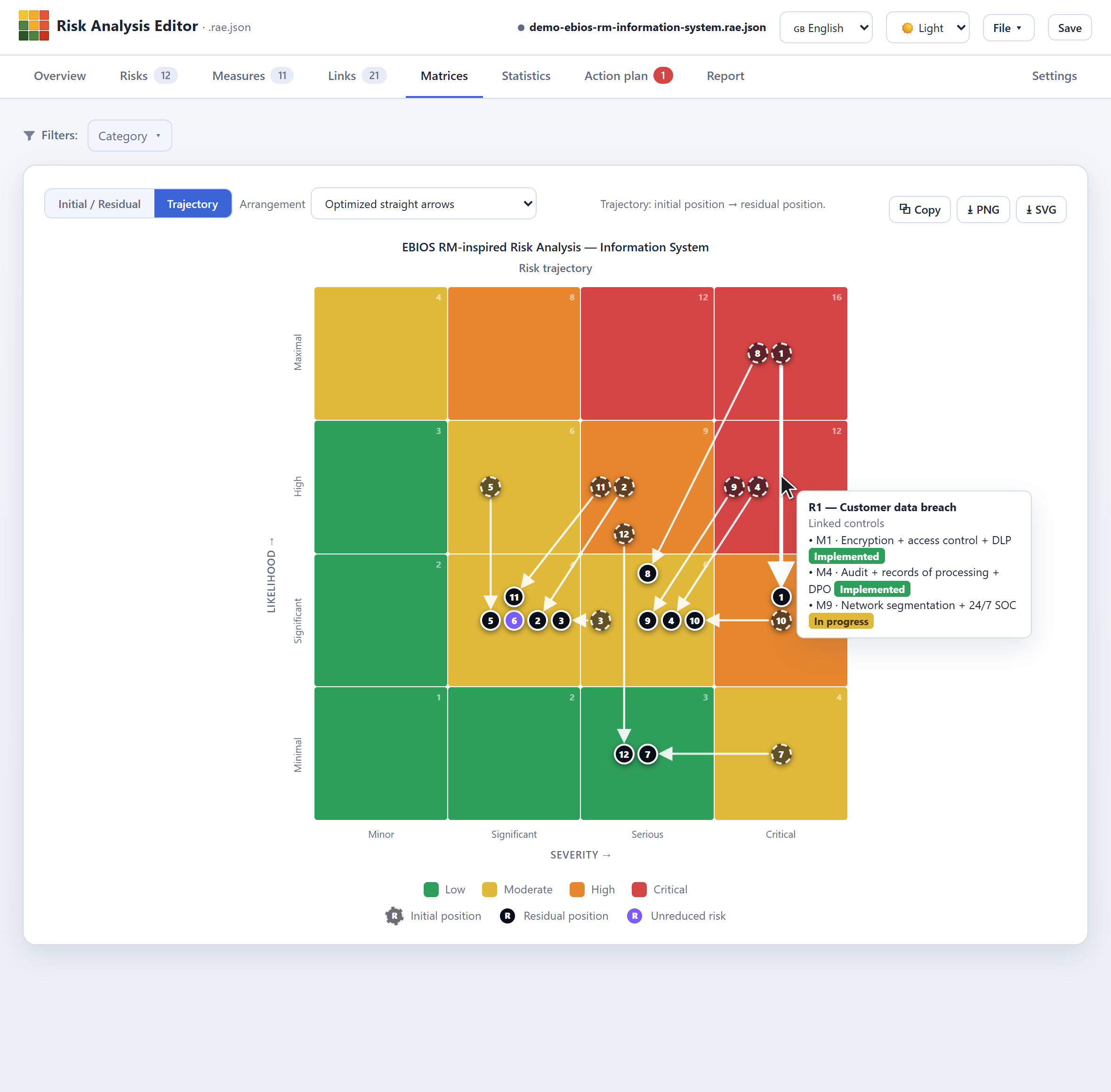
Matrices › Trajectory view: each arrow links a risk's initial position (dashed outline) to its residual position (solid outline).
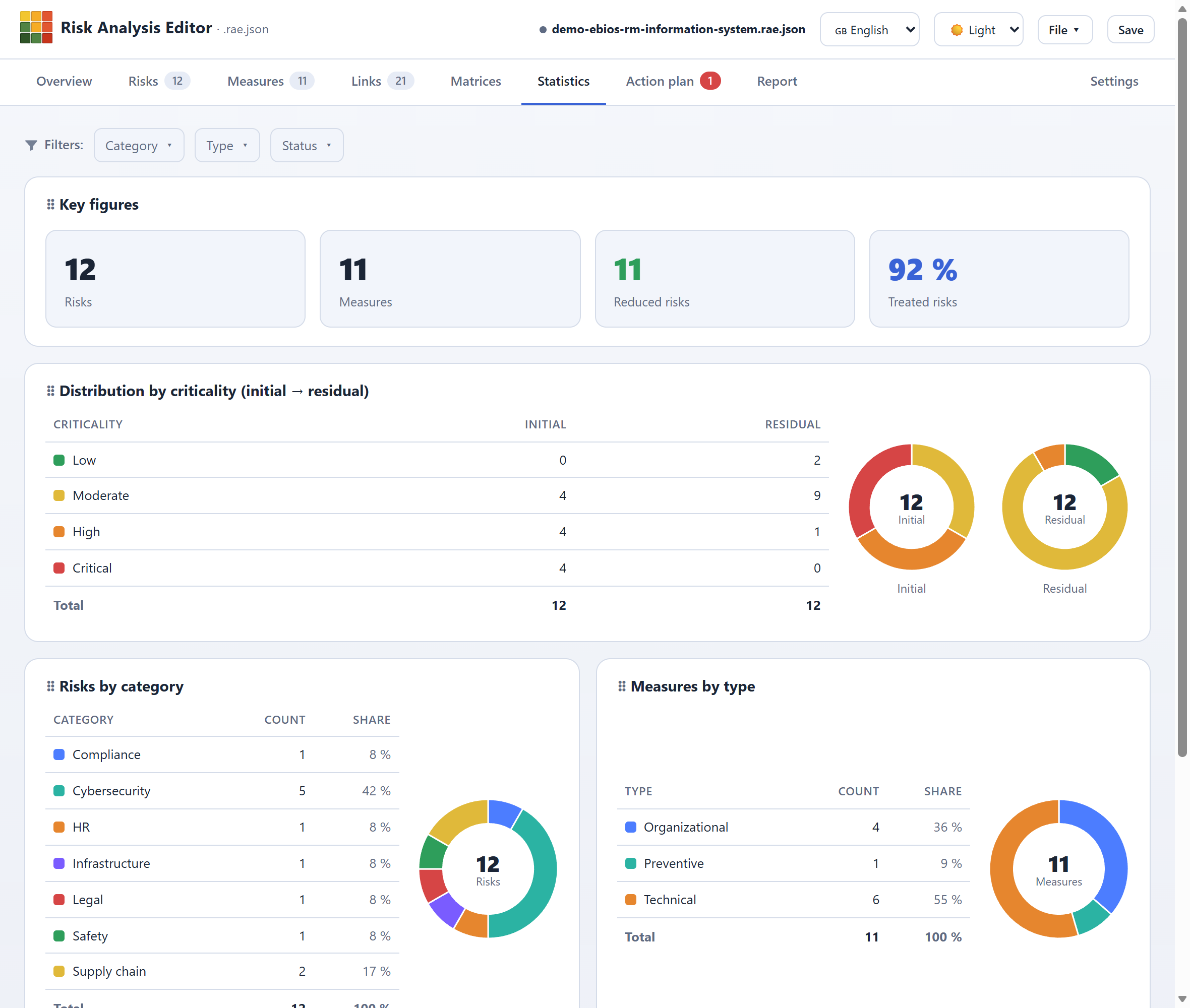
Statistics tab: key counters and distributions — by criticality (initial → residual), category, measure type and status, custom field, and coverage — as tables and/or charts (donut or pie). The grid is customizable and rearrangeable by drag-and-drop, and follows the active filter.
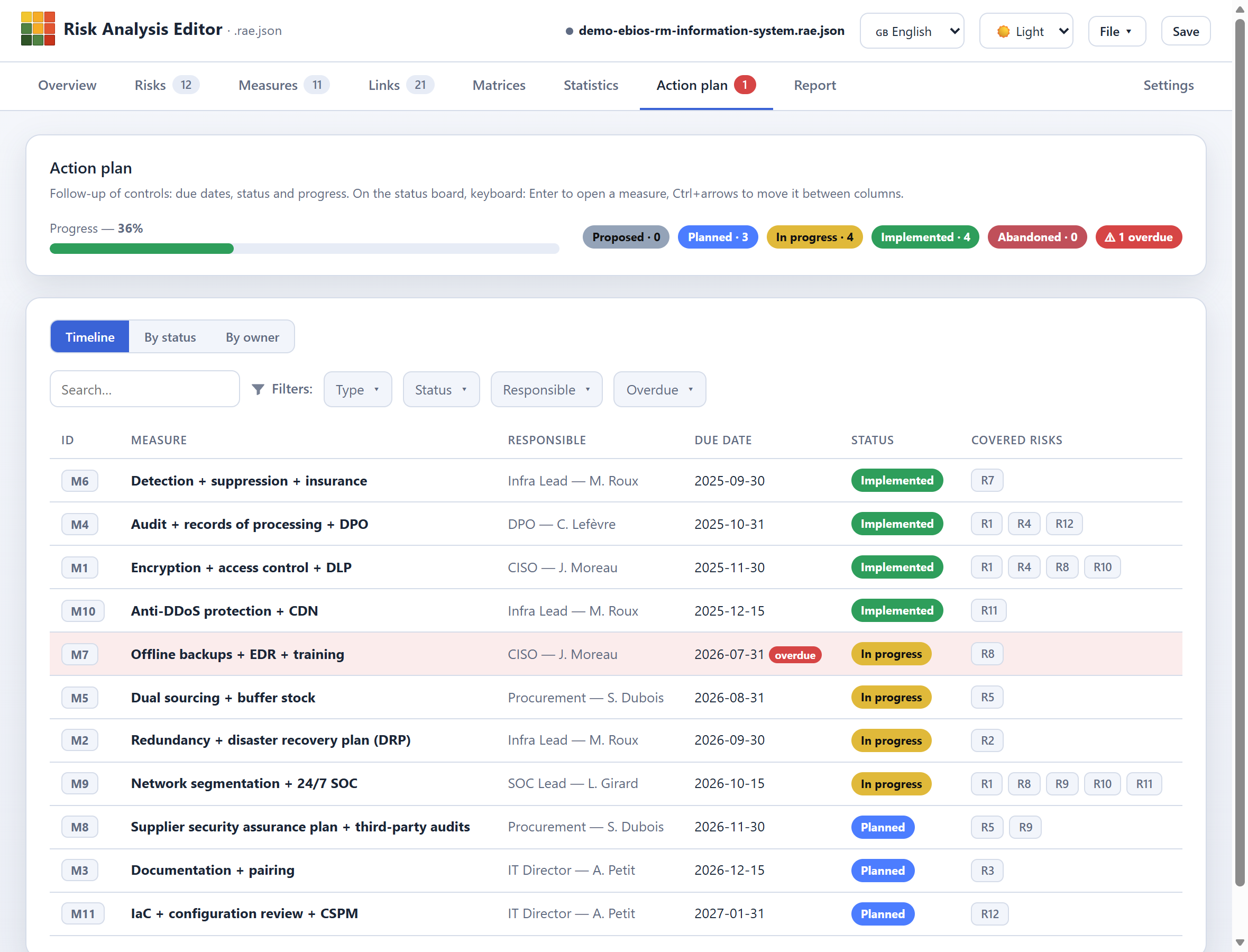
Action plan — timeline: controls sorted by due date, with owner, status and covered risks. Also available as a status board (kanban) and by owner, with progress and overdue tracking.
Risk Analysis Editor is a standalone web app: a single HTML file, with no network or external service dependency at runtime, that works offline (a simple double-click is enough — no installation, no server).
It lets you carry out a generic, structured risk analysis: scoring configuration, entry of risks and measures, initial and residual assessment, action plan, visualizations and reports.
The tool builds on a generic, configurable model, adaptable to an internal framework and usable to structure and present analyses conducted within approaches such as ISO 27005, EBIOS RM or the DPIA. The grid is broadly configurable: dimensions, axes, levels, labels, thresholds, colors and scoring method; it is saved inside the file.
The whole analysis fits in a self-contained .rae.json file: grid, risks, measures, links and initial/residual assessments. The format is specified (technical documentation, in French) and comes with a JSON schema for validation (schema-analyse-risque.json). Property names are in English; values (labels, descriptions) stay in the analysis's own language.
Official website: www.risk-analysis-editor.com — presentation, screenshots and links.
YouTube channel: @RiskAnalysisEditor — video tutorials.
Getting started: the illustrated user guide (in French) walks through every screen and feature.
Entry point: open the app online — or, for offline use, download the repository and open app/risk-analysis-editor.html with a simple double-click.
RAE focuses on structuring, assessing and presenting risk and measure registers: defining the scoring grid, initial and residual assessment, linking measures to risks, tracking the action plan, visualizing the matrices and generating reports.
Its generic, configurable model lets you work with different approaches — notably ISO 27005, EBIOS RM, DPIA/PIA CNIL or an internal framework — without imposing a single methodology. The provided templates and examples are inspired by these approaches and serve as ready-to-adapt starting points. RAE does not, however, aim to reproduce the full set of steps, objects and controls specific to each method: their complete implementation remains guided by the applicable frameworks and by the context of the analysis.
RAE thus offers a framework that is more structured and consistent than a set of spreadsheets, while remaining lighter, more portable and simpler to deploy than a GRC platform. It is particularly suited to standalone analyses, workshops, consulting engagements and organizations that want to keep local control of their data in an open, documented format.
