 spyboy-productions/r4ven
Track the GPS location of the user's smartphone or PC and capture a picture of the target, along with IP and device information.

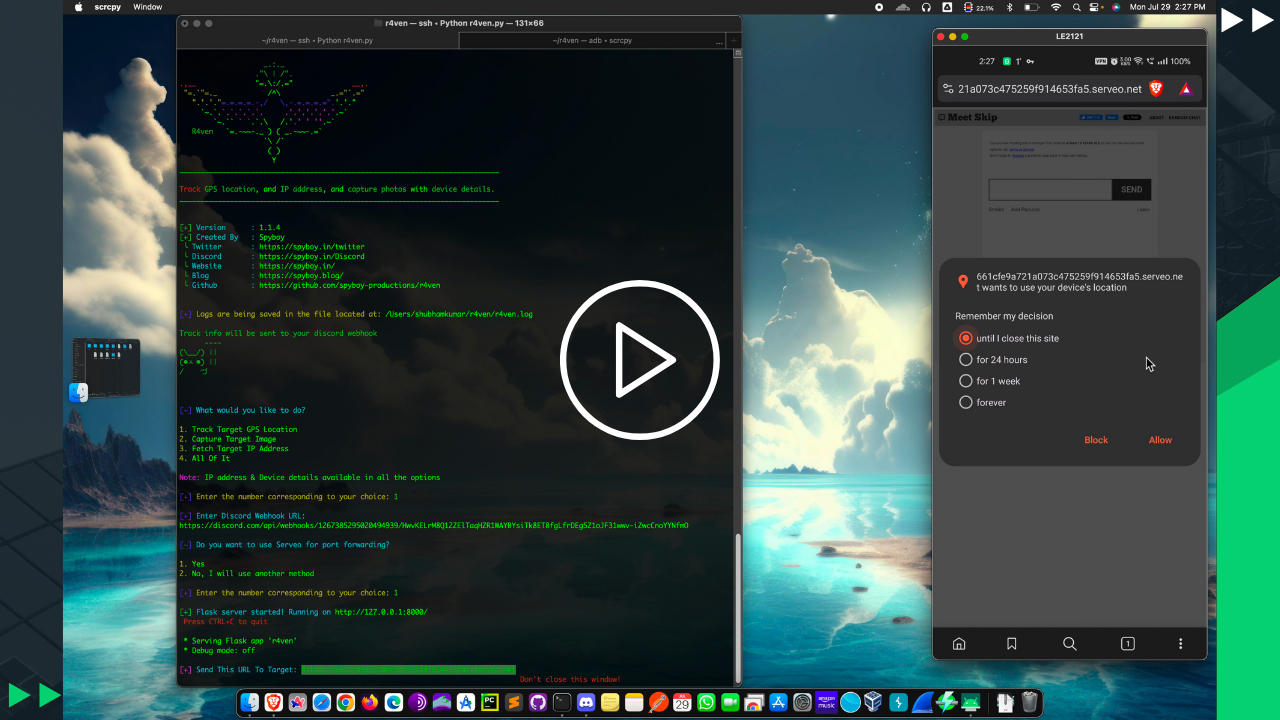




This project is a security research and awareness tool designed to demonstrate how modern web browsers may expose location data, camera access, IP address, and device information when users explicitly grant permissions.
The tool serves a controlled web page that embeds legitimate content for demonstration purposes. When a user voluntarily allows browser permissions, the application collects available metadata such as GPS coordinates, IP information, device details, and camera input, highlighting how social engineering and permission misuse can lead to unintended data exposure.
This project is intended for security education, awareness training, and authorized testing only, helping developers, penetration testers, and users better understand browser permission risks and improve privacy hygiene.

[!IMPORTANT] Proof of Concept — Educational Use Only
This project demonstrates how malicious websites may collect location data, camera access, IP addresses, and device information when users grant browser permissions. It is intended to raise awareness about privacy risks and highlight why users should avoid clicking untrusted links or approving unnecessary permissions.
[!CAUTION] Ethical & Authorized Use Only
While this tool illustrates real-world attacker techniques, it must be used strictly for education, security research, and authorized penetration testing. Any use without the explicit permission of the affected parties is strongly discouraged.
+ It will automatically fetch the IP address and device information
! If location permission is allowed, it will fetch the exact location of the target.
! If camera permission is allowed, it will capture non-stop from the front camera.
- It will not work on laptops or phones that have no GPS or no Camera,
# browsers that block javascript,
# or if the target is mocking the GPS location.
# or if a target is using VPN or spoofing IP

- Some browsers auto block location and camera permission like(Brave, Safari etc)
+ Location accuracy will be more accurate if you use this on a smartphone.
- Geographic location based on IP address is NOT accurate,
# Does not provide the location of the target.
# Instead, it provides the approximate location of the ISP (Internet service provider)
+ GPS fetch almost exact location because it uses longitude and latitude coordinates.
@@ Once location permission is granted @@
# Accurate location information is received to within 20 to 30 meters of the user's location.
# (it's almost the exact location)






git clone https://github.com/spyboy-productions/r4ven.git
cd r4ven
pip3 install -r requirements.txt
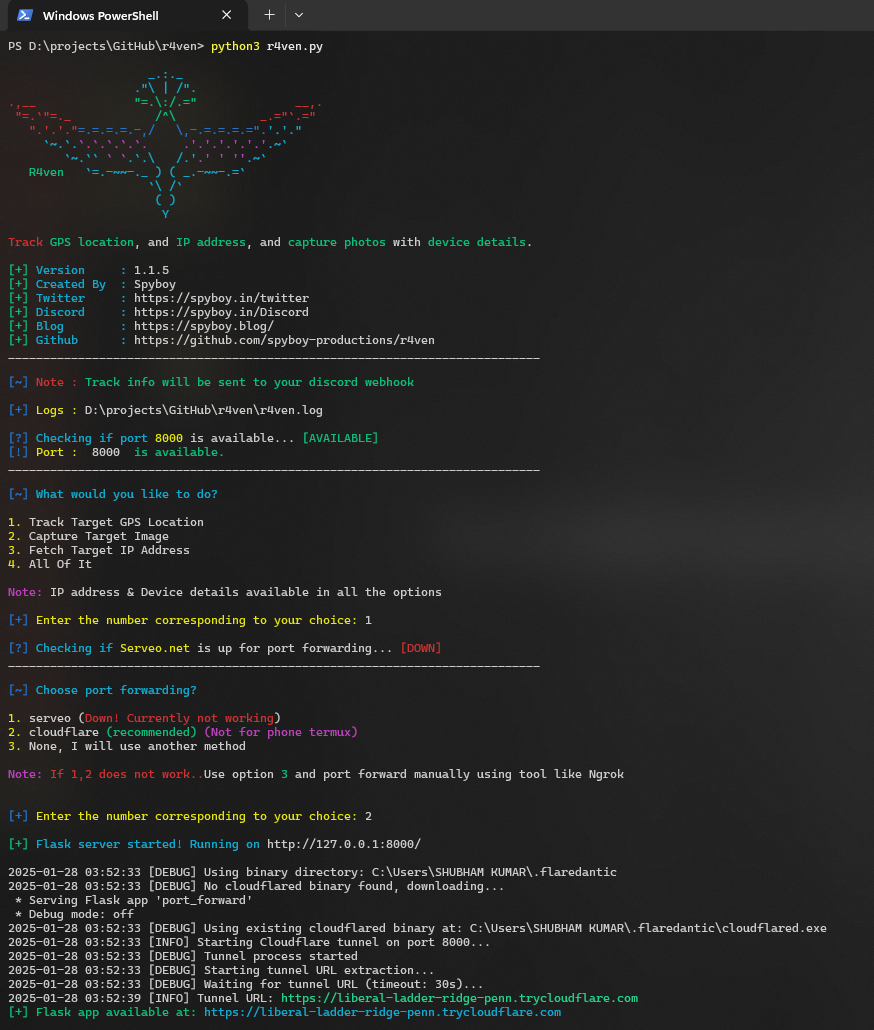
python3 r4ven.py
NOTE: If you're not going to use localhost
index.html replace "http://127.0.0.1:8000/image" with the URL you wish to use.OR
Please use the -t flag to choose a different URL.
Use the following command to make r4ven executable:
chmod +x r4ven.py
python3 r4ven.py [-t target]
python3 r4ven.py [-p port]
python3 r4ven.py [-t target] [-p port]
Example: python3 r4ven.py -t https://example.com/r4ven/images -p 8000
Enter your discord webhook URL (set up a channel in your discord server with webhook integration)
https://support.discord.com/hc/en-us/articles/228383668-Intro-to-Webhooks
if not have discord account and sever make one, it's free.
📍 Track info data will be sent to your discord webhook channel.
index.html replace the src in the iframe. (Note: not every website supports iframe)⭓ Other cmd to port-forward...
TryCloudflare: cloudflared tunnel --url http://localhost:8000
Tunnelmole: tmole 8000
Ngrok: ngrok http 8000
Ssh: ssh -R 80:localhost:8000 ssh.localhost.run
Serveo: ssh -R 80:localhost:8000 serveo.net
- Make sure you port forward else it will not work on the smartphone's browser
