
Skip to content
KitploitKITPLOIT
ToolsBlog
Submit
ToolsBlog
Submit

Hacking, PenTest, and Cybersecurity Tools for Your Security Arsenal!

Kitploit is a directory of hacking, cybersecurity, and pentesting tools. Discover the latest project updates to find vulnerabilities, analyze systems, automate testing, and strengthen your security.

··Feeds·Contact·Privacy·© 2026 Kitploit

Tool Directory

Categories

View all categories
Loading categories
CrabCrypt — AES-256-GCM file encryption tool with a Tkinter GUI, supporting PBKDF2 and Argon2 key derivation for secure, offline file protection. | Kitploit
Tools/GitHubGitHub/spyboy-productions/crabcrypt
Encryption/Decryption ToolsCryptography
GitHubspyboy-productions/crabcrypt

CrabCrypt

AES-256-GCM file encryption tool with a Tkinter GUI, supporting PBKDF2 and Argon2 key derivation for secure, offline file protection.

View Repository
2641 year agoReviewed by Kitploit

Most Popular

View all →

Discover the most used tools by our community.

Explore all tools

Browse our collection of tools

View all tools →
Share

If you find this GitHub repo useful, please consider giving it a star! ⭐️


CrabCrypt🦀🔐

CrabCrypt is a secure file encryption tool with GUI, designed for effortlessly encrypting and decrypting any file. With AES encryption and a sleek Tkinter interface, CrabCrypt ensures your files remain confidential and protected from unauthorized access.


🚀 Features

✅ Secure Encryption - Uses AES-256 encryption with strong key derivation.
✅ Authenticated Encryption - Utilizes AES-GCM for encryption, eliminating the need for padding and preventing common attacks.
✅ Strong Key Derivation - Offers both PBKDF2 (600K iterations) and Argon2 for enhanced security.
✅ No Padding Issues - Since AES-GCM is used, padding vulnerabilities (like those in CBC) are completely avoided.
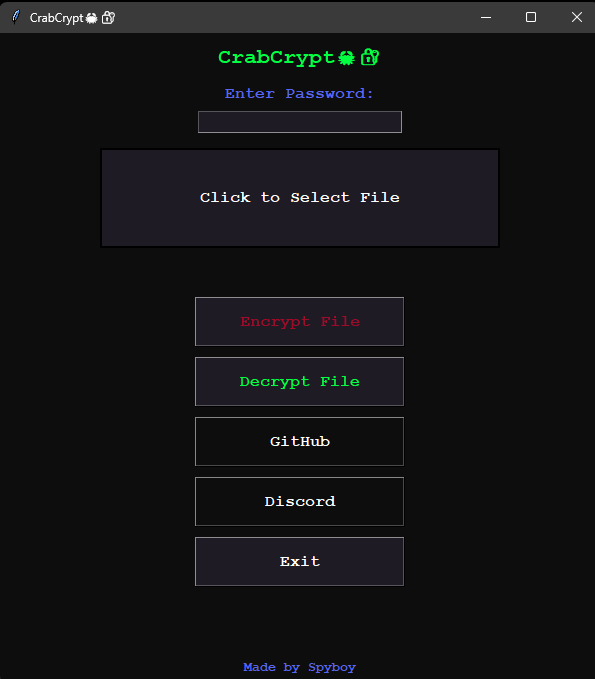
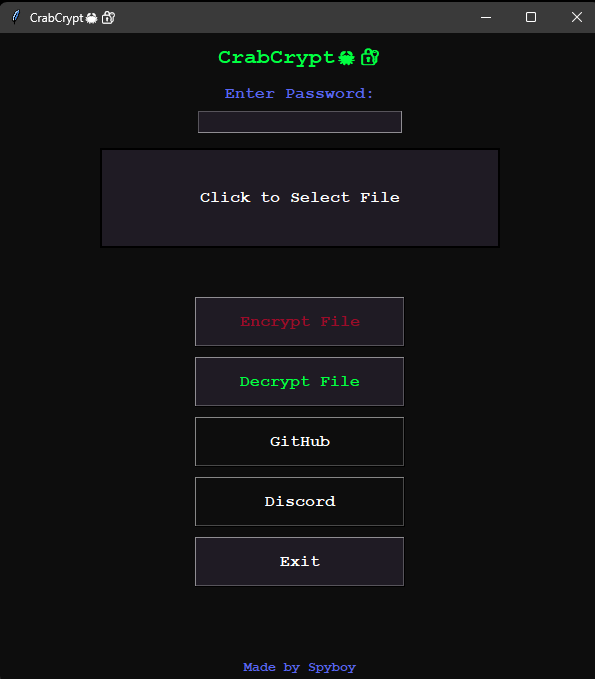
✅ Intuitive UI - Simple and user-friendly interface for file selection and password protection.
✅ Multi-File Support - Encrypt and decrypt any type of file.
✅ Offline & Private - No internet connection required, ensuring complete privacy.


OS compatibility :


🚀 Download & Installation

🖥️ For Windows Users

📥 Download CrabCrypt.exe and run it – No installation required!

🔹 Steps to run:

  1. Click the download link above.
  2. Double-click CrabCrypt.exe.
  3. Windows SmartScreen Warning? ⚠️
    • If you see a SmartScreen warning, click "More info" and then "Run anyway".
    • This happens because the app is new and unsigned, but it's safe!
Click Here To See How To Compile Your Own .exe file.
root@kitploit:~
pip install pyinstaller
pyinstaller --onefile --noconsole --icon=crabcrypt.ico CrabCrypt.py
  

🐧 For manual Installation or for Linux & macOS Users


1️⃣ Clone the Repository

root@kitploit:~
git clone https://github.com/spyboy-productions/CrabCrypt.git
root@kitploit:~
cd CrabCrypt

2️⃣ Install Dependencies

root@kitploit:~
pip install -r requirements.txt

3️⃣ Run CrabCrypt

root@kitploit:~
python CrabCrypt.py

🔑 How to Use

  1. Select a file: Click on the file selection area to browse your files.
  2. Enter a password: Choose a strong password for encryption.
  3. Encrypt or Decrypt: Click the respective button to process the file.
  4. Save the output: The encrypted/decrypted file will be saved with a prompt.

⚠️ Limitations

🚧 No Password Recovery - If you forget the password, decryption is impossible.
🚧 File Size - Large files may take longer to process.


TO Do

  1. Self-Destruct Mode Have a mode where if a trigger is met (e.g., a password attempt fails multiple times), all selected files get encrypted and shredded instantly.
  2. Post-quantum encryption algorithm Example: Kyber + AES-GCM (Kyber is a quantum-resistant algorithm from NIST’s PQC finalists) use post-quantum KEMs (Kyber, FrodoKEM) to encrypt the AES key

📢 Contribute

Want to improve CrabCrypt? Open a PR or submit an issue!

💬 If having an issue Chat here

Discord Server

⭔ Snapshots:


If you find this GitHub repo useful, please consider giving it a star! ⭐️

Download Tool