
Skip to content
KitploitKITPLOIT
ToolsBlog
Submit
ToolsBlog
Submit

Hacking, PenTest, and Cybersecurity Tools for Your Security Arsenal!

Kitploit is a directory of hacking, cybersecurity, and pentesting tools. Discover the latest project updates to find vulnerabilities, analyze systems, automate testing, and strengthen your security.

··Feeds·Contact·Privacy·© 2026 Kitploit

Tool Directory

Categories

View all categories
Loading categories
Tools/GitHubGitHub/splunk/attack_range
Penetration TestingCloud SecurityLearning & EducationLabs & Practice
GitHubsplunk/attack_range

attack_range

A tool that allows you to create vulnerable instrumented local or cloud environments to simulate attacks against and collect the data into Splunk

View Repository
2.5k4152 months agoReviewed by Kitploit

Most Popular

View all →

Discover the most used tools by our community.

Explore all tools

Browse our collection of tools

View all tools →
Share

Splunk Attack Range v5

Attack Range Logo

The Splunk Attack Range builds instrumented cloud environments (AWS, Azure, GCP), simulates attacks, and forwards data into Splunk for detection development and testing.
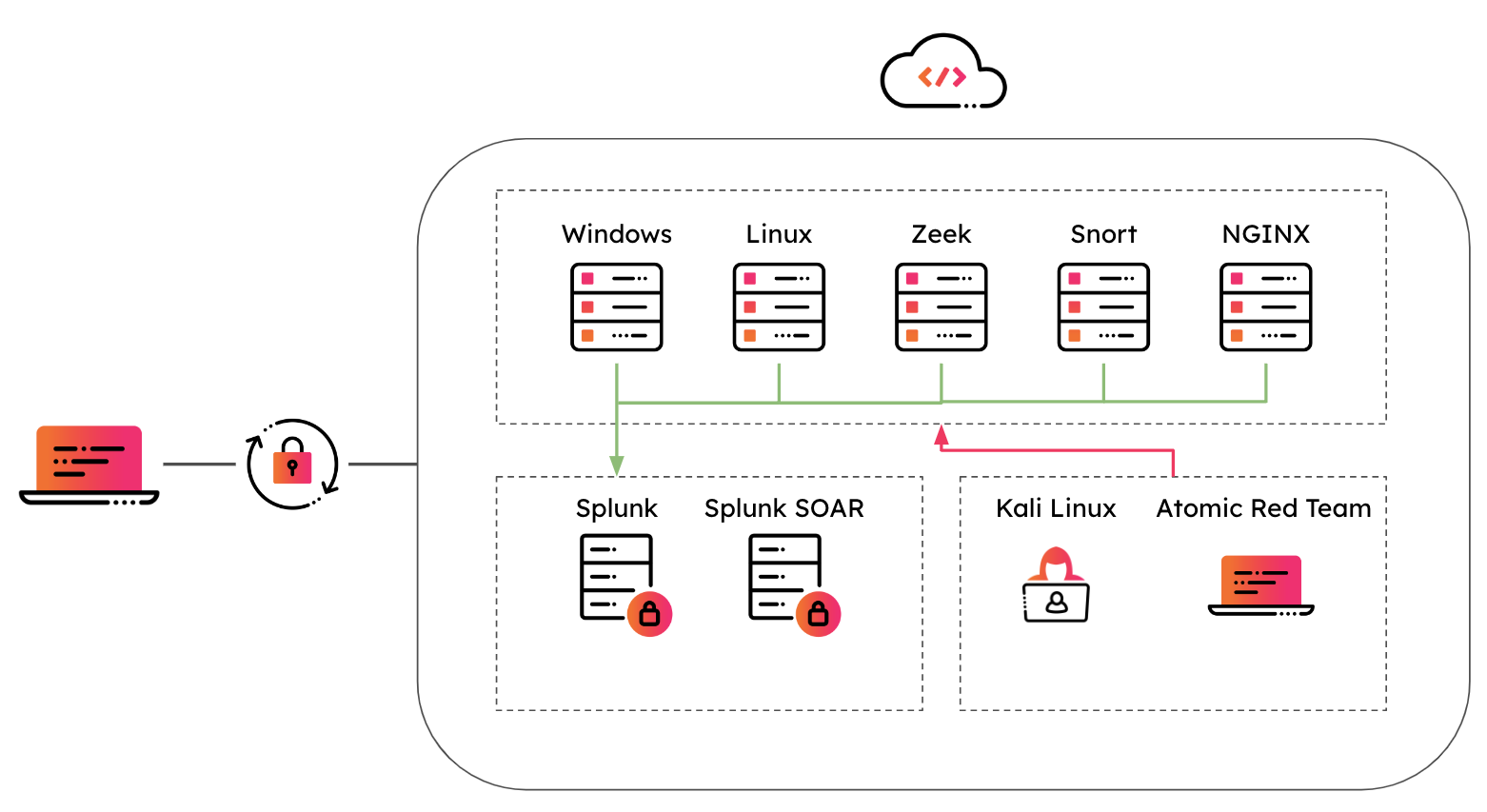
Attack Range Architecture

What it does:

  • Build labs — Deploy a small, production-like lab (Splunk, Windows/Linux servers, optional Kali, Zeek, etc.) via Terraform and Ansible.
  • Simulate attacks — Run Atomic Red Team (and other) techniques to generate real telemetry.
  • Share access — Use WireGuard VPN; generate additional client configs to share the range with others.

Click the picture to watch the demo 👇

Watch the demo

Getting started

Preferred: Docker Compose

  1. Prerequisites: Docker and Docker Compose. Configure your cloud provider (AWS, Azure, or GCP) and mount credentials as below.

  2. Clone and start:

    root@kitploit:~
    git clone <repo-url>
    cd attack_range_2
    docker compose -f docker/docker-compose.yml up
    
  3. Use the app or API:

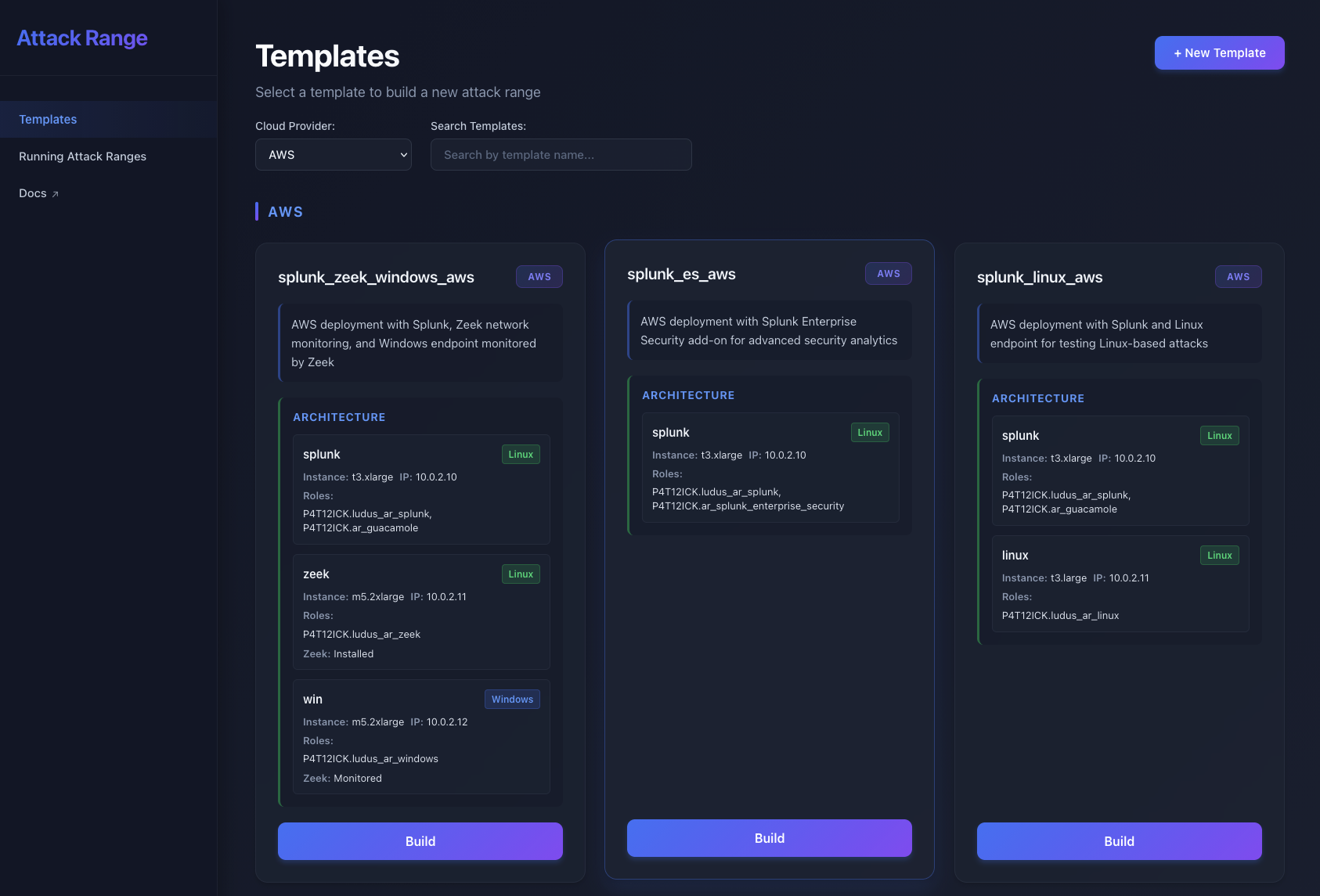
    • Web app: open http://localhost:4321 — build/destroy ranges, view status, run simulations, share access.
    • API: http://localhost:4000 — REST API; interactive docs at http://localhost:4000/openapi/swagger.
  4. Build a range (two steps):

    • In the app: pick a template (e.g. aws/splunk_minimal_aws) and start the build. When status is Waiting for VPN, download the WireGuard config, connect with WireGuard, then continue the build.
    • Or via API: POST /attack-range/build with {"template": "aws/splunk_minimal_aws"}, poll GET /attack-range/status/<id>, use the returned WireGuard config, connect, then POST /attack-range/build with {"attack_range_id": "<id>"}.
  5. CLI in Docker (optional):

    root@kitploit:~
    docker compose --profile cli -f docker/docker-compose.yml run --rm attack_range build -t aws/splunk_minimal_aws
    

    Other actions: destroy, simulate, apply-role, share. See Detailed documentation for CLI usage and flags.


Ways to run


Documentation

  • Full docs (Read the Docs): https://attack-range.readthedocs.io/
  • Chapters: Getting Started, Configuration, Networking, Sharing, Templates, Ansible Roles

Quick reference

  • Configs: Each range has a config in config/<attack_range_id>.yml. Templates live in templates/{aws,azure,gcp}/.
  • Credentials: Set up ~/.aws, ~/.azure, or ~/.config/gcloud and mount them into the containers (see docker/docker-compose.yml).
  • Support: GitHub issues and CONTRIBUTING.

Support

Please use the GitHub issue tracker to submit bugs or request features.

If you have questions or need support, you can:

  • Join the #security-research room in the Splunk Slack channel
  • Post a question to Splunk Answers
  • If you are a Splunk Enterprise customer with a valid support entitlement contract and have a Splunk-related question, you can also open a support case on the https://www.splunk.com/ support portal

Contributing

We welcome feedback and contributions from the community! Please see our contribution guidelines for more information on how to get involved.


Author

  • Jose Hernandez
  • Patrick Bareiß

Contributors

  • Bhavin Patel
  • Rod Soto
  • Russ Nolen
  • Phil Royer
  • Joseph Zadeh
  • Rico Valdez
  • Dimitris Lambrou
  • Dave Herrald
  • Ignacio Bermudez Corrales
  • Peter Gael
  • Josef Kuepker
  • Shannon Davis
  • Mauricio Velazco
  • Teoderick Contreras
  • Lou Stella
  • Christian Cloutier
  • Eric McGinnis
  • Micheal Haag
  • Gowthamaraj Rajendran
  • Christopher Caldwell
  • Zachary Christensen
  • JerinSaji0
  • Michal Cichorz
Download Tool
MethodUse case
Docker Compose (recommended)Run API + web app + optional CLI with one docker compose; no local Python/Ansible/Terraform.
Web appBuild, destroy, simulate, and share via the UI at port 4321.
REST APIAutomate from scripts or CI; full OpenAPI docs at /openapi/swagger.
CLI`attack_range.py build