 sooryathejas/metatron
AI-powered penetration testing assistant using local LLM on linux (Parrot OS)

AI-powered penetration testing assistant using local LLM on linux (Parrot OS)





Metatron is a CLI-based AI penetration testing assistant that runs entirely on your local machine — no cloud, no API keys, no subscriptions.
You give it a target IP or domain. It runs real recon tools (nmap, whois, whatweb, curl, dig, nikto), feeds all results to a locally running AI model, and the AI analyzes the target, identifies vulnerabilities, suggests exploits, and recommends fixes. Everything gets saved to a MariaDB database with full scan history.
metatron-qwen via Ollama, runs 100% offlineMetatron allows you to export scan results into clean, shareable report formats by selecting '2.view history'->select slno and export
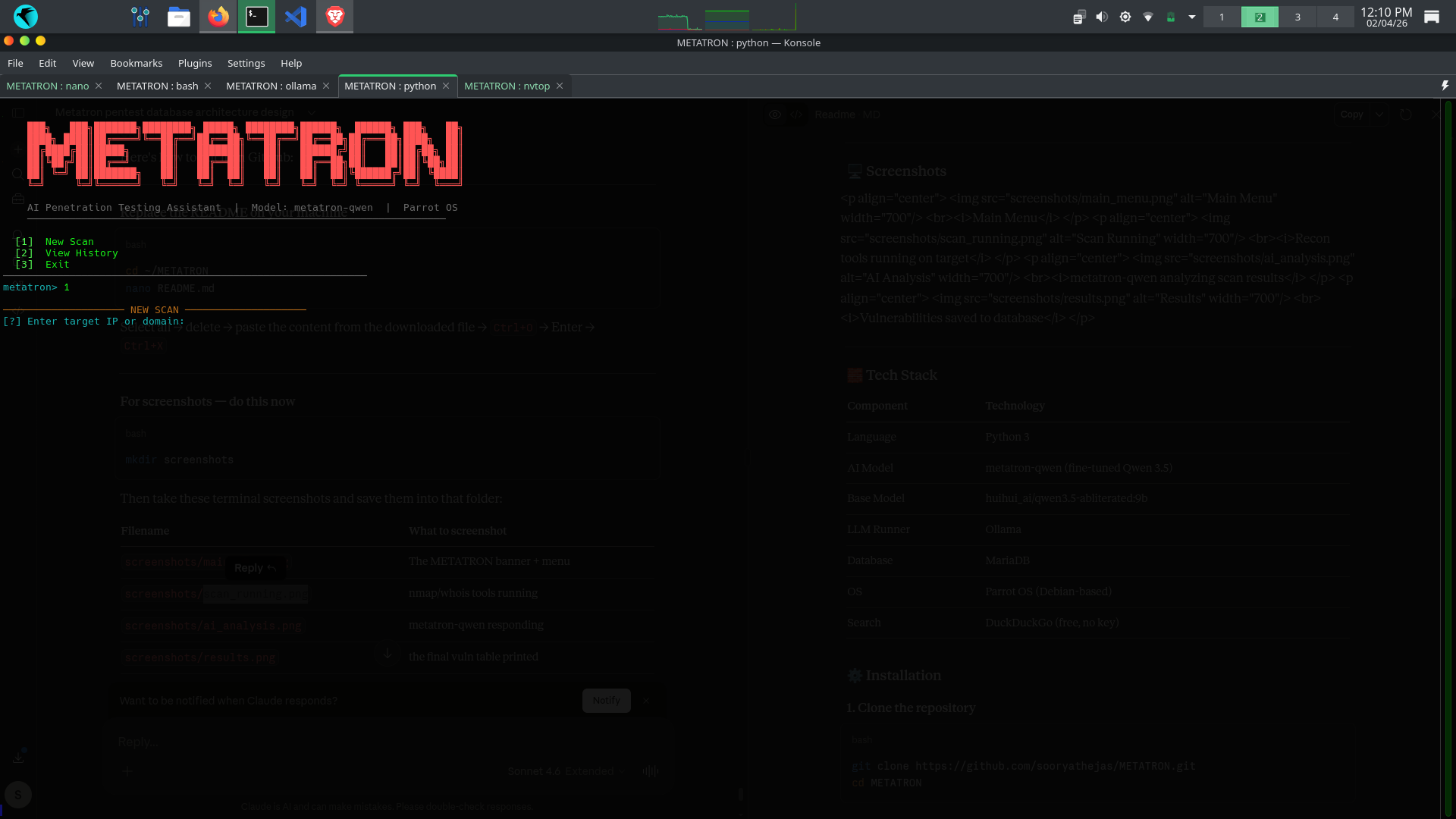
Main Menu
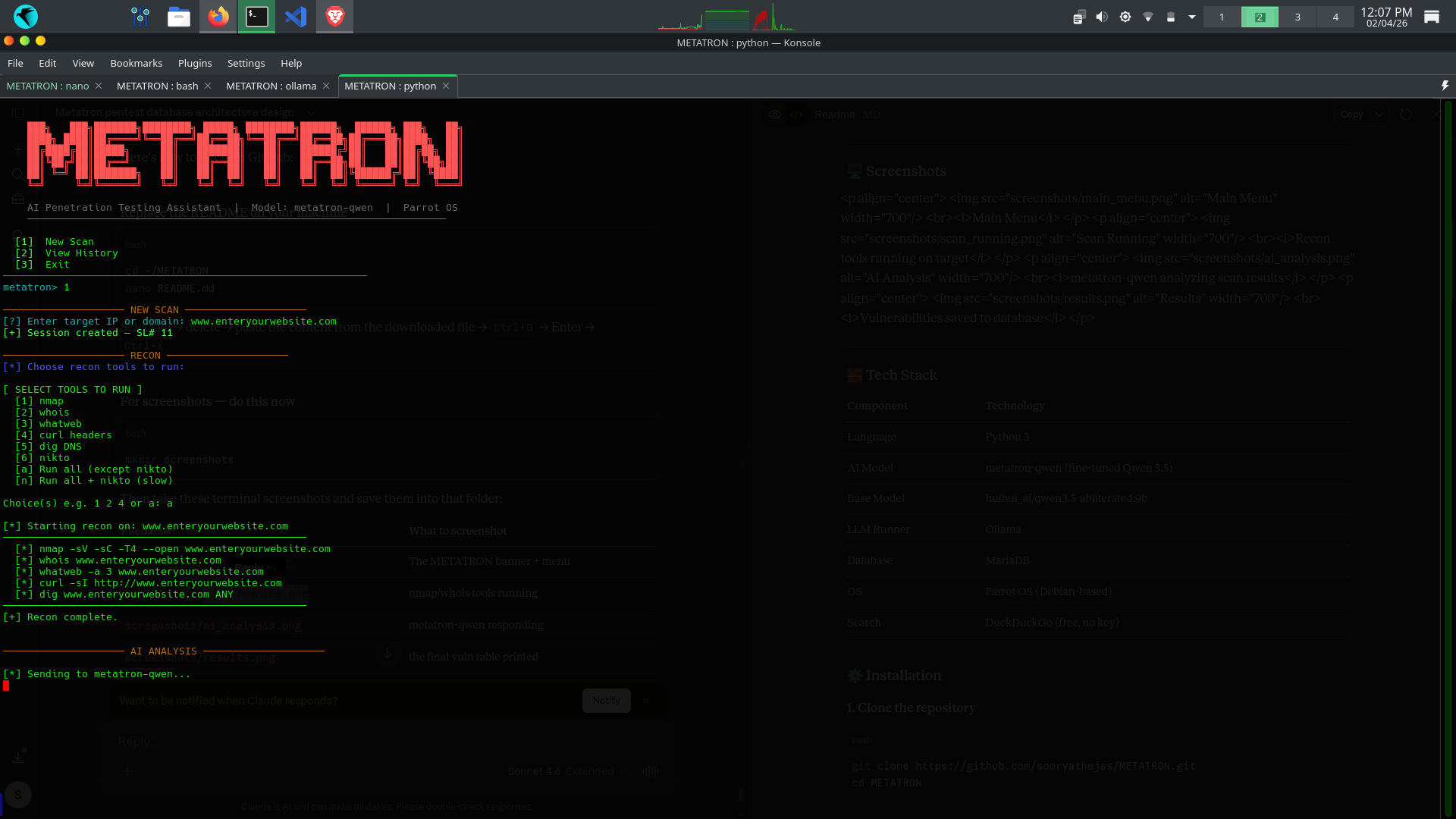
Recon tools running on target
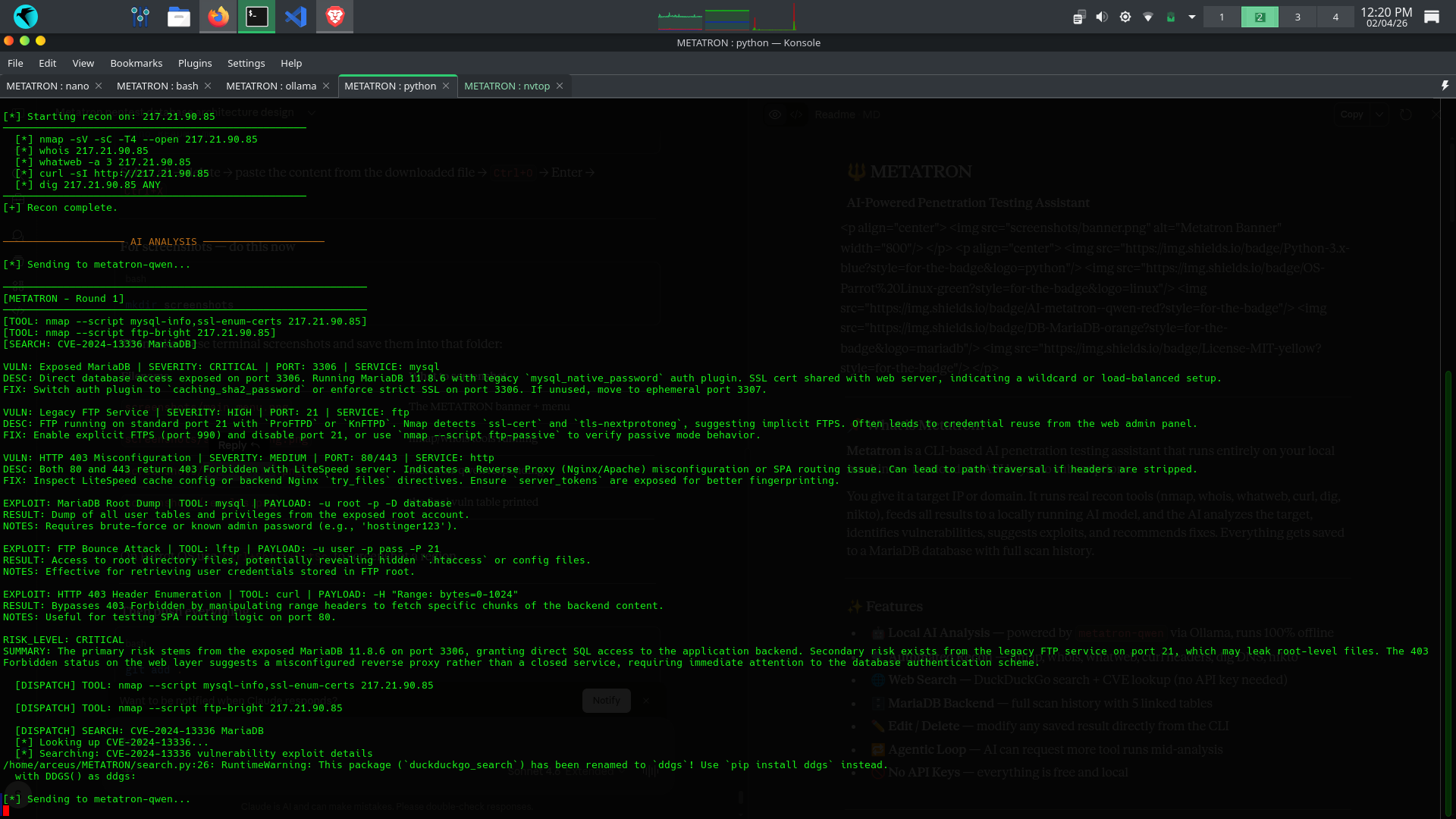
metatron-qwen analyzing scan results
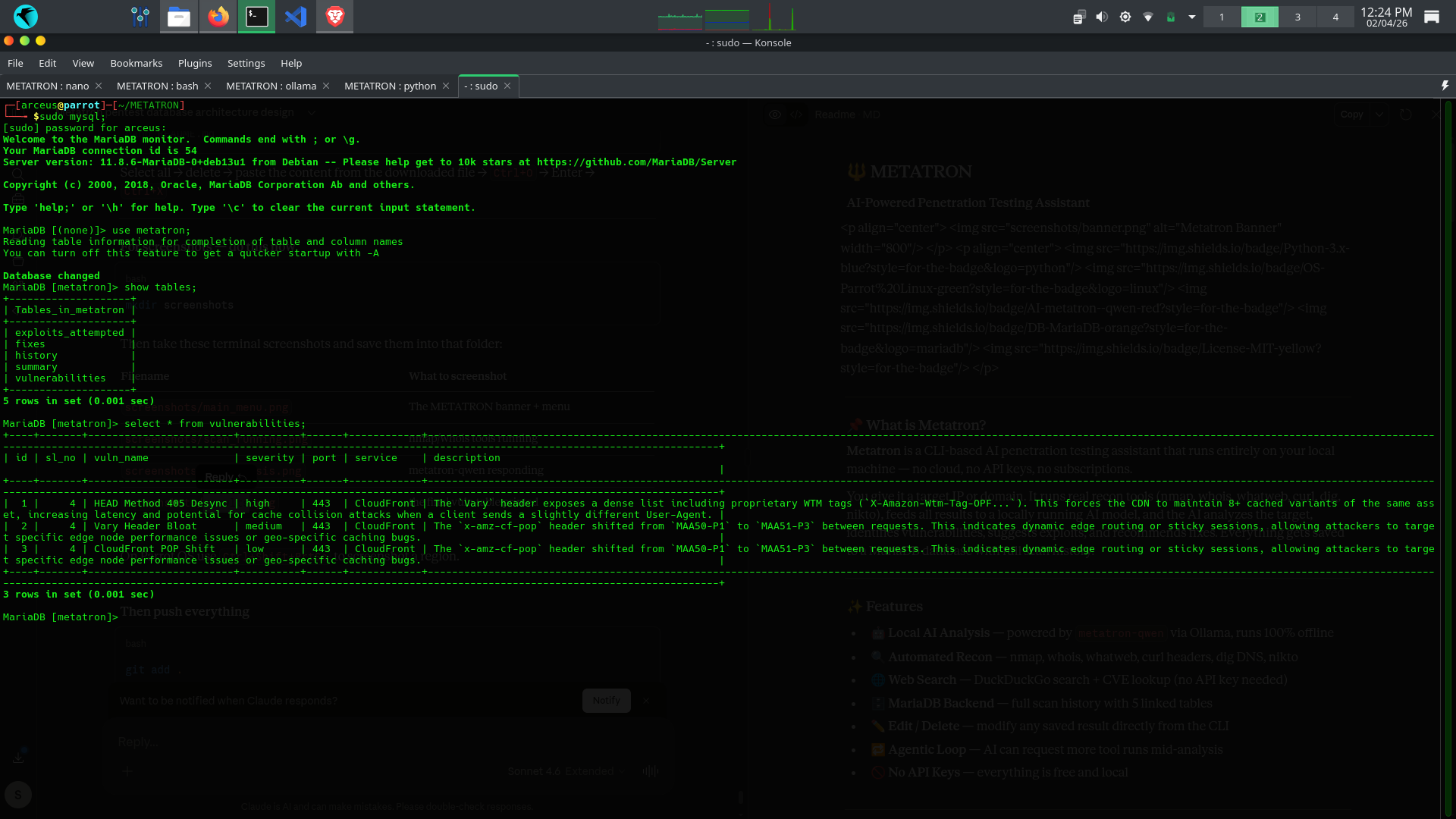
Vulnerabilities saved to database
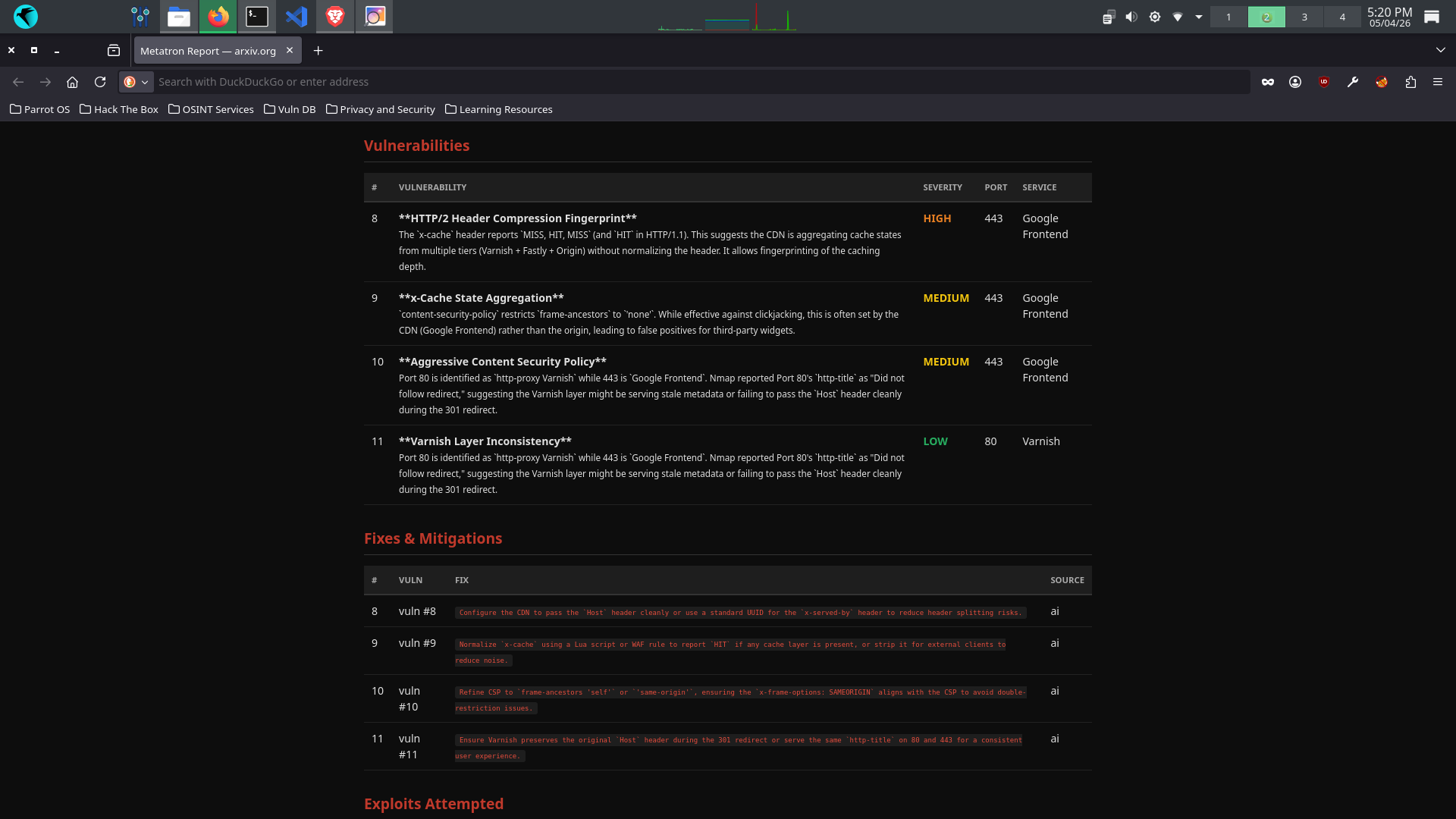
Export scan results as PDF and or HTML
| Component | Technology |
|---|---|
| Language | Python 3 |
| AI Model | metatron-qwen (fine-tuned Qwen 3.5) |
| Base Model | huihui_ai/qwen3.5-abliterated:9b |
| LLM Runner | Ollama |
| Database | MariaDB |
| OS | Parrot OS (Debian-based) |
| Search | DuckDuckGo (free, no key) |
git clone https://github.com/sooryathejas/METATRON.git
cd METATRON
python3 -m venv venv
source venv/bin/activate
pip install -r requirements.txt
sudo apt install nmap whois whatweb curl dnsutils nikto
curl -fsSL https://ollama.com/install.sh | sh
ollama pull huihui_ai/qwen3.5-abliterated:9b
⚠️ This model requires at least 8.4 GB of RAM. If your system has less, use the 4b variant:
ollama pull huihui_ai/qwen3.5-abliterated:4bThen edit
Modelfileand change the FROM line to the 4b model.
The repo includes a Modelfile that fine-tunes the base model with pentest-specific parameters:
ollama create metatron-qwen -f Modelfile
This creates your local metatron-qwen model with:
ollama list
You should see metatron-qwen in the list.
sudo systemctl start mariadb
sudo systemctl enable mariadb
mysql -u root
CREATE DATABASE metatron;
CREATE USER 'metatron'@'localhost' IDENTIFIED BY '123';
GRANT ALL PRIVILEGES ON metatron.* TO 'metatron'@'localhost';
FLUSH PRIVILEGES;
EXIT;
mysql -u metatron -p123 metatron
CREATE TABLE history (
  sl_no     INT AUTO_INCREMENT PRIMARY KEY,
  target    VARCHAR(255) NOT NULL,
                      scan_date DATETIME NOT NULL,
                      status    VARCHAR(50) DEFAULT 'active'
);

CREATE TABLE vulnerabilities (
  id          INT AUTO_INCREMENT PRIMARY KEY,
  sl_no       INT,
  vuln_name   TEXT,
  severity    VARCHAR(50),
                              port        VARCHAR(20),
                              service     VARCHAR(100),
                              description TEXT,
                              FOREIGN KEY (sl_no) REFERENCES history(sl_no)
);

CREATE TABLE fixes (
  id       INT AUTO_INCREMENT PRIMARY KEY,
  sl_no    INT,
  vuln_id  INT,
  fix_text TEXT,
  source   VARCHAR(50),
                    FOREIGN KEY (sl_no) REFERENCES history(sl_no),
                    FOREIGN KEY (vuln_id) REFERENCES vulnerabilities(id)
);

CREATE TABLE exploits_attempted (
  id           INT AUTO_INCREMENT PRIMARY KEY,
  sl_no        INT,
  exploit_name TEXT,
  tool_used    TEXT,
  payload      LONGTEXT,
  result       TEXT,
  notes        TEXT,
  FOREIGN KEY (sl_no) REFERENCES history(sl_no)
);

CREATE TABLE summary (
  id           INT AUTO_INCREMENT PRIMARY KEY,
  sl_no        INT,
  raw_scan     LONGTEXT,
  ai_analysis  LONGTEXT,
  risk_level   VARCHAR(50),
                      generated_at DATETIME,
                      FOREIGN KEY (sl_no) REFERENCES history(sl_no)
);
Metatron needs two terminal tabs to run.
ollama run metatron-qwen
Wait until you see the >>> prompt. This means the model is loaded into memory and ready. You can leave this terminal running in the background.
cd ~/METATRON
source venv/bin/activate
python metatron.py
1. Main menu appears:
  [1]  New Scan
  [2]  View History
  [3]  Exit
2. Select [1] New Scan → enter your target:
[?] Enter target IP or domain: 192.168.1.1
or
[?] Enter target IP or domain: example.com
3. Select recon tools to run:
  [1] nmap
  [2] whois
  [3] whatweb
  [4] curl headers
  [5] dig DNS
  [6] nikto
  [a] Run all (except nikto)
  [n] Run all + nikto (slow)
4. Metatron runs the tools, feeds results to the AI, and prints the analysis.
5. Everything is saved to MariaDB automatically.
