 six2dez/burp-ai-agent
Burp Suite extension that adds built-in MCP tooling, AI-assisted analysis, privacy controls, passive and active scanning and more

The bridge between Burp Suite and modern AI.
A note on the name: This extension is published as Custom AI Agent (formerly Burp AI Agent). It was renamed to comply with PortSwigger's BApp Store naming requirements and to avoid confusion with Burp Suite's built-in Burp AI provider. The GitHub repository (
github.com/six2dez/burp-ai-agent), the documentation site (burp-ai-agent.six2dez.com), and the configuration directory (~/.burp-ai-agent/) keep theburp-ai-agentidentifier for continuity.
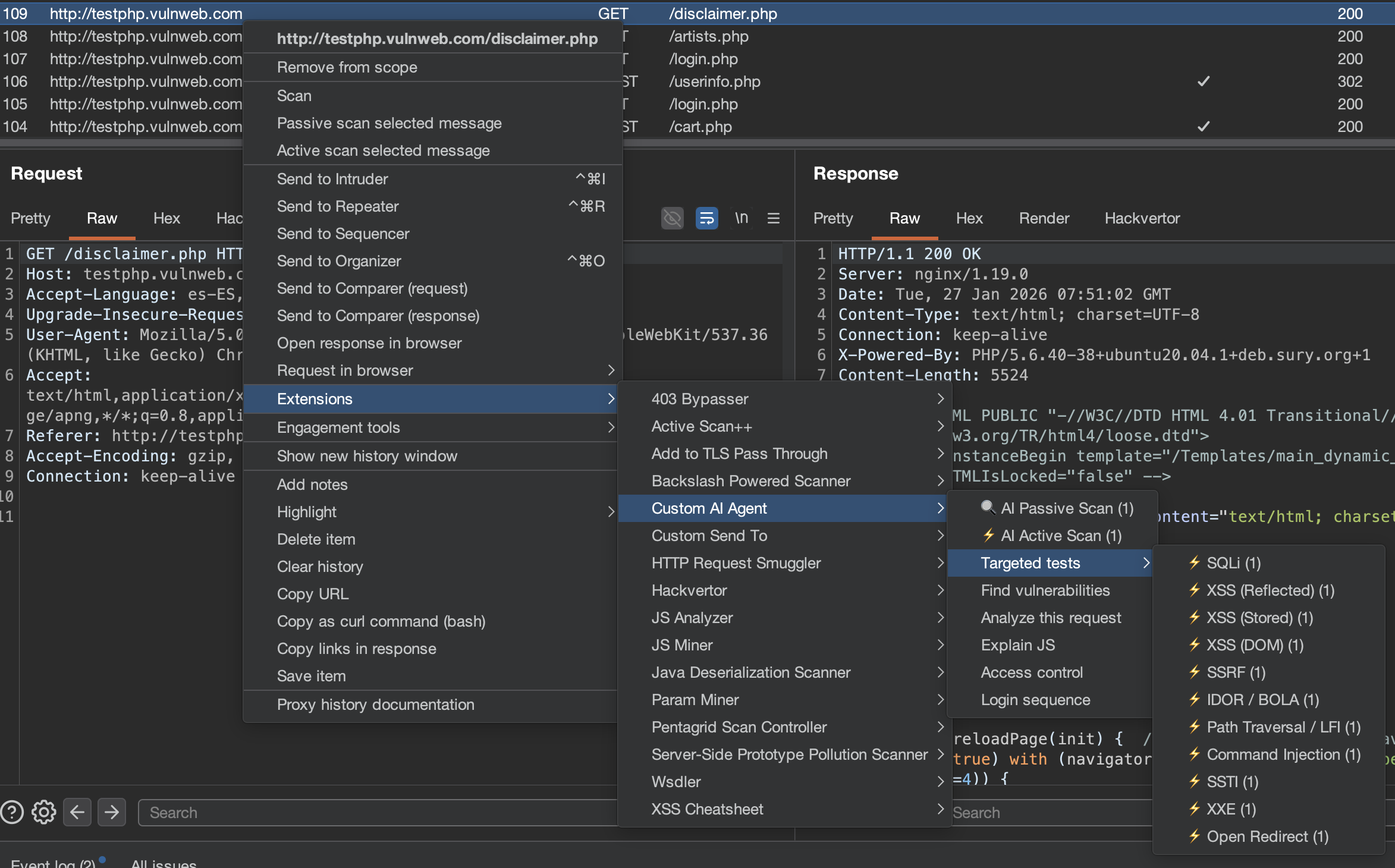
Custom AI Agent is an extension for Burp Suite that integrates AI into your security workflow. Use local models or cloud providers, connect external AI agents via MCP, and let passive/active scanners find vulnerabilities while you focus on manual testing.
javax.crypto. The master key lives in Burp Preferences alongside the ciphertext, so this defends against casual inspection of a preferences file, not against a local attacker — see Privacy and Security Notes.BudgetGuard caps passive-scanner spend with WARN/CAP/OFF states; passive scanner pauses automatically at the hard cap.PassiveScanCheck (Burp Pro).Custom….promptSource / contextKind for reproducibility.Download the latest JAR from Releases, or build from source (Java 21):
git clone https://github.com/six2dez/burp-ai-agent.git
cd burp-ai-agent

# Full build (default, GitHub releases) — all 59 MCP tools
JAVA_HOME=/path/to/jdk-21 ./gradlew clean shadowJar
# Output: build/libs/Custom-AI-Agent-full-<version>.jar

# Store build (BApp Store submission) — 8 extension-native AI MCP tools only
JAVA_HOME=/path/to/jdk-21 ./gradlew clean shadowJar -PstoreBuild=true
# Output: build/libs/Custom-AI-Agent-<version>.jar
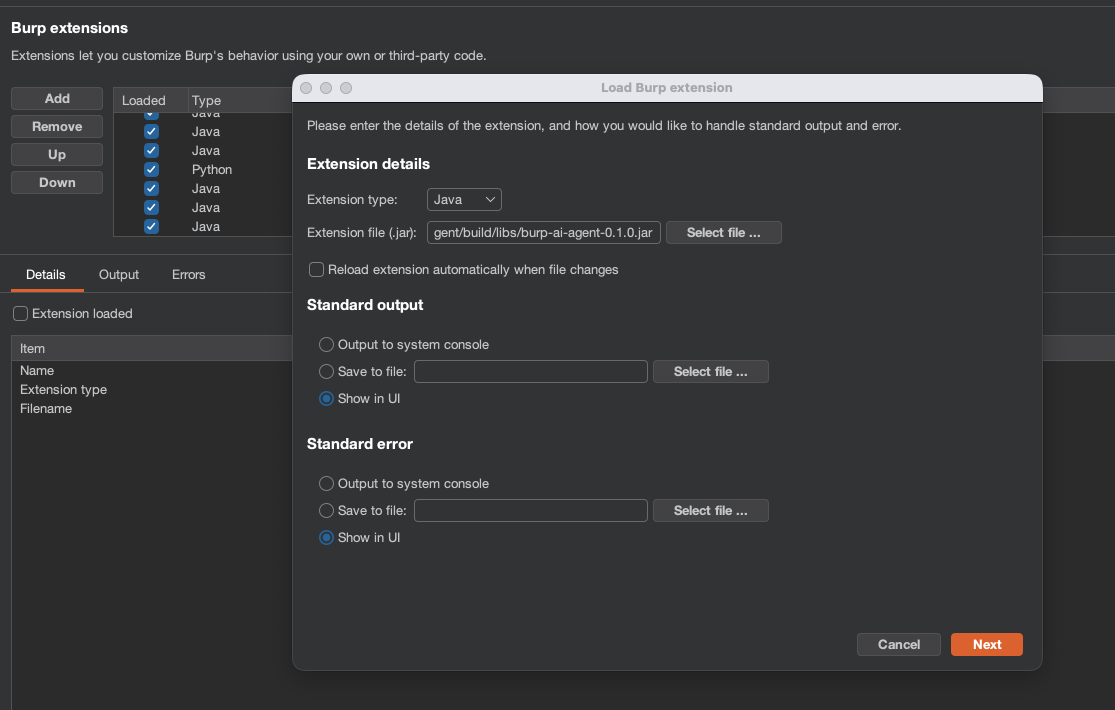
.jar file.The extension registers in Burp as Custom AI Agent (the name in the Extensions list and the Suite tab) to distinguish it from Burp's built-in Burp AI provider.
The extension auto-installs the bundled profiles into ~/.burp-ai-agent/AGENTS/ on first run.
Drop additional *.md files in that directory to add custom profiles.
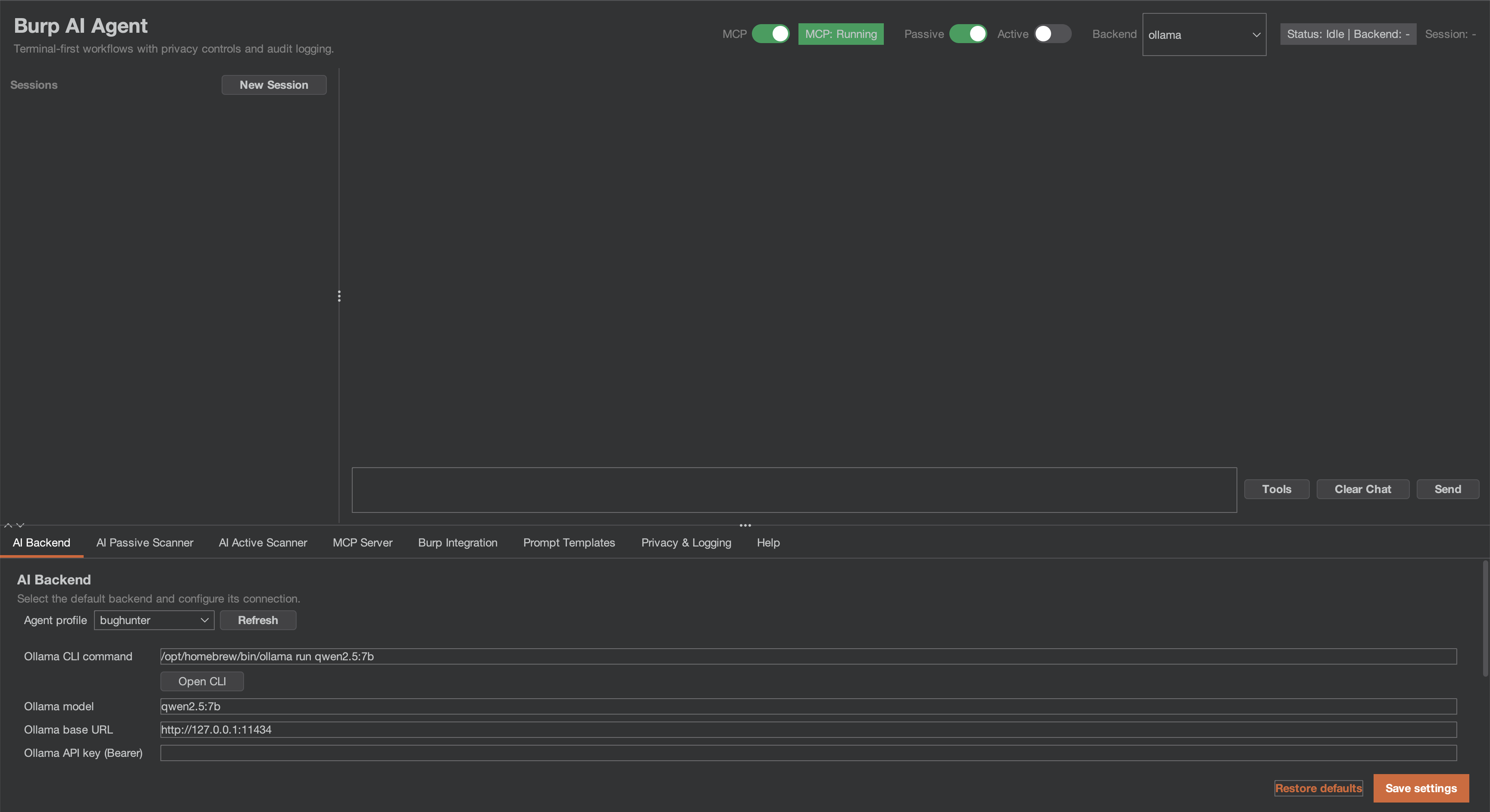
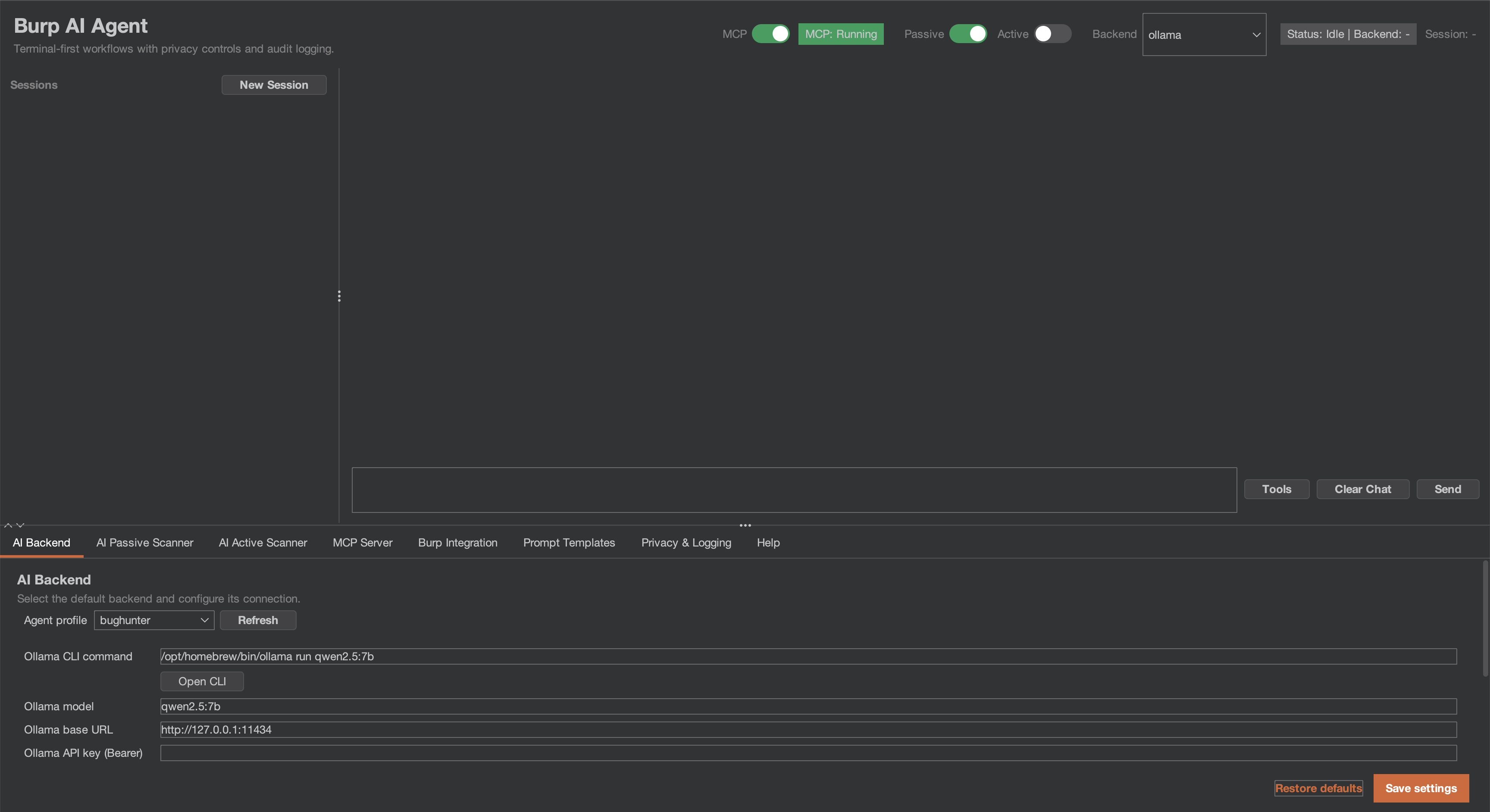
Open the AI Agent tab and go to Settings. Pick a backend:
| Backend | Type | Setup |
|---|---|---|
| Burp AI (built-in) | In-process | Use Burp Suite Pro's built-in AI when available; no extra config required. |
| Ollama | Local HTTP | Install Ollama, run ollama serve, pull a model (ollama pull llama3.1). |
| LM Studio | Local HTTP | Install LM Studio, load a model, start the server. |
| NVIDIA NIM | HTTP | Use the default https://integrate.api.nvidia.com endpoint, set your NVIDIA API key, and choose a model such as moonshotai/kimi-k2.5. |
| Perplexity | HTTP | Use the default https://api.perplexity.ai endpoint, set your pplx-... API key, and choose a model such as sonar, sonar-pro, or sonar-reasoning. |
| Generic OpenAI-compatible | HTTP | Provide a base URL and model for any OpenAI-compatible provider. |
| Gemini CLI | Cloud CLI | Install gemini, run gemini auth login. |
| Claude CLI | Cloud CLI | Install claude, set ANTHROPIC_API_KEY or run claude login. |
| Codex CLI | Cloud CLI | Install codex, set OPENAI_API_KEY. |
| OpenCode CLI | Cloud CLI | Install opencode, configure provider credentials. |
| Copilot CLI | Cloud CLI | Install copilot and sign in with your GitHub account. |
| Anthropic | Cloud API | Enter your Anthropic API key in Settings. API traffic routes through Burp's proxy. See docs/anthropic-backend.md. |
For NVIDIA NIM, the backend expects the same chat-completions style flow as the NVIDIA hosted endpoint. A working configuration is:
Backend: NVIDIA NIM
Base URL: https://integrate.api.nvidia.com
Model: moonshotai/kimi-k2.5
API Key: <your nvapi token>
Leave extra headers empty unless your gateway requires them. The extension sends requests to /v1/chat/completions and uses the configured bearer token automatically.