 simioni87/auth_analyzer
Burp Extension for testing authorization issues. Automated request repeating and parameter value extraction on the fly.

The Burp extension helps you to find authorization bugs. Just navigate through the web application with a high privileged user and let the Auth Analyzer repeat your requests for any defined non-privileged user. With the possibility to define Parameters the Auth Analyzer is able to extract and replace parameter values automatically. With this for instance, CSRF tokens or even whole session characteristics can be auto extracted from responses and replaced in further requests. Each response will be analyzed and tagged on its bypass status.
There are other existing Burp Extensions doing basically similar stuff. However, the force of the parameter feature and automatic value extraction is the main reason for choosing Auth Analyzer. With this you don’t have to know the content of the data which must be exchanged. You can easily define your parameters and cookies and Auth Analyzer will catch on the fly the values needed. The Auth Analyzer does not perform any preflight requests. It does basically just the same thing as your web app. With your defined user roles / sessions.
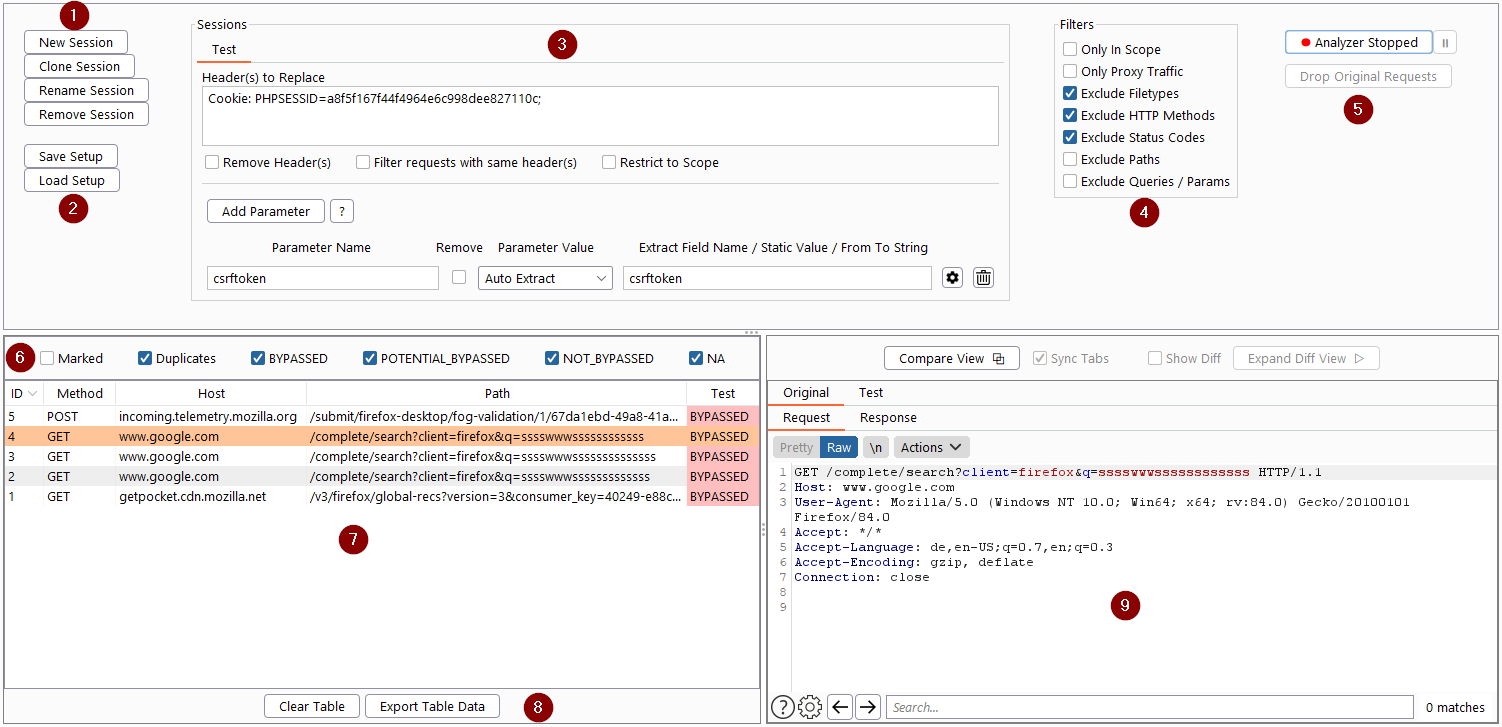
(1) Create or Clone a Session for every user you want to test.
(2) Save and load session setup
(3) Specify the session characteristics (Header(s) and / or Parameter(s) to replace)
(4) Set Filters if needed
(5) Start / Stop and Pause Auth Analyzer
(6) Specify table filter
(7) Navigate through Web App with another user and track results of the repeated requests
(8) Export table data to XML or HTML
(9) Manually analyze original and repeated requests / responses
If you have the resources you want to test in your sitemap, it is very easy and quick to perform your authorization tests. In the very first step define your sessions you want to test. Then just expand your sitemap, select the resources and repeat the requests through the context menu. Additionally you can define some options which requests should be repeated and which not. With this you can perform authorization tests of a complex website within seconds.
The Auth Analyzer has the possibility to define parameters which are replaced before the request for the given session will be repeated. The value for the given parameter can be set according to different requirements.
The parameter value will be extracted if it occurs in a response with one of the following constraints:
A response with a Set-Cookie Header with a Cookie name set to the defined Extract Field Name
An HTML Document Response contains an input field with the name attribute set to the defined Extract Field Name
A JSON Response contains a key set to the Extract Field Name
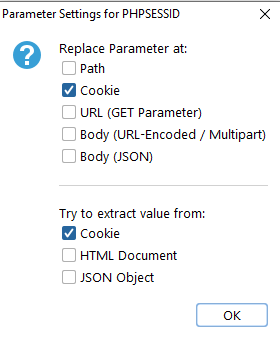
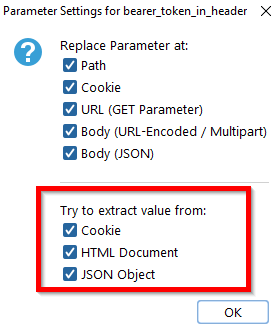
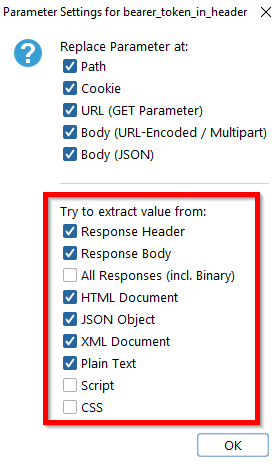
Per default the Auth Analyzer tries to auto extract the parameter value from all locations. However, clicking on the parameter settings icon lets you restrict the auto extract location according to your needs.
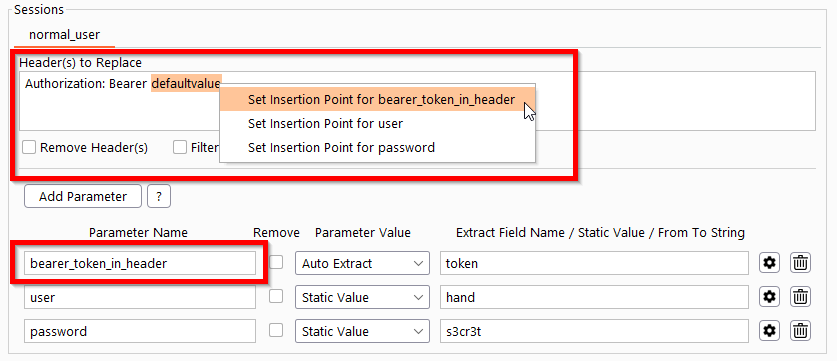
The parameter will be extracted if the response contains the specified From String and To String in a line. The From-To String can be set either manually or directly by the corresponding context menu. Just mark the word you want to extract in any response and set as From-To Extract for the parameter you like.
Per default the Auth Analyzer tries to extract the value from header and body at most textual responses. However, clicking on the parameter settings icon lets you restrict the From-To extract location according to your needs.
A static parameter value can be defined. This can be used for instance for static CSRF tokens or login credentials.
You will be prompted for input if the defined parameter is present in a request. This can be used for instance to set 2FA codes.
If a value is set (extracted or defined by the user) it will be replaced if the corresponding parameter is present in a request. The conditions for parameter replacements are:
The parameter will be replaced if it is present at one of the following locations:
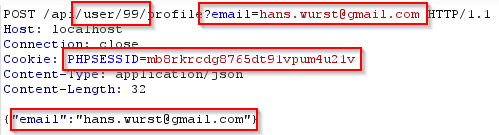
In Path (e.g. /api/user/99/profile --> if a parameter named user is present, the value 99 will be replaced)
URL Parameter (e.g. email=hans.wurst[a]gmail.com)
Cookie Parameter (e.g. PHPSESSID=mb8rkrcdg8765dt91vpum4u21v)
Body Parameter either URL-Encoded or Multipart Form Data
JSON Parameter (e.g. {"email":"hans.wurst[a]gmail.com"})
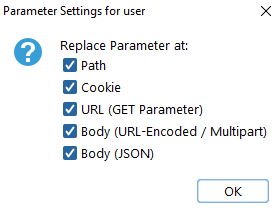
Per default the parameter value will be replaced at each location. However, clicking on the parameter settings icon lets you restrict the location according to your needs.
The defined parameter can be removed completely for instance to test CSRF check mechanisms.
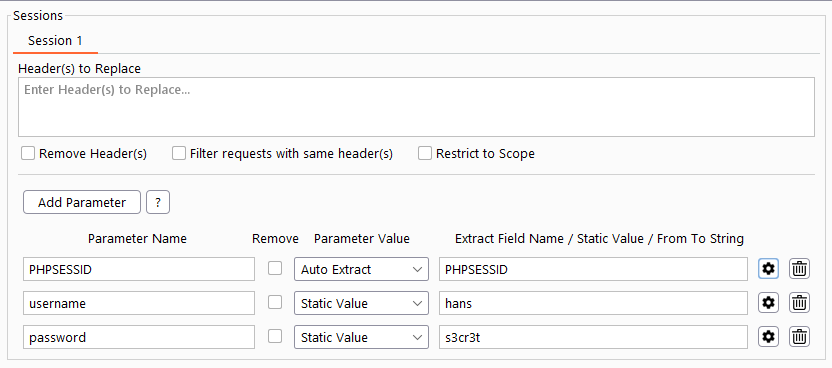
Define the username and password as a static value. The session cookie name must be defined as auto extract. Verify that you start navigating through the application with no session cookie set. Login to the web app. The Auth Analyzer will repeat the login request with the static parameters and automatically gets the session by the Set-Cookie header. This Cookie will be used for further requests of the given session. The defined Cookie will be treated as a parameter and therefore no Cookie Header must be defined.
Hint: You can restrict the extract and replace conditions for a parameter to avoid malfunction at the extracting / replacing stage.