
Note: This is the Community Edition. Commercial and Professional Editions with advanced features are available separately.
🌟 Overview
SILENTCHAIN AI™ - Community Edition is a Burp Suite extension that brings the power of artificial intelligence to web application security testing. Using advanced AI models, SILENTCHAIN performs intelligent passive analysis of HTTP traffic to identify OWASP Top 10 vulnerabilities, security misconfigurations, and potential attack vectors.
Why SILENTCHAIN?
Traditional security scanners rely on predefined signatures and patterns. SILENTCHAIN AI™ goes beyond with:
- 🧠 AI-Powered Analysis: Leverages state-of-the-art language models (Burp AI, Ollama, OpenAI, Claude, Gemini, Azure) for intelligent vulnerability detection
- 🎯 Context-Aware Detection: Understands application logic and business context, not just pattern matching
- ⚡ Real-Time Scanning: Analyzes traffic as it flows through Burp's proxy
- 📊 Professional Reporting: Generates detailed findings with CWE, OWASP mappings, and remediation guidance
- 🔄 Zero False Positives: AI validation reduces noise and focuses on real vulnerabilities
- 🆓 Community Edition: Free passive analysis capabilities
✨ Features
Core Capabilities
🔍 Passive AI Analysis
- Automatic analysis of in-scope traffic as a Burp Scanner passive scan check (for example Burp's live passive audit of Proxy traffic); the passive check never sends requests to the target
- On-demand analysis of any request from the right-click menu
- OWASP Top 10 vulnerability detection
- CWE-mapped security findings
- Intelligent confidence scoring
🎨 Professional UI
- Modern, intuitive dashboard
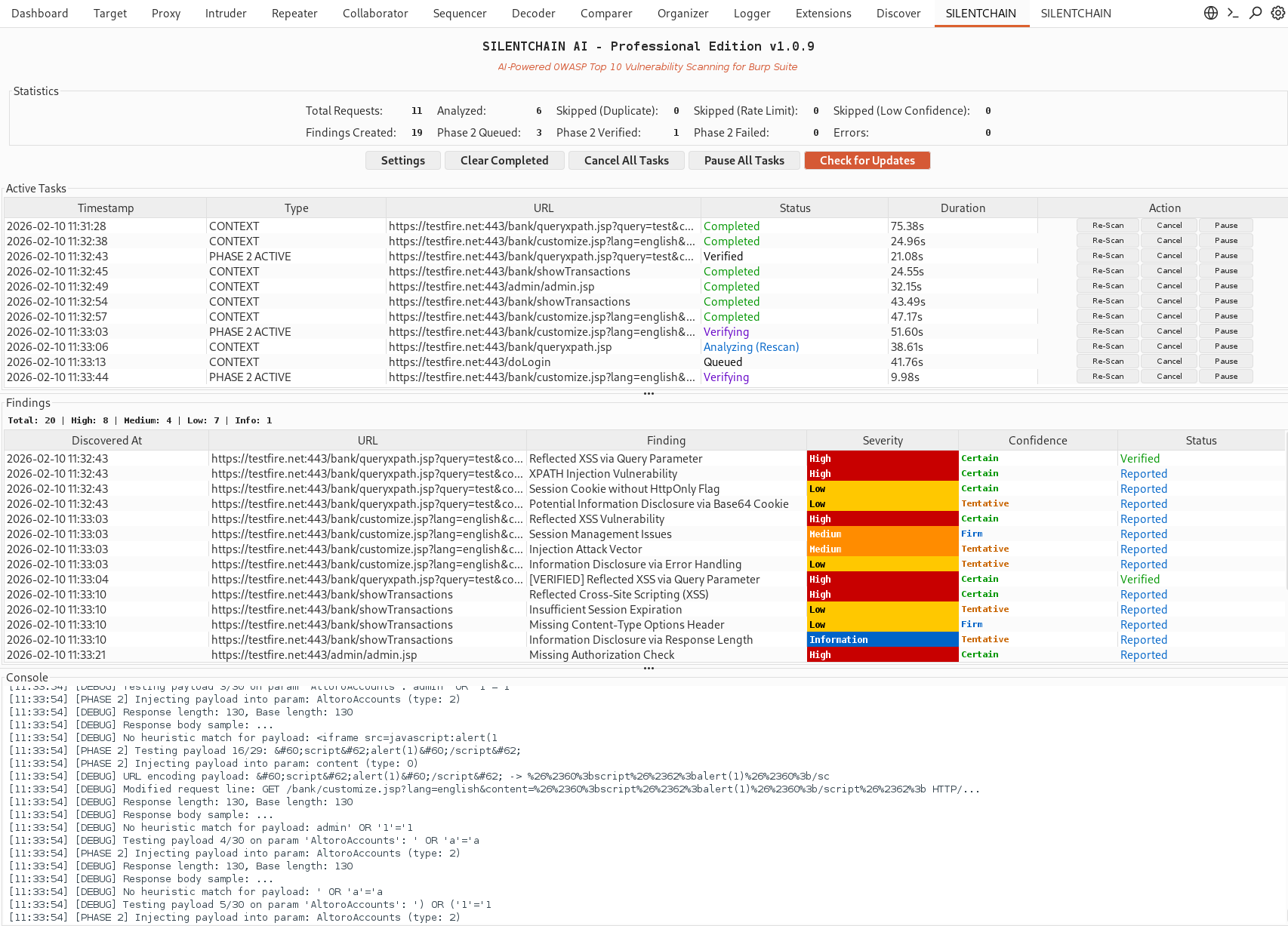
- Live findings panel with severity color-coding
- Task tracking and management
- Integrated console logging
🤖 Multi-AI Support
- Burp AI (default; zero-config; prompts are sent through Burp to PortSwigger's Burp AI service and use Burp AI credits)
- Ollama (local, free, privacy-focused)
- OpenAI (GPT-4 / GPT-4o)
- Claude (Anthropic)
- Gemini (Google)
- Azure OpenAI / Foundry
📋 Smart Reporting
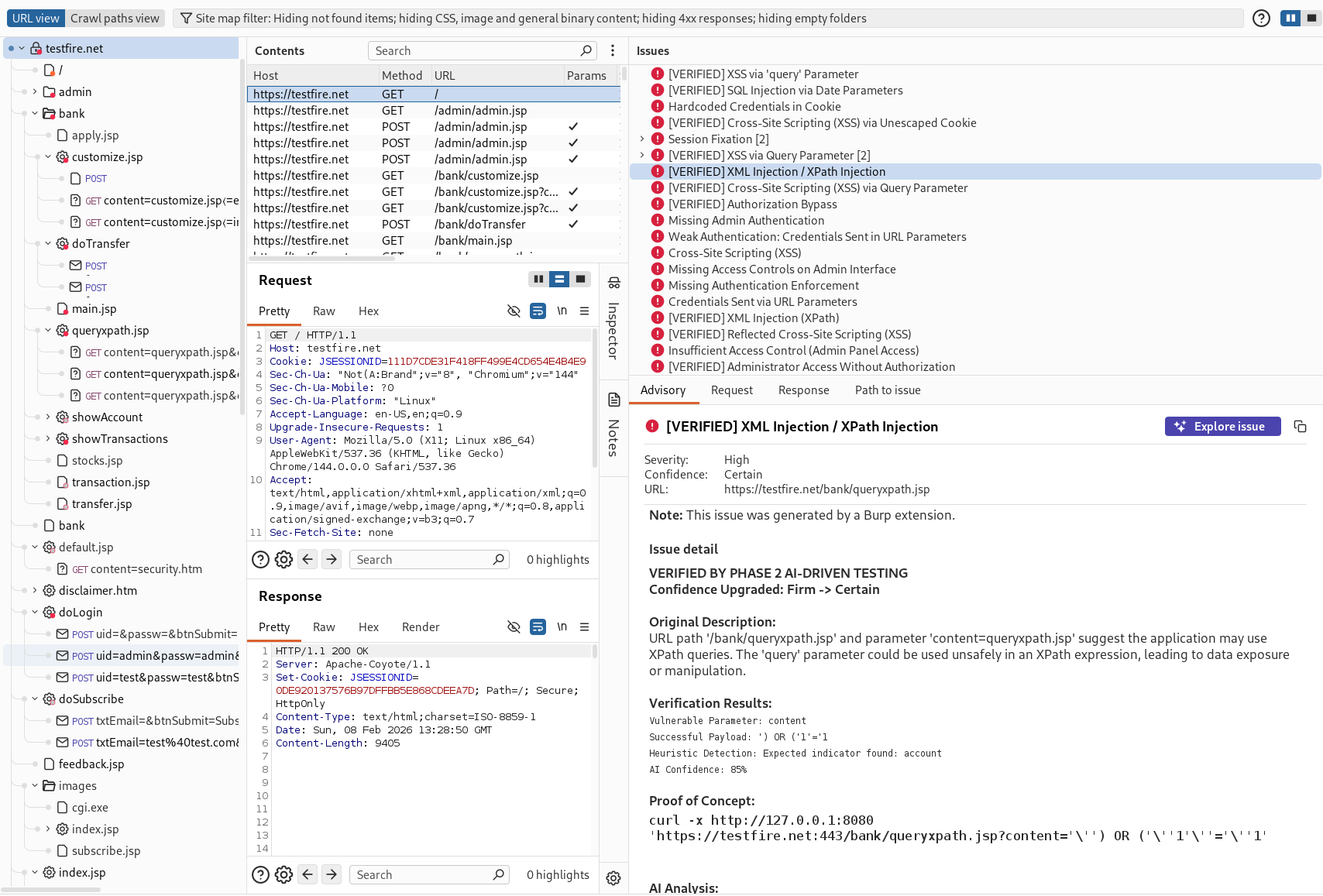
- Detailed vulnerability descriptions
- Affected parameters identification
- CWE and OWASP mappings
- Remediation recommendations
- Direct links to security resources
🛡️ Data Privacy (DataSanitizer)
- Always on: credentials are replaced with
[REDACTED] before any AI request, whatever the sanitizer setting: cookie values, Authorization and API-key/token header values, and parameters / JSON fields named like credentials (password, token, api_key, session...) in the URL, URL-bearing headers (Referer, Location), the parameter sample and the request and response bodies (form, JSON including nested values, multipart, XML, HTML form inputs) (names, Set-Cookie attributes and the Authorization scheme are kept)
- Sanitizer enabled by default - additionally redacts secrets and PII in the rest of the exchange and neutralizes prompt-injection patterns, for every provider (Burp AI, Ollama and the cloud providers)
- Bidirectional redaction: sensitive values are replaced with
[REDACTED_*] placeholders before sending to the AI provider, then restored in the response
- Detects and redacts:
- API keys - OpenAI (
sk-), GitHub (ghp_), AWS (AKIA), GitLab (glpat-), Slack (xoxb-)
- Authorization headers - Bearer tokens, Basic auth
- Credentials - password/secret/token fields,
user:pass@host URIs
- Session cookies - session IDs, CSRF tokens, JWTs, auth tokens
- Email addresses
- IP addresses & hostnames - target infrastructure details
- The sanitizer can be toggled off in Settings for advanced users (header redaction still applies)
- AI output is treated as untrusted: finding titles are sanitized and SILENTCHAIN's tables never render HTML
Vulnerability Detection
SILENTCHAIN AI™ detects a wide range of security issues including:
| Category | Vulnerabilities |
|---|
| Injection | SQL Injection, NoSQL Injection, Command Injection, LDAP Injection, XPath Injection |
| Cross-Site Scripting | Reflected XSS, Stored XSS, DOM-based XSS |
| Authentication | Broken Authentication, Session Management Issues, Credential Exposure |
| Access Control | IDOR, Broken Authorization, Privilege Escalation |
| Cryptography | Weak Encryption, Insecure SSL/TLS, Sensitive Data Exposure |
| Configuration | Security Misconfigurations, Default Credentials, Debug Enabled |
| XXE | XML External Entity Attacks |
| Deserialization | Insecure Deserialization |
| Components | Vulnerable Dependencies, Outdated Libraries |
🚀 Quick Start
Prerequisites
- Burp Suite Professional 2025.8 or later. Burp Suite Community Edition and Burp Suite DAST are not supported: on Community Edition the extension loads, logs why, and stays idle.
- 'Use AI' enabled for SILENTCHAIN in Extensions → Installed. It is off by default for manually loaded extensions (Burp asks when you install from the BApp Store). This gates every provider, including Ollama; if AI is turned off globally in Burp's AI settings, nothing is sent.
- Java 21 runtime (bundled with current Burp releases)
- An AI provider (one of the following):
- Burp AI (default; zero-config; uses Burp AI credits)
- Ollama (free, local, privacy-focused)
- OpenAI API key
- Claude (Anthropic) API key
- Gemini (Google) API key
- Azure OpenAI / Foundry
Installation
-
Download the extension
- Grab the latest
silentchain-community-edition.jar from GitHub Releases (this link always serves the newest build). Specific versions (silentchain-community-edition-X.Y.Z.jar) are on the Releases page.
- Or build it from source:
./gradlew shadowJar produces build/libs/silentchain-community-edition-<version>.jar (the Gradle wrapper is included; the JDK 21 toolchain is auto-provisioned if missing).
-
Load it in Burp Suite
- Go to Extensions → Installed → Add
- Set Extension type: Java
- Select the downloaded
.jar and click Next
- In Extensions → Installed, enable Use AI for SILENTCHAIN (required for every provider)
 silentchainai/silentchain