
Perfecto Jenkins Plugin
Perfecto Jenkins Plugin provides the ability to auto-create/ re-use existing Perfecto Connect tunnel-id in build environment.
Table of Contents
Prerequisites
- Download Perfecto Connect client, extract to any folder.
- Generate Perfecto Security Token (if not generated already)
- Mac users should install Jenkins via brew.
1. Steps to Enable the plugin
- Click New Item in Jenkins home page.
- Enter Your preferred Item name.
- Select any project type except pipeline.
- Click OK.
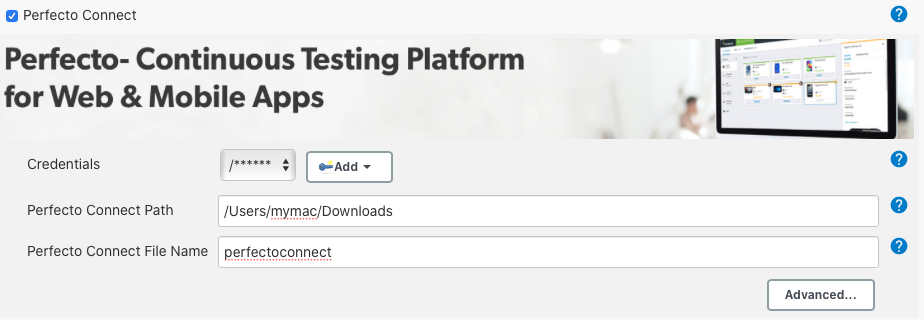
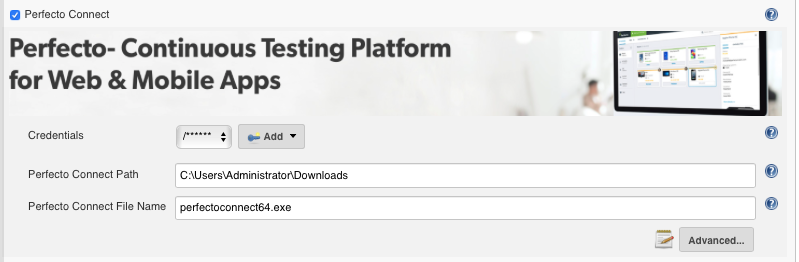
- Select Perfecto Connect checkbox under Build Environment (Refer Screenshots section)
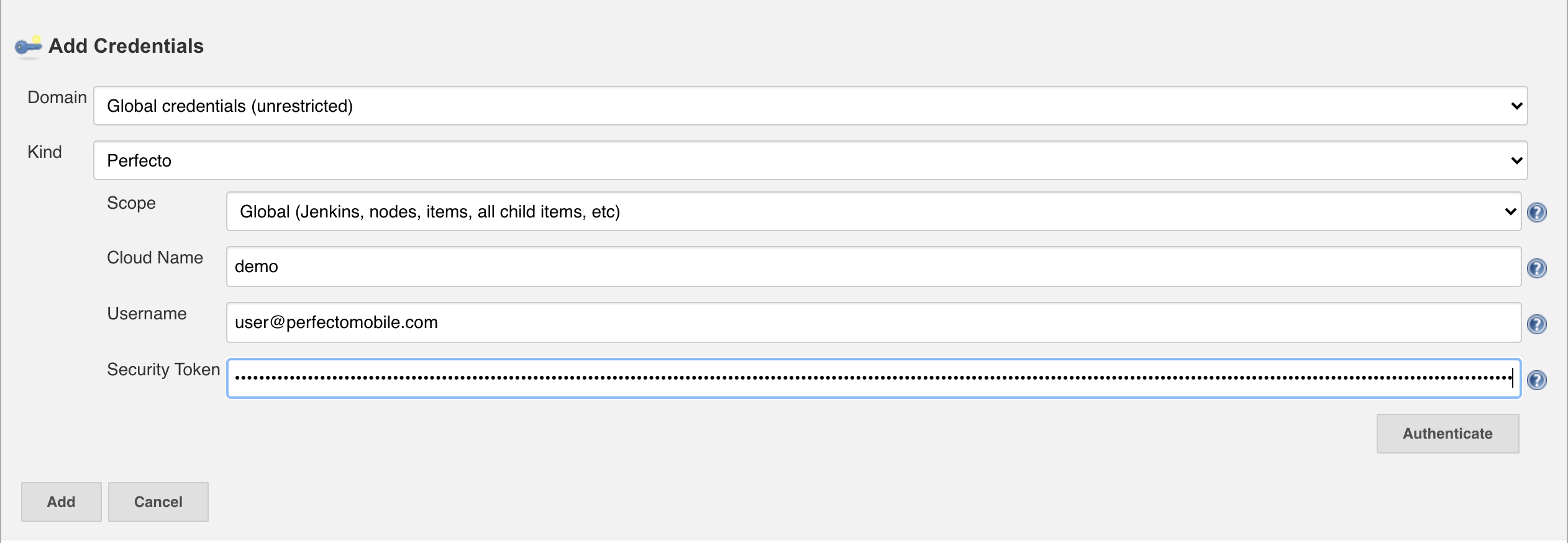
- Note: Get help from your Jenkins Administrator to create the below Perfecto credentials:
a. Select Add option next to Credentials dropdown and select Jenkins.
b. Select option: “Perfecto” under Kind dropdown in Add Credentials window.
c. Provide Your Cloud Name, Username and Security Token and click on Add.
- Provide Perfecto Connect Path in Perfecto Connect Path text field.
a. E.g.: - /Users/Mymac/Downloads
- Provide Perfecto Connect File Name in Perfecto Connect File Name text field.
a. E.g.: - Mac – perfectoconnect
b. E.g.: - Windows – perfectoconnect64.exe or perfectoconnect32.exe
Screenshots
Mac
Windows
Advanced Options
You can provide Advanced options such as Perfecto Connect Additional Parameters, Override Tunnel ID Name and Existing Tunnel ID.
- Additional Parameters
a. Provide Perfecto Connect parameters such as bridgeproxyip, bridgeproxyport
b. E.g.: - --bridgeproxyip=127.0.0.1 --bridgeproxyport=8888
- You can override Tunnel ID Environment Variable name in Override Tunnel ID Name in text field. (The default Jenkins Build Environment variable name is tunnelId)
- You can reuse already created Tunnel ID in Existing Tunnel ID text field.

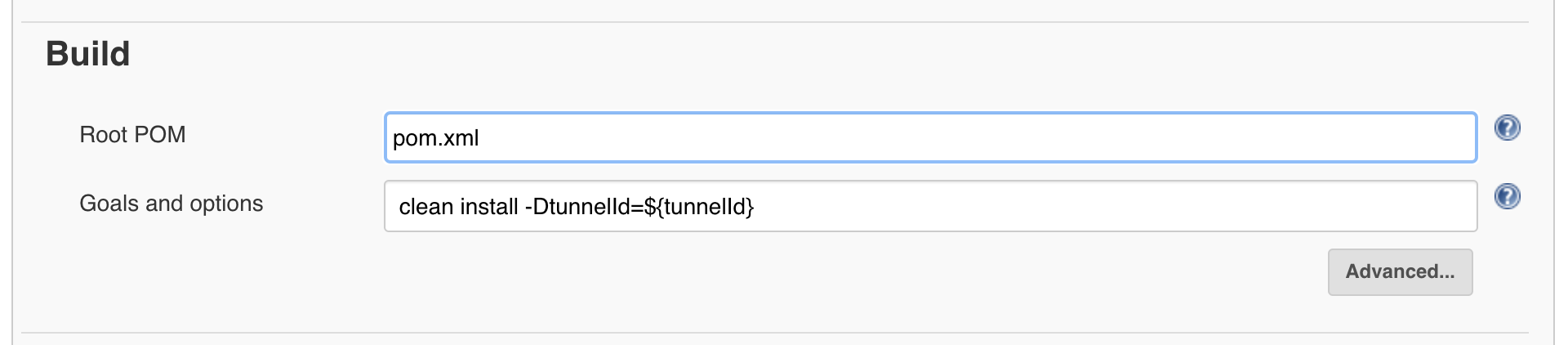
2. Usage
Maven Sample
Gradle Sample
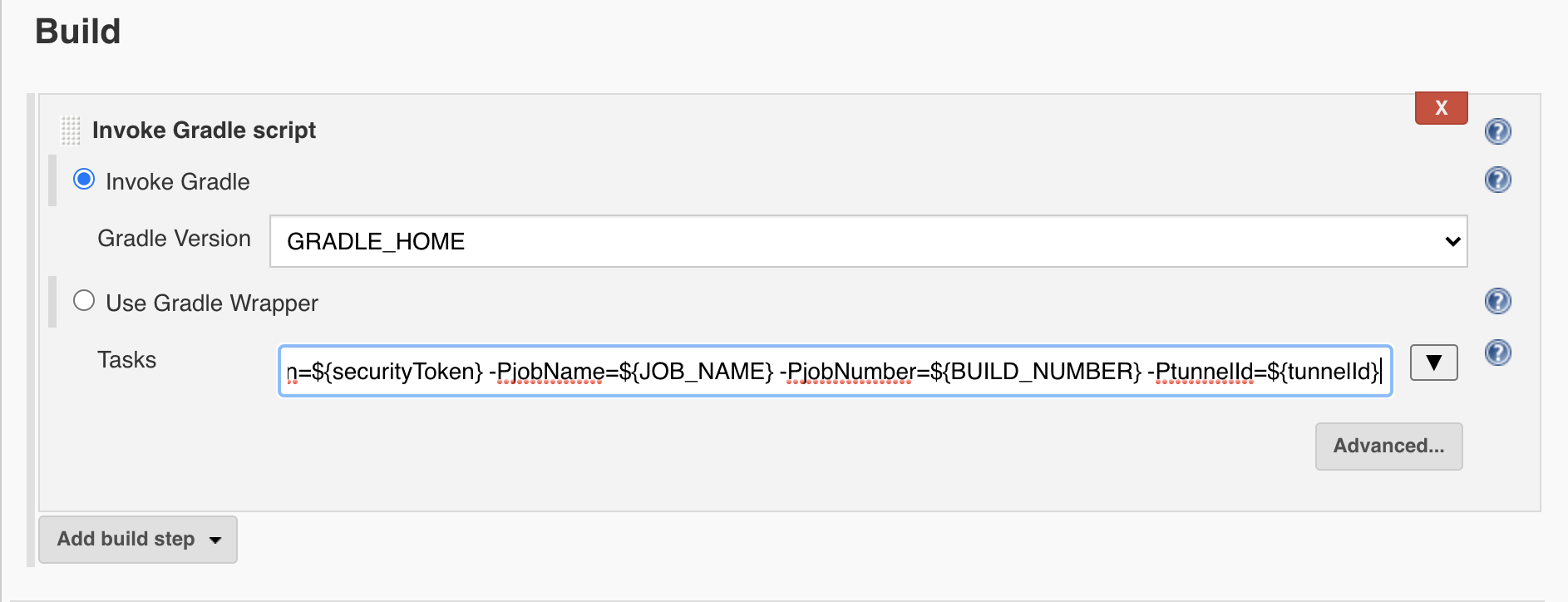
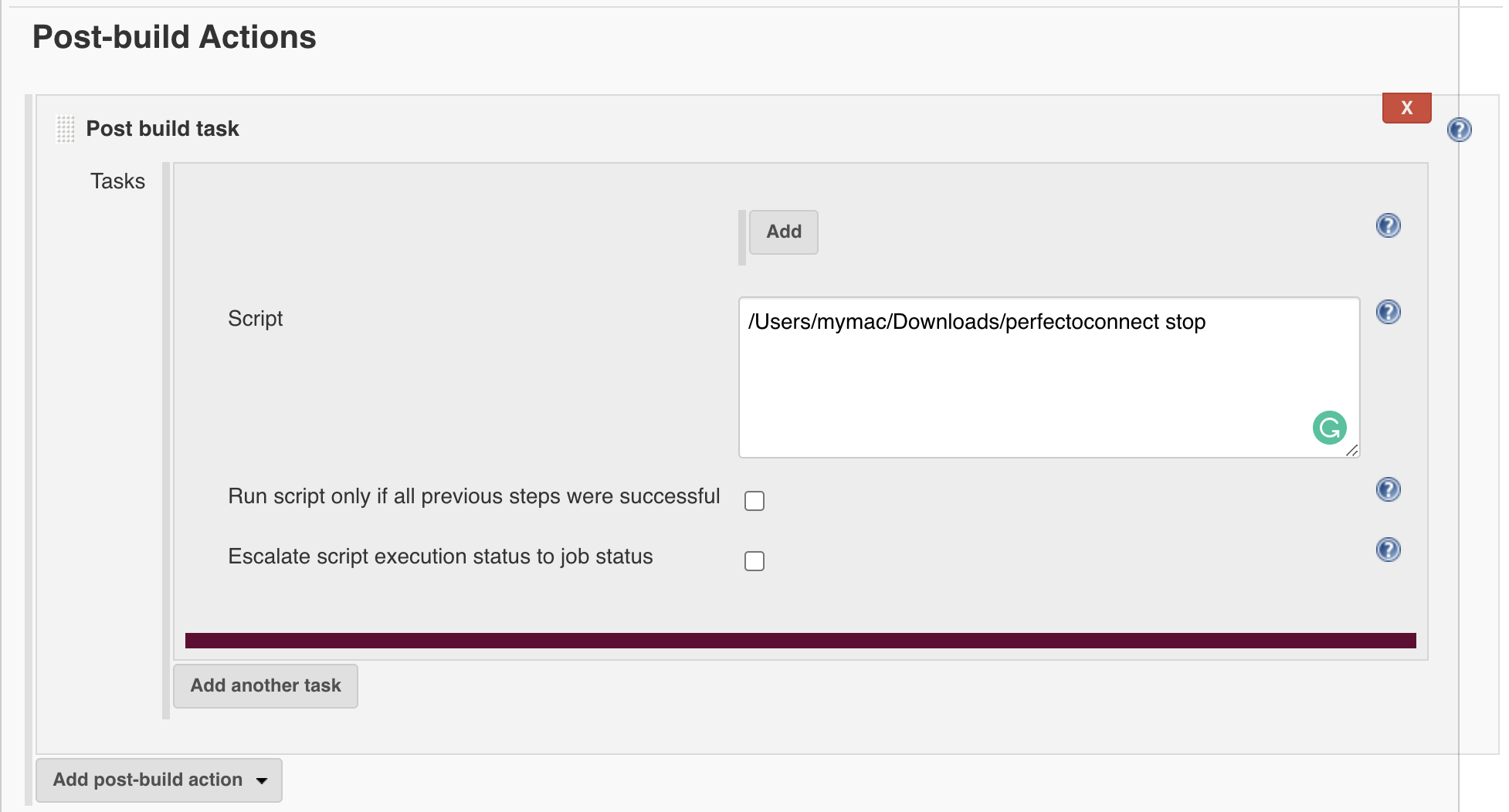
3. Steps to Stop Perfecto Connect
- Add a Post Build task under Post Build Action.
- Enter the below script under Script text field.
Advanced Usage
Perfecto Connect Pipeline Sample
- Create a new Pipeline and add the below code to pipeline script text field.
- Update cloudName, securityToken and perfectoConnectPath as applicable.
import groovy.json.JsonSlurperClassic
import groovy.json.JsonSlurper

node {
String cloudName = "<<CLOUD NAME e.g. demo>>";
String securityToken = "<<SECURITY TOKEN>>";
String perfectoConnectPath = "/Users/myMac/Downloads/perfectoconnect";
    environment {
        tunnelId = ""
    }
    stage('perfectoconnect start'){
        if(cloudName.contains("<<")){
             error "Kindly update cloudName, securityToken and perfectoConnectPath"
        }
        String script = perfectoConnectPath + " start  -c " + cloudName + ".perfectomobile.com  -s " + securityToken;
        echo script;
        tunnelId = sh (script: script , returnStdout: true).trim()
        env.tunnelId = "${tunnelId}"
    }
    stage('script'){
        echo "Tunnel id: ${tunnelId}"
    }
    stage('perfectoconnect stop'){
        sh label: '', returnStdout: true, script: perfectoConnectPath + " stop"
    }
}
Upload app to perfecto
Follow this documentation to use curl and upload app to perfecto media repository.

 shoucheng3/jenkinsci__perfecto-plugin_cve-2020-2261_1-17
