 shanika04/nextcloud_android
SQLi CVE-2019-5454

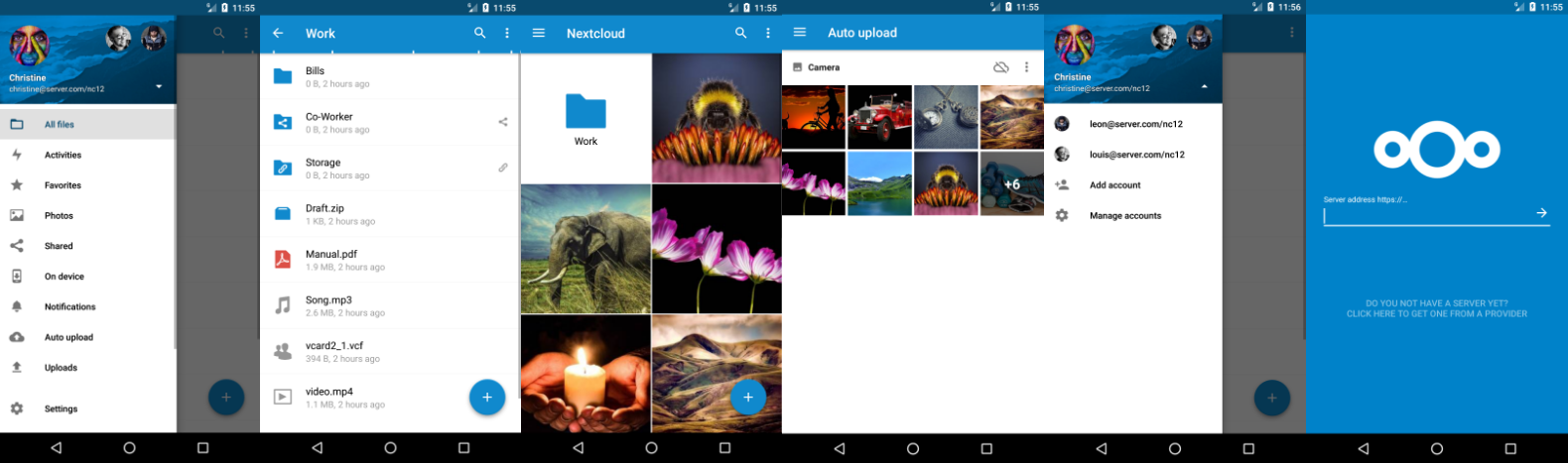
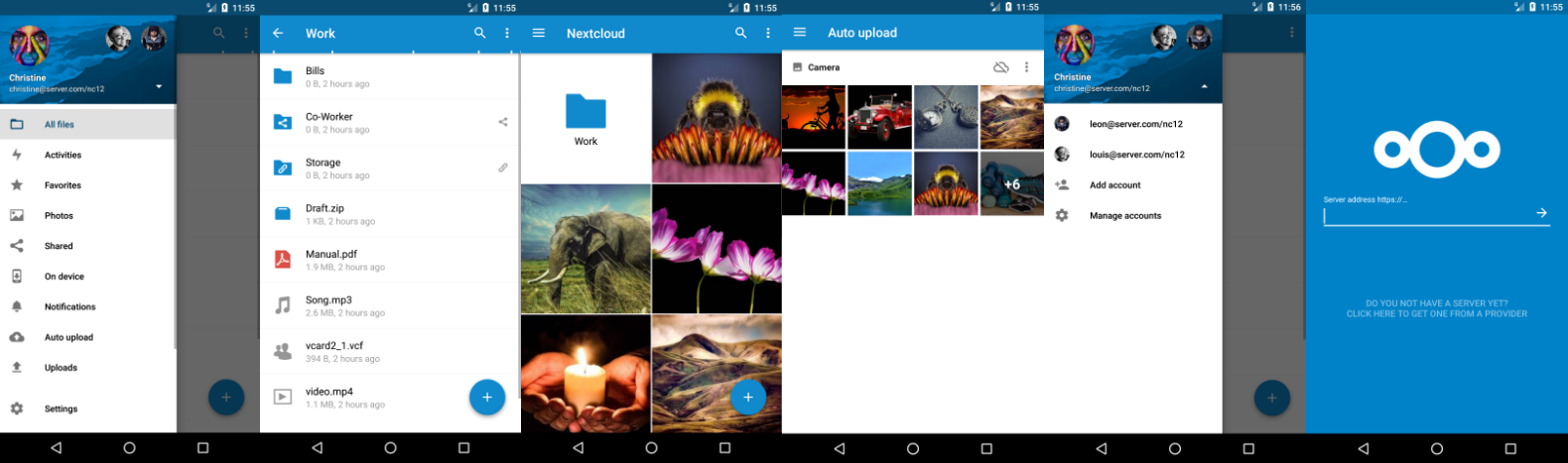
The Android client for Nextcloud. Easily work with your data on your Nextcloud.
If you want to contribute to Nextcloud, you are very welcome:
 and
and  on freenode
GPLv2. All contributions to this repository from June, 16 2016 on are considered to be licensed under the AGPLv3 or any later version.
Nextcloud doesn't require a CLA (Contributor License Agreement). The copyright belongs to all the individual contributors. Therefore we recommend that every contributor adds following line to the header of a file, if they changed it substantially:
@copyright Copyright (c) <year>, <your name> (<your email address>)
Please read the Code of Conduct. This document offers some guidance to ensure Nextcloud participants can cooperate effectively in a positive and inspiring atmosphere, and to explain how together we can strengthen and support each other.
Please review the guidelines for contributing to this repository.
More information how to contribute: https://nextcloud.com/contribute/
Make sure you read SETUP.md and CONTRIBUTING.md before you start working on this project. But basically: fork this repository and contribute back using pull requests to the master branch. Easy starting points are also reviewing pull requests and working on starter issues.
adb logcat > logcatOutput.txt to save the output to this fileNote: You must have adb installed first!
logcat -d -f /sdcard/logcatOutput.txtor
Note: Your device needs to be rooted for this approach!
If you need assistance or want to ask a question about the Android app, you are welcome to ask for support in our Forums or the IRC-Channel. If you have found a bug, feel free to open a new Issue on GitHub. Keep in mind, that this repository only manages the Android app. If you find bugs or have problems with theserver/backend, you should ask the Nextcloud server team for help!
Google Play and the Google Play logo are trademarks of Google Inc.


