
 sethsec/celerystalk
An asynchronous enumeration & vulnerability scanner. Run all the tools on all the hosts.
celerystalk helps you automate your network scanning/enumeration process with asynchronous jobs (aka tasks) while retaining full control of which tools you want to run.
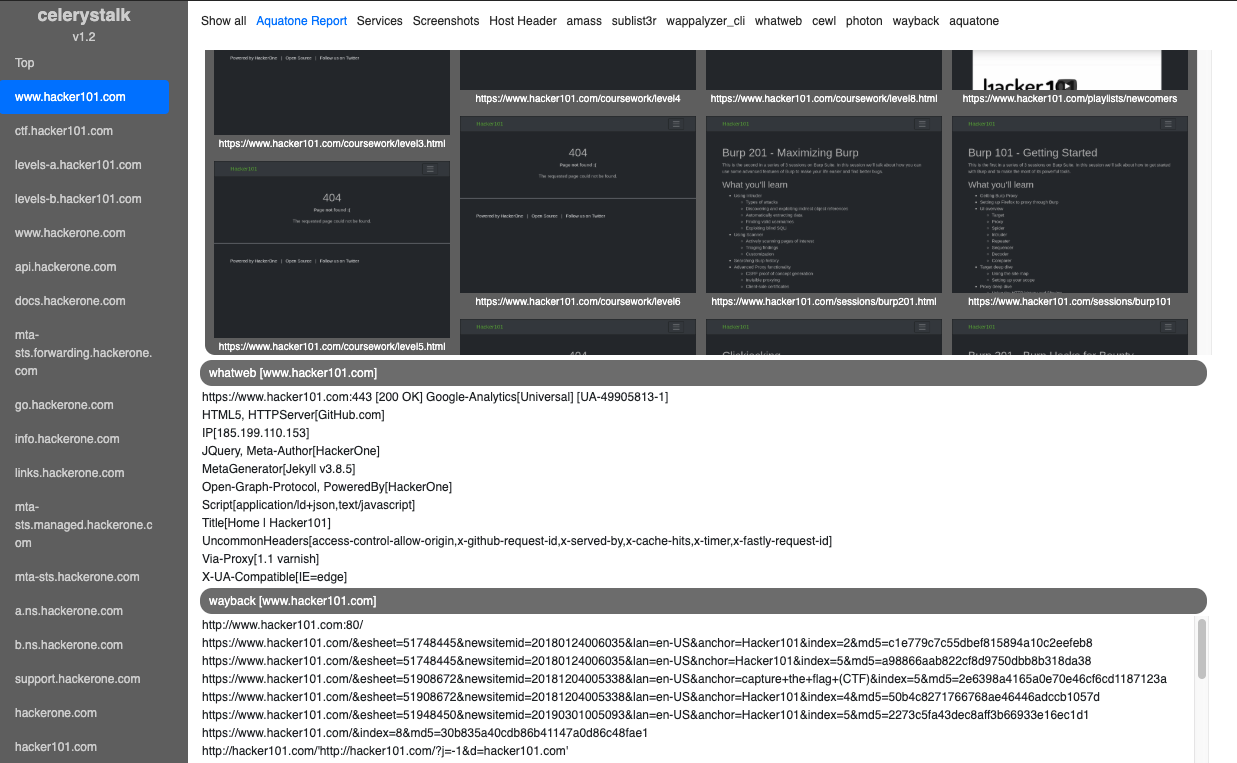
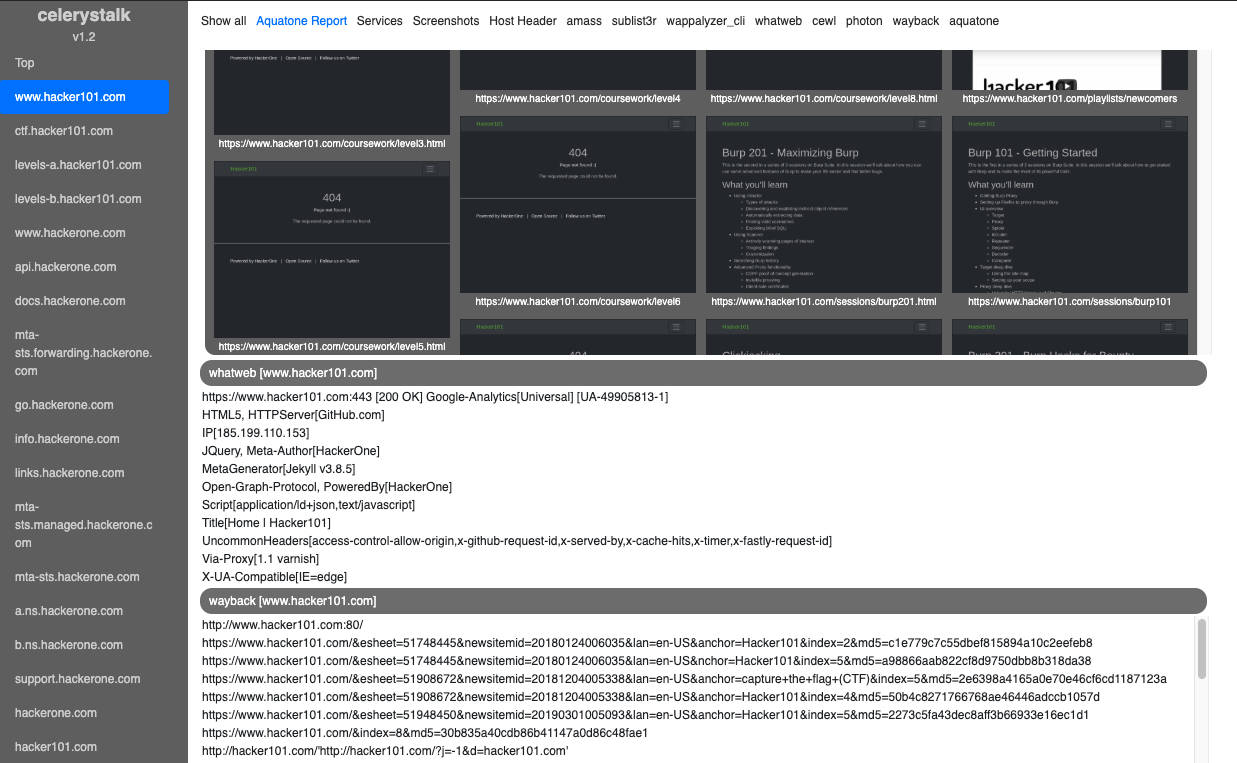
Interactive Demo: Bug Bounty Mode (HackerOne)
Interactive Demo: Vulnerability Assessment / PenTest Mode (Retired HackTheBox.eu machines)
| Phase | Command | Examples of tools used |
|---|---|---|
| DNS Recon/Enumeration | ./celerystalk subdomains -d domain1,domain2 | Amass, sublist3r |
| Define Scope, Import nmap/nessus | ./celerystalk import [scan_data,scope_files,etc.] | celerystalk |
| Port Scanning | ./celerystalk nmap | nmap |
| Directory and File Enumeration, Vulnerability Identification | ./celerystalk scan | Gobuster, Nikto, Photon, sqlmap, wpscan, hydra, medusa, wappalyzer, whatweb, etc. |
| Screenshots | ./celerystalk sceenshots | Aquatone |
| Analysis | ./celerystalk report | celerystalk |
celerystalk is:
You must install and run celerystalk as root
git clone https://github.com/sethsec/celerystalk.git
cd celerystalk/setup
./install.sh
cd ..
./celerystalk -h
docker pull sethsec/celerystalk:latest
docker run -p 27007:27007 -ti celerystalk
docker build -t celerystalk https://github.com/sethsec/celerystalk.git
docker run -p 27007:27007 -ti celerystalk
# ./celerystalk scan -u url or filename                 # Run all enabled commands against specified url(s)
# ./celerystalk query watch (then Ctrl+c)               # Wait for scans to finish
# ./celerystalk screenshots                             # Take screenshots
# ./celerystalk report                                  # Generate report
# nmap 10.10.10.10 -Pn -p- -sV -oX tenten.xml           # Run nmap
# ./celerystalk import -f tenten.xml                    # Import nmap scan
# ./celerystalk import -S scope.txt                     # Import IP/CIDR/Ranges and mark as in scope
# ./celerystalk nmap                                    # Nmap all in-scope hosts (reads options from config.ini)
# ./celerystalk db services                             # If you want to see what services were loaded
# ./celerystalk scan                                    # Run all enabled commands
# ./celerystalk query watch (then Ctrl+c)               # Watch scans as move from pending > running > complete
# ./celerystalk screenshots                             # Take screenshots
# ./celerystalk report                                  # Generate report
You define the mode at workspace instantiation. The default workspace is VAPT mode, but you have two options for manually created workspaces.
# ./celerystalk workspace create -o /dir -m bb          # Create default workspace and set output dir
# ./celerystalk subdomains -d company.com,dom.net       # Find subdomains and determine if in scope
# ./celerystalk import -S scope.txt     (optional)      # Import IP/CIDR/Ranges and mark as in scope
# ./celerystalk import -O out_scope.txt (optional)      # Define HOSTS/IPs that are out of scope
# ./celerystalk nmap                    (optional)      # Nmap all in-scope hosts (reads options from config.ini)
# ./celerystalk import -f client.xml    (optional)      # If you would rather import an nmap file you already ran
# ./celerystalk scan [--noIP]                           # Run all enabled commands against all in scope hosts
# ./celerystalk query watch (then Ctrl+c)               # Wait for scans to finish
# ./celerystalk screenshots                             # Take screenshots
# ./celerystalk report                                  # Generate report
Note: You can run the subdomains command first and then define scope, or you can define scope and import subdomains.
# nmap -iL inscope-list.txt -Pn -p- -sV -oX client.xml     # Run nmap
# ./celerystalk workspace create -o /dir -m vapt           # Create default workspace and set output dir
# ./celerystalk import -f client.xml                       # Import services and mark all hosts as in scope
# ./celerystalk import -S scope.txt             (optional) # Import IP/CIDR/Ranges and mark as in scope
# ./celerystalk import -O out_scope.txt         (optional) # Define HOSTS/IPs that are out of scope
# ./celerystalk import -d subdomains.txt        (optional) # Define subdomains that are in scope
# ./celerystalk subdomains -d dom1.com,dom2.net (optional) # Find subdomains and determine if in scope
# ./celerystalk scan                                       # Run all enabled commands
# ./celerystalk query watch (then Ctrl+c)                  # Wait for scans to finish
# ./celerystalk screenshots                                # Take screenshots
# ./celerystalk report                                     # Generate report
Note: You can run the subdomains command first and then define scope, or you can define scope and import subdomains.
