
Skip to content
KitploitKITPLOIT
ToolsExploitsBlog
Log in
Submit
ToolsExploitsBlog
Submit

Hacking, PenTest, and Cybersecurity Tools for Your Security Arsenal!

Kitploit is a directory of hacking, cybersecurity, and pentesting tools. Discover the latest project updates to find vulnerabilities, analyze systems, automate testing, and strengthen your security.

··Feeds·Contact·Privacy·© 2026 Kitploit

Tool Directory

Categories

View all categories
Loading categories
ptxNinja — Binary Ninja plugin for reverse engineering PTX -- the virtual instruction set architecture of CUDA-based GPUs. | Kitploit
Tools/GitHubGitHub/seekbytes/ptxninja
Static AnalysisCode AnalysisReverse EngineeringUtilities & FrameworksHardware & IoT SecurityBinary Analysis
GitHubseekbytes/ptxninja

ptxNinja

Binary Ninja plugin for reverse engineering PTX -- the virtual instruction set architecture of CUDA-based GPUs.

View Repository
624126 months agoReviewed by Kitploit

Most Popular

View all →

Discover the most used tools by our community.

Explore all tools

Browse our collection of tools

View all tools →
Share

ptxNinja

Author: Nicolò Altamura

Explore PTX code through Binary Ninja

Description

ptxNinja is an architecture plugin for Binary Ninja targeting PTX, the language for the virtual architecture of CUDA-based GPU. This allows you to:
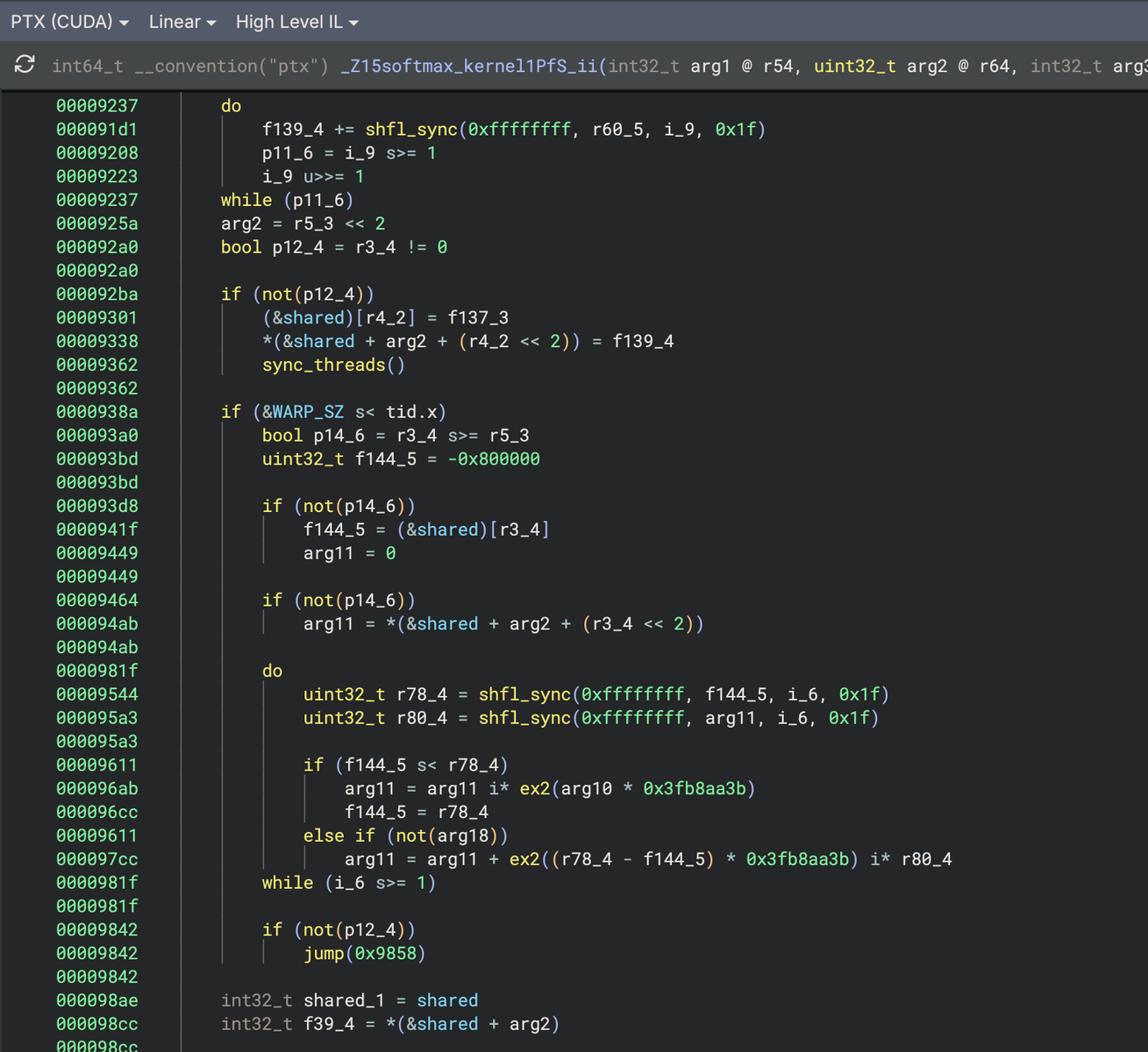
  • explore PTX binaries integrating analyses already available in the wild
  • navigate through GPU kernels and functions
  • integrate PTX into your existing automated tools thanks to Binary Ninja

Attention mechanism reverse engineered (PTX)

Installation

The plugin can be installed using Binary Ninja's plugin manager.

For a manual installation, follow these steps in Binary Ninja's plugin folder:

root@kitploit:~
git clone https://github.com/seekbytes/ptxninja.git
cd ptxninja

# optionally: use a virtual environment
python -m venv ptxninja-env
source ptxninja-env/bin/activate

# install requirements
pip install ptx-parser

If you use a virtual environment, you'll need to manually set the site-packages path in the Binary Ninja settings.

Examples

If you are not sure where to start, or you have never seen a PTX file, you may want to checkout some toy kernels under the examples/ directory. These include:

  • attention.ptx — attention mechanism kernel
  • elu.ptx — ELU (Exponential Linear Unit) activation function
  • gele.ptx — GELU (Gaussian Error Linear Unit) activation function
  • gemm.ptx — General Matrix Multiplication
  • histogram.ptx — histogram computation kernel
  • layernorm.ptx — Layer Normalization kernel
  • matrix.ptx — matrix operations
  • multi_tensor.ptx — multi-tensor operations
  • reduce_sum.ptx — parallel reduction sum kernel
  • relu.ptx — ReLU activation function
  • softmax.ptx — Softmax activation function

Limitations

PTX is based on a text format language and the output of the nvdisasm/cuobjdump has already plenty of information that are inserted into the binaries. Dealing with text requires to build a precise grammar for testing the parser, however there are some limits:

  • labels are occasionally mismatched with their target instruction, which may result in incorrect control flow visualization in Binary Ninja
  • global statements declared outside function scope are not supported
  • memory space allocated outside functions is not mapped
  • not all atomic operations (atom) are fully supported
  • symbol names are not demangled — cuobjdump/cufilt beautification is not yet applied

Contact

For more information, contact Nicolò Altamura (@nicolodev).

Download Tool