 secforce/droidground
A flexible playground for Android CTF challenges.

<h1 align="center">
<br>
<img src="https://assets.kitploit.com/production/public/readmes/7301/75c22abcf52c94c756ce37d77db74df73c48b6846c3aede4c8971c38e2180f65.png" alt= "droidground" width="200px">
</h1>
<p align="center">
<b>DroidGround</b>
<p>
<p align="center">
<a href="https://github.com/SECFORCE/droidground/blob/main/README.md"><img src="https://img.shields.io/badge/Documentation-complete-green.svg?style=flat"></a>
<a href="https://github.com/SECFORCE/droidground/blob/main/LICENSE"><img src="https://img.shields.io/badge/License-GPL3-blue.svg"></a>
<a href="https://blackhat.com/eu-25/arsenal/schedule/index.html#droidground-a-flexible-playground-for-android-ctf-challenges-47803"><img src="https://raw.githubusercontent.com/secforce/droidground/HEAD/docs/blackhat-2025.svg"></a>
<br />
<a href="https://droidground.com" target="_blank">Website</a> |
<a href="https://droidground.com/demo" target="_blank">Demo</a>
</p>
In traditional **CTF challenges**, it's common to hide flags in files on a system, requiring attackers to exploit vulnerabilities to retrieve them. However, in the Android world, this approach doesn't work well. APK files are easily downloadable and reversible, so **placing a flag on the device usually makes it trivial** to extract using static analysis or emulator tricks. This severely limits the ability to create realistic, runtime-focused challenges.
_DroidGround_ is designed to solve this problem.
It is a custom-built platform for hosting Android mobile hacking challenges in a **controlled** and **realistic** environment, where **attackers are constrained just enough** to require solving challenges in the intended way.
Importantly, participants may be **jailed inside the app environment**. The modularity of the tool allows to set if the user can or cannot spawn a shell, read arbitrary files, or sideload tools. Everything can be setup so that the only way to retrieve the flag is through understanding and exploiting the app itself.
## 📋 Table of Contents
- [🧭 Overview](#-overview)
- [✨ Features](#-features)
- [📸 Screenshots](#-screenshots)
- [⚙️ Configuration](#️-configuration)
- [🧩 Use Cases](#-use-cases)
- [⚙️ Usage](#️-usage)
- [💡 Tips](#-tips)
- [🛠 Development](#-development)
- [🤝 Contributing](#-contributing)
- [📚 Credits](#-credits)
- [🪪 License](#-license)
## 🧭 Overview
_DroidGround_ enables a wide variety of _Android_ challenges that are otherwise hard to implement in traditional CTF setups. For example, in a remote code execution (RCE) challenge, players might receive an APK for local analysis. After discovering a vulnerability, they can develop a Frida script and run it through DroidGround on the real target device to extract the flag from internal storage. Other challenge types can involve hidden activities, custom broadcast intents, service exploitation, or dynamic analysis using preloaded tools.
With real-time device streaming, fine-grained control over features, Frida integration, and customizable setup and reset scripts, DroidGround empowers CTF organizers to build secure, flexible, and realistic Android challenges that go far beyond what is typically possible.
## ✨ Features
DroidGround provides a rich set of server-controlled features.
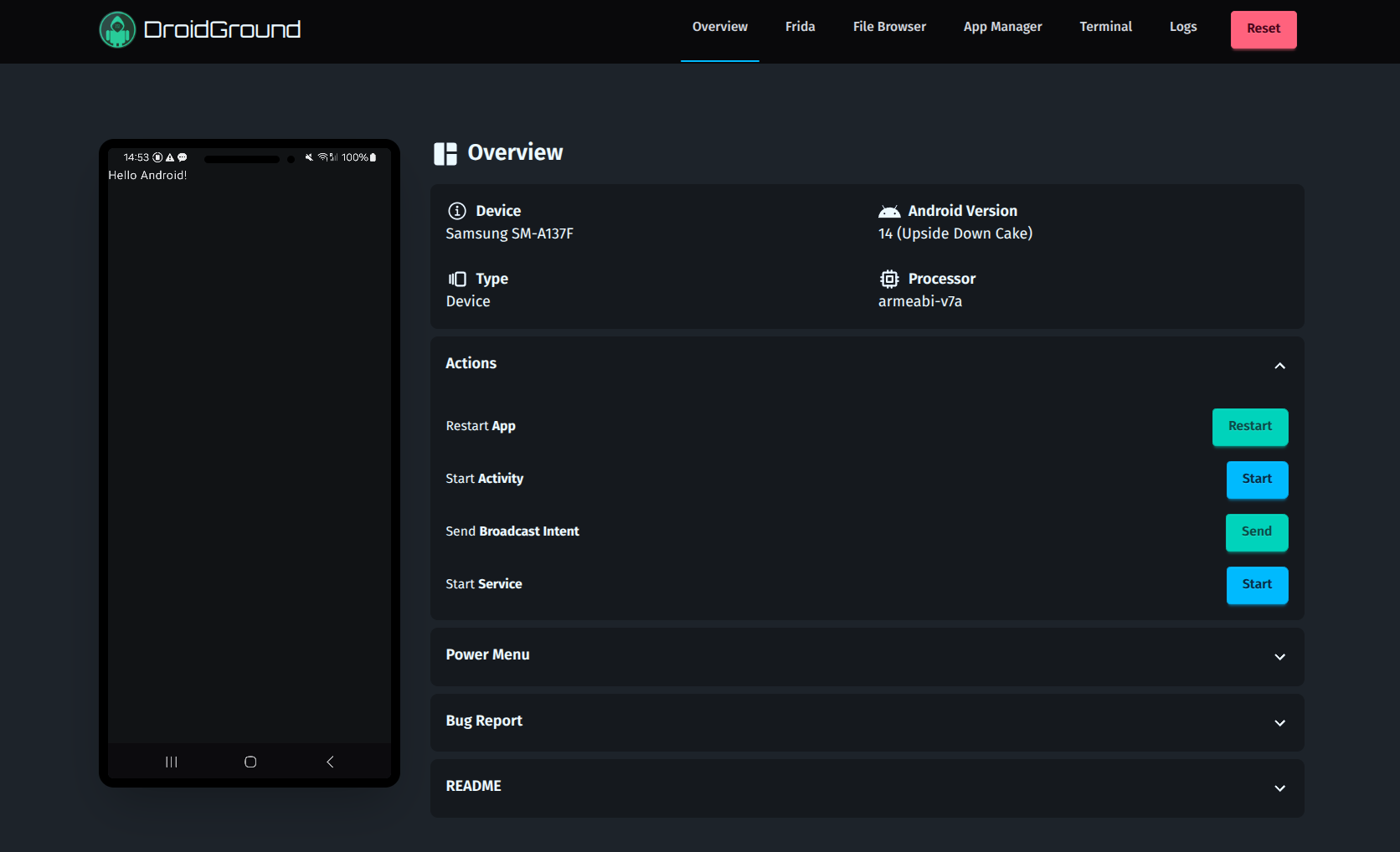
- **Real-Time Device Screen** (via `scrcpy`), with optional mouse, touch, and keyboard control
- **Reset Challenge State**
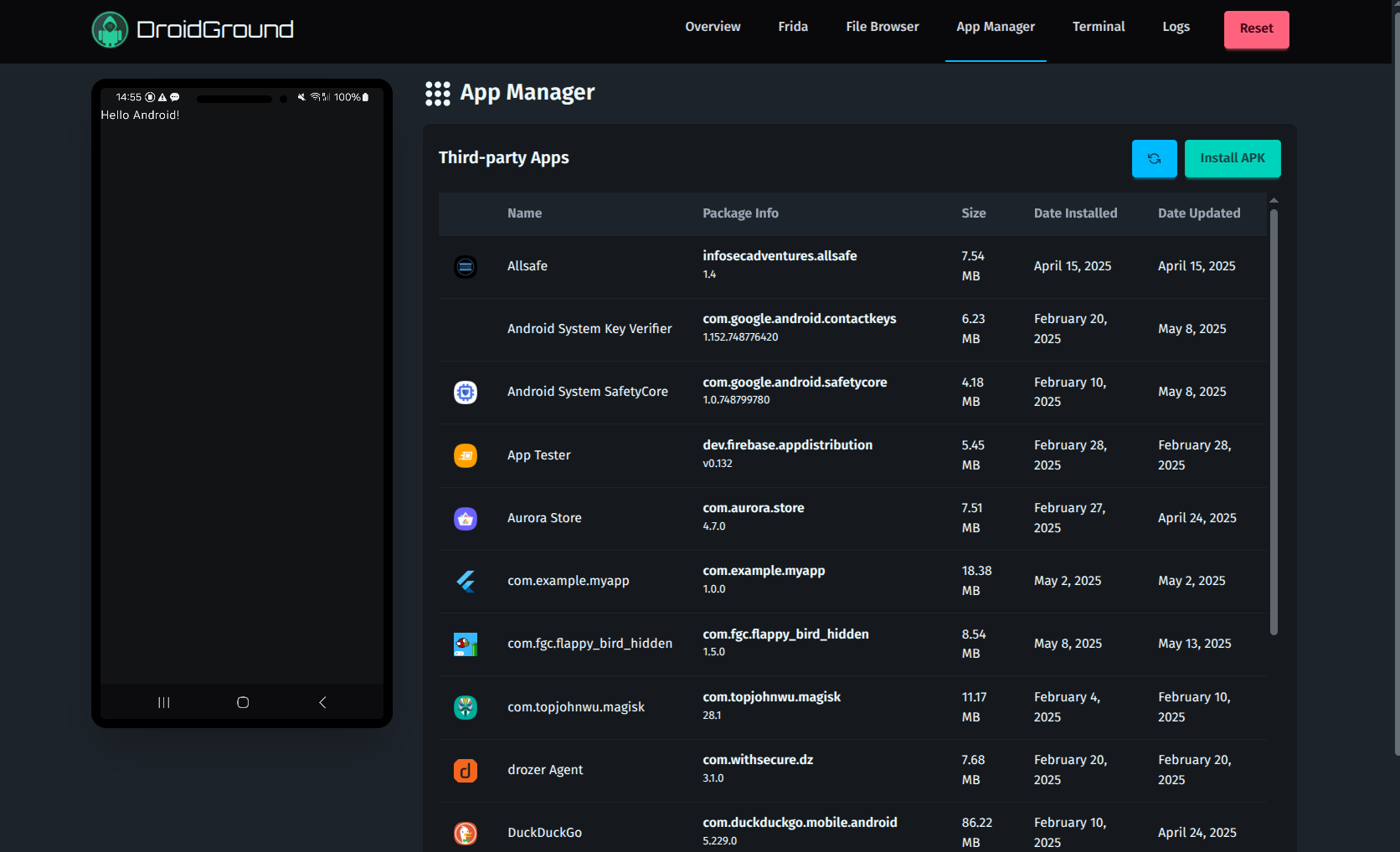
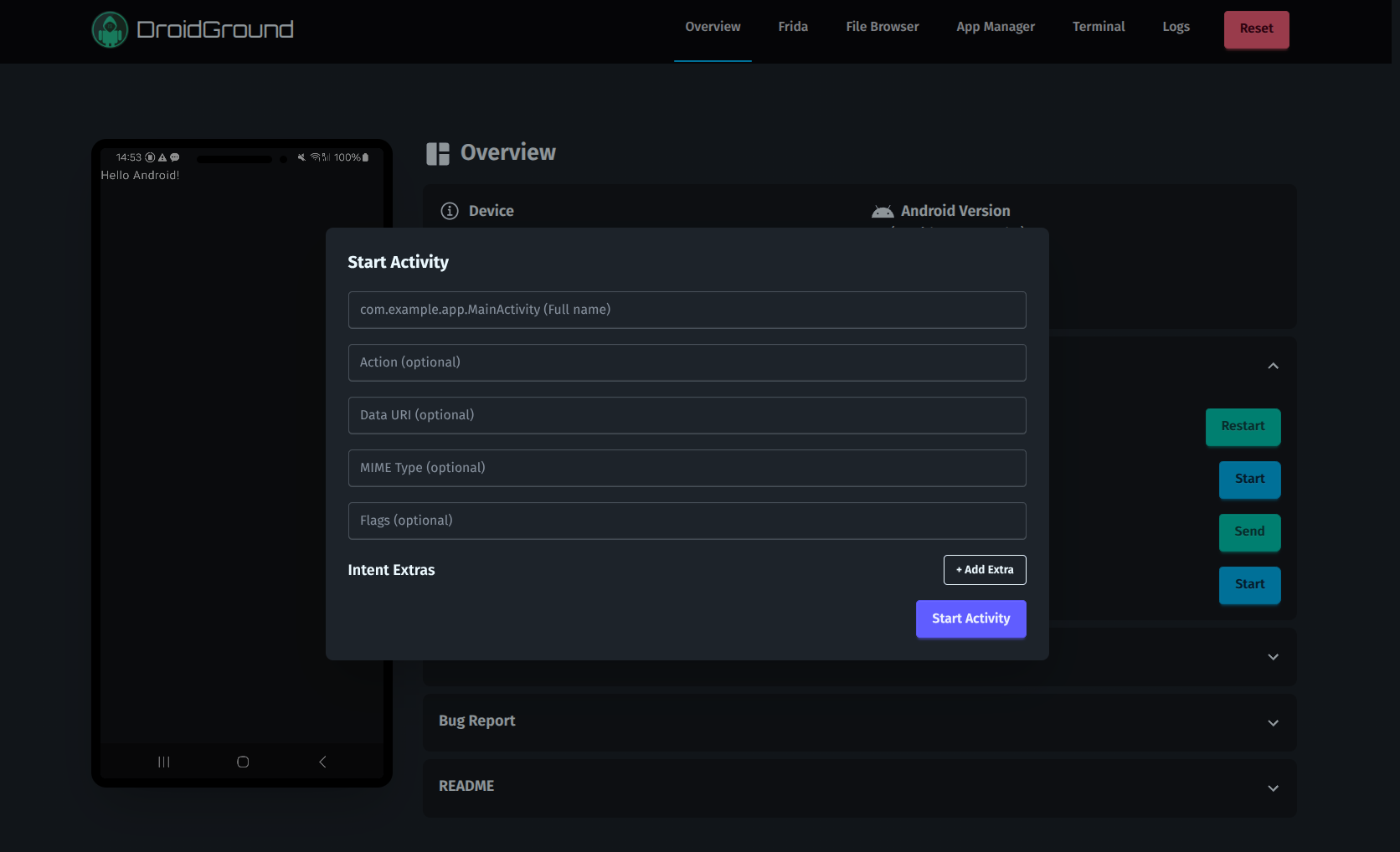
- **Restart App / Start Activity / Start Service**
- **Send Broadcast Intent**
- **Shutdown / Reboot Device**
- **Download Bugreport (bugreportz)**
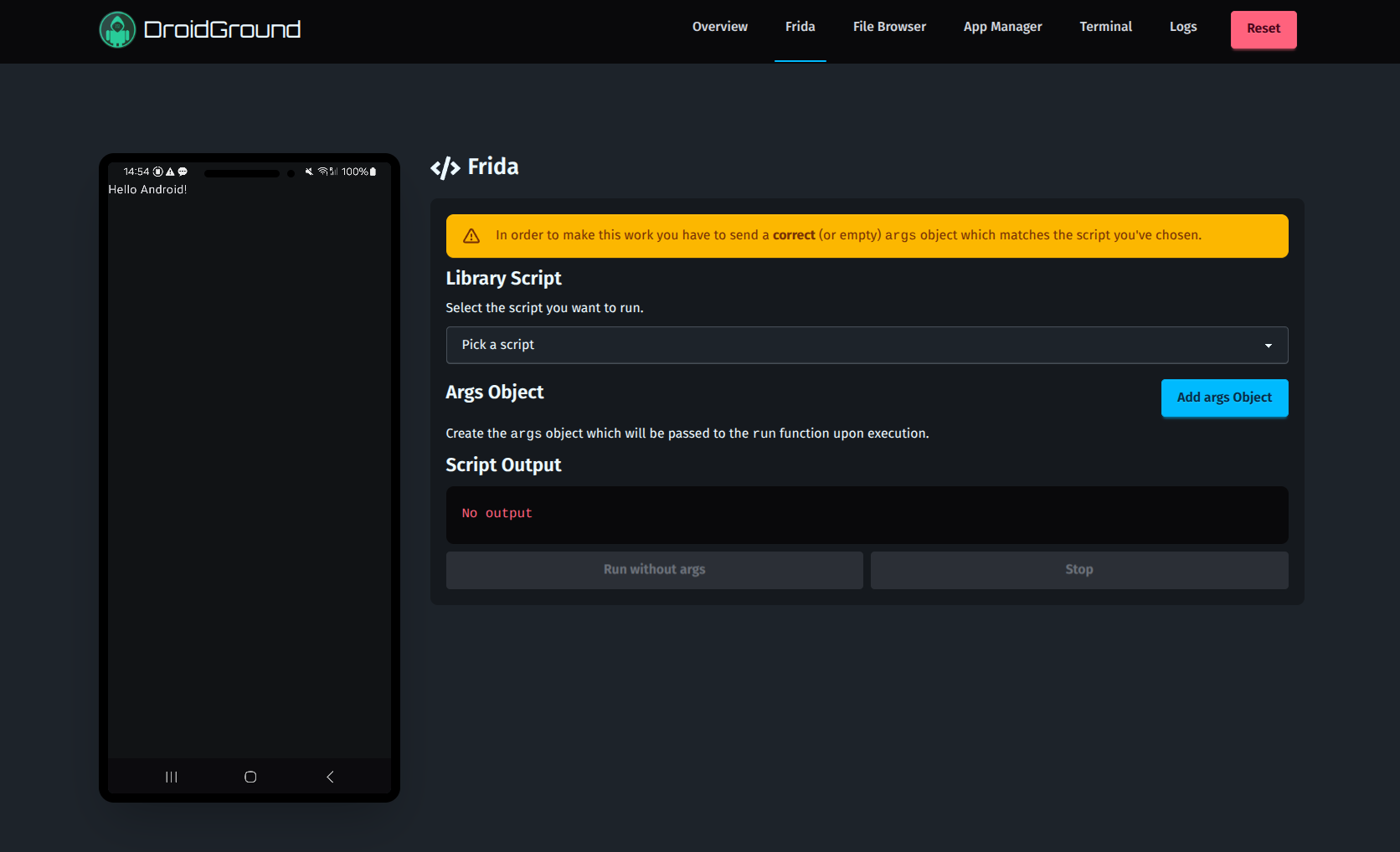
- **Frida Scripting**
- Run from preloaded library (jailed mode)
- Run arbitrary scripts (full mode)
- **File Browser**
- **Terminal Access**
- **APK Management**
- **Logcat Viewer**
- **Exploit Server** (if team mode is enabled)
Almost all features are **modular** and defined via environment variables, ensuring precise control over the challenge scope.
## 📸 Screenshots
|  |  |
| ------------------------------------------------------ | ----------------------------------------------------- |
| Overview | Start Activity |
|  | 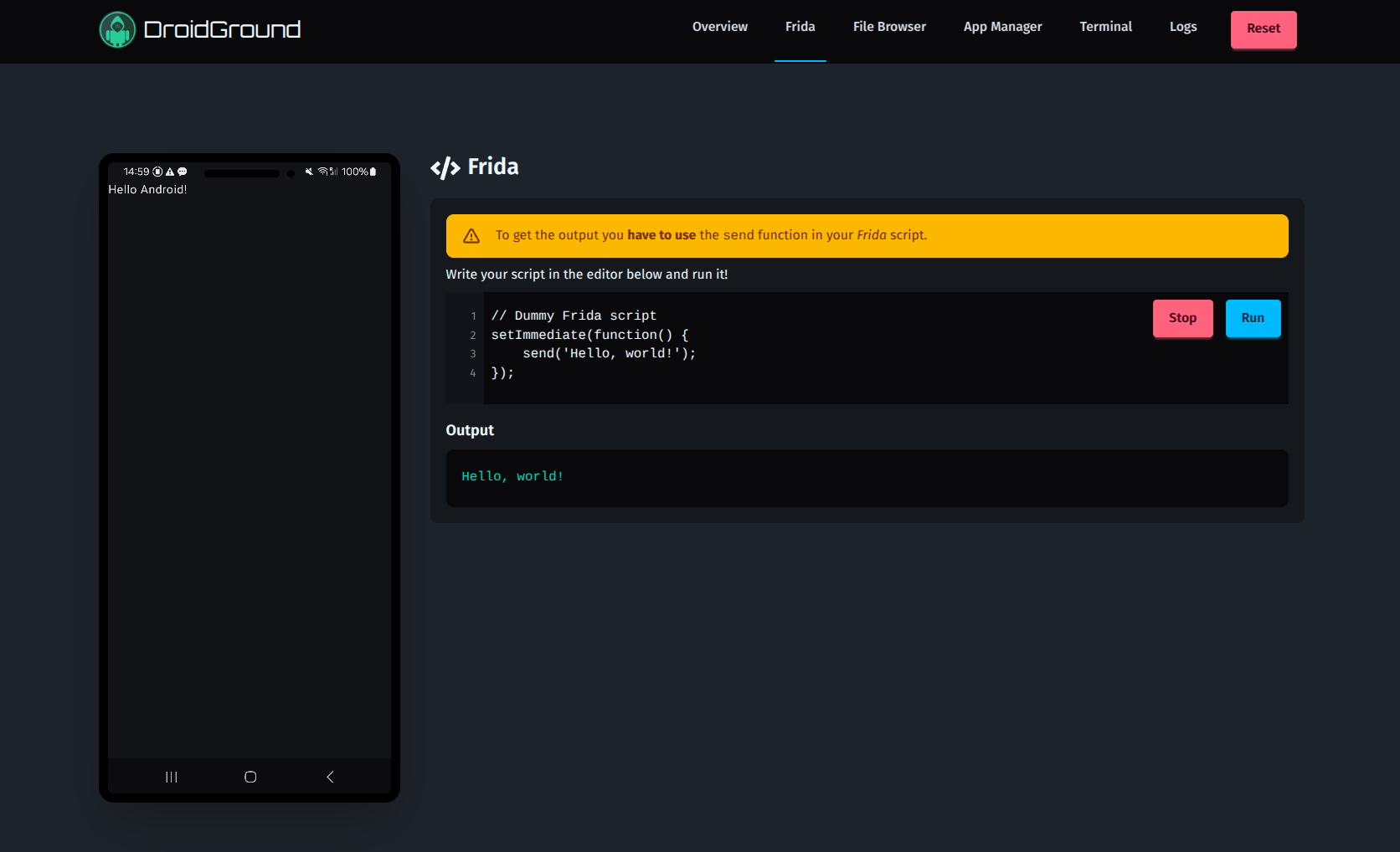 |
| Frida Jailed Mode | Frida Full Mode |
| 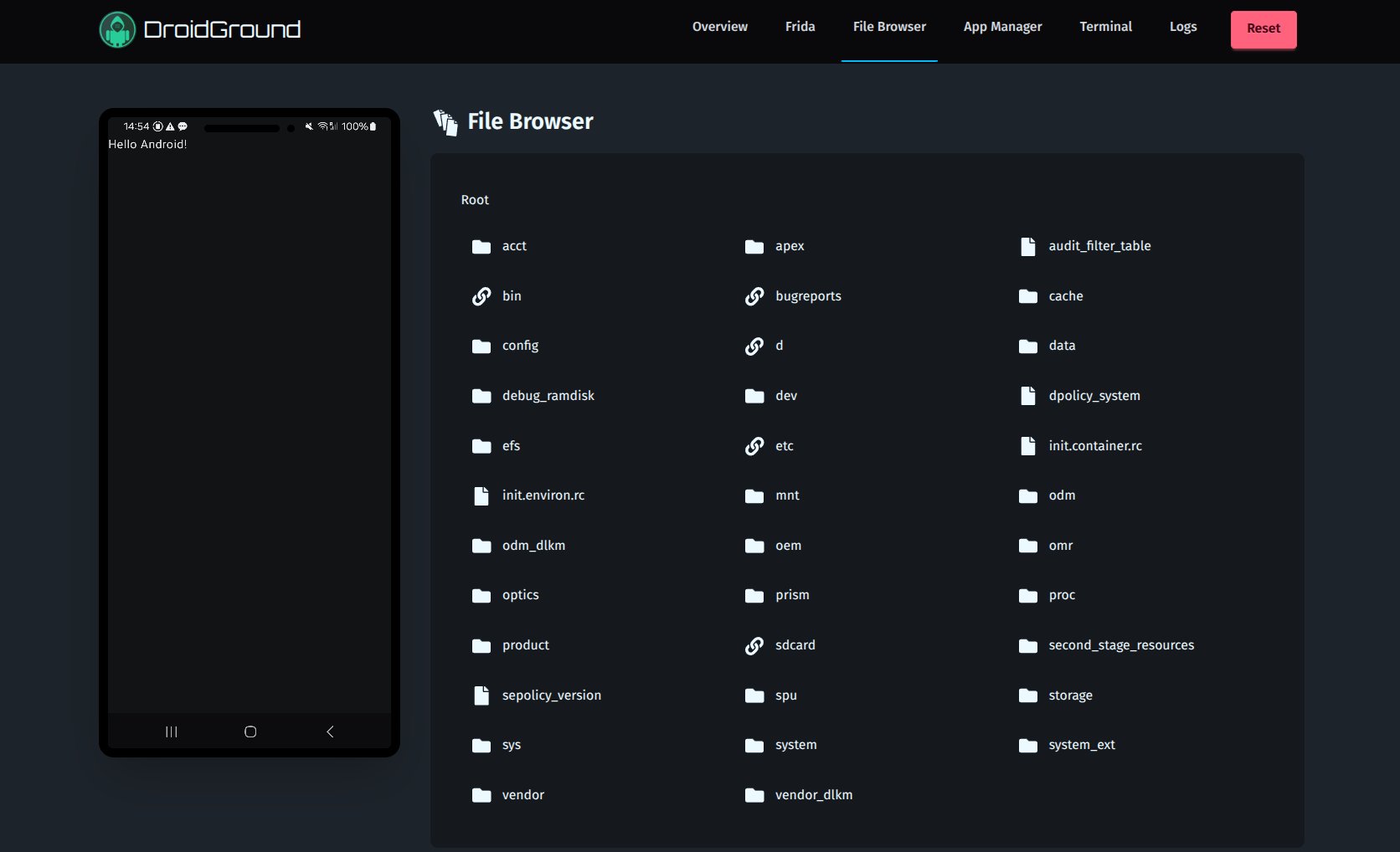 | 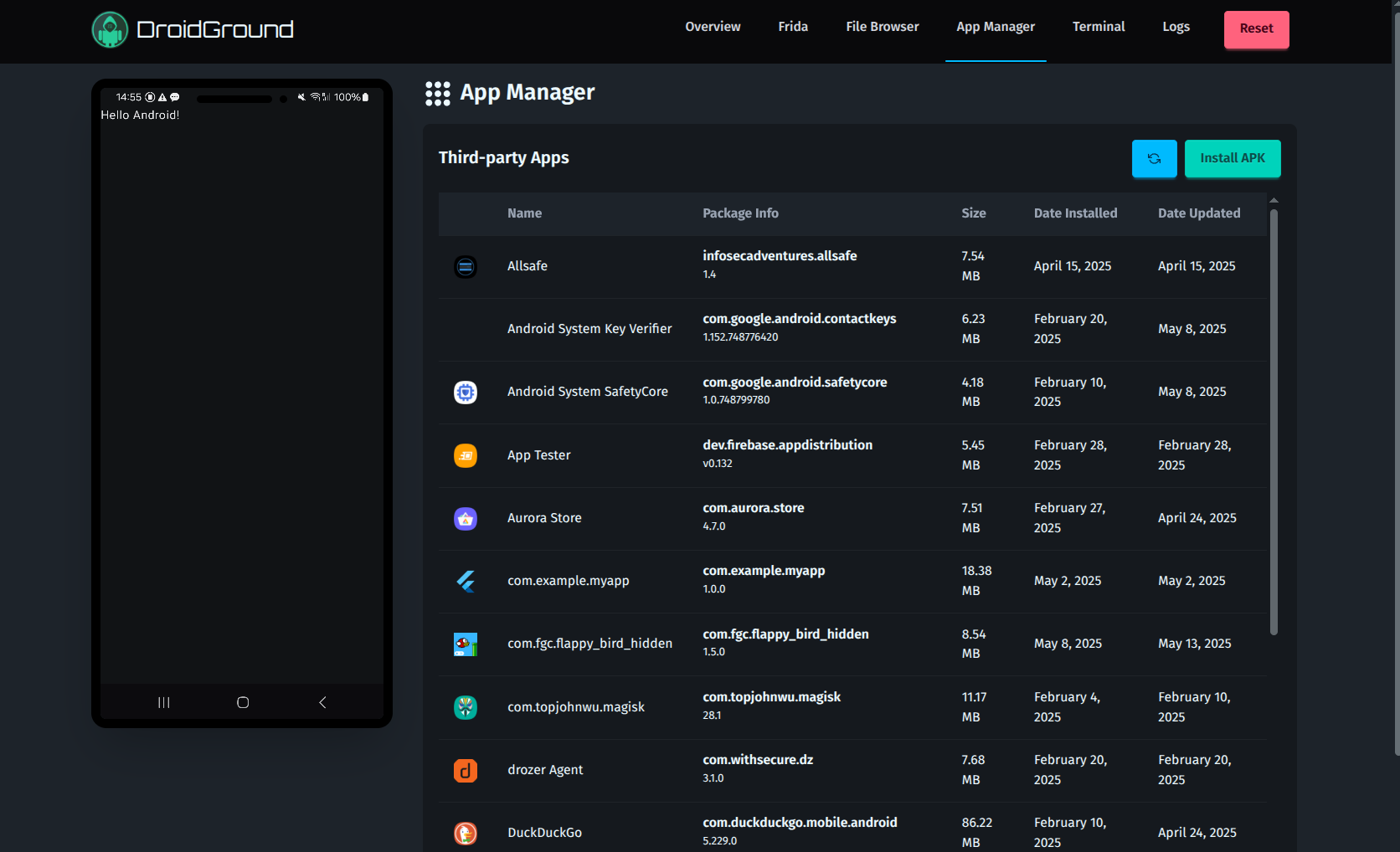 |
| File Browser | App Manager |
| 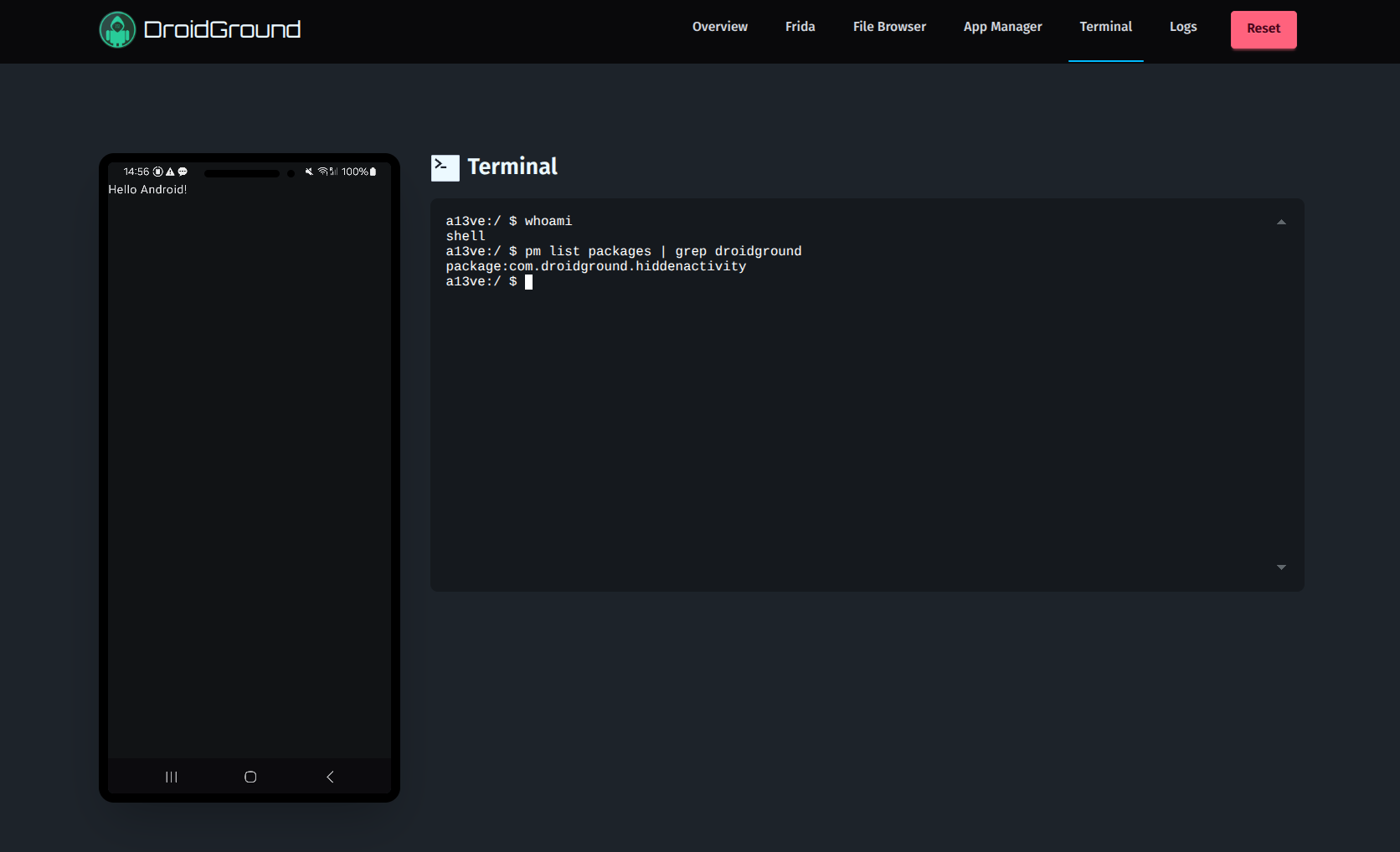 | 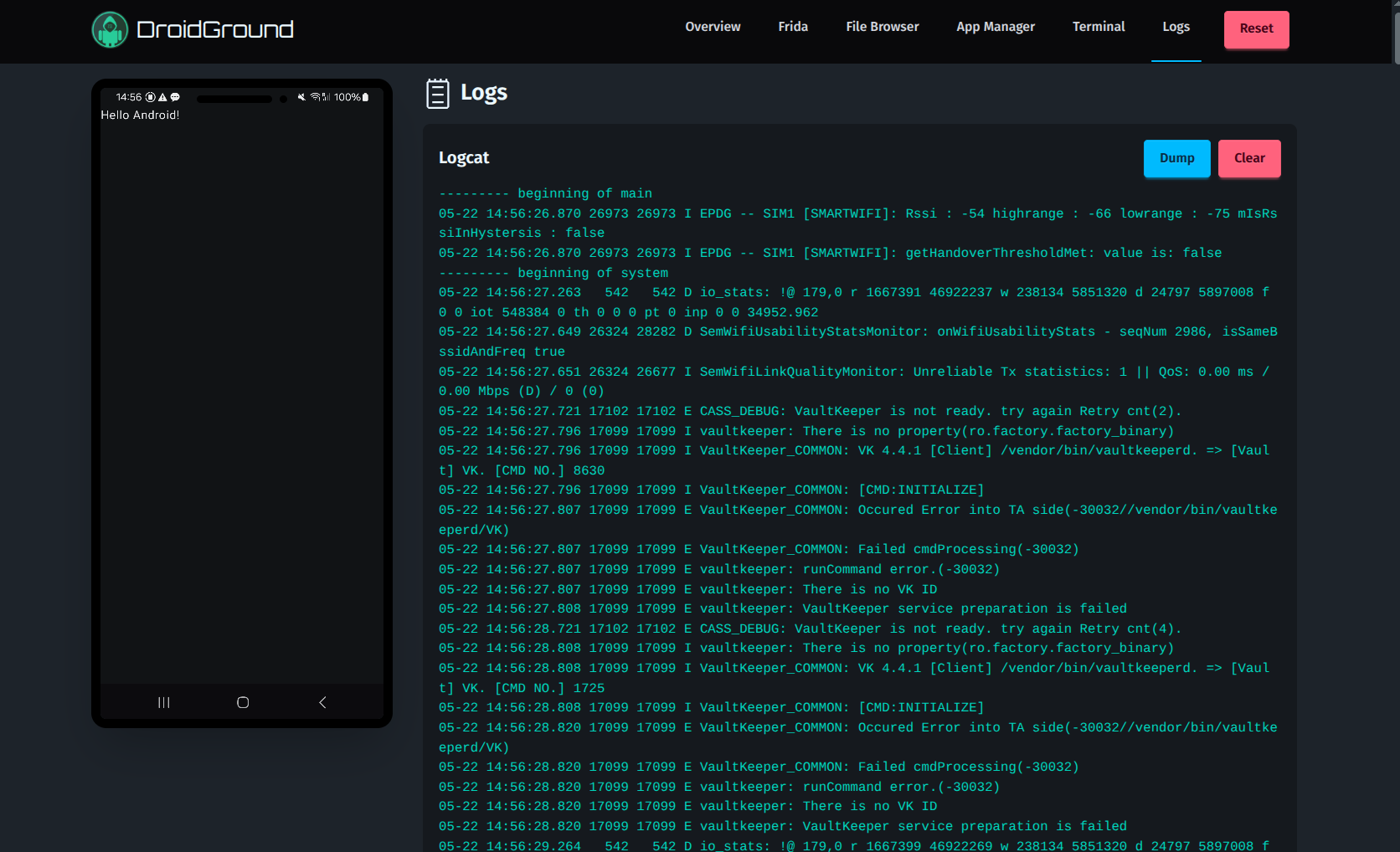 |
| Terminal | Logs |
## ⚙️ Configuration
The `.env.sample` file in the root directory is a good starting point. This is the full list of all env variables currently supported:
| Variable | Description | Default |
| ------------------------------------- | --------------------------------------------------------------------------------- | ----------- |
| `DROIDGROUND_BASE_PATH` | Path of the webapp (useful for hosting on subpaths) | - |
| `DROIDGROUND_APP_PACKAGE_NAME` | Package name of target app | - |
| `DROIDGROUND_ADB_HOST` | ADB host | `localhost` |
| `DROIDGROUND_ADB_PORT` | ADB port | `5037` |
| `DROIDGROUND_ADB_SERIAL` | Optional ADB device serial to connect to | - |
| `DROIDGROUND_DEVICE_TYPE` | `usb` or `network` | `usb` |
| `DROIDGROUND_DEVICE_HOST` | IP of Android device (`adb`) (network mode only) | - |
| `DROIDGROUND_DEVICE_PORT` | port of Android device (`adb`) (network mode only) | - |
| `DROIDGROUND_INIT_SCRIPTS_FOLDER` | Folder containing `setup.sh` and `reset.sh` | `/init.d` |
| `DROIDGROUND_HOST` | Bind address | `0.0.0.0` |
| `DROIDGROUND_PORT` | Bind port | `4242` |
| `DROIDGROUND_RESTART_APP_DISABLED` | Disable app restart | `false` |
| `DROIDGROUND_APP_MANAGER_DISABLED` | Disable app manager | `false` |
| `DROIDGROUND_BUG_REPORT_DISABLED` | Disable bugreport | `false` |
| `DROIDGROUND_FILE_BROWSER_DISABLED` | Disable file browser | `false` |
| `DROIDGROUND_FRIDA_DISABLED` | Disable Frida support | `false` |
| `DROIDGROUND_FRIDA_TYPE` | `jail` or `full` | `jail` |
| `DROIDGROUND_FRIDA_INJECTION` | `server` or `gadget` | `server` |
| `DROIDGROUND_LOGCAT_DISABLED` | Disable logcat | `false` |
| `DROIDGROUND_REBOOT_ENABLED` | Enable reboot | `false` |
| `DROIDGROUND_SHUTDOWN_ENABLED` | Enable shutdown | `false` |
| `DROIDGROUND_START_ACTIVITY_DISABLED` | Disable startActivity | `false` |
| `DROIDGROUND_START_RECEIVER_DISABLED` | Disable broadcast | `false` |
| `DROIDGROUND_START_SERVICE_DISABLED` | Disable startService | `false` |
| `DROIDGROUND_TERMINAL_DISABLED` | Disable terminal | `false` |
| `DROIDGROUND_RESET_DISABLED` | Disable reset | `false` |
| `DROIDGROUND_SCRCPY_CONTROL_ENABLED` | Enable mouse, touch, and keyboard input through the device screen | `false` |
| `DROIDGROUND_SCRCPY_MAX_SIZE` | Maximum video dimension in pixels; `0` keeps full device resolution | `1280` |
| `DROIDGROUND_SCRCPY_MAX_FPS` | Maximum video frame rate; `0` leaves it uncapped | `60` |
| `DROIDGROUND_SCRCPY_VIDEO_BIT_RATE` | Video bitrate in bits per second | `4000000` |
| `DROIDGROUND_EXPLOIT_APP_DURATION` | The time (in seconds) the exploit app will be active | `10` |
| `DROIDGROUND_EXPLOIT_APP_MAX_SIZE` | The max size (in MB) of the exploit app | `50` |
| `DROIDGROUND_NUM_TEAMS` | The number of teams playing simultaneously | - |
| `DROIDGROUND_TEAM_TOKEN_<N>` | The token for the nth team. Auto-generated if missing | - |
| `DROIDGROUND_IP_STATIC` | The static IP address to display. It takes precedence over `DROIDGROUND_IP_IFACE` | - |
| `DROIDGROUND_IP_IFACE` | The network interface for the displayed IP address | - |
| `DROIDGROUND_LOGO_LINK` | Optionally set the logo click-through link (e.g., your CTF main page) | - |
Set `DROIDGROUND_SCRCPY_CONTROL_ENABLED=true` and restart DroidGround to make the device screen interactive. Click or tap the screen to focus it, then click, drag, swipe, use multiple touch points, scroll with the mouse wheel, or type. Right-click or press Escape for Android Back. Tab and Shift+Tab move focus out of the screen. Input is shared by everyone viewing the device, including in team mode. The default remains a view-only screen. Text input uses scrcpy's Android key injection, so character support depends on the device's keyboard mapping.
The `DROIDGROUND_IP_IFACE` looks for an exact match first and fallbacks to the first interface that _starts with_ the provided value since Docker only allows to specify the network interface **prefix** within the container.
Screen streaming defaults to a maximum dimension of 1280 pixels, up to 60 fps, and 4 Mbps to reduce encoding, network, and browser work. This trades some fine detail for responsiveness in the embedded device view. Set `DROIDGROUND_SCRCPY_MAX_SIZE=0` and `DROIDGROUND_SCRCPY_VIDEO_BIT_RATE=10000000` to restore the previous full-resolution quality settings. For slower connections or browsers, try a maximum size of `1024`, `30` fps, and `2000000` bits per second. Restart DroidGround after changing these settings.
The browser uses WebCodecs when available and falls back to the software H.264 decoder otherwise. WebCodecs requires a secure context: use HTTPS for remote deployments (localhost also works). Plain HTTP on a remote IP or hostname uses software decoding. Slow viewers skip to a fresh keyframe instead of accumulating a video backlog. If no keyframe arrives within 1.5 seconds, DroidGround requests a video refresh; this supports encoders such as ReDroid's `OMX.google.h264.encoder`, whose periodic I-frames are not necessarily independently decodable IDR frames. Refresh requests are shared across viewers and may briefly refresh the screen for everyone. The server keeps an internal scrcpy control channel for video refreshes; mouse, touch, keyboard input, and automatic screen wake-up remain gated by `DROIDGROUND_SCRCPY_CONTROL_ENABLED`. See the [WebCodecs specification](https://www.w3.org/TR/webcodecs/#videodecoder-interface) and [scrcpy video documentation](https://github.com/Genymobile/scrcpy/blob/master/doc/video.md) for the underlying browser and video settings.
The usage of the `DROIDGROUND_NUM_TEAMS` variable slightly changes the behaviour of the application under the hood. If this option is set:
1. The exploit server feature is enabled, allowing each team to be able to use their own (very simple) exploit server via their **_team token_**.
2. The team token will be **required** to install and run exploit apps. Each installed app will be tied to a team and other teams won't be able to run it.
This allows to share the same DroidGround instance with multiple teams in challenges where the flag can be exfiltrated via a network request. This **massively reduces deploy costs of DroidGround** for CTF competitions.
Furthermore, if the value is set to `-1` it will enable the so-called **Unlimited Teams** mode. In this mode a button to generate a new **_team token_** will be available in the _Overview_ page. All the `DROIDGROUND_TEAM_TOKEN_<N>` variables are ignored if this mode is enabled.
## 🧩 Use Cases
Here are some ways DroidGround can be used:
1. **Hidden Activity**: Find and launch an unexposed activity to see the flag (player's app contains a dummy flag).
2. **RCE**: The app is vulnerable to RCE and the flag is stored on the device.
3. **Frida Instrumentation**: Overload a method and extract the flag from private memory using a script.
## ⚙️ Usage
A couple of sample _Docker Compose_ files are provided in the [examples](https://github.com/secforce/droidground/blob/main/examples/apps) folder. They use apps from the [DroidGround samples repo](https://github.com/SECFORCE/droidground-samples) which will progressively be enhanced to showcase all the key features. They are also a good starting point to understand how to setup your own CTF.
On boot _DroidGround_ does the following:
1. Set up the connection with `adb`
2. Run the `setup.sh` in the folder specified by `DROIDGROUND_INIT_SCRIPTS_FOLDER` if present. This script can be used to install the target app and do everything else that's needed to init the CTF (e.g. placing the flag in a known location)
3. (if _Frida_ is enabled) Download the correct `frida-server` based on the version installed and the architecture of the device and start it
4. Run the target app (the one specified through `DROIDGROUND_APP_PACKAGE_NAME`). If the app is not installed _DroidGround_ will exit.
5. Setup the _REST APIs_, the _WebSocket_ servers and the display streaming
Here is a sample `setup.sh` script:
```sh
#!/usr/bin/env bash
adb shell pm uninstall com.example.app # To do some cleanup
echo "Sleep for 2 seconds before installing app"
sleep 2
echo "Installing app..."
adb install ./flag.apk # The cwd is set to the "init.d" folder, so the apk file can be accessed with the relative path
echo "Install command executed"
```
For a production deploy (in a real CTF) you may want to provision a pre-defined number of DroidGround instances beforehand or you may want to allow the users to spawn instances (with a limitation or maybe associate each team/user with a specific instance). For this reason we also added a simple [spawner example](https://github.com/secforce/droidground/blob/main/examples/spawner).
Alternatively, as previously mentioned, you can create a challenge where the flag can be exfiltrated via a network request and leverage the `DROIDGROUND_NUM_TEAMS` env variable to avoid spawning multiple instances (which could be expensive). The [net-multi-step](https://github.com/secforce/droidground/blob/main/examples/apps/net-multi-step) folder provides a good example on how to deliver this type of challenges.
## 💡 Tips
Here are some suggestions for setting up your Android CTF:
- Be careful when enabling **Frida Full Mode**, the player will have complete control over the device (that's why we made the **Frida Jail Mode** as detailed in [Frida Library](https://github.com/secforce/droidground/blob/main/library)).
- Be careful when enabling the **Terminal**, the player will have complete control over the device.
- Be careful when enabling the **Shutdown** feature.
- If you plan to make the flag directly visible in the UI you may want to find a way to spawn different instances (one for each team/player)
While testing the setup before going in production it could be useful to get the **attack surface** of the target app. This is something that players shouldn't see because it's part of their job to discover and analyze the attack surface!
Therefore, a `GET` endpoint reachable at `/attackSurface` is provided and protected with a token (that needs to be used as the value of the `Authorization` header) that is randomly generated during the boot and printed in the logs (therefore accessible only by sysadmins).
If you want to use your own Frida scripts in jailed mode, you just need to bind-mount the folder that contains them into the Docker container:
```yaml
volumes:
- <Frida library folder>:/droidground/library
```
A `library.json` file (like the one in the [library](https://github.com/secforce/droidground/blob/main/library/library.json)) is required to instruct the application on the list of available scripts.
## 🛠 Development
Getting it up & running shouldn't be too difficult, but before starting you should have the following tools installed:
- `frida` (only if you enable _Frida_)
- `node` (it's a Node app, you need to have it!)
- `adb` (well, we rely on it to talk with the device)
- _JDK_ (you need it to build the companion app)
After that you may just run the following:
```sh
git clone https://github.com/SECFORCE/droidground.git
cd droidground
# Install without running scripts
npm install --ignore-scripts
# Rebuild frida to get the bindings
npm rebuild frida
# Build companion app
npm run companion
# Get scrcpy
npm run scrcpy
```
After that you just need to set the **env** variables and then run `npm run dev` and you'll be good to go. Happy dev mode!
## 🤝 Contributing
Pull requests are welcome! Please open an issue first to discuss major changes. Ideas for new CTF workflows or challenge types are especially appreciated.
## 📚 Credits
Developed by [Angelo Delicato](https://github.com/thelicato) [@SECFORCE](https://www.secforce.com).
The _server_ section heavily relies on the amazing work done by [@yume-chan](https://github.com/yume-chan/ya-webadb), probably this app wouldn't exist if it wasn't for his amazing work.
The _companion_ app is heavily based on the [aya server](https://github.com/liriliri/aya/tree/master/server) which works the same way as the [scrcpy server](https://github.com/Genymobile/scrcpy). More details can be found in the specific [README](https://github.com/secforce/droidground/blob/main/companion/README.md).
## 🪪 License
_DroidGround_ is released under the [GPL-3.0 LICENSE](https://github.com/SECFORCE/droidground/blob/main/LICENSE)