 sajibuu/burp_collector
A Multi-Processing Tool for collecting and extracting information to an Excel file from a Burp Suite output file.



Burp Collector is a multi-processing tool that is specifically designed to aid Pentesters and Bug Hunters in Web/Mobile Application testing. With its powerful capabilities, it streamlines the process of collecting and extracting information from Burp Suite files, empowering you to effectively manage API endpoints.
Burp Collector efficiently organizes API endpoints and seamlessly exports them to Excel sheets, ensuring a structured and easily accessible overview of your project. By simplifying the management of endpoints, it saves valuable time and allows you to focus on critical testing tasks.
  pip install -r requirements.txt
  python -m spacy download en_core_web_sm
OPTION - 1: In Burp Suite: Right Click on the domain in the Target Scope - Select "save selected items" and then select "Base64-encode" (Some requests may be missing from the target tree scope - Burp Suite issue...).
OPTION - 2: In Burp Suite: Navigate to Proxy - HTTP History - Press CTRL + A - Right Click - Select "save selected items" - Leave "Base64-encode" checked.
Options: -h, --help
show this help message and exit
-f, --file
Burp File (Right Click on the domain in the Target Scope and select save selected items and select Base64 encode)
-dr, --directory
Directroy containing all Burp Suite output files (Right Click on the domain in the Target Scope and select save selected items and select Base64 encode)
-a, --all
Use all methods (Generate API Endpoints for Bitrix Task, Collect APIs, URLs, Postman and Secrets)
-b, --bitrix
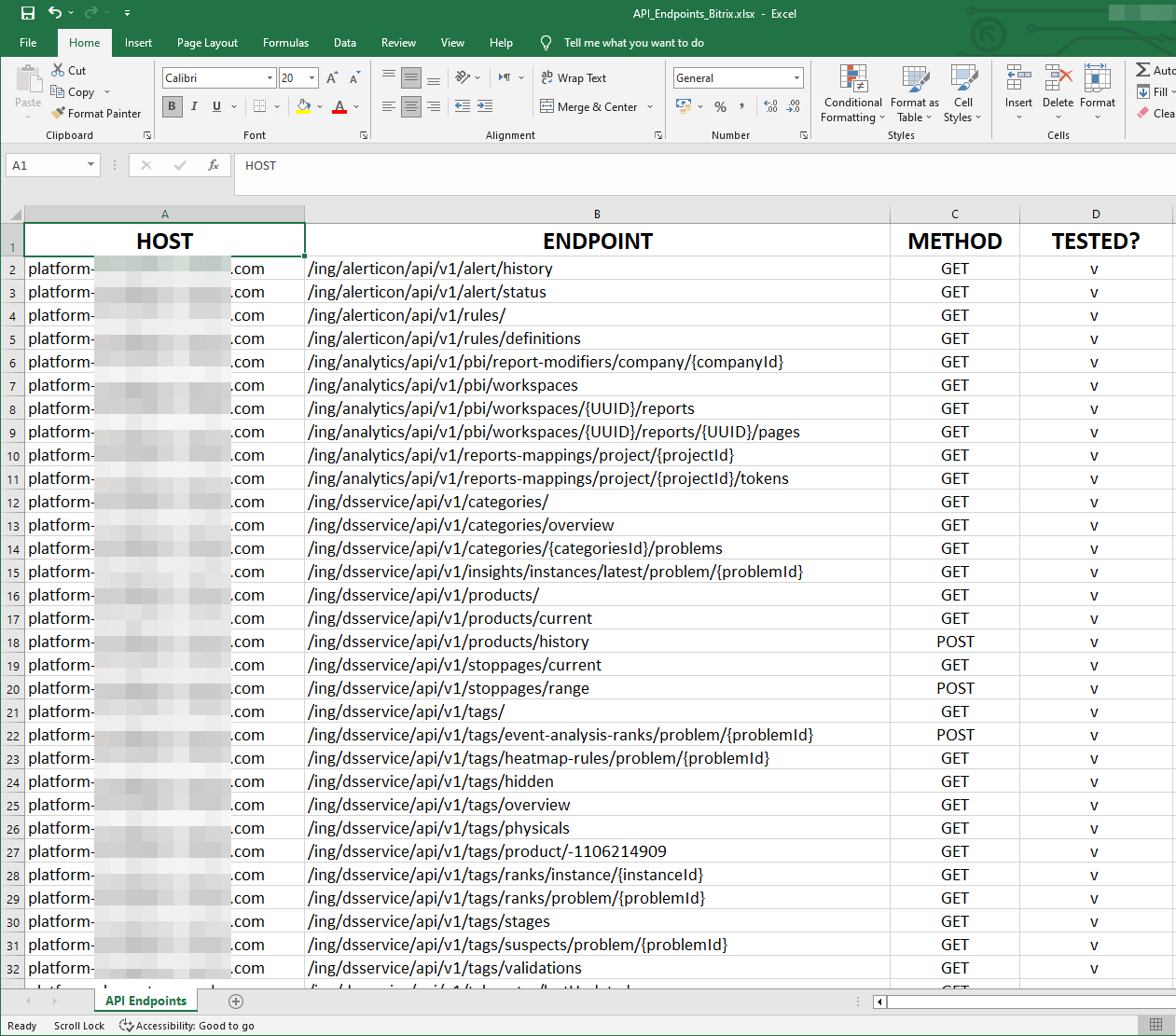
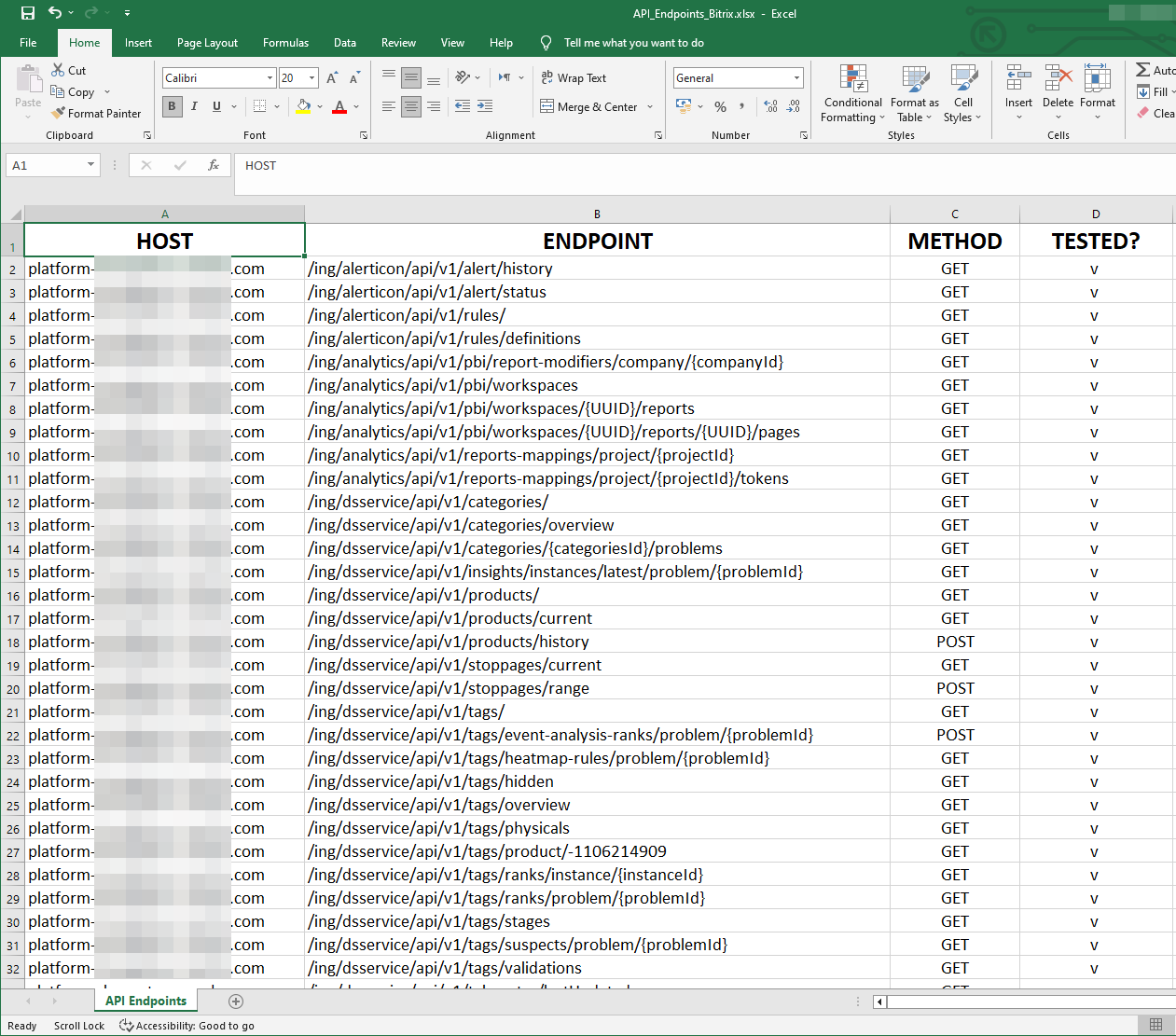
Collect and extract all API Endpoints you interacted with during the test (SOAP, REST, and GraphQL) to an Excel file - Highly recommended.
-p, --postman
Collect and extract all API Endpoints with their body and parameters to a Postman collection - Highly recommended.
-w, --wordlist
Create a tailored wordlist for your target (Based on Requests/Responses/Cookies/Headers etc') - Recommended!
-m, --map
Convert collected map files to their original Javascript source code.
-D, --dependency
Convert map files to their original Javascript source code and check if the dependencies exists in npmjs.com.
-P, --paramspider
Collecting URLs with parameters and dumping them to a file with a FUZZ keyword.
-J, --js
Collect and extract all JS/MAP URLs encountered during the test to an Excel file - Fast.
-d, --domain
Collect and extract all subdomains encountered during the test into an Excel file - Fast.
-i, --api
Collect and extract possible APIs found in files during the test to an Excel file - It might generate a lot of junk, but it could be helpful if used right.
-j, --json
Collect and extract all JSON files encountered during the test into an Excel file - Fast.
-s, --secrets
Collect and extract all possible secrets (AWS/Google/Firebase, etc') that might be disclosed - Most of the time the output will be False-Positive.
-pe, --postoexcel
Convert Postman collections to an Excel file - Recommended!
-u, --urls
Collect and extract all URLs encountered during the test to an Excel file - This can be slow depending on the project size.
-t, --threads
Number of processes to run in parallel (Default is the number of your CPU cores).
-v, --verbose
If set, output will be printed to the screen with colors
--version
Print the current version of the tool.
--update
Checks for new updates. If there is a new update, it will be downloaded and updated automatically.
