 sailay1996/cdpsvclpe
Windows Local Privilege Escalation via CdpSvc service (Writeable SYSTEM path Dll Hijacking)

Windows Local Privilege Escalation via CdpSvc service (Writeable SYSTEM path Dll Hijacking)
Connected Devices Platform Service (or CDPSvc) is a service which runs as NT AUTHORITY\LOCAL SERVICE and tries to load the missing cdpsgshims.dll DLL on startup with a call to LoadLibrary(), without specifying its absolute path. So, it can be hijack dll in the folder of Dll Search Order flow and we will get process or shell access with NT AUTHORITY\LOCAL SERVICE if we hijack the dll in SYSTEM PATH writable place such as C:\python27. Then, I just combine it with @itm4n's PrintSpoofer technique to get NT AUTHORITY\SYSTEM access.
C:\CdpSvcLPE> powershell -ep bypass ". .\acltest.ps1"C:\CdpSvcLPE> mkdir C:\tempC:\CdpSvcLPE> copy impersonate.bin C:\tempnt authority\system.Youtube: https://youtu.be/Jfxfsc04H5o
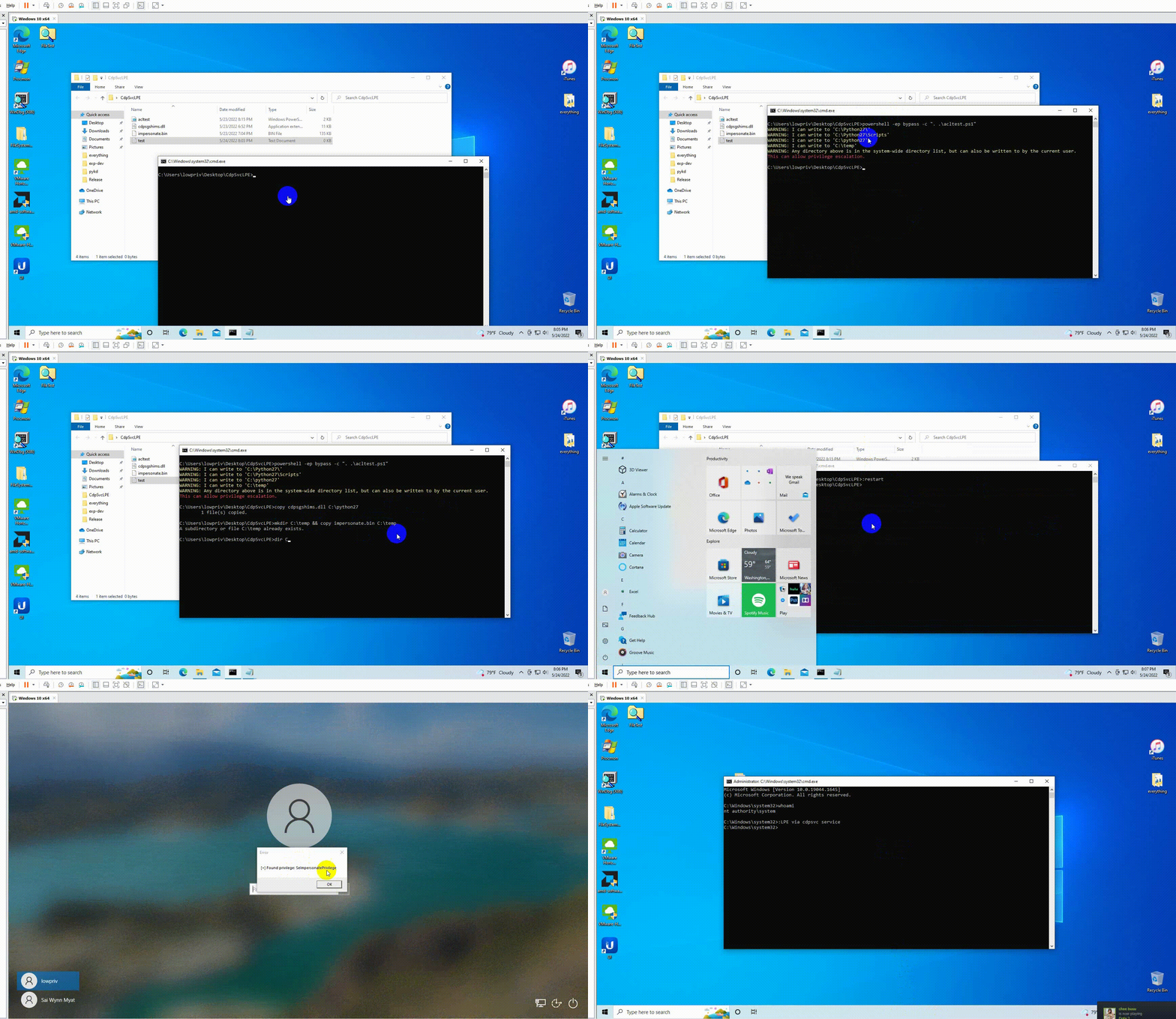
\m/ Note: when you got system cmd prompt, stop the cdpsvc service and delete dll file and bin file.
by @404death
http://zeifan.my/security/eop/2019/11/05/windows-service-host-process-eop.html
https://itm4n.github.io/cdpsvc-dll-hijacking/
https://itm4n.github.io/printspoofer-abusing-impersonate-privileges/
https://github.com/itm4n/PrintSpoofer
https://gist.github.com/wdormann/eb714d1d935bf454eb419a34be266f6f
