 sahiloj/cve-2023-34838
Microworld Technologies eScan Management Console version 14.0.1400.2281 is vulnerable to a Stored Cross-Site Scripting (XSS) attack.





Microworld Technologies eScan Management Console version 14.0.1400.2281 is vulnerable to a Stored Cross-Site Scripting (XSS) attack. An authenticated attacker with access to the role management feature can inject a malicious script into the Description field of a new role. The payload is persisted in the application database and executed in the browser of any user who subsequently views the affected page — including privileged administrators.
Because the injected script runs in the context of the victim's authenticated session, an attacker can leverage this vulnerability to steal session cookies, perform actions on behalf of the victim, redirect users to phishing pages, or escalate privileges within the management console.
| Field | Value |
|---|---|
| CVE ID | CVE-2023-34838 |
| Vulnerability Type | Stored Cross-Site Scripting (XSS) |
| CWE | CWE-79 – Improper Neutralization of Input During Web Page Generation |
| CVSS v3.1 Score | 6.4 (Medium) |
| CVSS Vector | AV:N/AC:L/PR:L/UI:N/S:C/C:L/I:L/A:N |
| Affected Product | Microworld Technologies eScan Management Console |
| Affected Version | 14.0.1400.2281 |
| Tested On | Windows |
| Vulnerable Parameter | Description (New Role creation form) |
| Vulnerable Endpoint | /ewconsole/ewconsole.dll/NewRole |
| Authentication Required | Yes (valid console credentials) |
| Disclosure Date | 23 June 2023 |
| Reported By | Sahil Ojha |
eScan Management Console is a centralized endpoint security management solution used by enterprises to manage antivirus policies, patch management, device control, and user roles across a corporate network. Its web interface is typically deployed on the internal network and accessible on port 10443.
The application fails to sanitize or encode user-supplied input in the Description field of the New Role form before storing it in the database and rendering it back to users. When the role listing page (RoleMainPage) is rendered, the unsanitized payload is written directly into the HTML response, causing the browser to parse and execute the injected script.
"><script>alert(1)</script>
| Impact Area | Description |
|---|---|
| Session Hijacking | Steal authenticated session cookies, granting full account access |
| Privilege Escalation | Execute admin-level actions on behalf of a higher-privileged victim |
| Credential Harvesting | Redirect victims to attacker-controlled login pages |
| Defacement | Alter the appearance or behavior of the management console UI |
| Malware Distribution | Deliver malicious payloads to users viewing the compromised page |
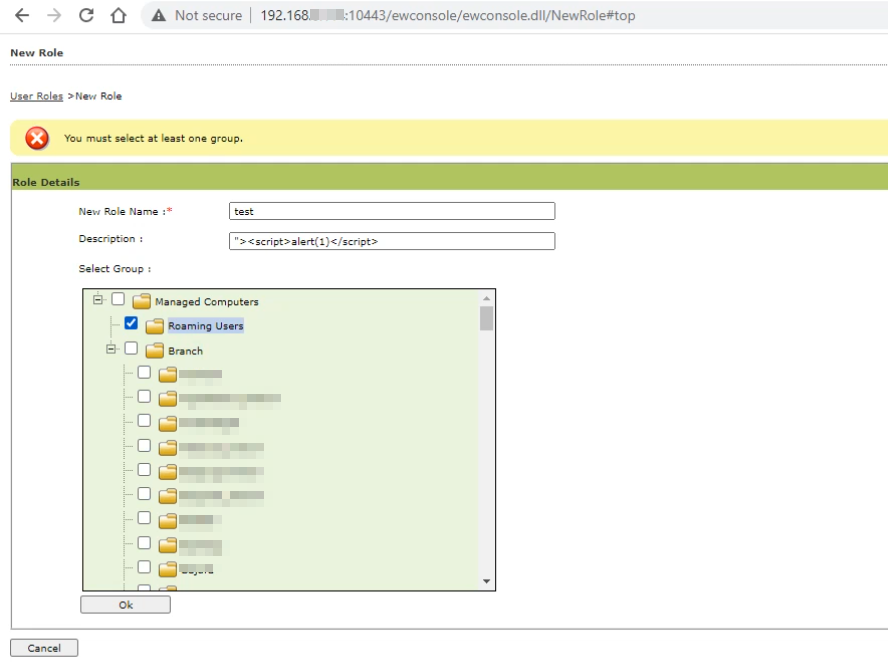
Log in to the eScan Management Console and navigate to the New Role page. Replace <TARGET_IP> with the actual IP address of the console (e.g., 192.168.1.1):
http://<TARGET_IP>:10443/ewconsole/ewconsole.dll/NewRole
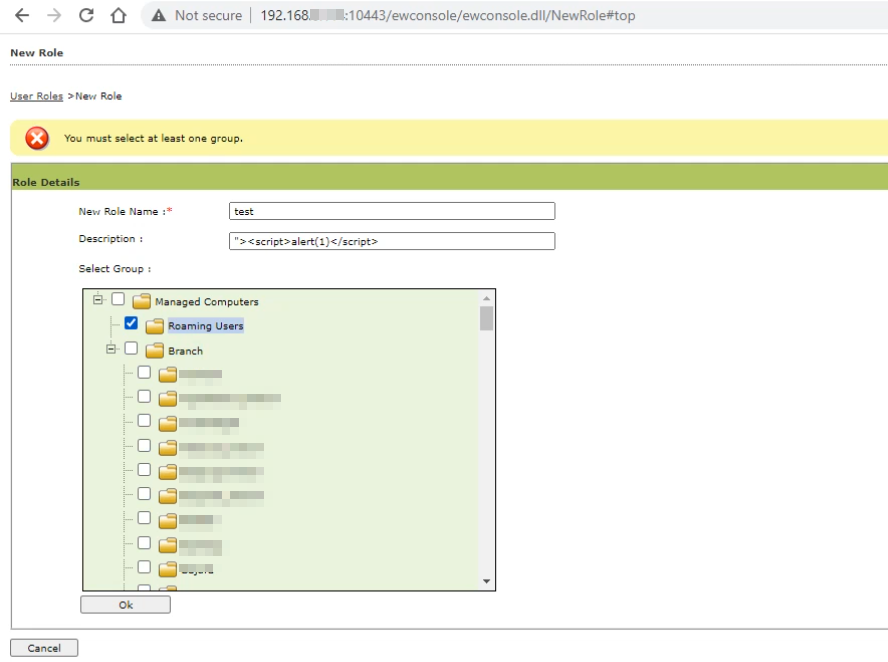
Fill in New Role Name with any value (e.g., test) and insert the XSS payload into the Description field:
"><script>alert(1)</script>
Select any group from the list and click Ok to save the role.
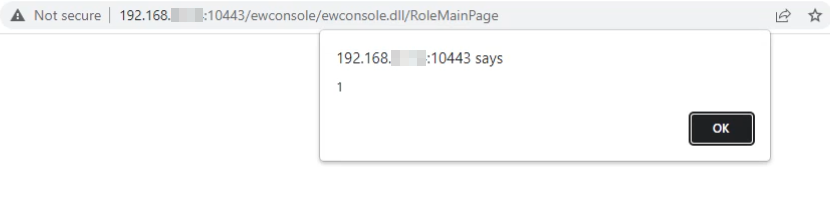
After the role is saved, the application redirects to the Role Main Page (/ewconsole/ewconsole.dll/RoleMainPage). Because the Description field value is reflected back without sanitization, the injected <script> tag executes immediately, triggering a browser alert dialog.
In a real-world attack, the alert(1) call would be replaced with a payload to exfiltrate the victim's session cookie (e.g., document.cookie) to an attacker-controlled server.
Microworld Technologies should apply the following fixes:
<, >, ", ', ;) from fields that do not require rich text.Content-Security-Policy HTTP response header to limit the execution of inline scripts.HttpOnly flag on session cookies to prevent JavaScript from accessing them, reducing the impact of any successful XSS. Additionally, set the Secure flag to ensure session cookies are only transmitted over HTTPS, preventing interception over unencrypted connections.Sahil Ojha — Security Researcher
Discovered and reported: 23 June 2023
This repository is published for educational and informational purposes only. The information and proof-of-concept code provided here are intended to help security professionals understand the nature of the vulnerability so that it can be patched and defended against. The author does not condone the use of this information for unauthorized or illegal activities. Always obtain proper written authorization before testing any system you do not own.

