 rosehgal/trashemail
A hosted disposable email telegram bot; Extremely privacy friendly; Proudly hosted for community.











TrashEmail is hosted Telegram bot that can save your private email address by offering disposable email address. It can create, manage, disposable email address and link them with your telegram bot chat.
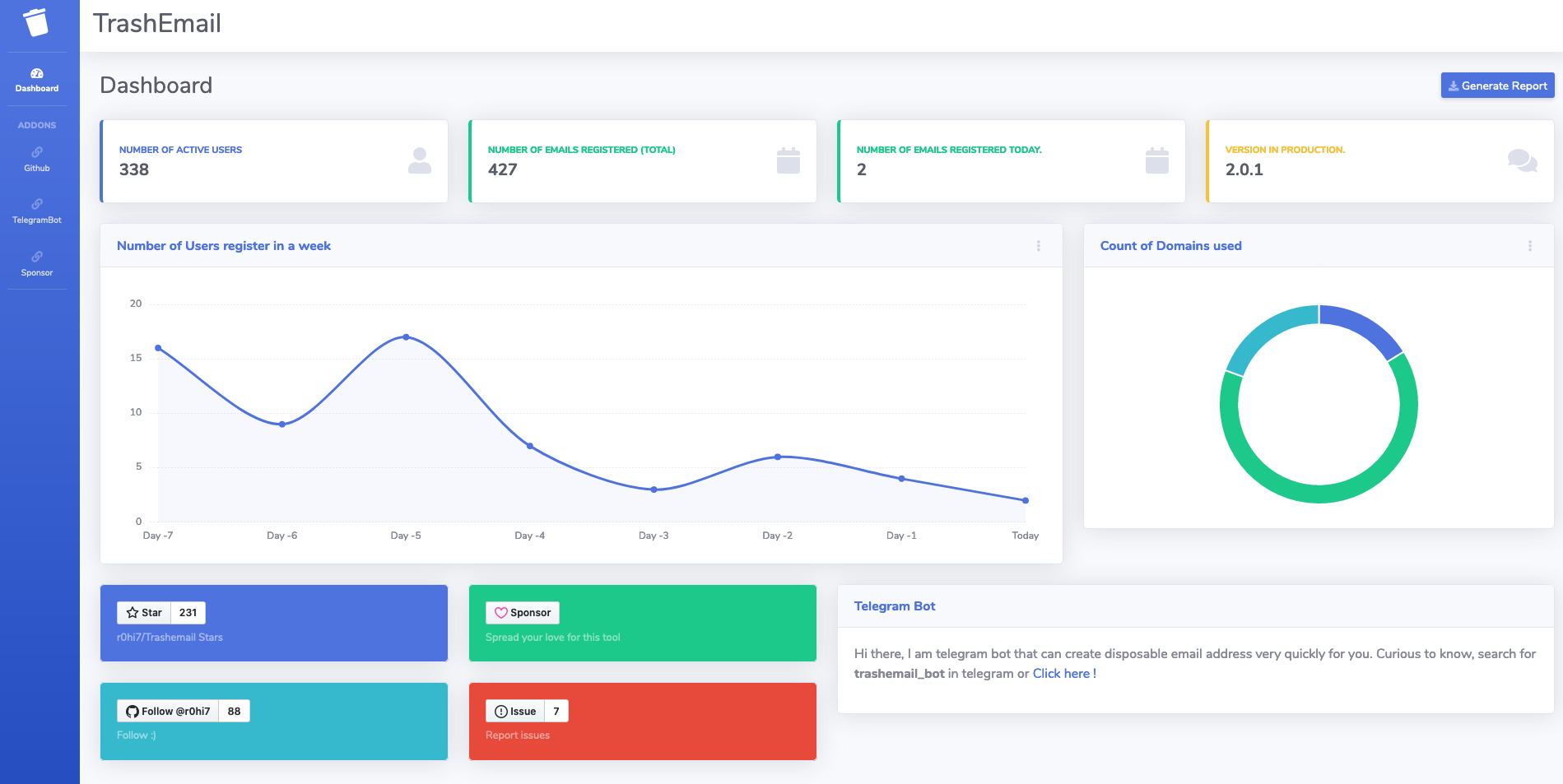
Forget about spam, advertising mailings, hacking and attacking robots. Keep your real mailbox clean and secure.Trashemail provides temporary(or permanent), secure, anonymous, free, disposable email address. Want to get one ? its here : @trashemail_bot
Disposable email - is a service that allows to receive email at a temporary(Here in case, the temporary factor is upto you) address that self-destructed after a certain time elapses. It is also known by names like : tempmail, 10minutemail, throwaway email, fake-mail or trash-mail. Many forums, Wi-Fi owners, websites and blogs ask visitors to register before they can view content, post comments or download something.
Trashemail is not most advanced throwaway email service but a reliable service that helps you avoid spam, stay safe and get emails delivered directly to your @trashemail_bot Telegram bot. And in case you are getting too many such mails, just delete the email Id :) with one click(oops command, since this is telegram bot).
There are websites that offers such sort of functionalities (like https://temp-mail.org/en/ etc) but the certain issues with such platforms:
Considering all of this, I decided to make a open source project out of my hobby and thought of offering it as a service to others :)
How my service is better than theirs:
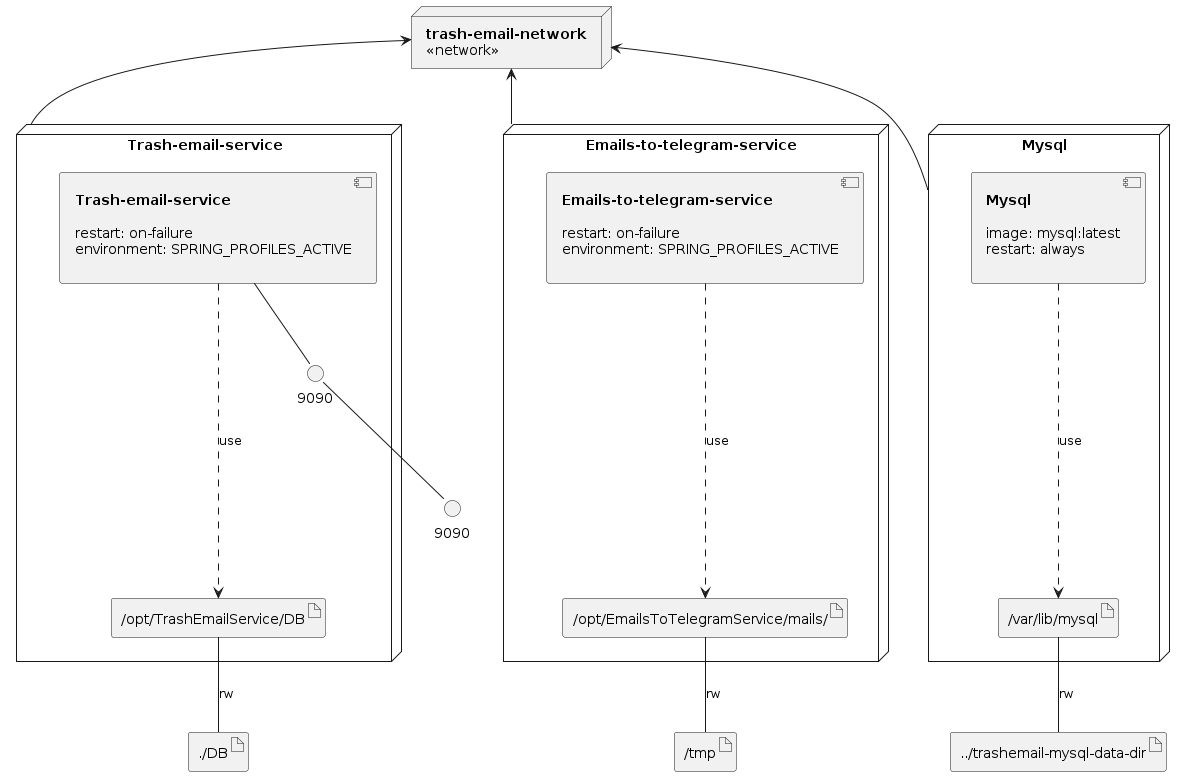
TrashEmail is Java spring-boot microservice that anyone can build locally currently with few setting to tune in and then have the entire setup running locally.
All you need to own is mail server(SMTP and IMAP), telegram bot token and mvn locally to build it.
Few requirements with the mailserver:
I have to update the config slightly, and will do it quickly. :)
All you need to do is clone the source, build and run, and just tell telegram that you are listening here.
git clone https://github.com/r0hi7/Trashemail.git
cd Trashemail

# Copy EmailsToTelegramServiceConfig-sample.yml and
# TrashEmailServiceConfig-sample.yml files
# according to your environemnt
# Let's say you want to deploy it for dev env
# Then copy these files like

cp EmailsToTelegramServiceConfig-sample.yml EmailsToTelegramServiceConfig-dev.yml
cp TrashEmailServiceConfig-sample.yml TrashEmailServiceConfig-dev.yml

# Now modify the respective copied files with your configs
# Similarly, it can be deployed be "qa", "prod" environments
# Finally, run the script build-and-run.sh with env as an argument

bash build-and-run.sh dev

# If you dont want to deploy it in docker-compose, then
# Use Makefile directly
# It will create targets for EmailsToTelegramService and TrashEmailService respectively

make dev
Dev configs may look like this:
EmailsToTelegramServiceConfig-dev.yml
# Email Server IMAP and SMTP configuration
# SMTP server should support Alias creation and deletion
# IMAP server should support IDLE

trashemail:
  host: trash-email-service
  port: 9090
  path: /getChatId/

imap-client-service:
  telegram:
    url: https://api.telegram.org/bot
    bot-token: xxxxxxxxxxxxxxxxxxxxxx
    size: 4096
  imap:
    host: trashemail.in
    port: 993
    email: [email protected]
    password: changeme
  emails:
    hostPath: http://127.0.0.1:8000/
    downloadPath: /opt/EmailsToTelegramService/mails/

# main will specify springboot application to
# no start any tomcat server, which is not even
# required for emailservice.
spring:
  application:
    name: EmailsToTelegramService
  main:
    web-application-type: none
TrashEmailServiceConfig-dev.yml
# Tomcat server settings
server:
  port: 9090